
Live streaming supports external microphones (such as lavalier microphones)
Function Introduction:
The live streaming client supports connecting to microphone devices for audio recording, catering to more mobile scenarios for microphones.
Usage Conditions:
① The latest version of the eLive streaming client or elink Assistant
② An external microphone device (you can search for 'external microphone' or 'lapel microphone' on e-commerce platforms)
How to Connect an External Microphone:
① Enter the live streaming room (eLive streaming client/elink Assistant)
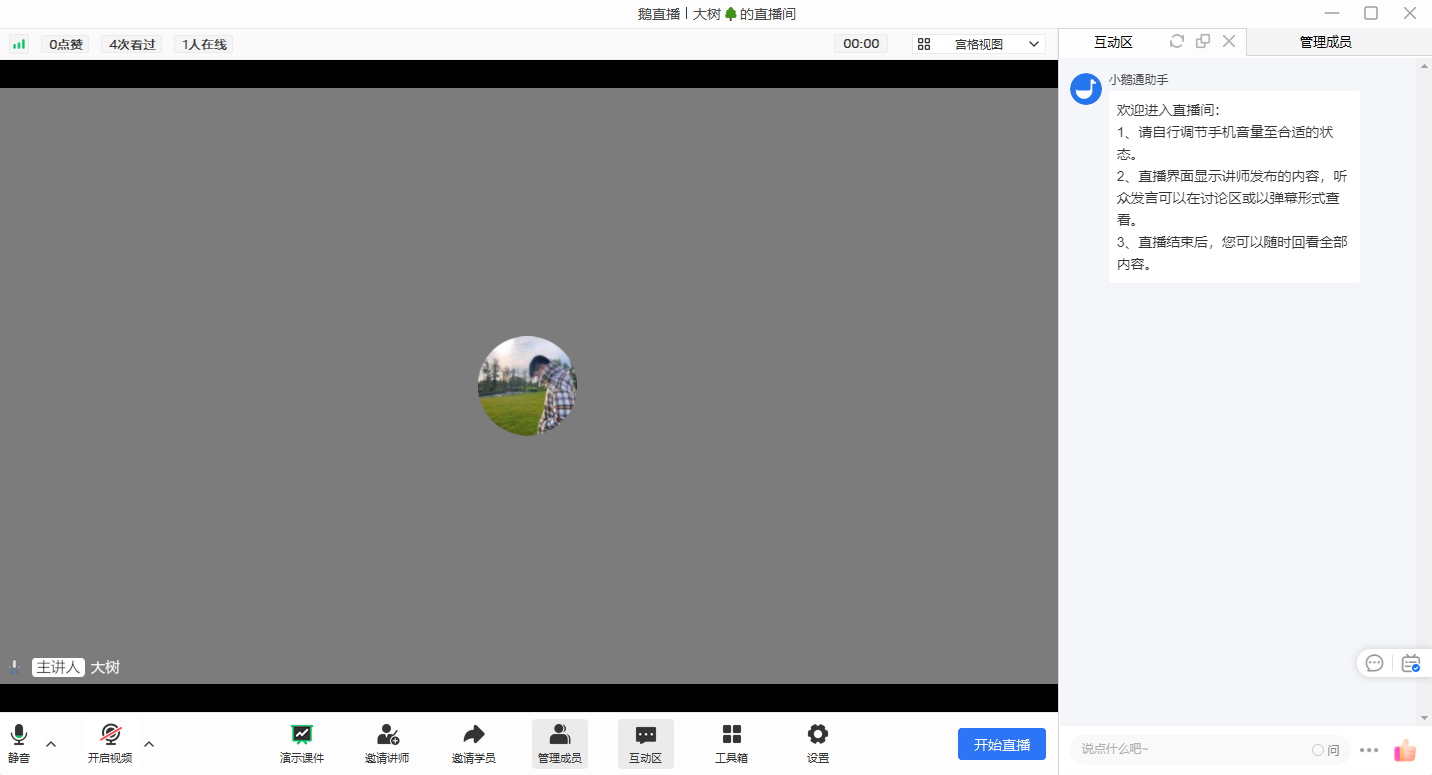
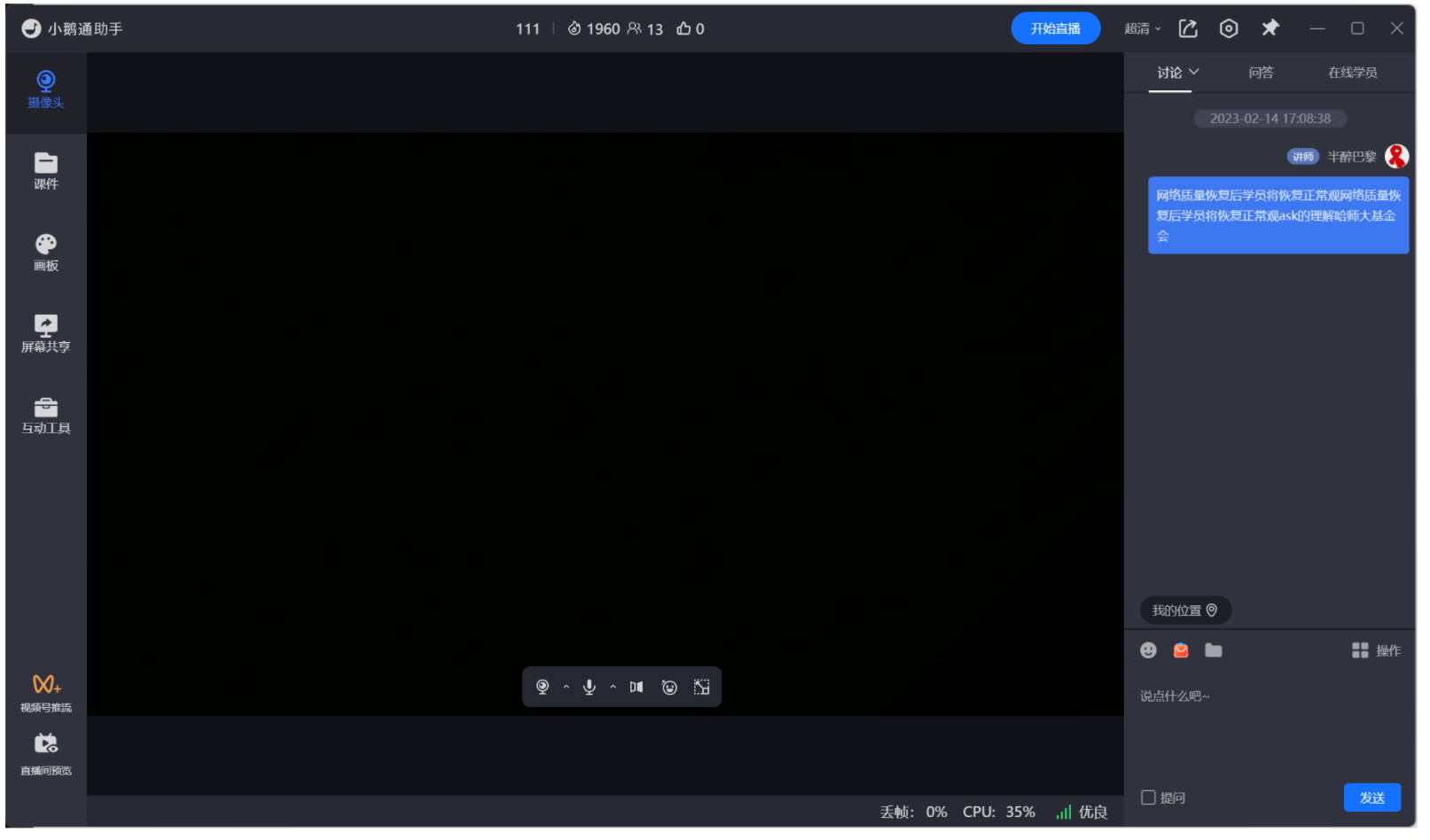
② Connect the external microphone to your computer
(Some external microphone devices require driver installation. Just follow the prompts to install.)
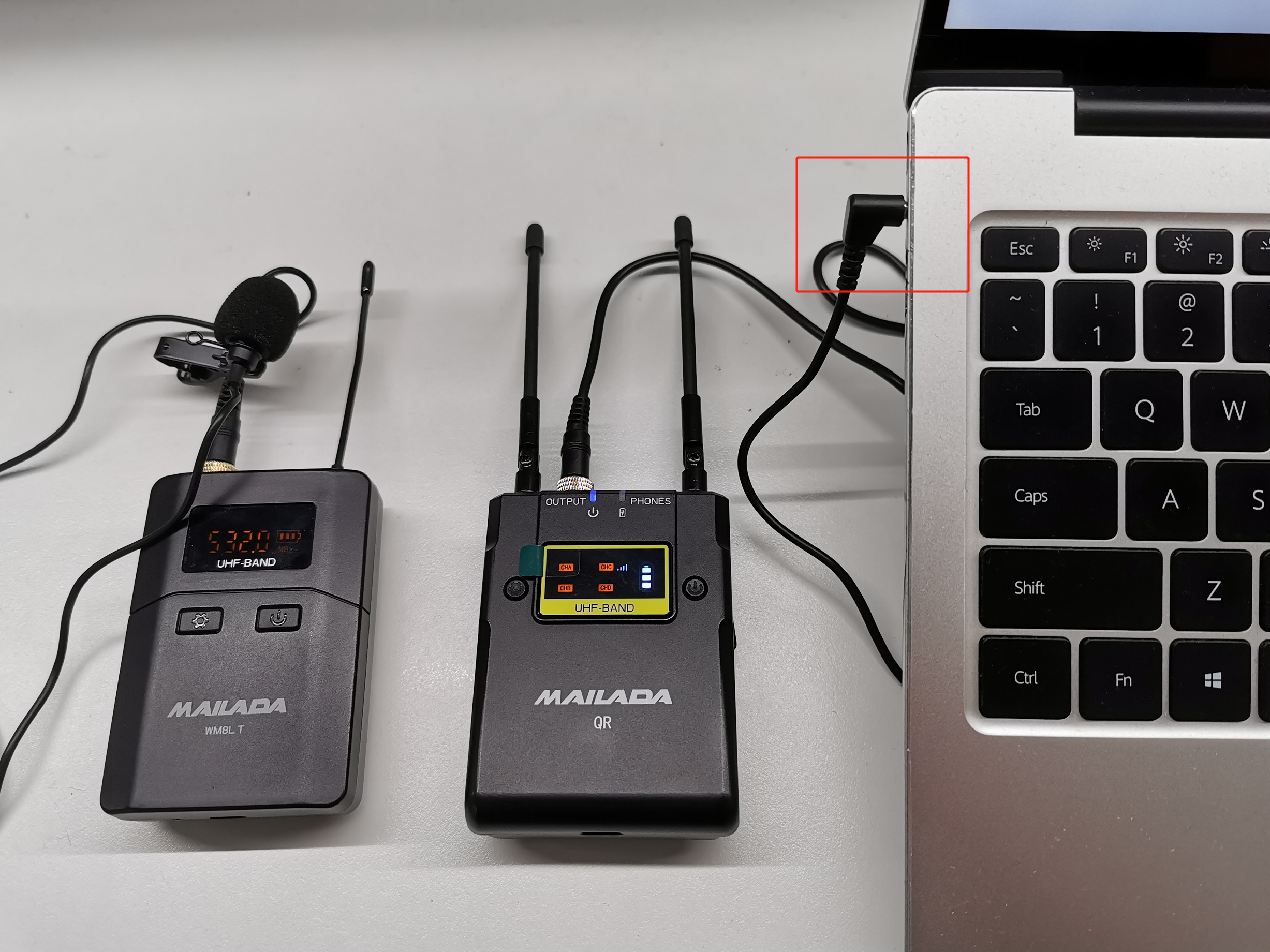
③ Switch to the external microphone
At the microphone icon in the live streaming room, click the drop-down menu and select the external microphone.
Precautions:
① For external microphones that don't require driver installation, simply select the default microphone device, such as "Realtek(R) Audio".
Frequently Asked Questions:
1. Does it support lapel microphones?
Answer: Yes, it does.
2. When the mobile phone is connected to an external microphone, the eLive Mini Program cannot record audio
Answer: Currently, the WeChat Mini Program does not support external microphones and only supports the phone's built - in microphone.
You can try the following methods:
-- iPhone
You need a Lightning to 3.5mm adapter.
It is recommended to buy the original Apple adapter because it has an MFi - certified chip. Only adapters certified by Apple's MFi can be used for audio recording when connecting an external microphone.

Adapters purchased from other sources may not be MFi - certified by Apple and cannot be used for audio recording.
-- Android phone
You need a Type - C to 3.5mm adapter.
It is recommended to use the original phone adapter or a Type - C to 3.5mm adapter to connect the external microphone.

3. The external microphone has no sound
Answer: Please solve the problem in the following ways:
① Check the input volume of the sound. The following is an example of the Win11 system;
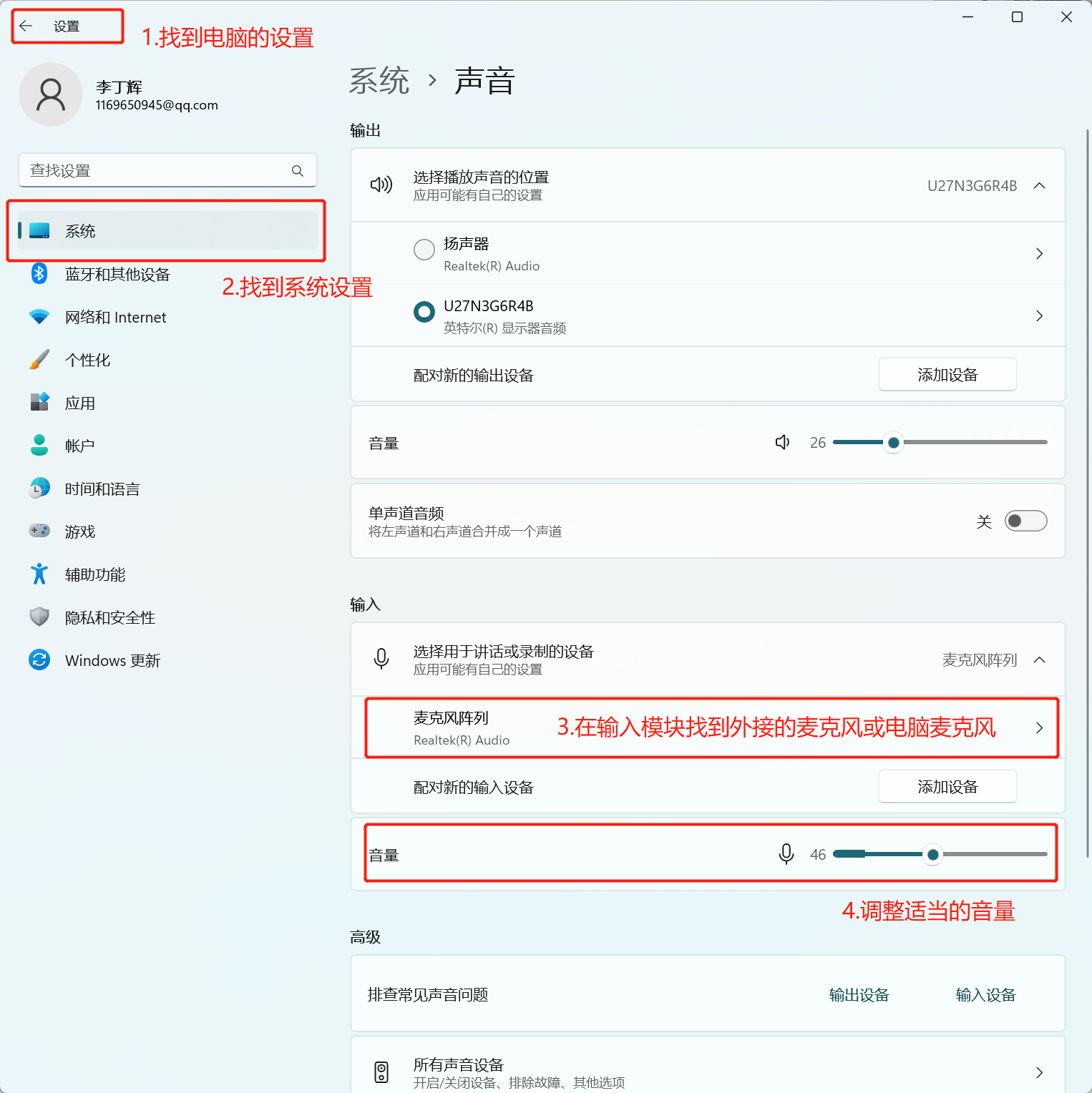
② Check if the external microphone is selected in the live streaming room;
③ Test if the external microphone works normally using WeChat voice. If the problem persists, you can consult the seller of the external microphone device.
No comments to display
No comments to display