
How to obtain the server and streaming key?
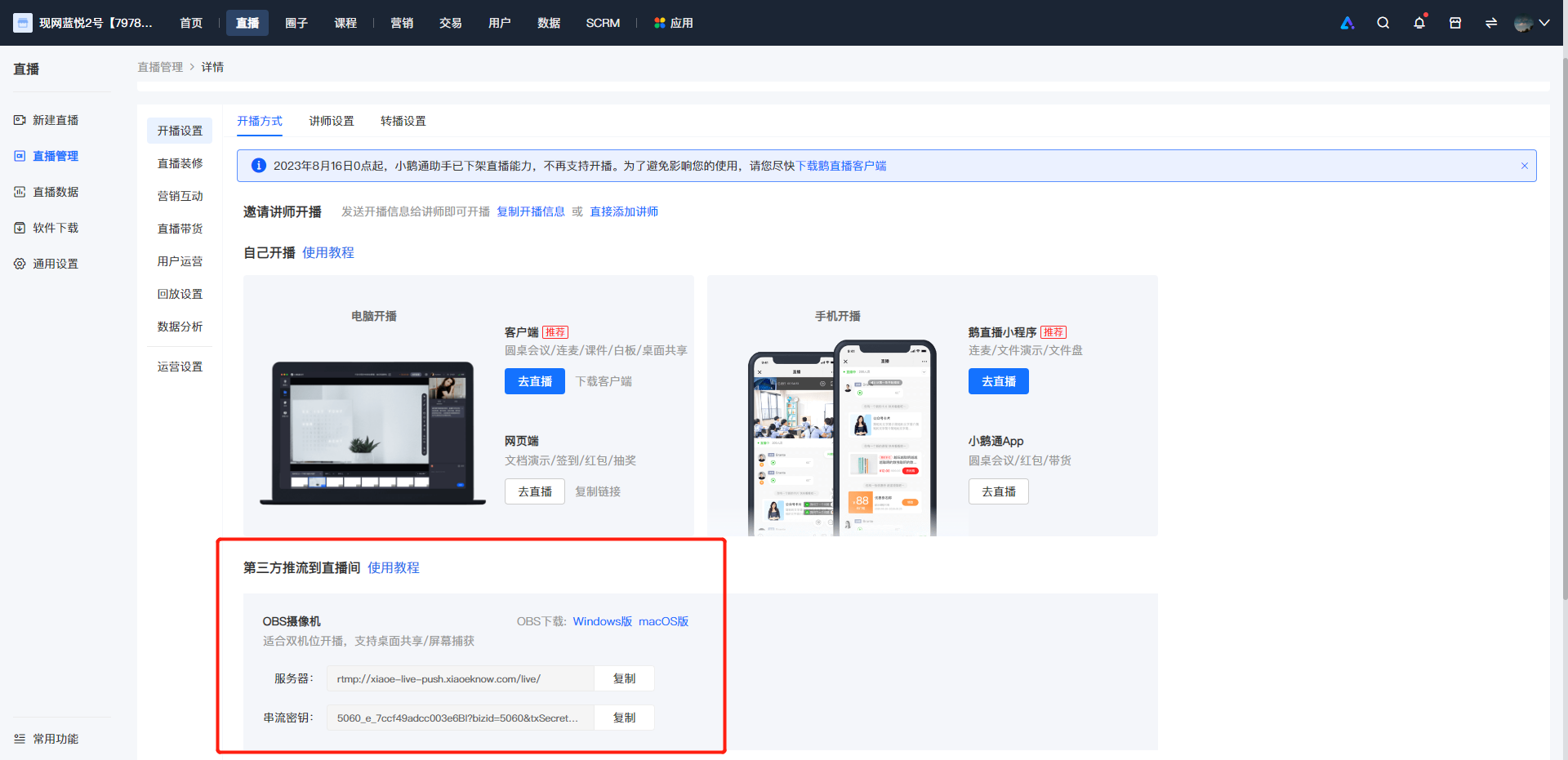
1. You can log in to the elink Merchant Backend, click [Live Streaming], find the corresponding course, and then click [More > Go to Live > Live Streaming Settings] to copy the "Server" and "Stream Key".
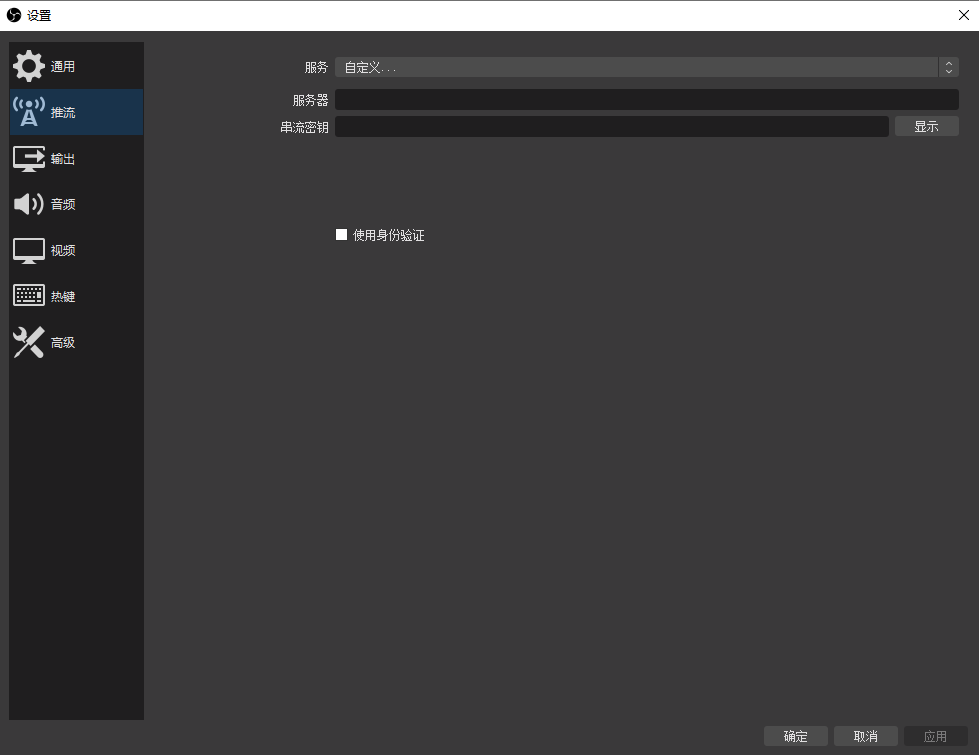
2. After obtaining the "Server" and "Stream Password", open OBS, click the settings button in the bottom right corner. On the settings page, select "Streaming" from the left - hand sidebar. On the streaming settings page, click the dropdown menu next to "Service" and select "Custom".Then fill in the corresponding information in the "Server" and "Stream Key" fields.
No comments to display
No comments to display