
Tutorial on Using Live Commerce Comment Review
I. Function Introduction
In the specific live streaming room settings - Comment Settings, after enabling the [Comment Review] function, merchants can review the comments in the live streaming room. After confirming that the comments meet the merchants' requirements, merchants can perform the "Display" operation on specific comments. After completion, the comment will be visible to all users in the live streaming room.
II. Purpose of Use
Merchants can use this function to more effectively manage and control the comments in the live streaming room.
III. Usage Scenarios
To prevent non - compliant comments (such as political, terrorist, pornographic remarks, advertising information, spamming information, etc.) from affecting the merchant's brand and live streaming effect during the live streaming, merchants can enable the [Comment Review] function to review the comments before displaying them to all users.
IV. Operation Path
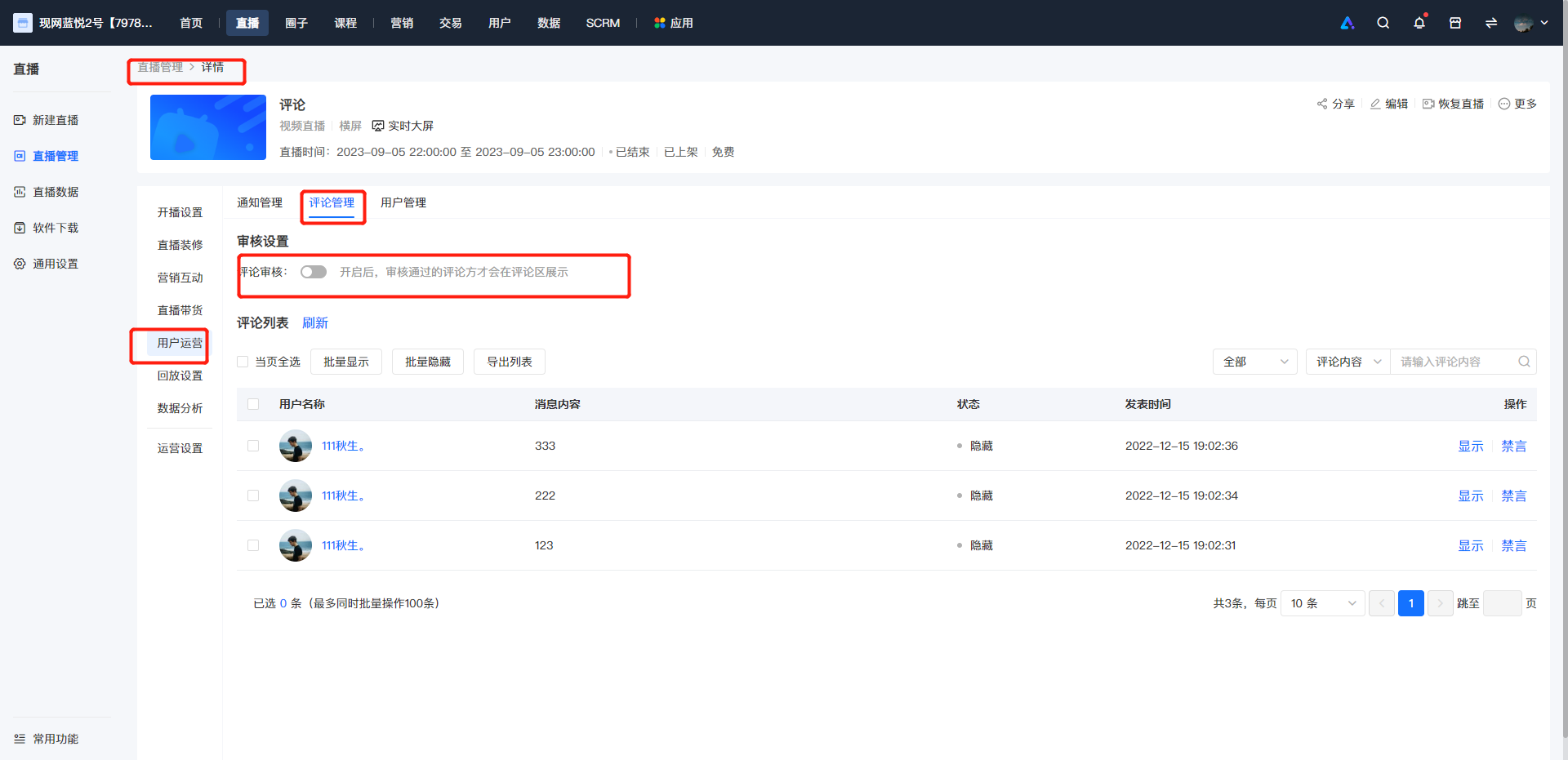
Merchant side: PC management console → Live Streaming → Details → User Operations → Comment Settings
V. Usage Tutorial
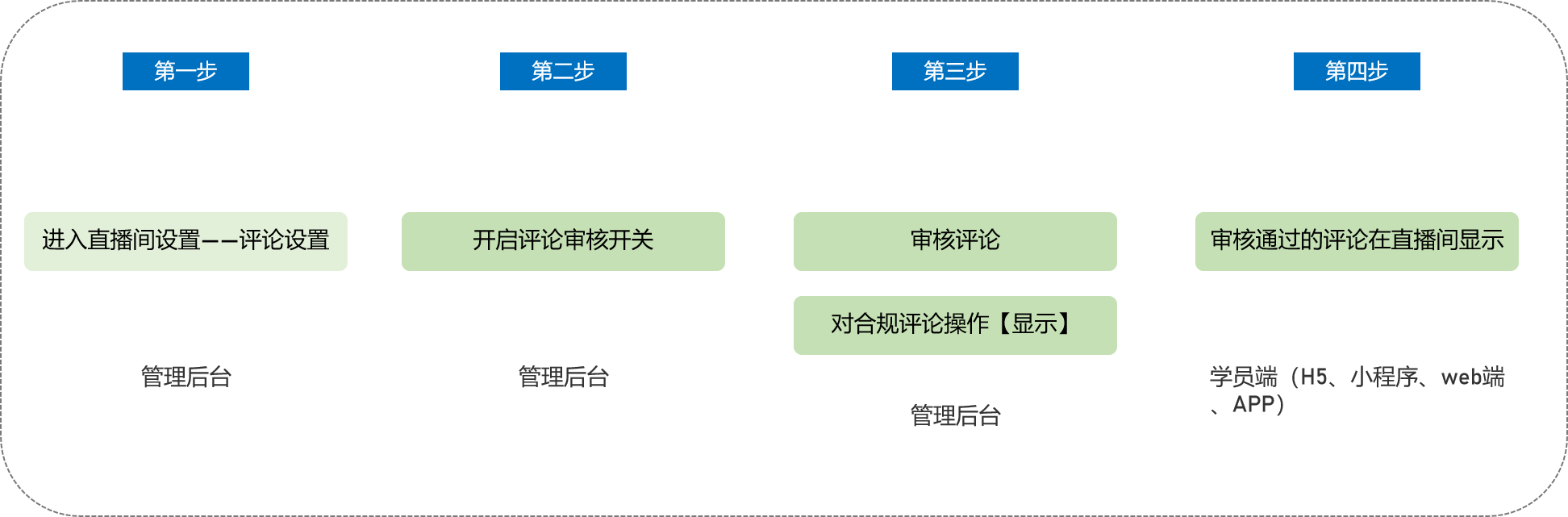
Step 1 Enter User Operations - Comment Settings (Management Backend)
Enter the details page of the specific live streaming room, click to enter User Operations, and select Comment Settings.
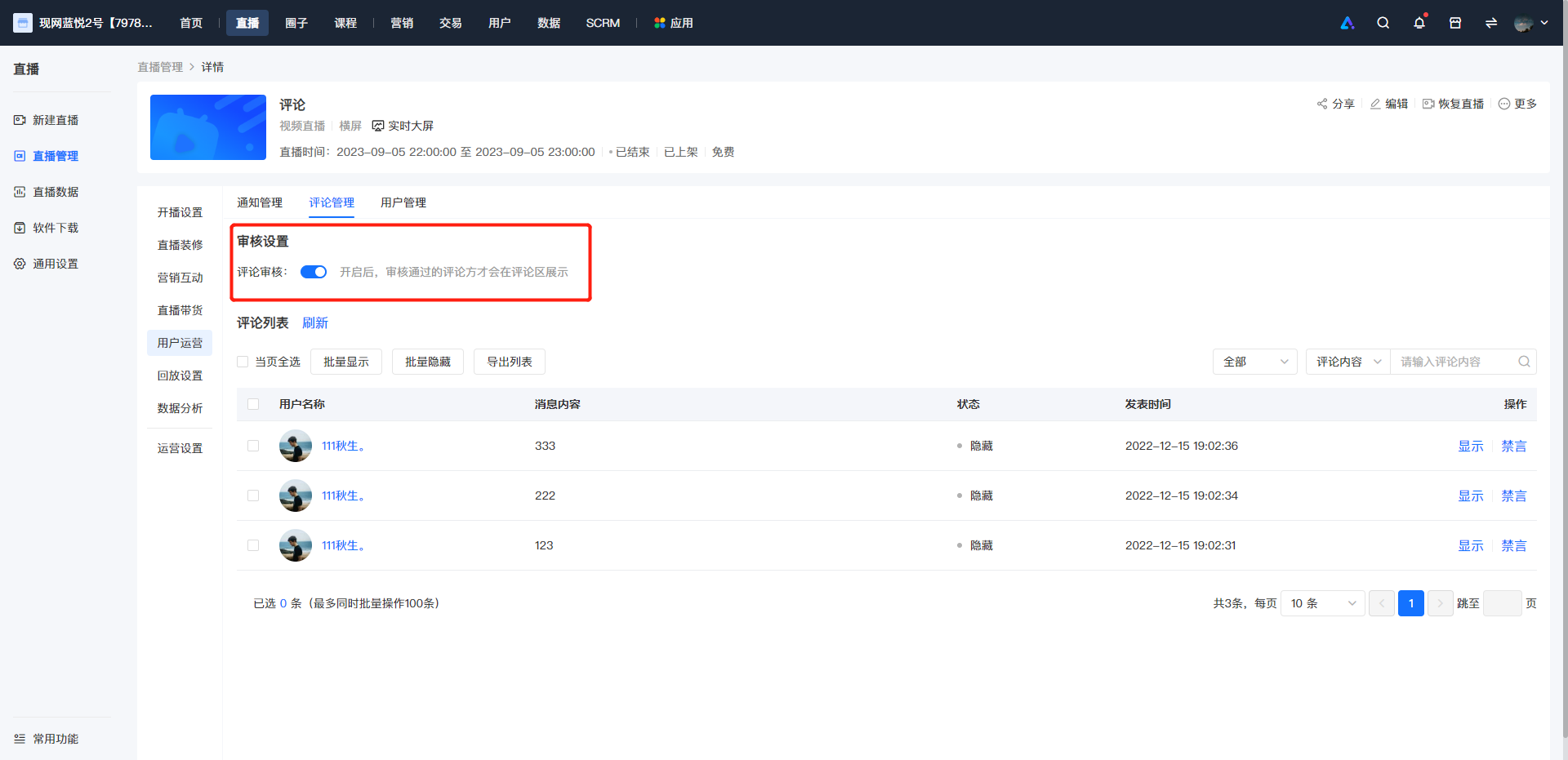
Step 2 Enable the Comment Review Switch (Management Backend)
Enable the comment review switch. After enabling, the comments sent by users in the live streaming room will be hidden by default and not visible to all users (except the user who sent the comment).
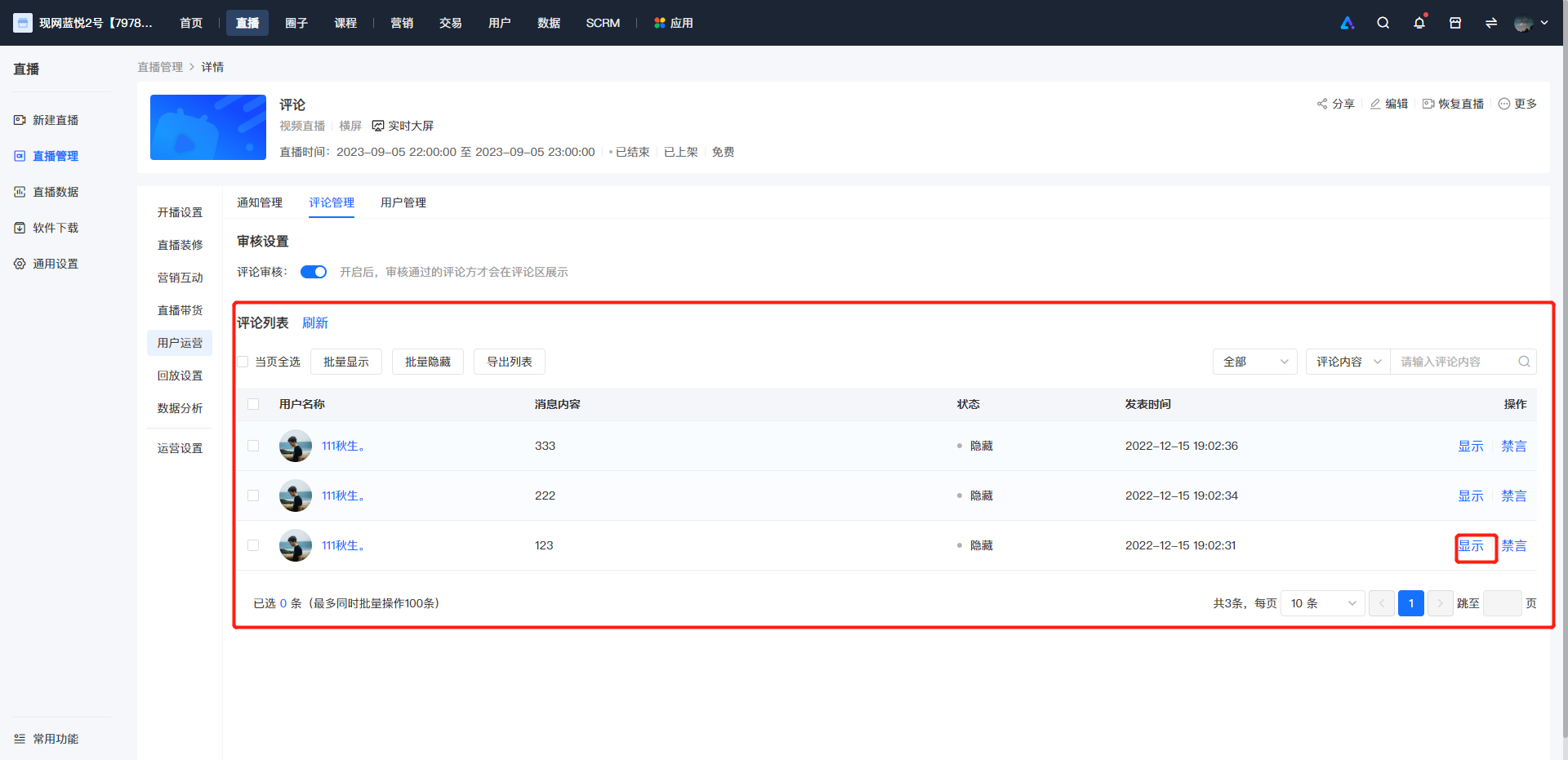
Step 3 Review Comments and Perform the [Display] Operation on Compliant Comments (Management Backend)
Review the comments sent by users in the live streaming room. Perform the [Display] operation on the comments that pass the review and meet the merchants' requirements. The status column shows the display status of the current comment. Comments with the status of "Display" are visible to all users in the live streaming room, and comments with the status of "Hidden" are not visible to all users in the live streaming room (except the user who sent the comment).
Step 4 Display the Approved Comments in the Live Streaming Room (H5, elink Live Mini Program, Web, elink App)
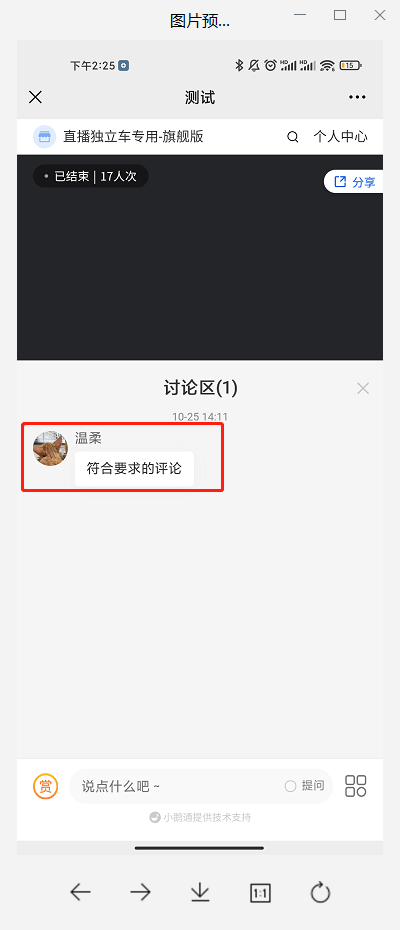
Comments that have passed the review and been operated with "Display" by the merchant in the backend will be displayed in the live streaming room and will be visible to all users.
No comments to display
No comments to display