
The audio and video are out of sync when exporting videos from the video editing software
Exceptional scenarios
After the downloaded replay video is processed and exported by a video editing software, the audio and video are out of sync.
Solutions
Solution ①: Download via browser online
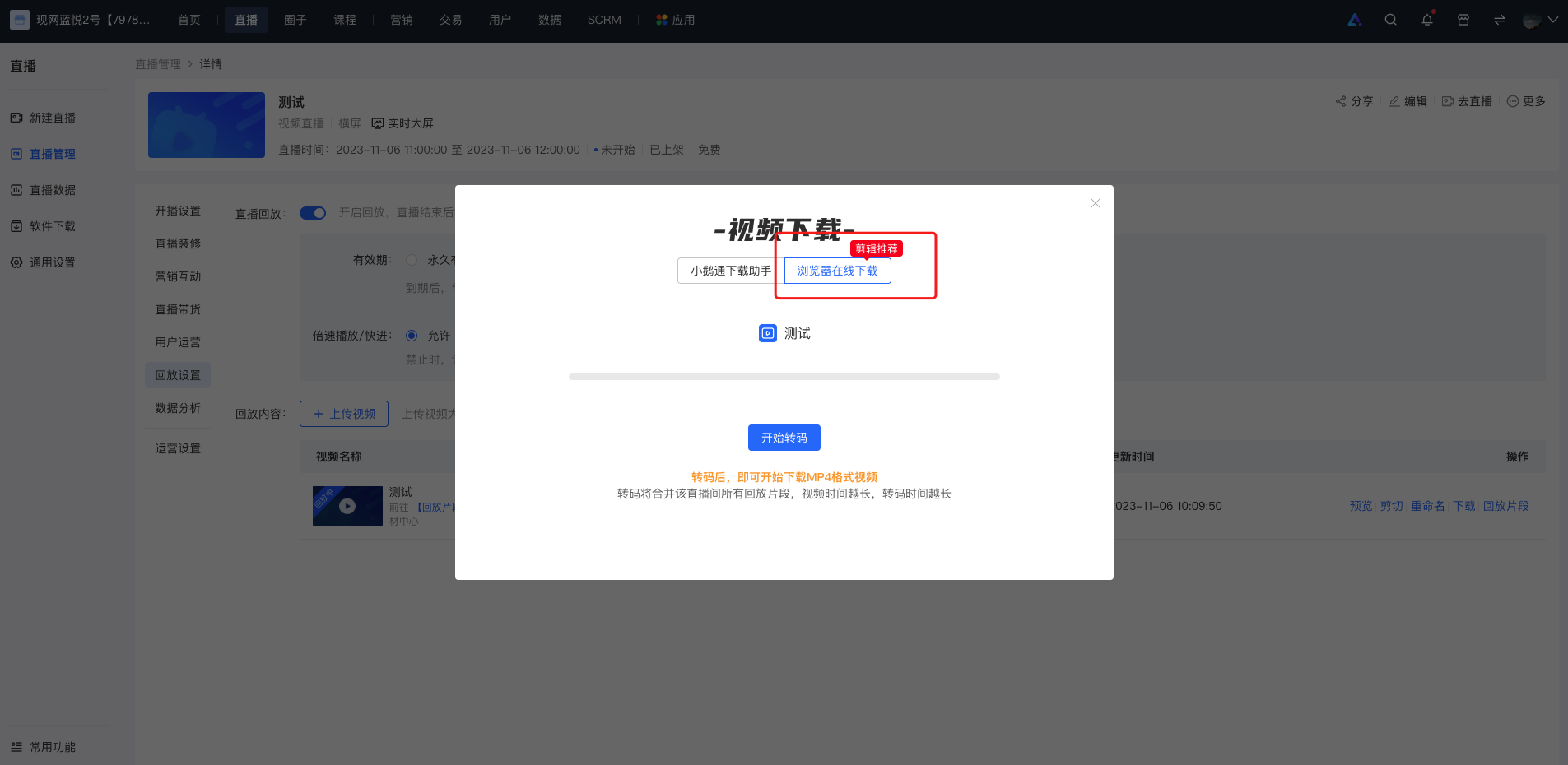
If there is an audio - video out - of - sync issue when importing the video downloaded by elink Download Assistant into the editing software, you can download and transcode the video via the browser before editing. The operations are as follows:
<1> When downloading the replay, select 'Download via browser online' and click 'Start transcoding';
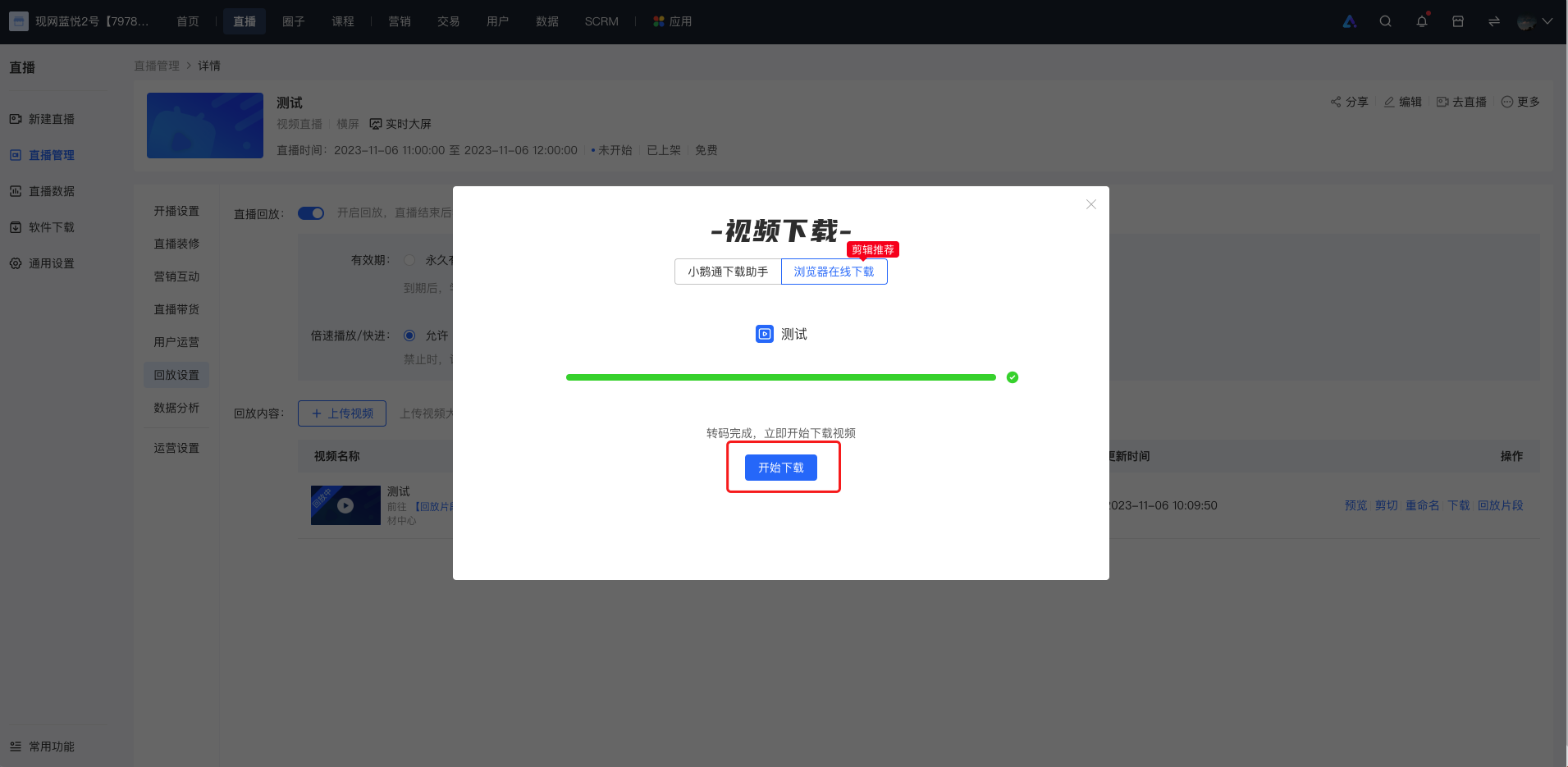
<2> After the transcoding is completed, click 'Start download'.
Solution ②: Export settings in the video editing software
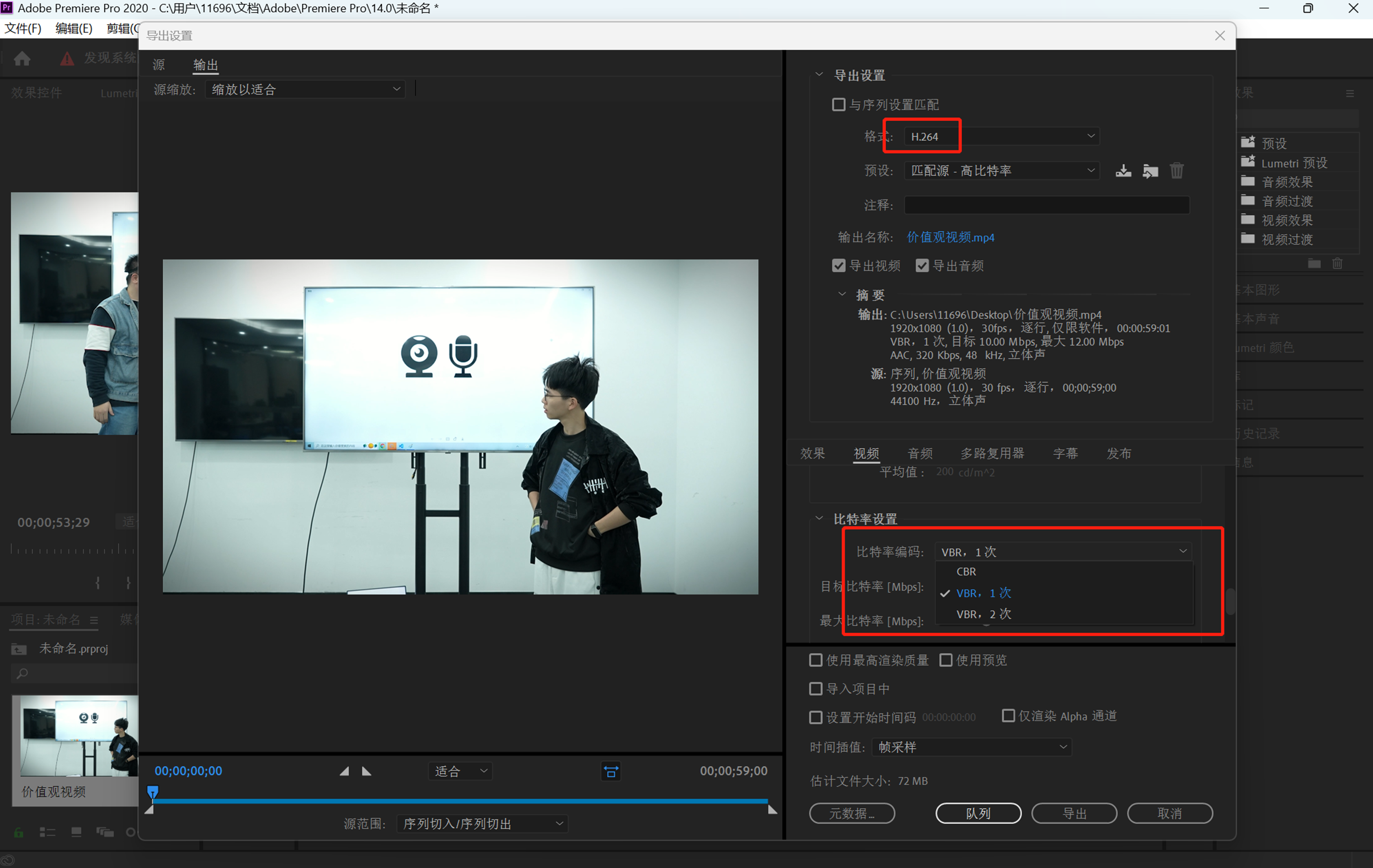
If there is still an audio - video out - of - sync issue when importing the replay video downloaded via the browser into the video editing software, you can try to set the export parameters to the 'VBR' encoding format for export. The following are the export settings for common video editing software:
Adobe Premiere
When exporting the video, select the 'H.264' format, set the bitrate to 'VBR, 1 pass', and then export.
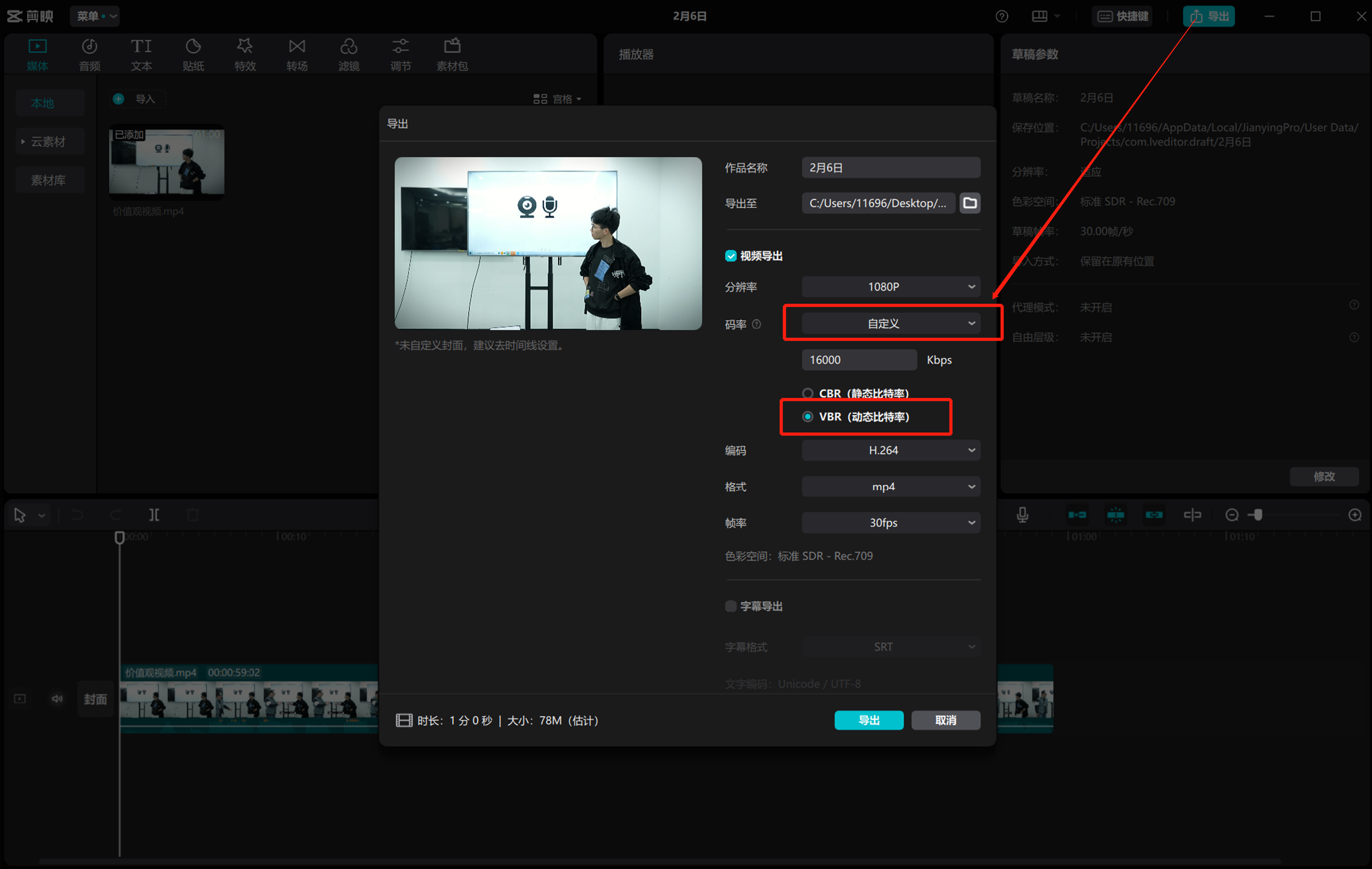
CapCut
When exporting the video, select 'Custom' for the bitrate and choose 'VBR (Variable Bit Rate)', then export.
*This operation is not supported on the Mac version of CapCut.
Other solutions
If the above methods cannot solve the problem, you can try to use software such as 'HandBrake' to manually transcode the video to the CBR encoding format locally before editing.Click to download HandBrake
Complete video conversion in four steps
Open the software after downloading and installing it.
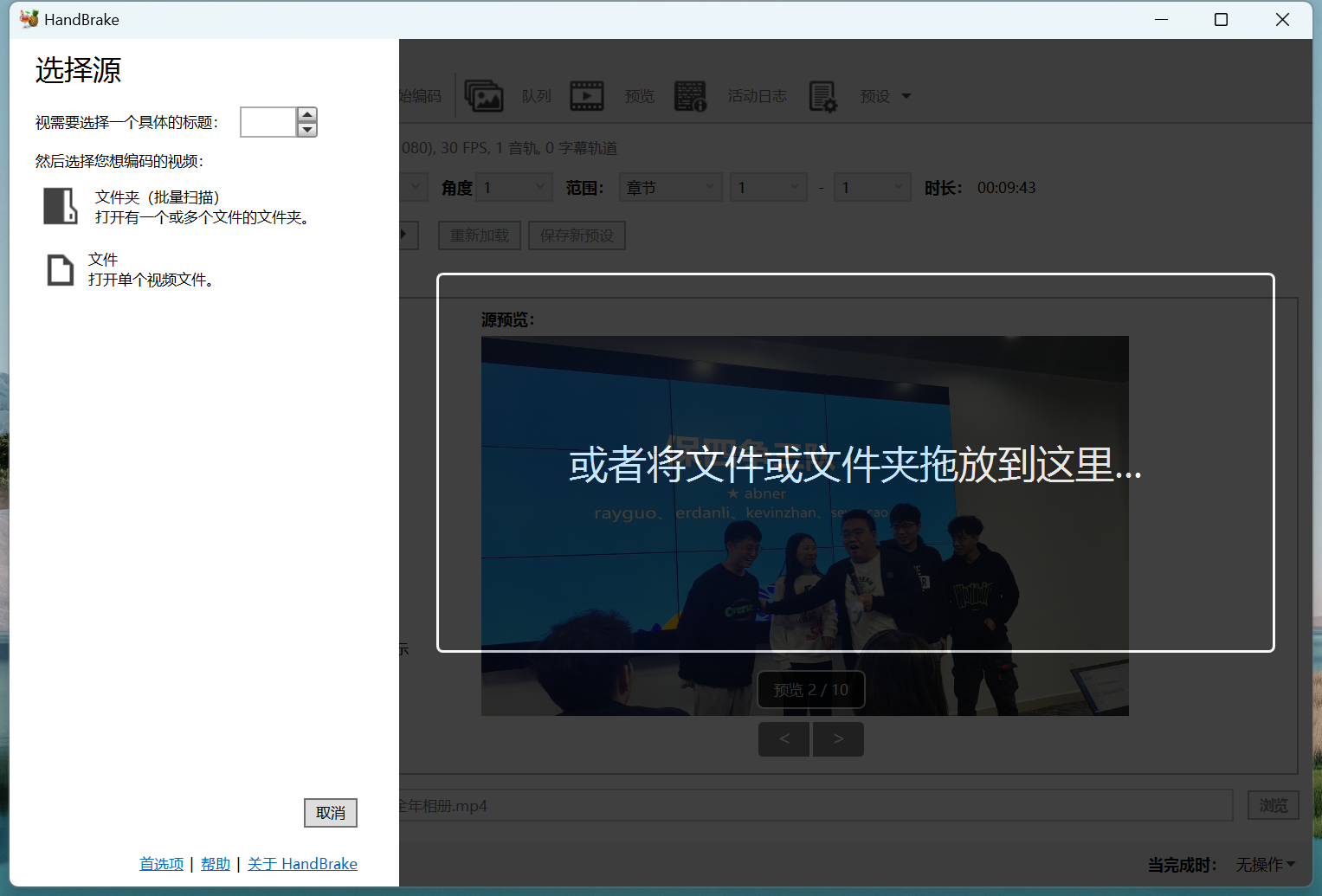
Step 1: Open the file
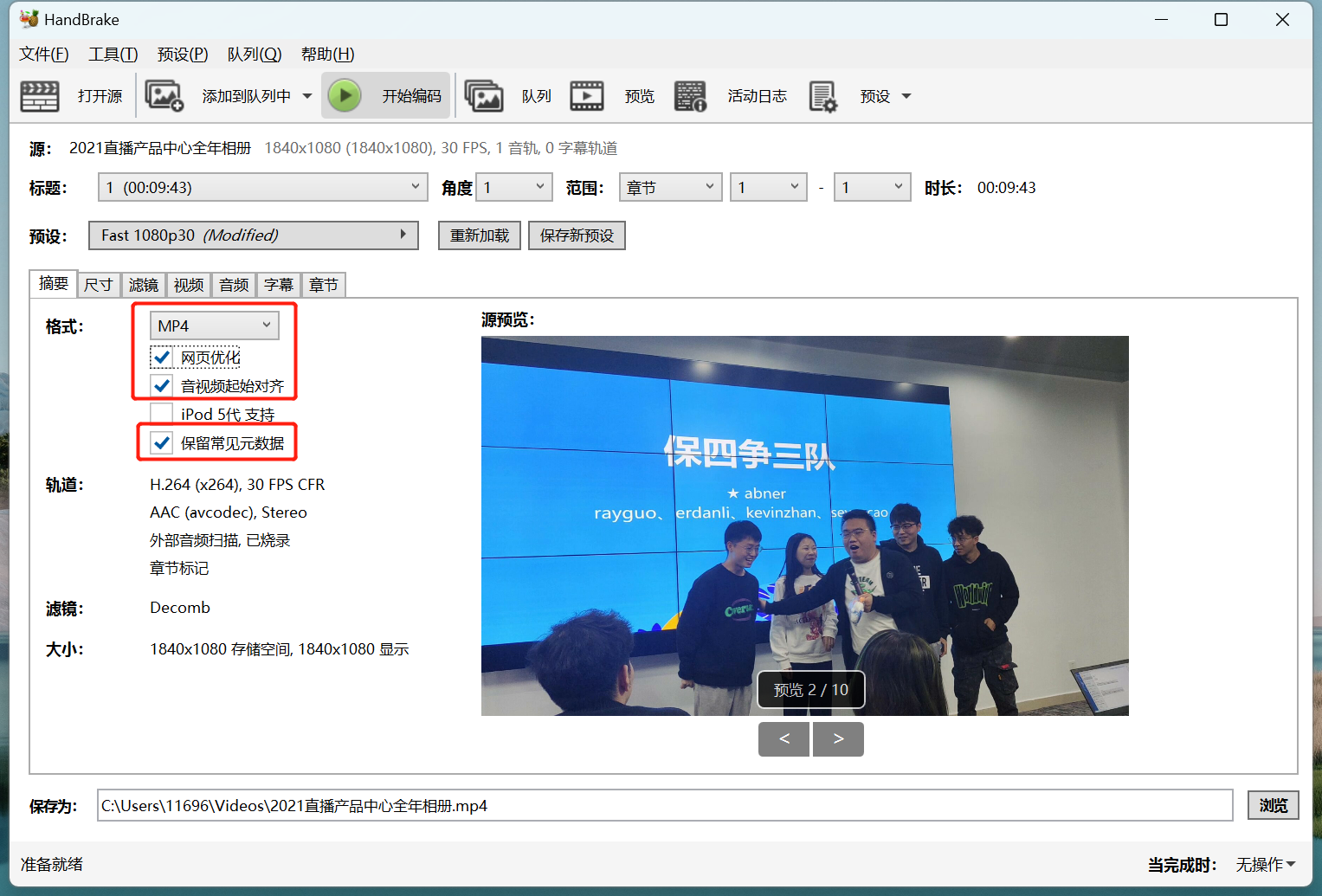
Step 2: Set parameters
Set the output format
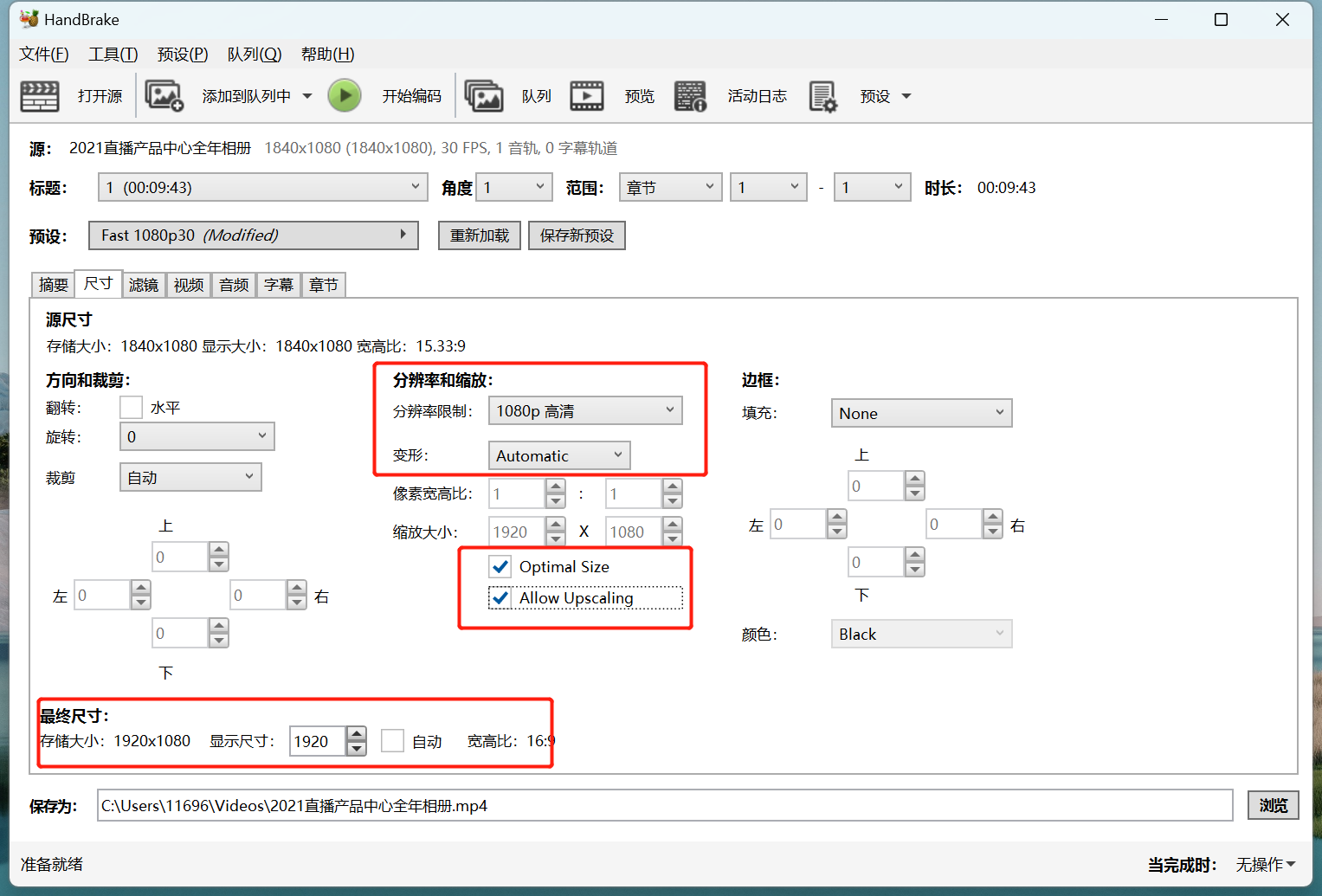
Set the output resolution
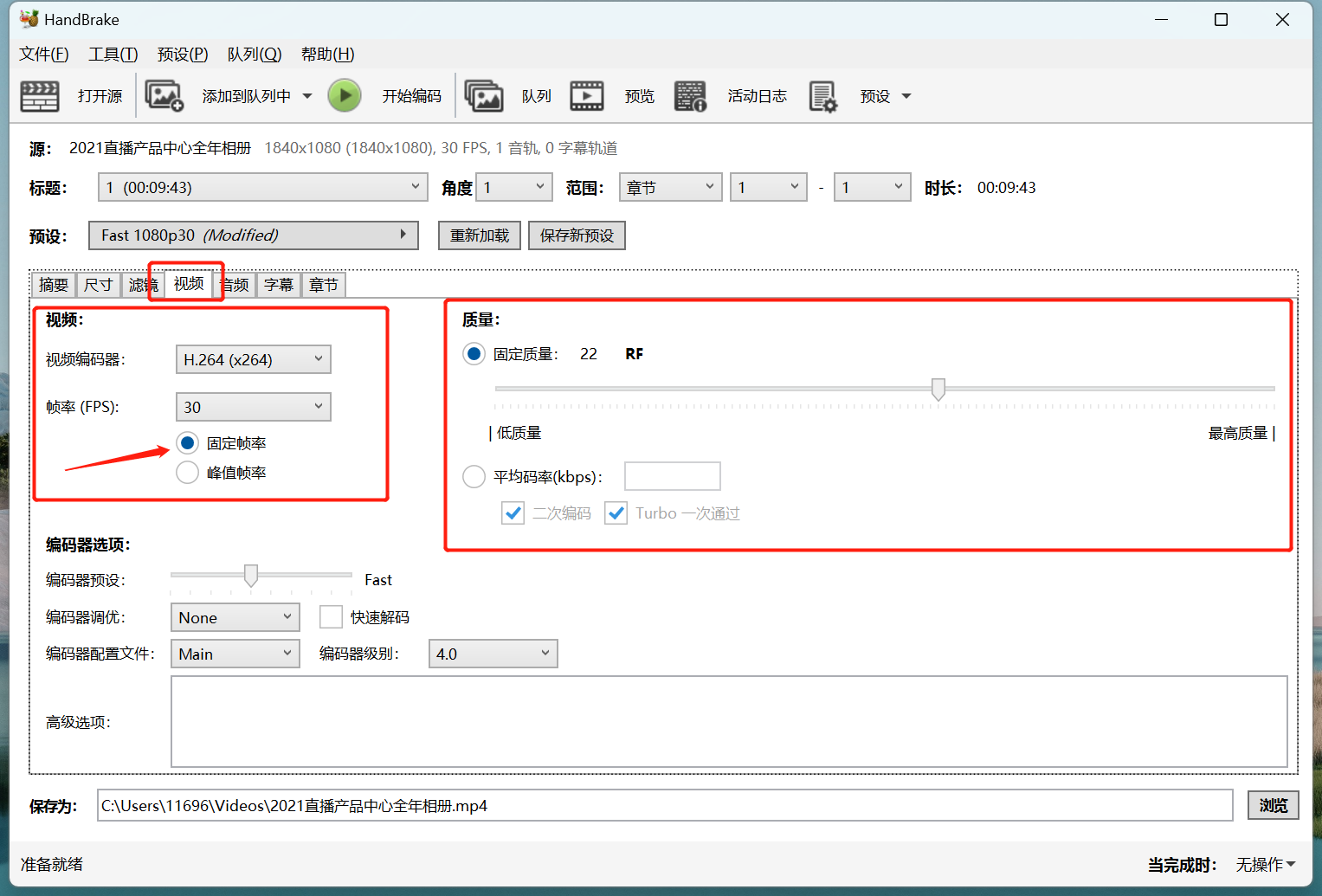
Set the encoding parameters
Step 3: Output the file
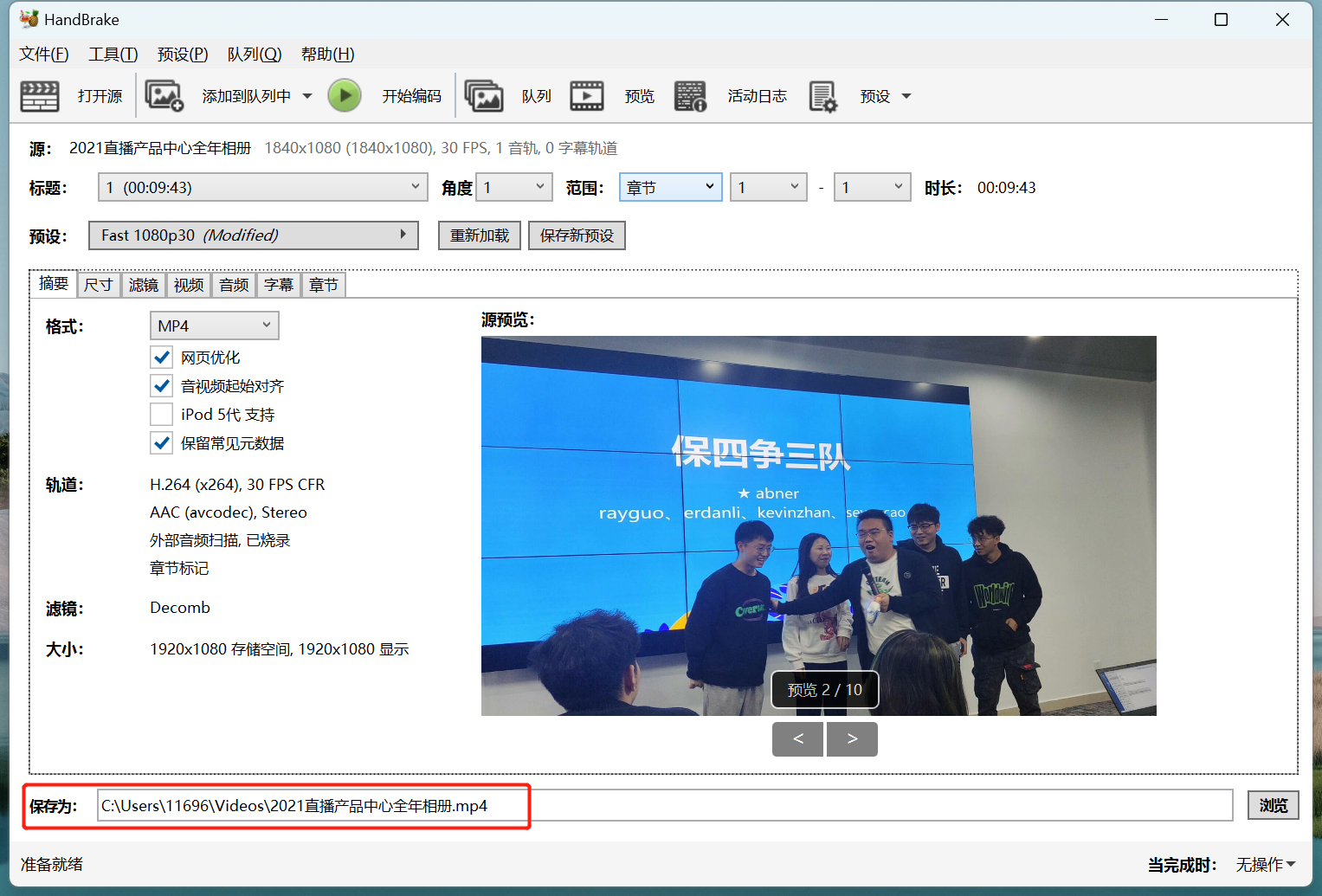
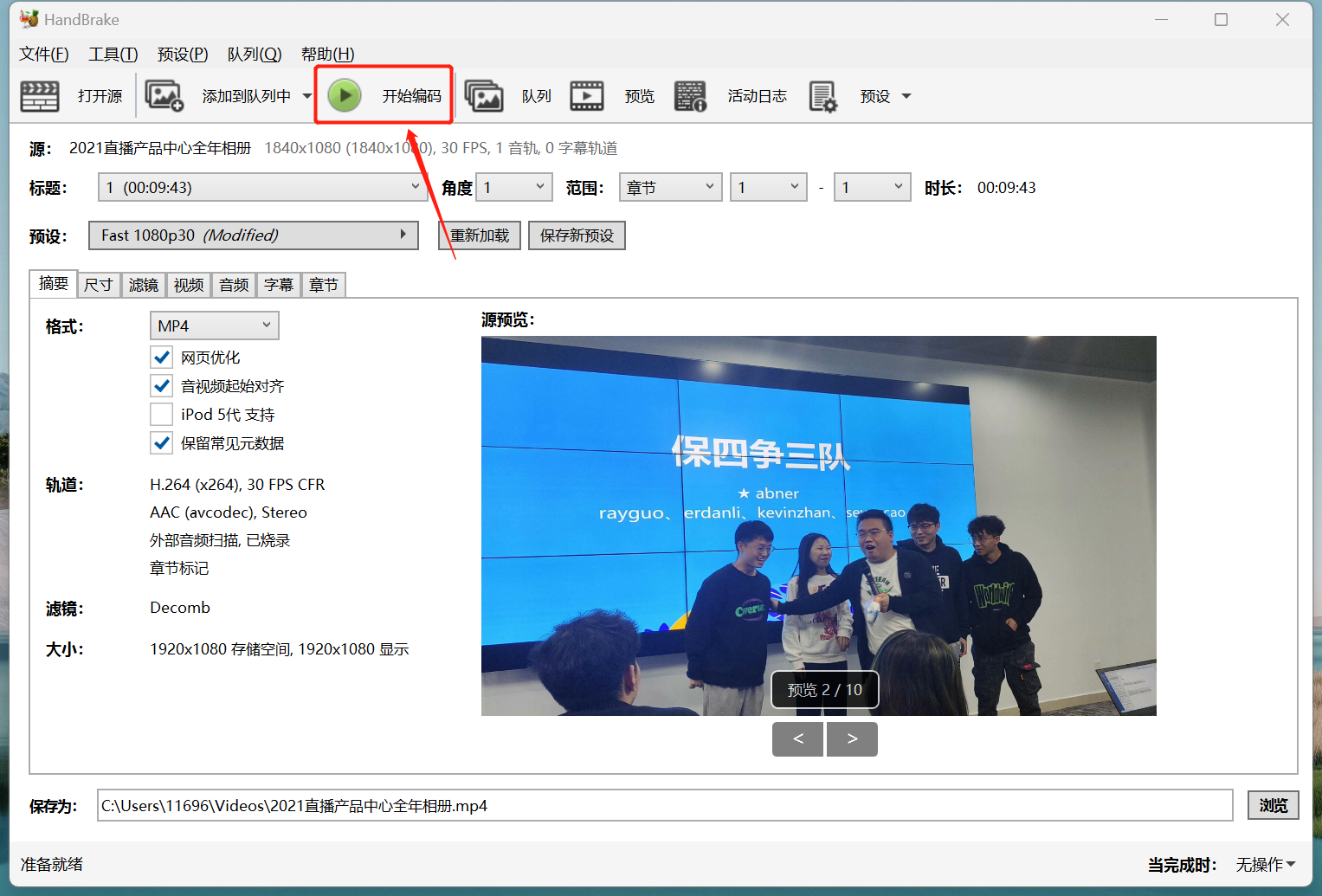
Step 4: Start transcoding
Import the transcoded video into the video editing software for secondary editing.
No comments to display
No comments to display