
English version live streaming room usage tutorial
I. Function Introduction
To enhance the live streaming and viewing experience for overseas instructors and students, the live streaming room supports switching to the English version. After overseas instructors start a live stream in English on the client, they can interact with students in the live streaming room without language barriers. Overseas instructors who haven't downloaded the client can also directly start a live stream using the English version of the web page. Overseas students can choose to watch the live stream in English on the H5 and web platforms.
II. Purpose of Use
To meet the live streaming needs of overseas instructors and students.
III. Use Scenarios
Scenario 1: After overseas instructors start a live stream in English on the client, the English version can help them enhance interaction with students in the live streaming room.
Scenario 2: Overseas instructors can experience starting a live stream using the English version of the web page without downloading the client.
Scenario 3: Overseas students can watch the live stream in English on the web and H5 platforms.
IV. Operation Path
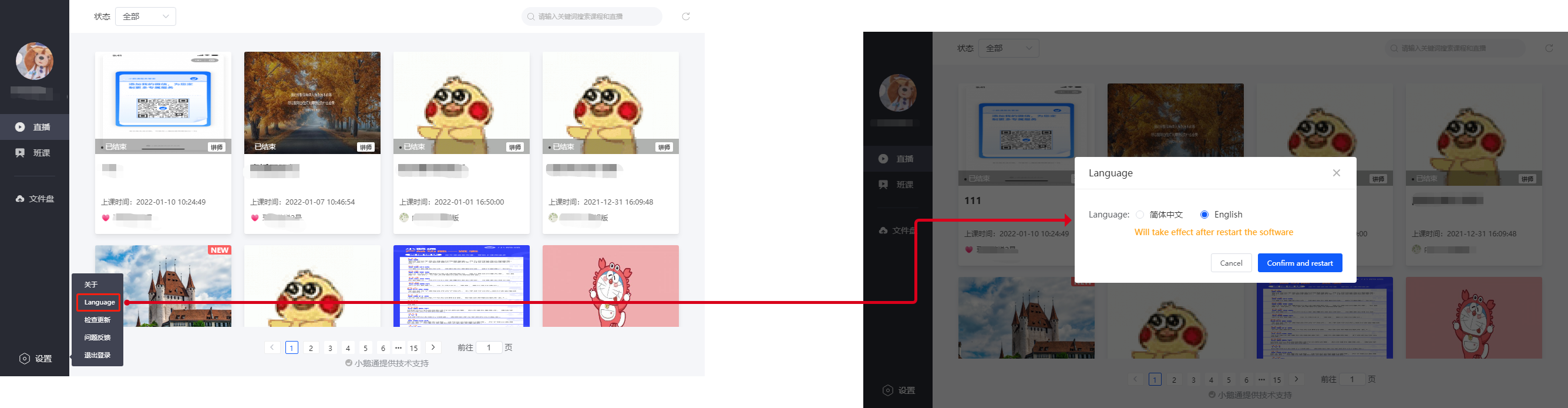
elink Assistant Client (Instructor): Settings → Switch Language → language → English
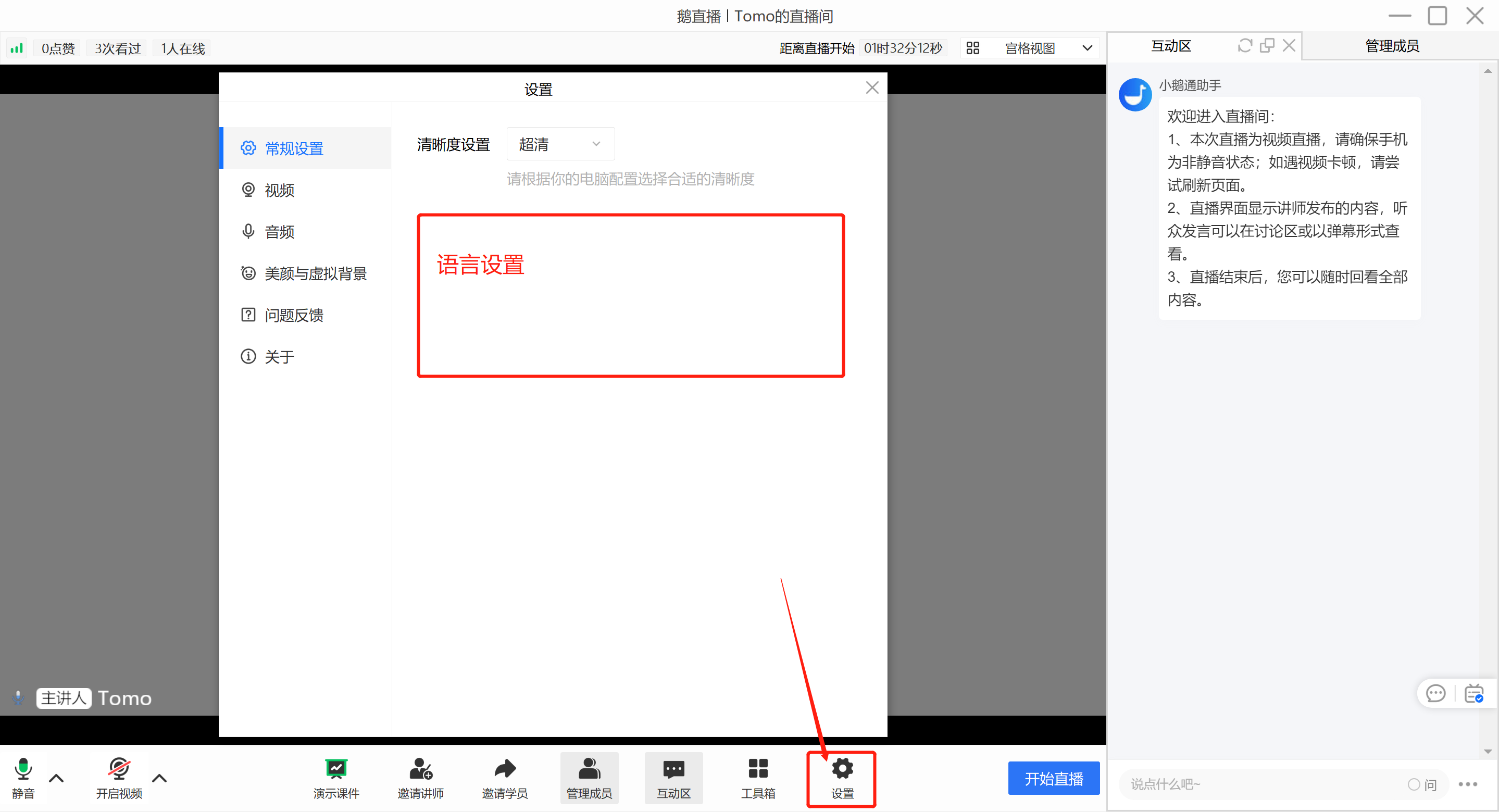
elink Live Streaming Client (Instructor): Settings → General Settings→ Switch Language → language → English
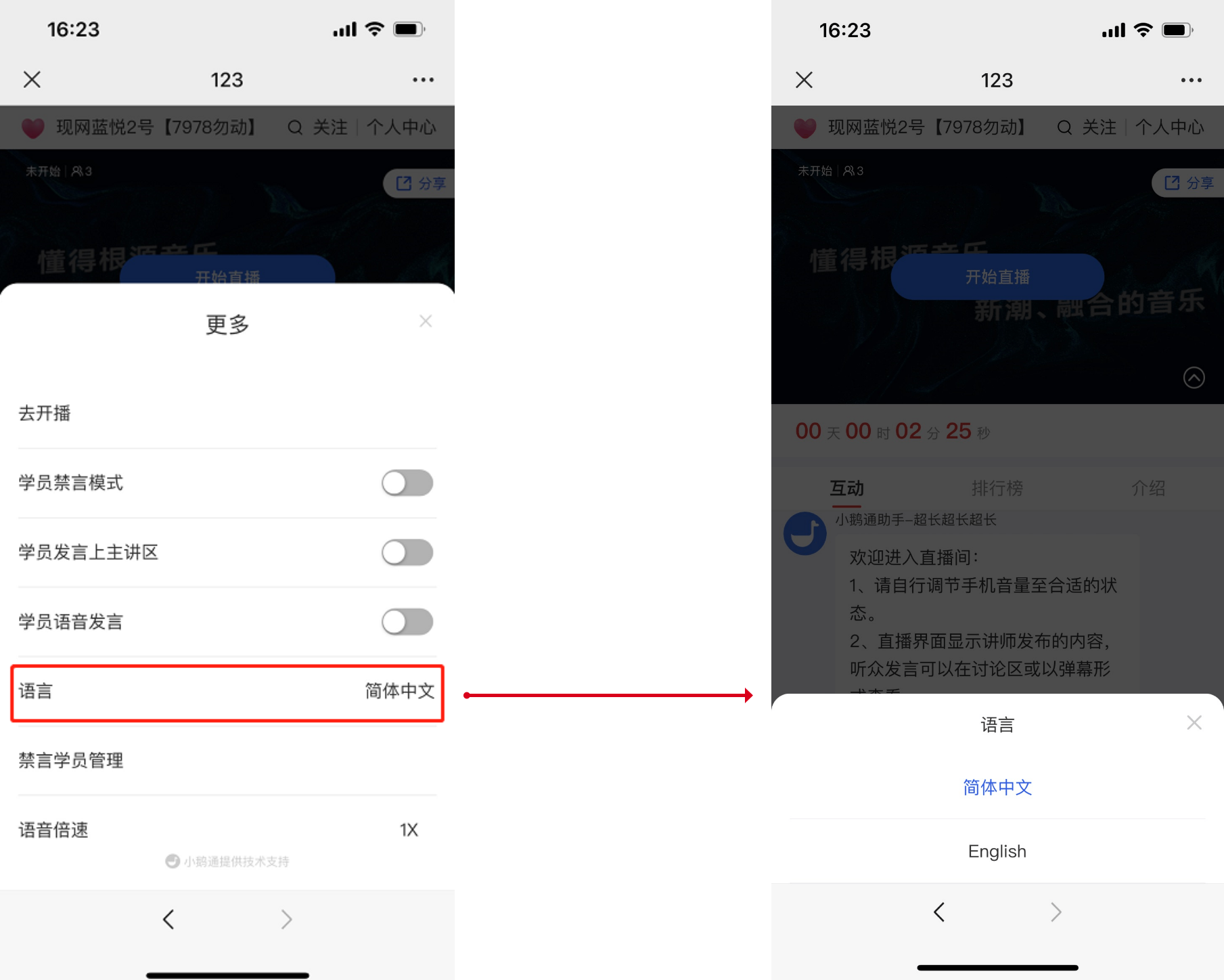
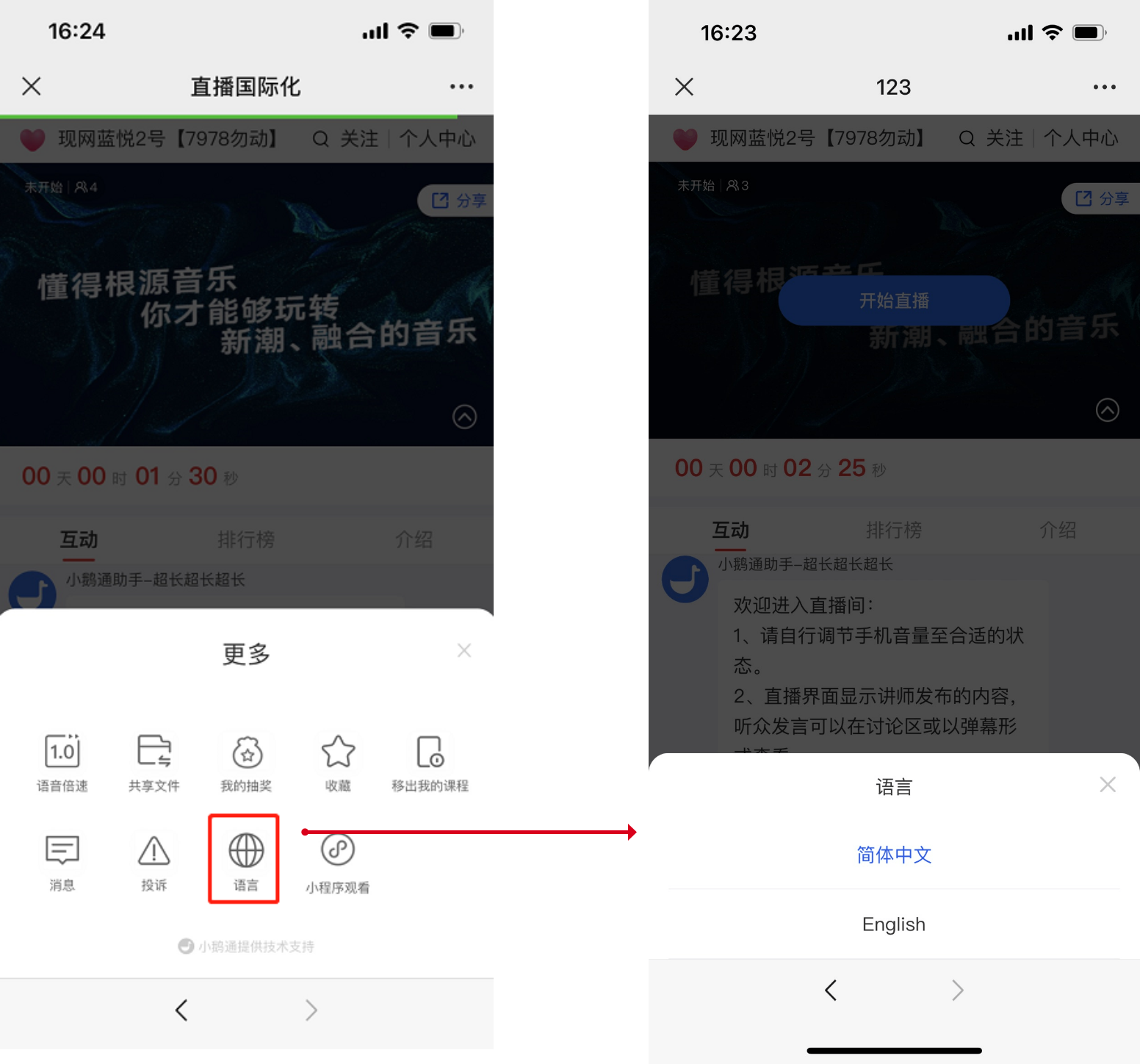
H5 Platform (Instructor/Student): H5 Live Streaming Room → More → Language → English
Web Platform (Instructor/Student): Switch the language in the upper - right corner of the page
V. Usage Tutorial
● Instructor Side - elink Assistant
● Instructor Side - elink Live Streaming Client (Expected to be supported in August 2023)
Select 'Settings'. After entering the settings page, select 'General Settings'. You can find 'Select Language' at the bottom of this page. Select the corresponding language to take effect.
● Instructor Side - H5 Live Streaming Room
● Student Side - H5 Live Streaming Room
●Instructor/Student Side - Web Platform
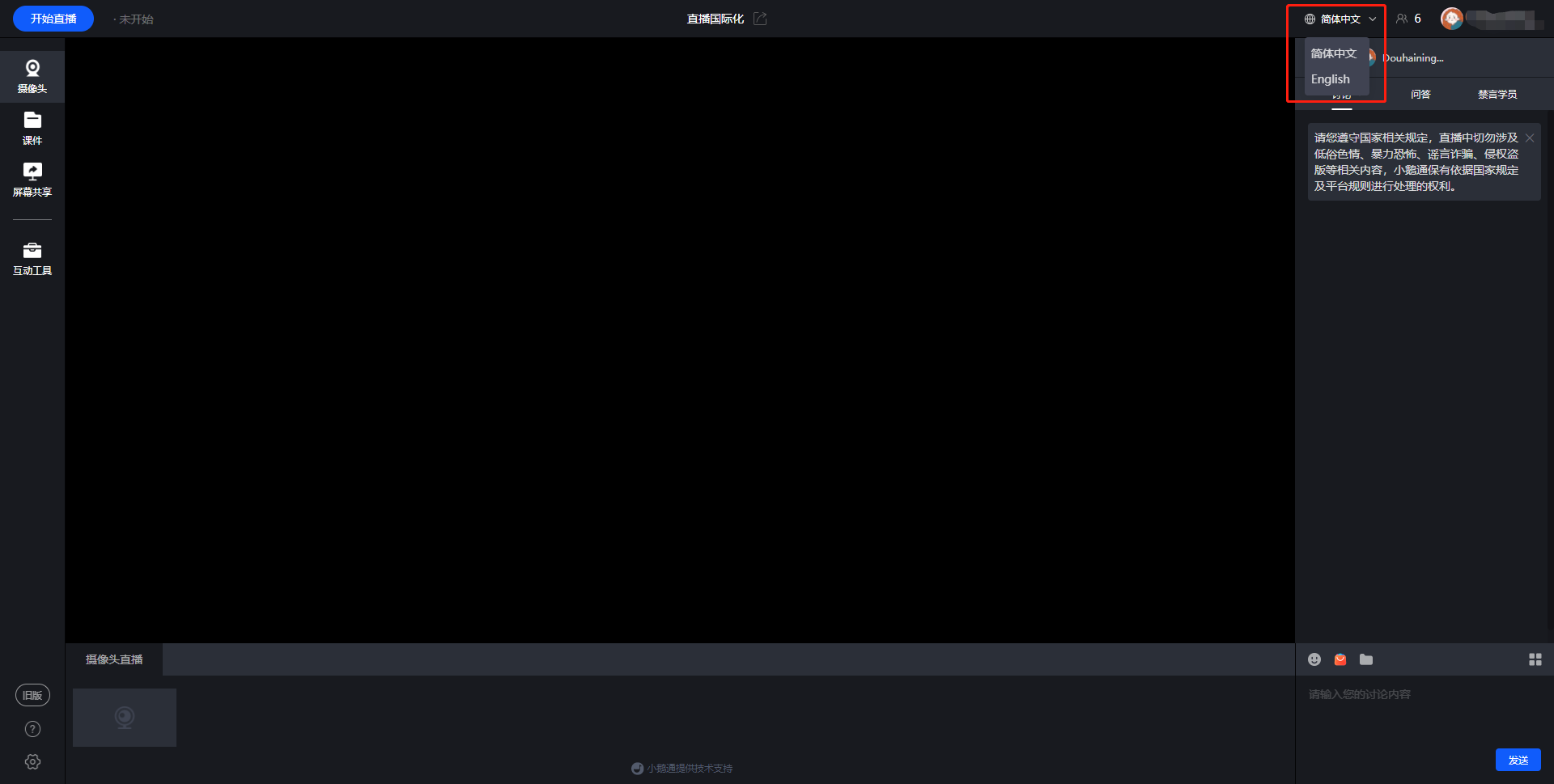
PS: The English version only takes effect in the live streaming room.
No comments to display
No comments to display