
How to restore the live streaming room after the instructor has enabled the mute mode?
The live chat mute mode applies to all students in the live room. Currently, the supported live broadcast ports are: Web, eLive Client, elink Assistant PC Client, elink Assistant App, and H5.
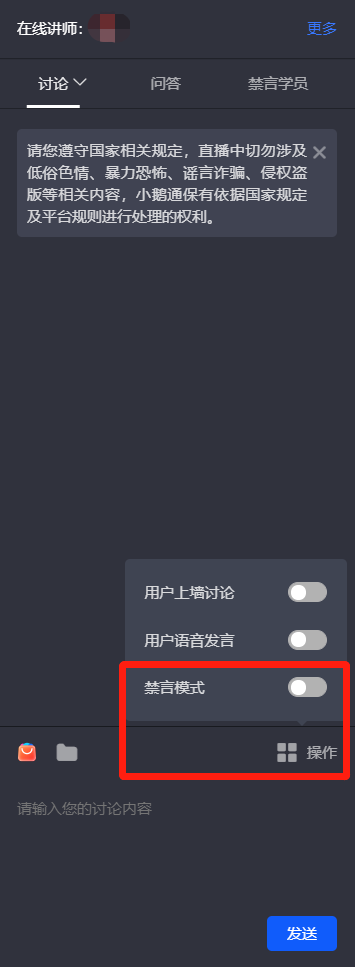
1. Webelink Assistant PC Client:Click [Operations] in the discussion area on the right and turn off the [Mute Mode] button.
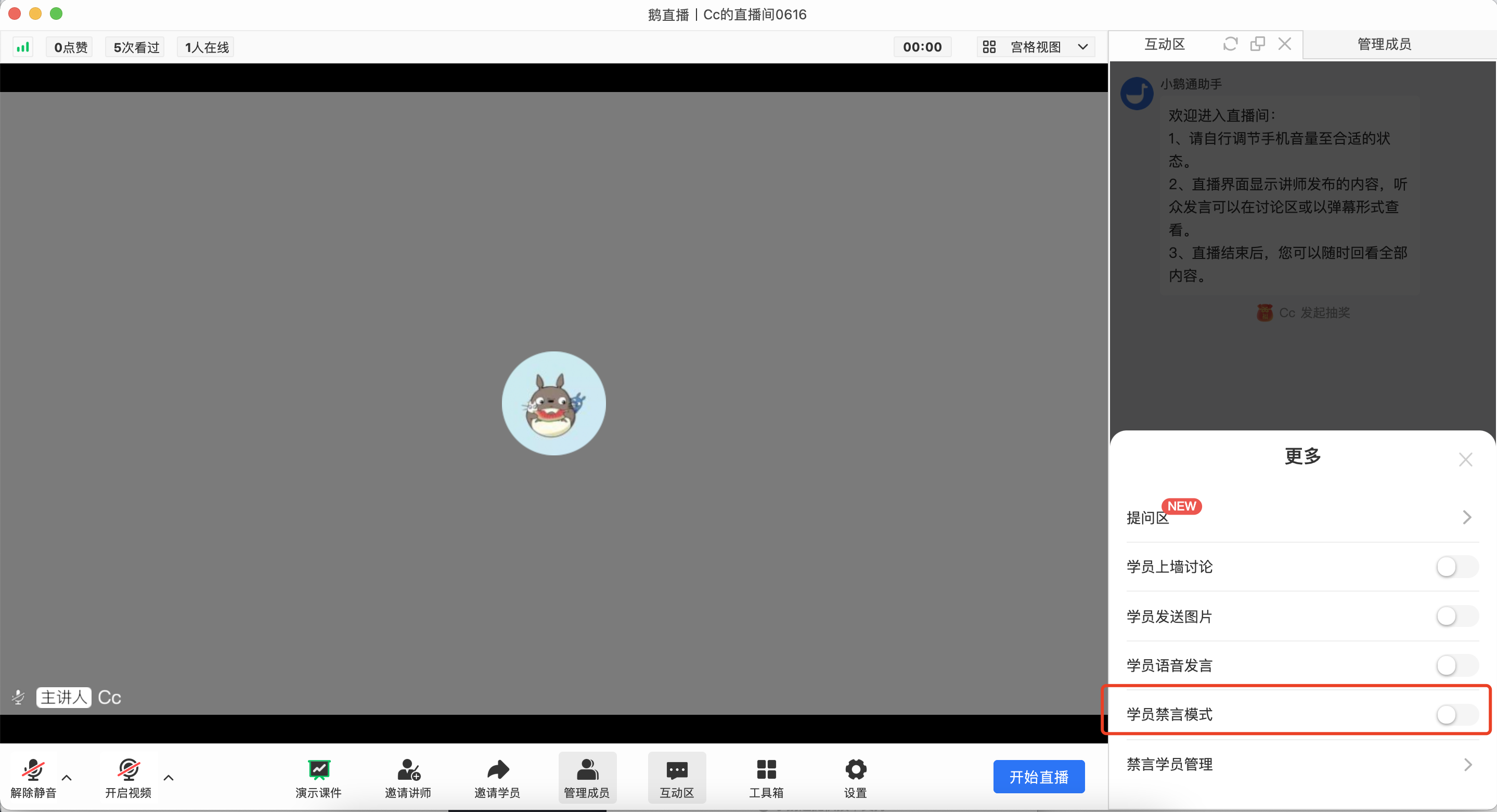
eLive Client
Open the "Interaction Area", click the three dots for "More", and confirm to turn off the "Student Mute Mode" to cancel the mute for all students.
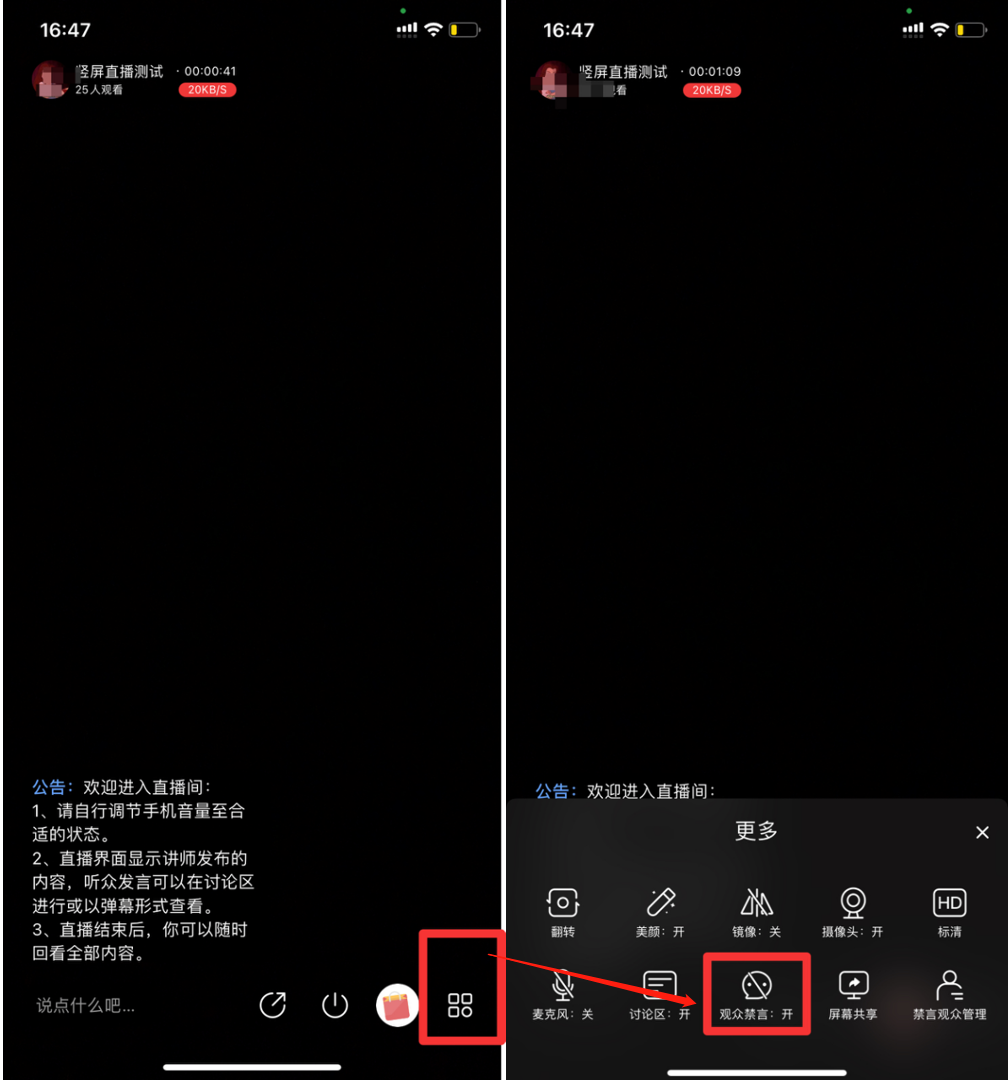
2.elink Assistant App(Taking vertical screen live broadcast as an example):Find the [More Operations] button in the live room.Turn off [Mute Mode].
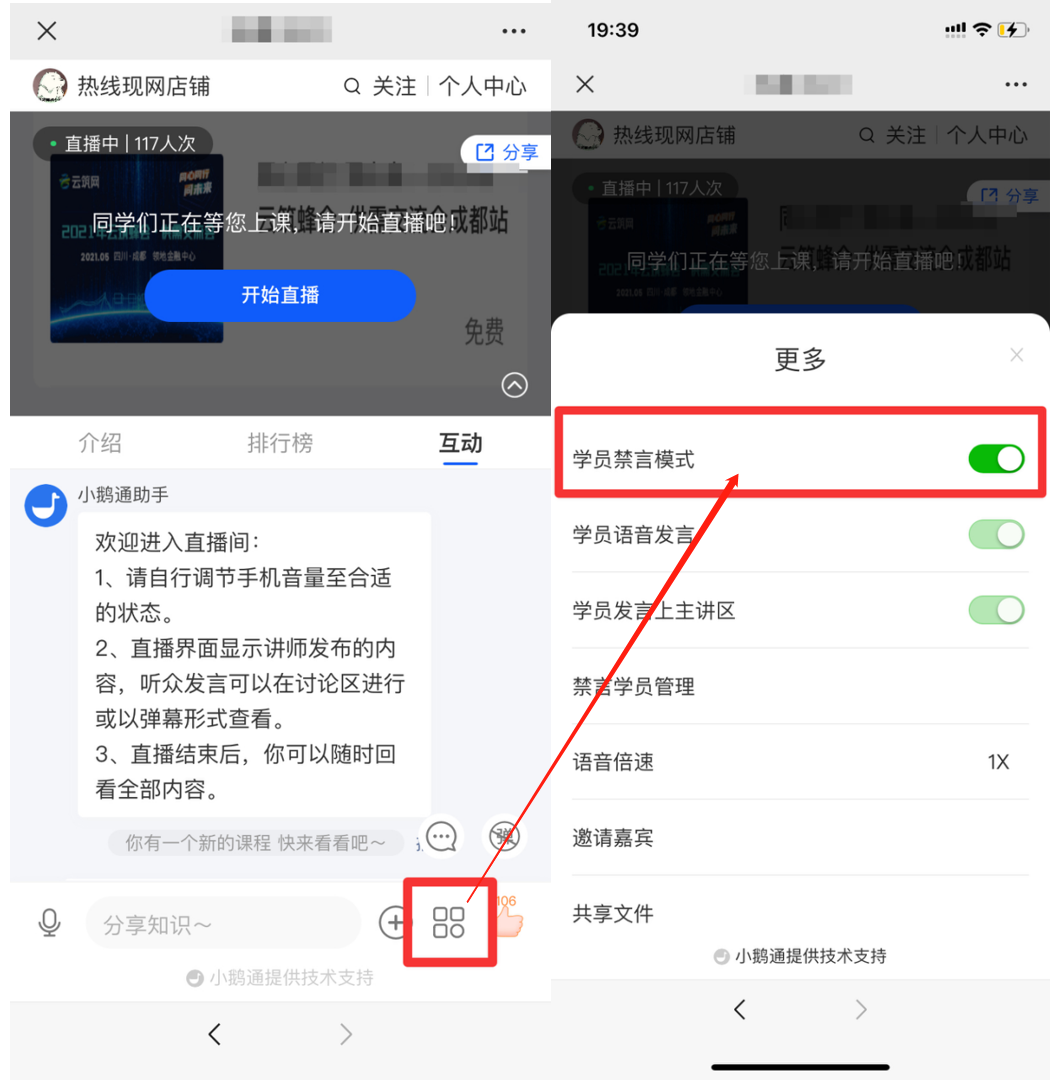
3. H5 Live Room:Find the [More Operations] button in the live room.Turn off the [Mute Mode] button.
No comments to display
No comments to display