
Common issues and solutions for silent screen sharing in elink Live
When using the elink Live PC client for screen sharing, if there is no desktop audio, you can handle it according to the following cases and methods.
Problem Directory:
1. Desktop audio is not selected, resulting in no sound.
2. On Mac devices, desktop audio is selected, but there is no sound when sharing meeting software such as Tencent Meeting, Zoom, and VooV.
3. On Mac devices, after selecting desktop audio, a pop - up window saying 'Abnormal start of sharing computer sound' appears.
1. Desktop audio is not selected, resulting in no sound.
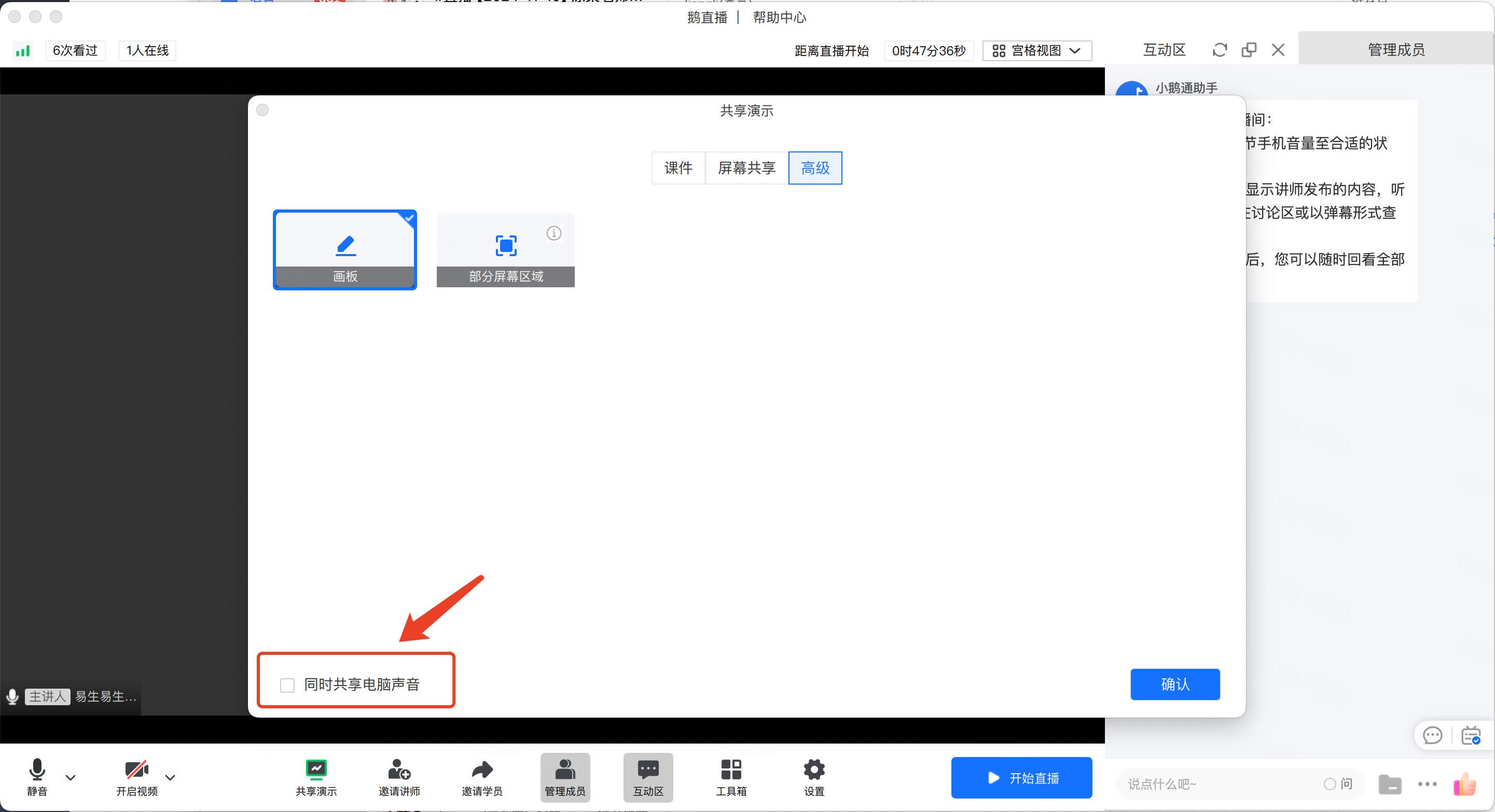
Solution: Select desktop audio and share again.
2. On Mac devices, desktop audio is selected, but there is no sound when sharing meeting software such as Tencent Meeting, Zoom, and VooV.
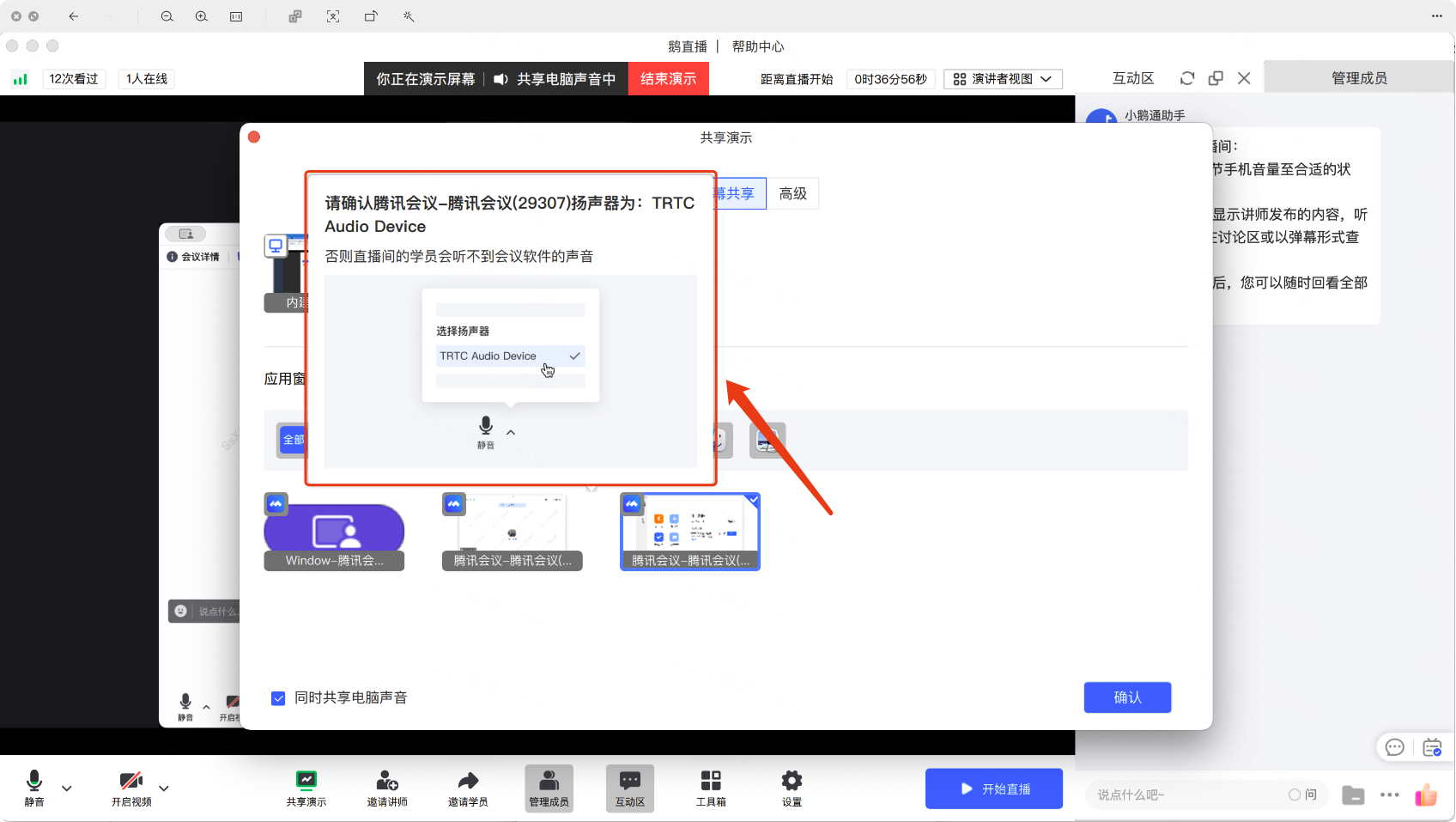
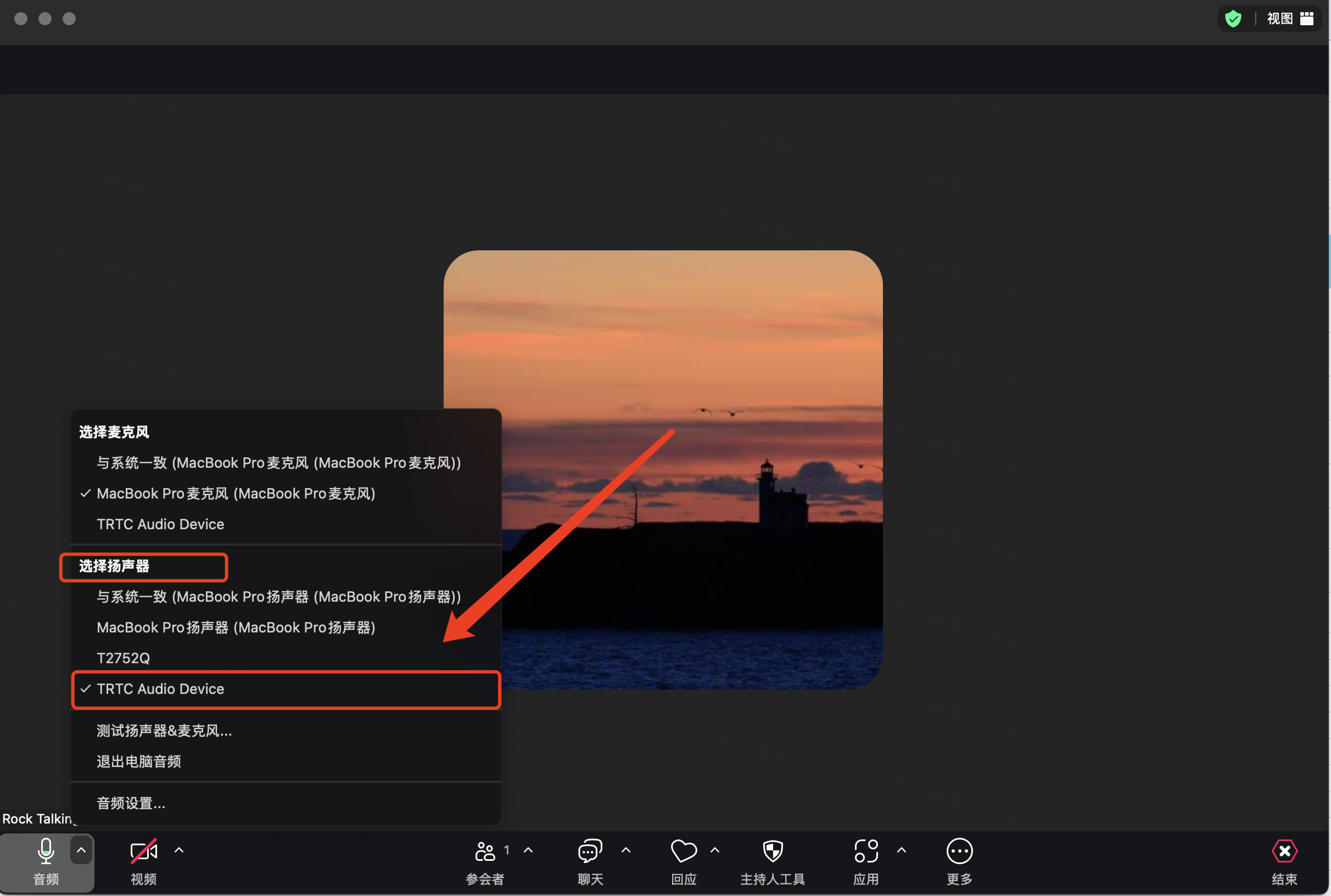
Solution: Limited by the Mac system, when selecting to share computer sound or selecting the meeting software,you need to set the speaker to TRTC Audio Device in the corresponding meeting software settings.
【Tencent Meeting/VooVExample Diagram】

【Zoom Example Diagram】:
3. On Mac devices, after selecting desktop audio, a pop - up window saying 'Abnormal start of sharing computer sound' appears.

Solution: On the Mac system, the TRTC audio driver is required to obtain sound. When there is an abnormality, click 'Uninstall', reinstall it, and then share again.
No comments to display
No comments to display