
How to check if the camera permission is occupied?
How to check if the camera permission is occupied?
1. Click on Privacy and Security
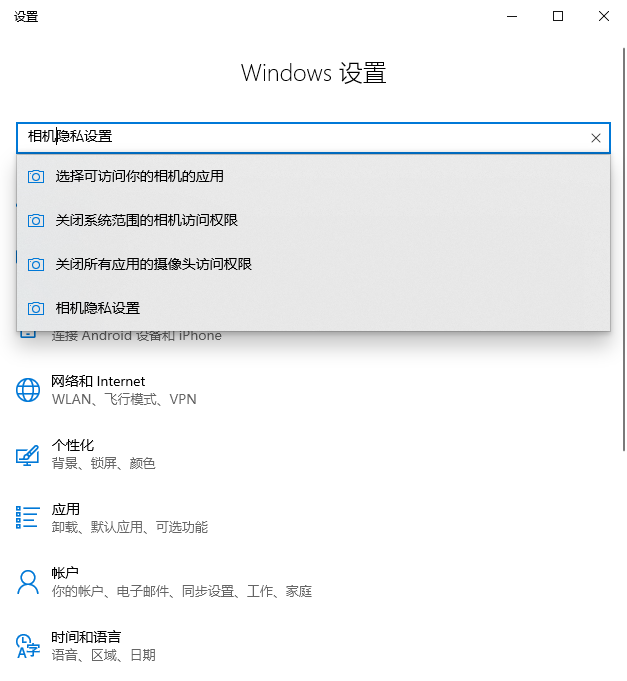
Press Win + I to open Settings and search for Camera privacy settings.
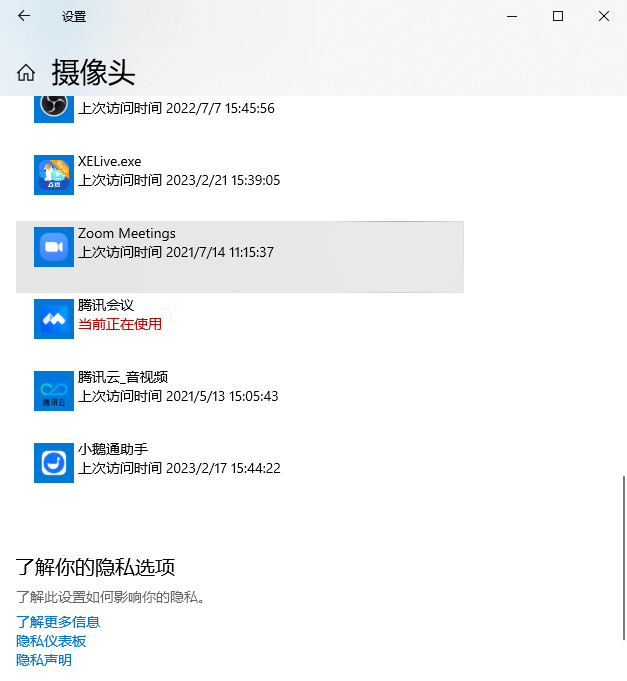
2. Check if there is an app with the 'Currently in use' indicator in 'Allow desktop apps to access your camera', and close that app.
3. Reopen the elink Assistant client and check if the camera can be used normally.
No comments to display
No comments to display