Live streaming supports external microphones (such as lavalier microphones)
Function Introduction:
The live streaming client supports connecting to microphone devices for audio recording, catering to more mobile scenarios for microphones.
Usage Conditions:
① The latest version of the eLive streaming client or elink Assistant
② An external microphone device (you can search for 'external microphone' or 'lapel microphone' on e-commerce platforms)
How to Connect an External Microphone:
① Enter the live streaming room (eLive streaming client/elink Assistant)
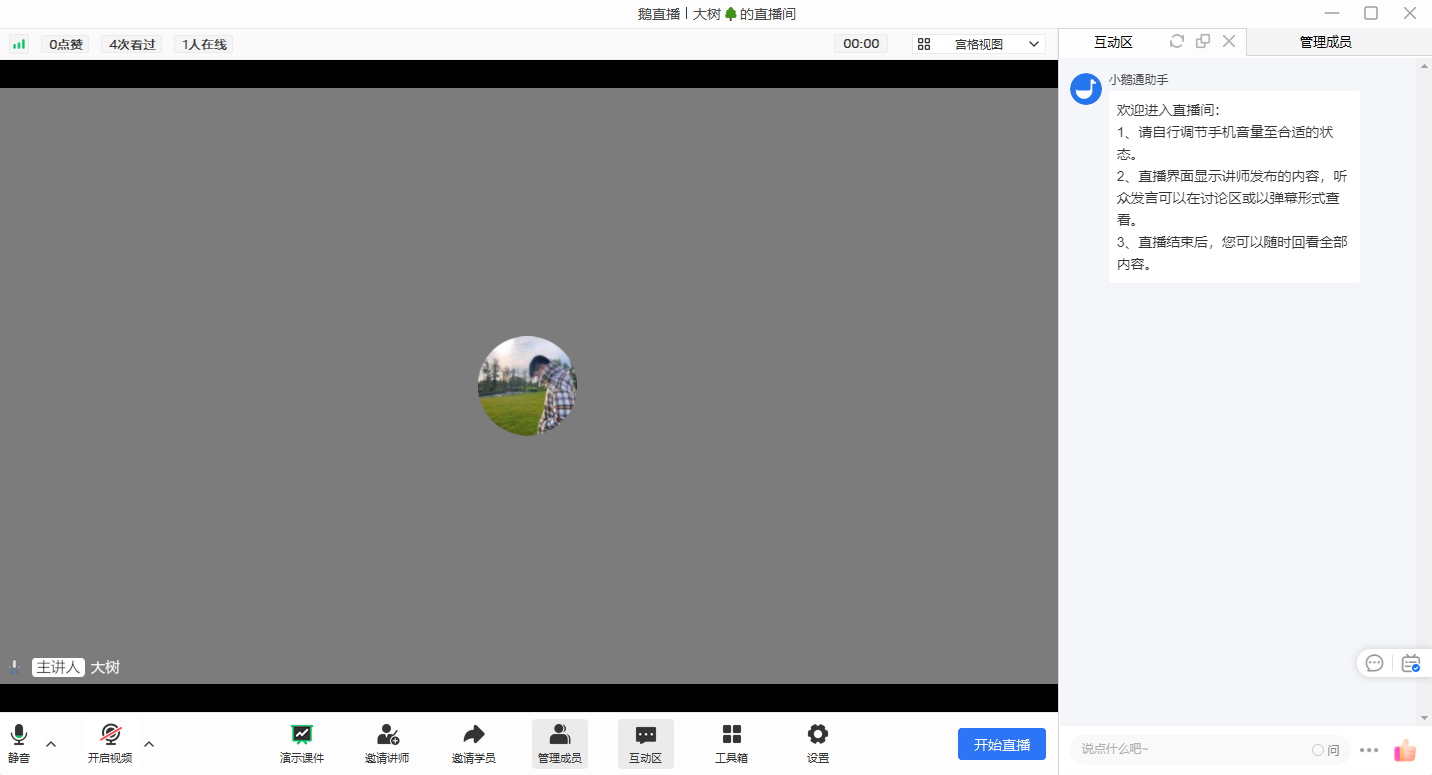
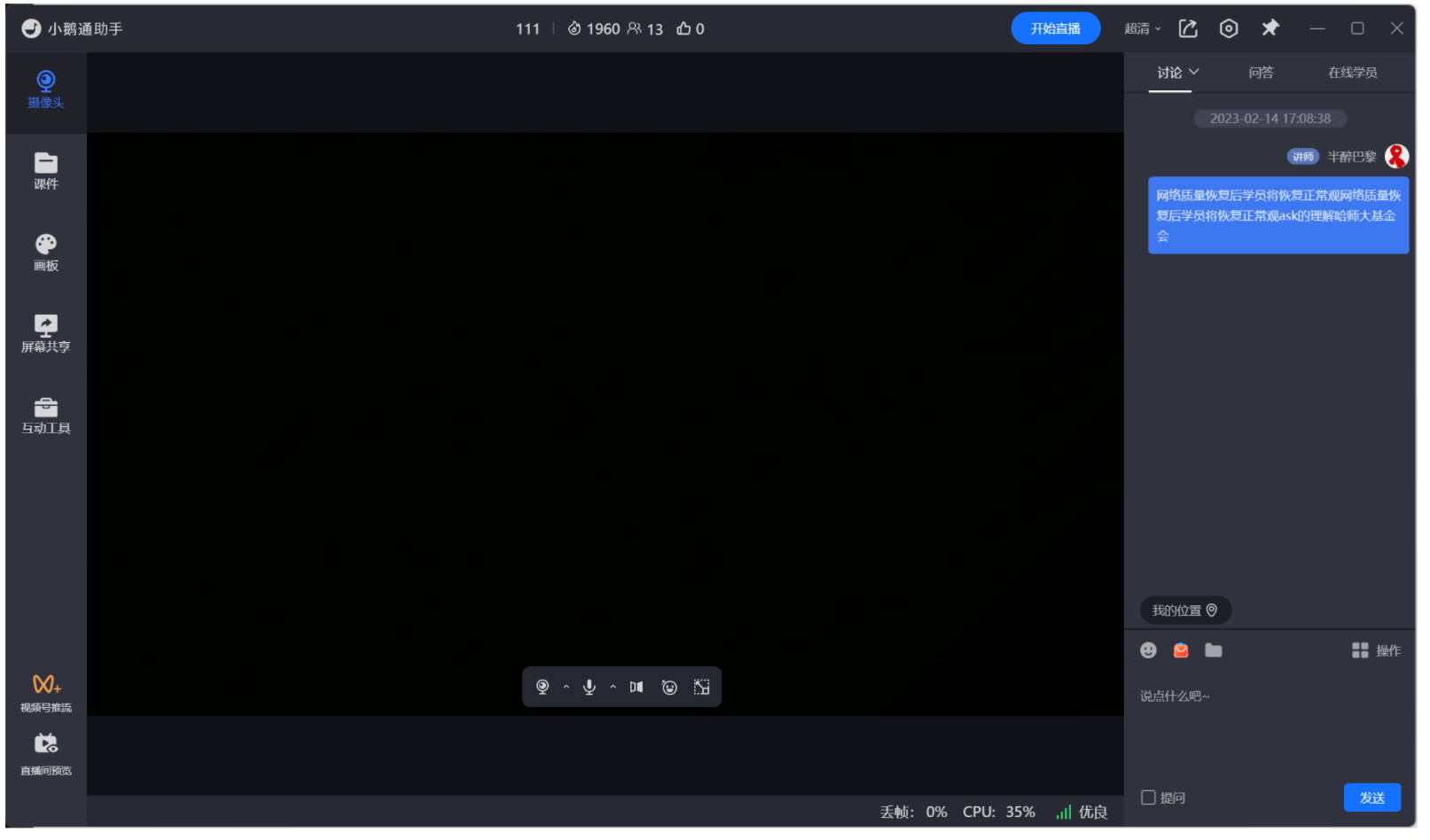
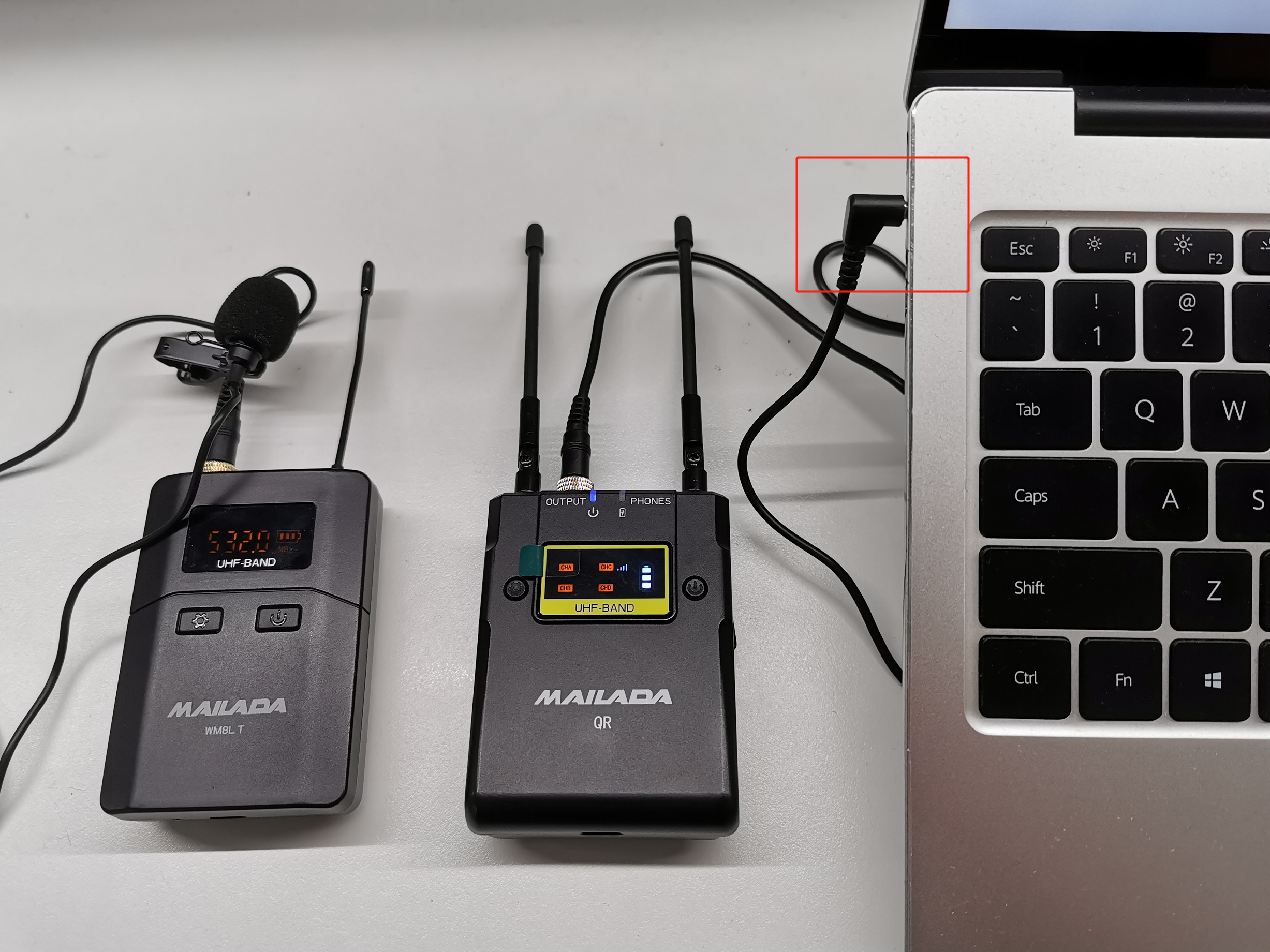
② Connect the external microphone to your computer
(Some external microphone devices require driver installation. Just follow the prompts to install.)
③ Switch to the external microphone
At the microphone icon in the live streaming room, click the drop-down menu and select the external microphone.
Precautions:
① For external microphones that don't require driver installation, simply select the default microphone device, such as "Realtek(R) Audio".
Frequently Asked Questions:
1. Does it support lapel microphones?
Answer: Yes, it does.
2. When the mobile phone is connected to an external microphone, the eLive Mini Program cannot record audio
Answer: Currently, the WeChat Mini Program does not support external microphones and only supports the phone's built - in microphone.
You can try the following methods:
-- iPhone
You need a Lightning to 3.5mm adapter.
It is recommended to buy the original Apple adapter because it has an MFi - certified chip. Only adapters certified by Apple's MFi can be used for audio recording when connecting an external microphone.

Adapters purchased from other sources may not be MFi - certified by Apple and cannot be used for audio recording.
-- Android phone
You need a Type - C to 3.5mm adapter.
It is recommended to use the original phone adapter or a Type - C to 3.5mm adapter to connect the external microphone.

3. The external microphone has no sound
Answer: Please solve the problem in the following ways:
① Check the input volume of the sound. The following is an example of the Win11 system;
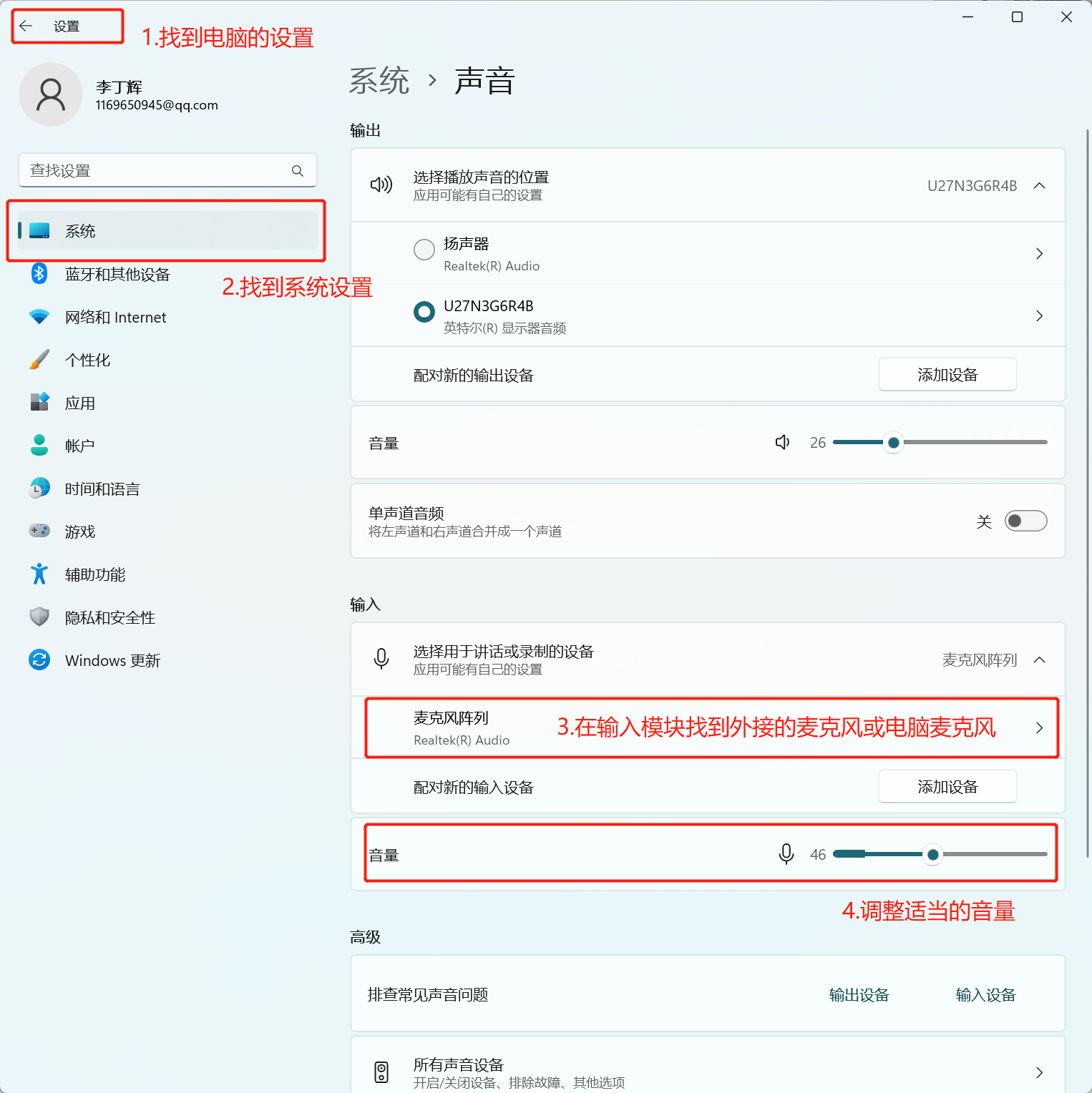
② Check if the external microphone is selected in the live streaming room;
③ Test if the external microphone works normally using WeChat voice. If the problem persists, you can consult the seller of the external microphone device.