
How to reduce live streaming traffic consumption
I. How to reduce live streaming traffic consumption when using the elink Live client or elink Live Mini Program for live streaming with push streaming
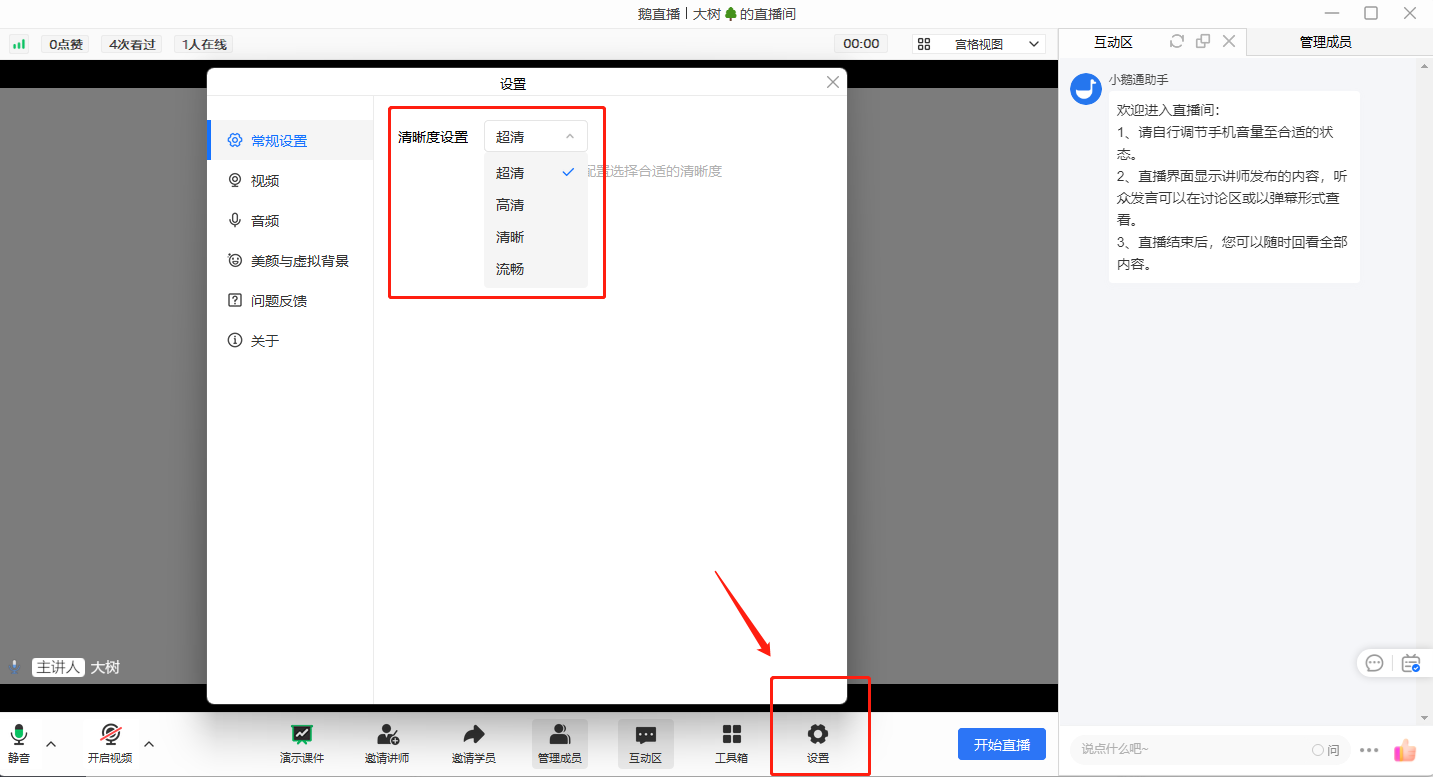
1. elink Live client: Find [Settings] - [General Settings] in the live streaming room. By lowering the clarity level, you can reduce the live streaming traffic consumption after push streaming. (Note: Lower clarity may affect the live streaming image quality.)
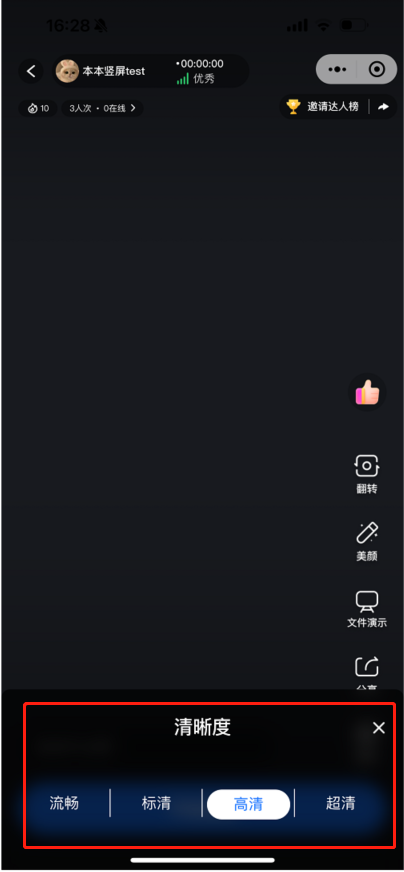
2. elink Live Mini Program: Find [Live Streaming Settings] - [Clarity] in the live streaming room.By lowering the clarity level, you can reduce the live streaming traffic consumption after push streaming. (Note: Lower clarity may affect the live streaming image quality.)
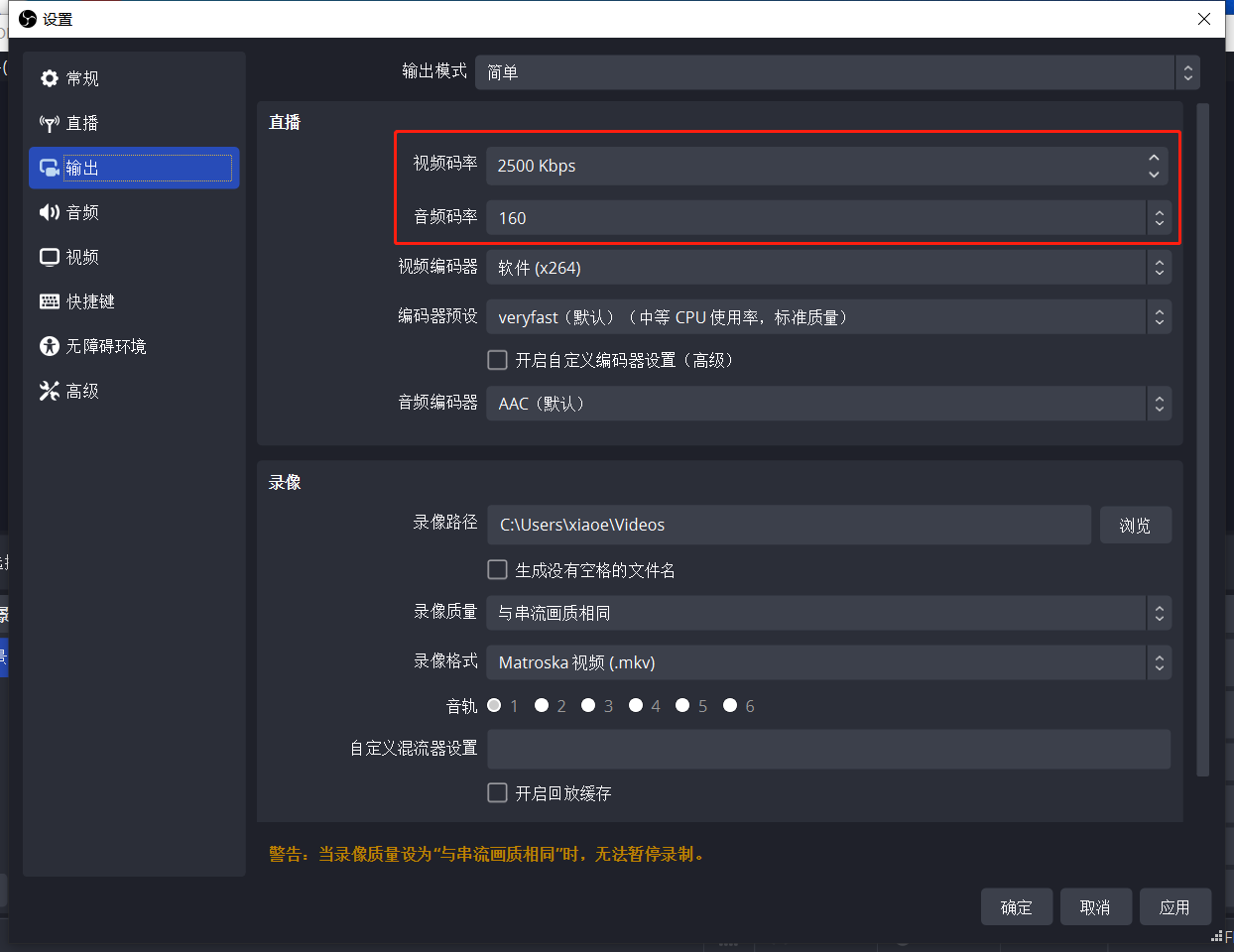
II. How to reduce live streaming traffic consumption when using OBS for live streaming with push streaming
Click [Settings]. In the [Output] settings, lower the values of the video bitrate and audio bitrate. The lower the values, the lower the live streaming traffic consumption after push streaming. (Note: Extremely low video and audio bitrates may affect the live streaming image quality.)
III. How to reduce live streaming traffic consumption when usingrecorded live streaming
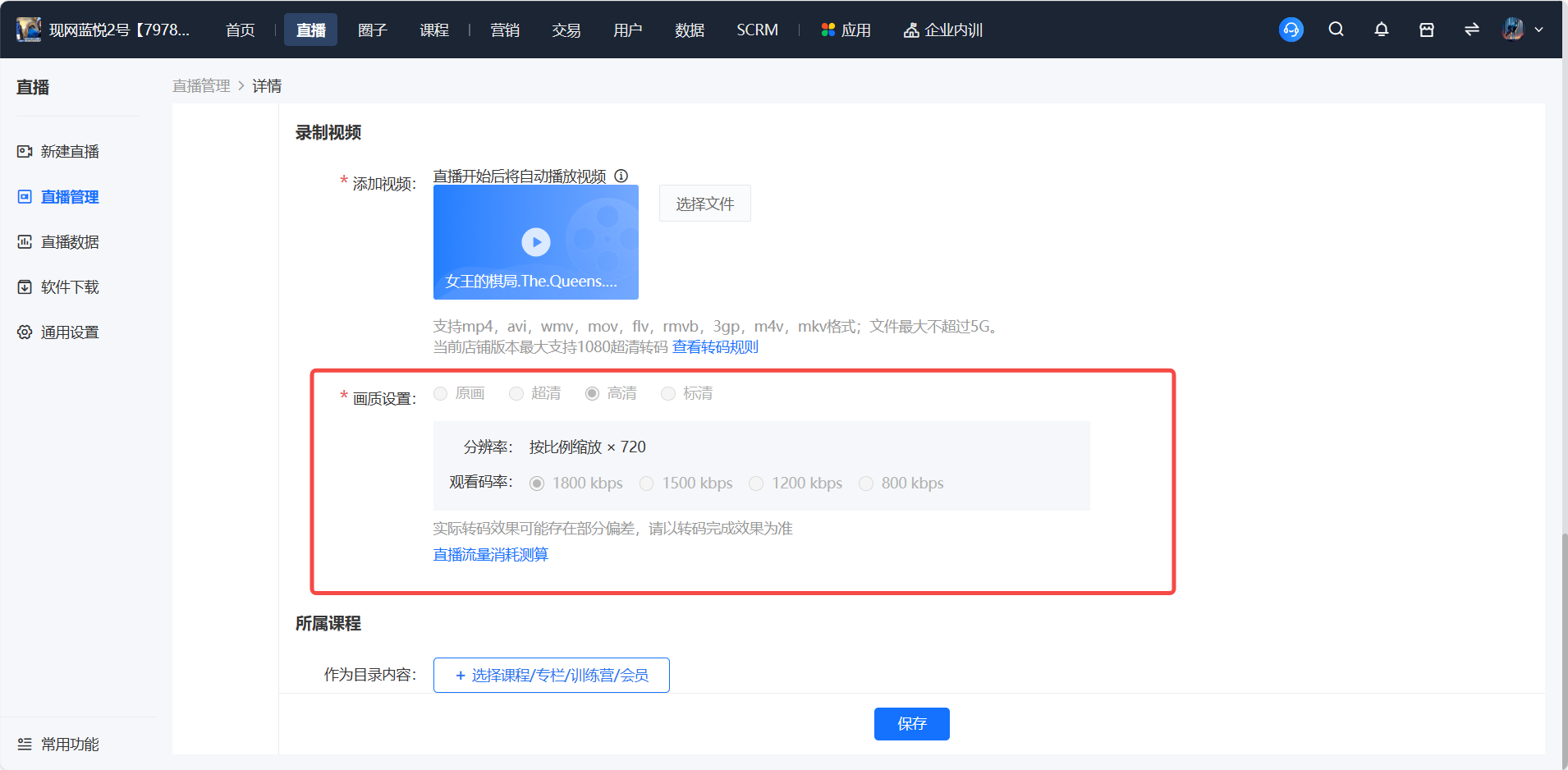
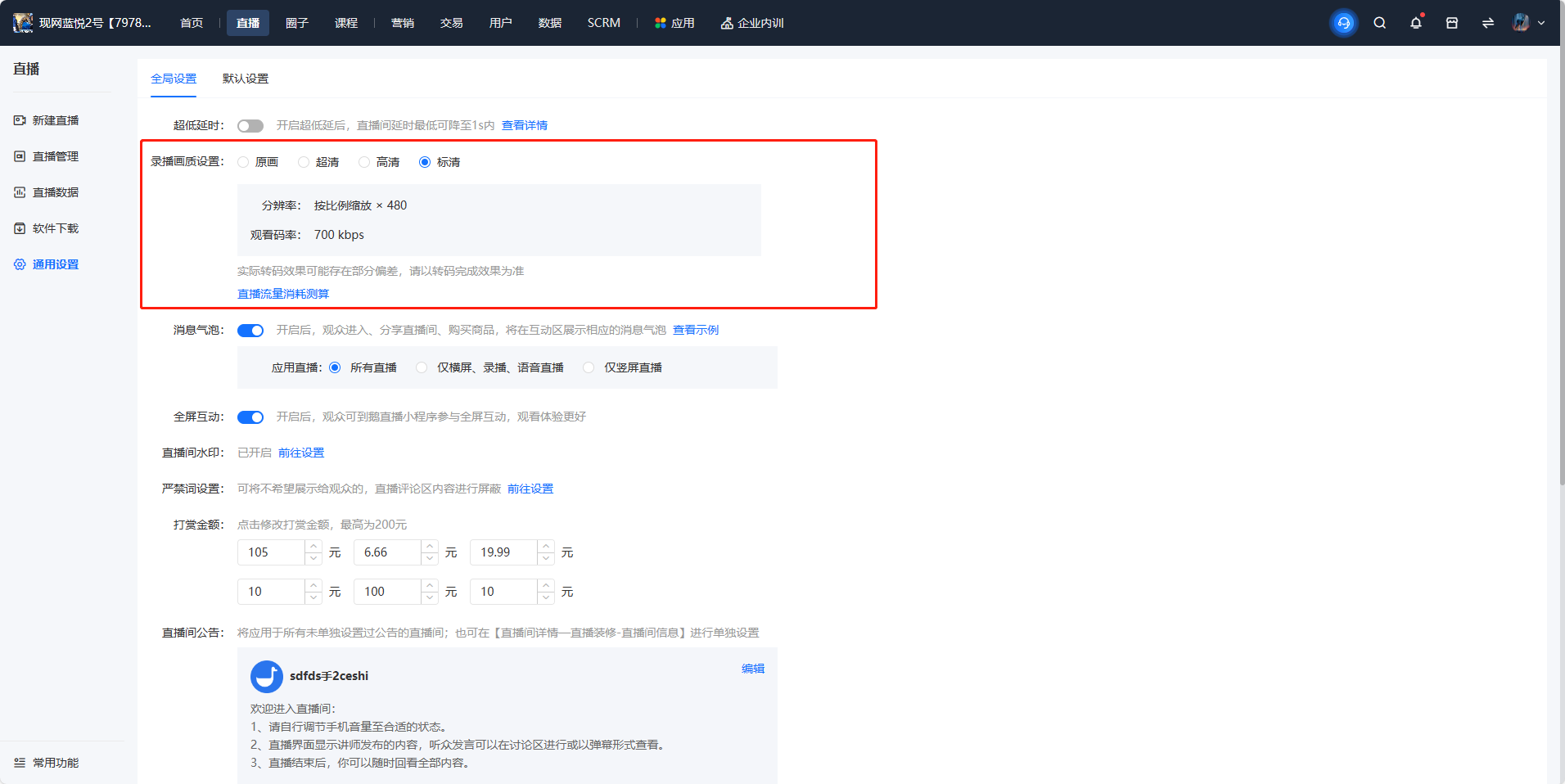
You can reduce the live streaming traffic consumption by lowering the clarity level settings or selecting a lower bitrate.
Operation path 1: New live streaming - Recorded video - Image quality settings
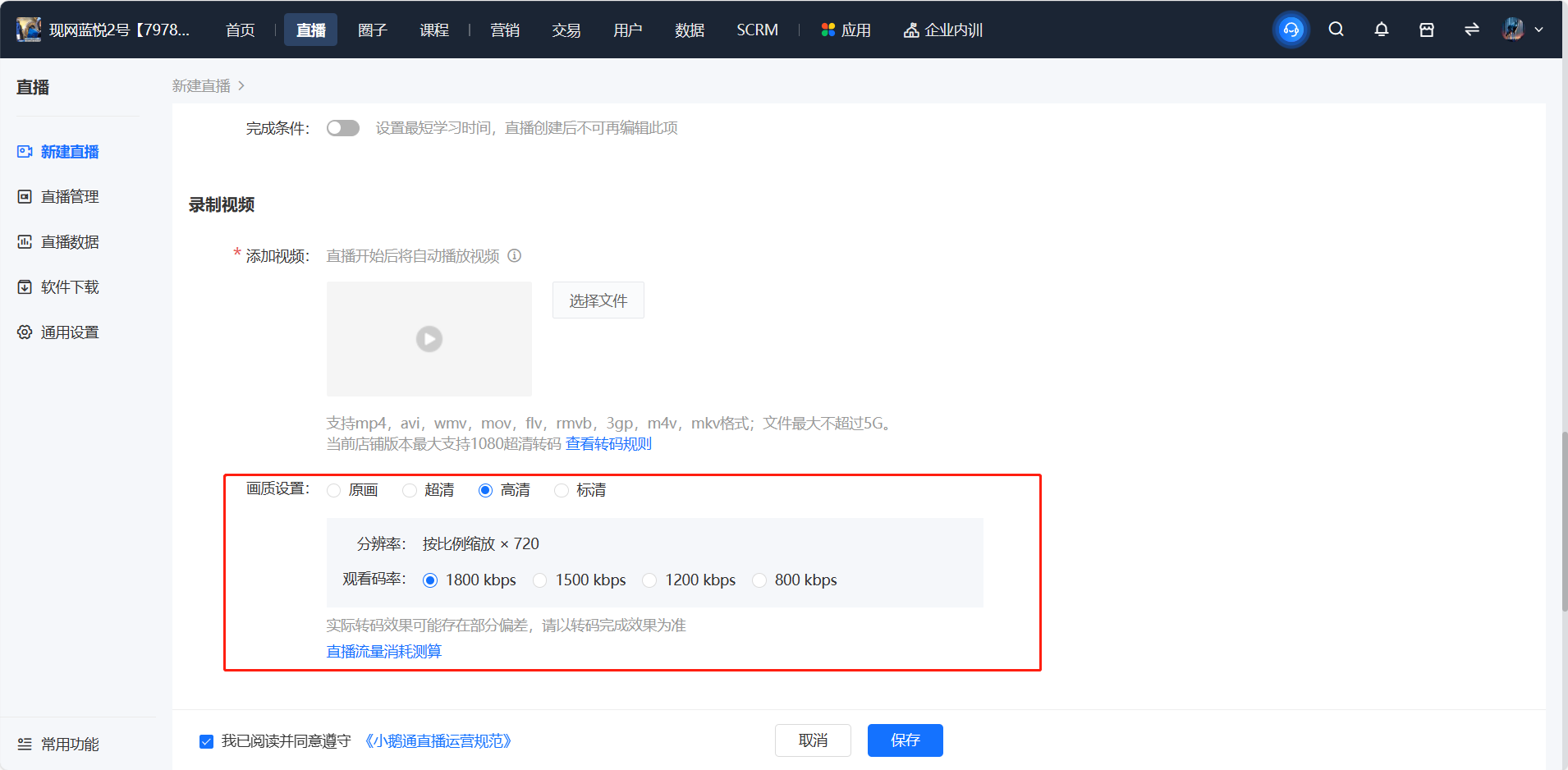
Operation path 2: Live streaming management - Management - Recorded video - Image quality settings
Operation path 3: General settings - Global settings - Recorded live streaming image quality settings
No comments to display
No comments to display