
Tutorial on Using Ultra-Low Latency Live Streaming
I. Feature Introduction
The ultra-low latency feature can significantly reduce the live streaming latency (down to less than 1 second).It meets the specific scenario requirements of merchants with higher latency performance requirements, such as online education, live sports events, and online quizzes.This provides viewers with a more immersive live streaming experience.
II. Use Cases
1. Online Education: Teachers and students can have real-time Q&A interactions, ensuring the effectiveness of classroom teaching. Online classes can be as natural as face-to-face ones.
2. E-commerce Live Streaming: Users can interact with merchants in real-time, increasing the purchase conversion rate. Users won't miss out on promotional flash sales.
3. Large-scale Events: Information from large conferences and sporting events can be synchronously transmitted, quickly reaching users and allowing viewers to stay updated on the latest event dynamics.
4. Interactive Entertainment: Streamers can provide timely feedback on user likes and rewards, enhancing the user viewing experience and increasing interaction enthusiasm.
III. Operation Path
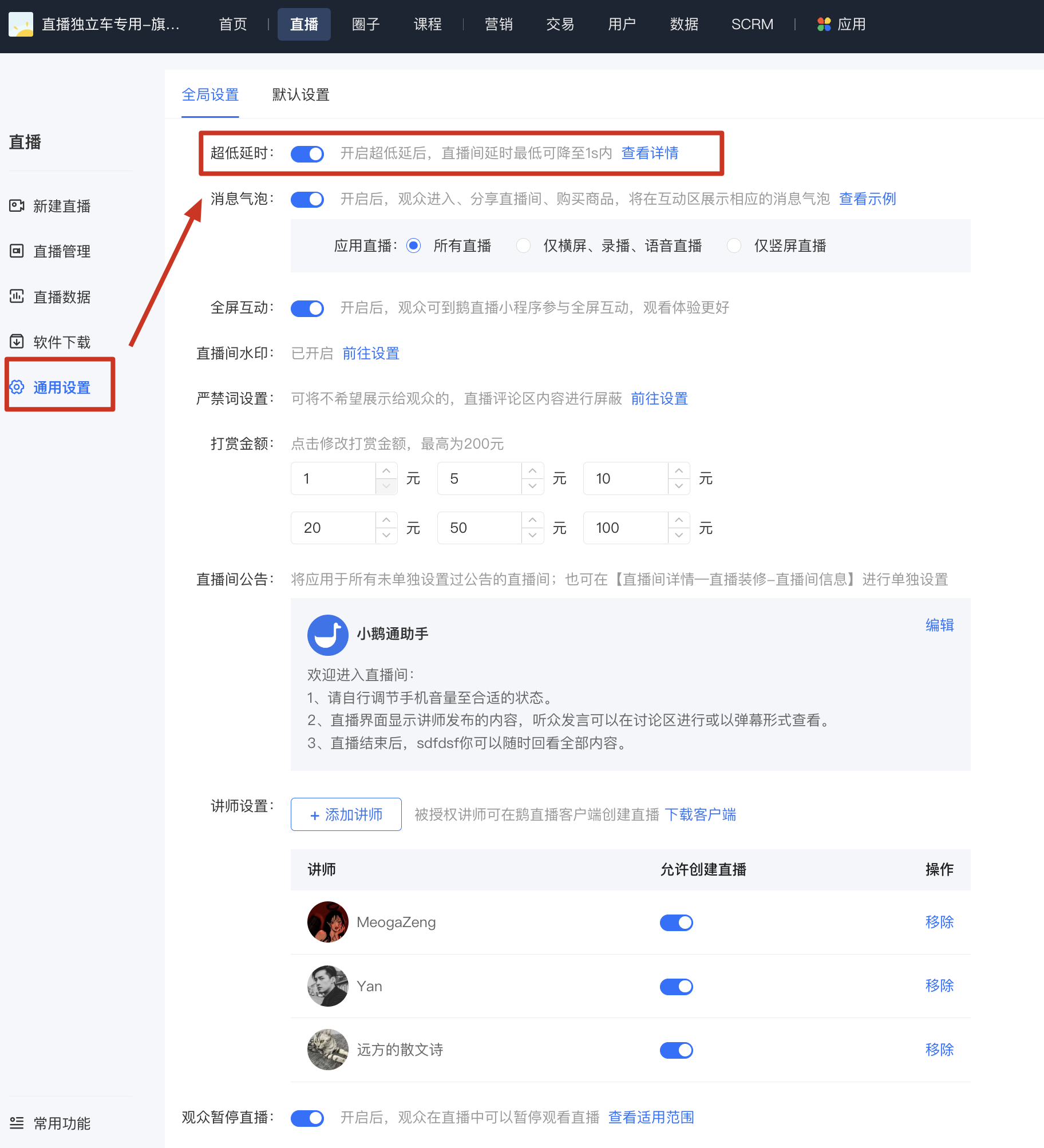
Merchant Side: Merchant Backend → Live Streaming → General Settings
IV. Usage Tutorial
Step 1: Enter the [General Settings] page and enable ultra-low latency.
Click [Live Streaming] - [General Settings] and find [Ultra-low Latency] at the top of the page.After enabling it, learners can watch the live stream with ultra-low latency.
No comments to display
No comments to display