
Instructions for using the Influencer Invitation Leaderboard event
Important Note: Event implementation must comply withRegulations for Managing the Invitation Influencer Ranking Event,Please read carefully before use.
I. Feature Introduction
Invitation Influencer Ranking Feature: An important tool for live streams to acquire traffic, which encourages fans to forward and share the live stream in the form of a ranking list.
Invitation Influencer Ranking Event: Refers to setting event rewards based on the Invitation Influencer Ranking. The prizes are directly displayed to stimulate more users to share and drive viral marketing.
II. Purpose of Use
Through the Invitation Influencer Ranking Event, stimulate more users to share and drive viral marketing, and acquire more traffic for live streams.
III. Use Scenarios
A merchant starts a live stream and sets rewards for the Invitation Influencer Ranking Event, then shares the live stream in the community. When users enter the live - stream room, they find that they can win prizes by ranking up.This enhancestheir initiative to invite friends to watch the live stream, and they forward the live stream to their Moments/community. Finally, the merchant attracts more new users through the event.
IV. Operation Path
Merchant side: Desktop management console → Live stream → Live - stream management→ Marketing interaction → MarketingSettings→Invitation Influencer Ranking
Student side: Live - stream room → Invitation Influencer Ranking
V. Usage Tutorial
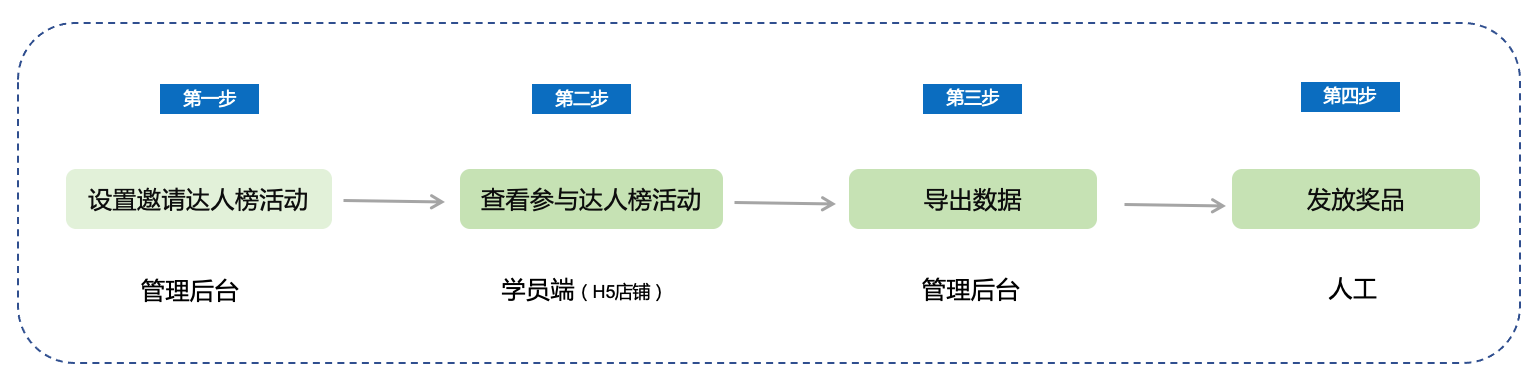
Step 1: Set up the Invitation Influencer Ranking Event (Management background)
1. Enter the [Live - stream room details page] - Marketing settings - Invitation Influencer Ranking module.Turn on the [Invitation Influencer Ranking switch] and click “Go to settings” to set up the Invitation Influencer Ranking Event.
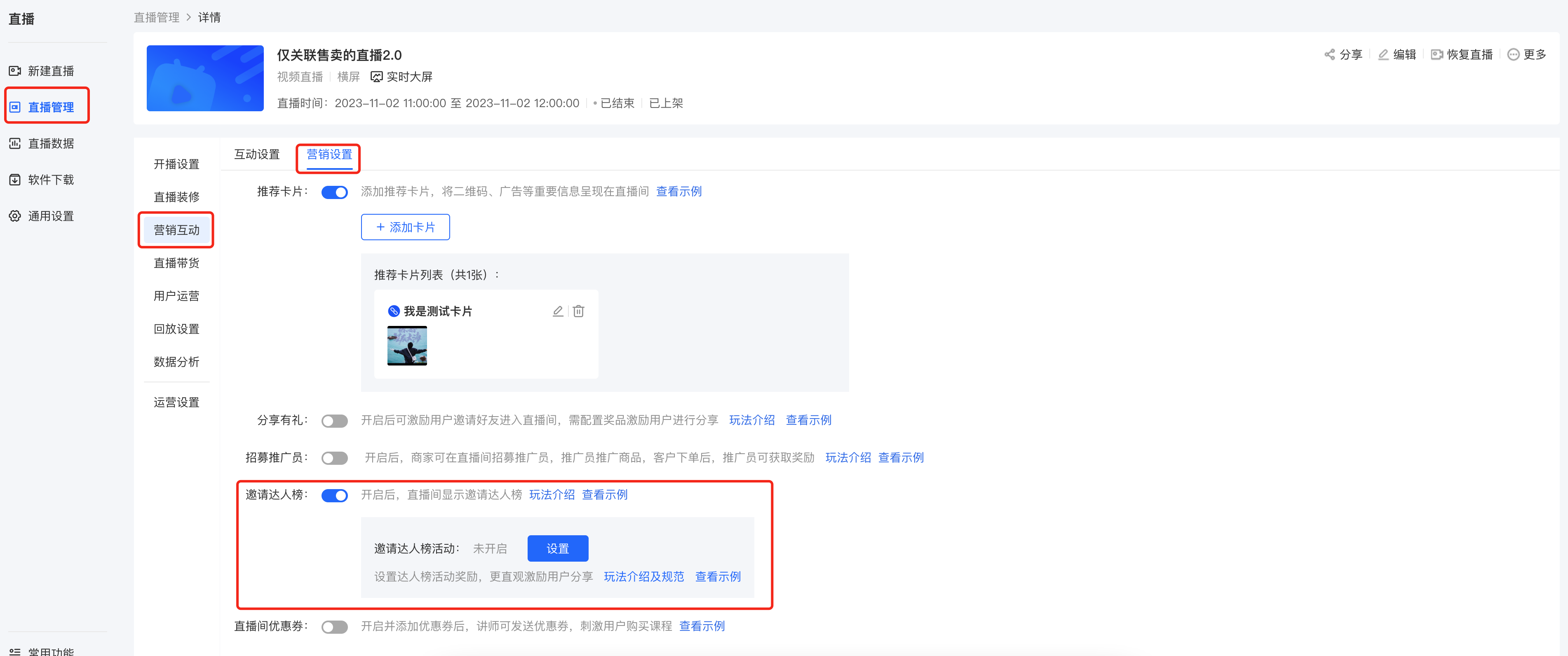
(Management background)
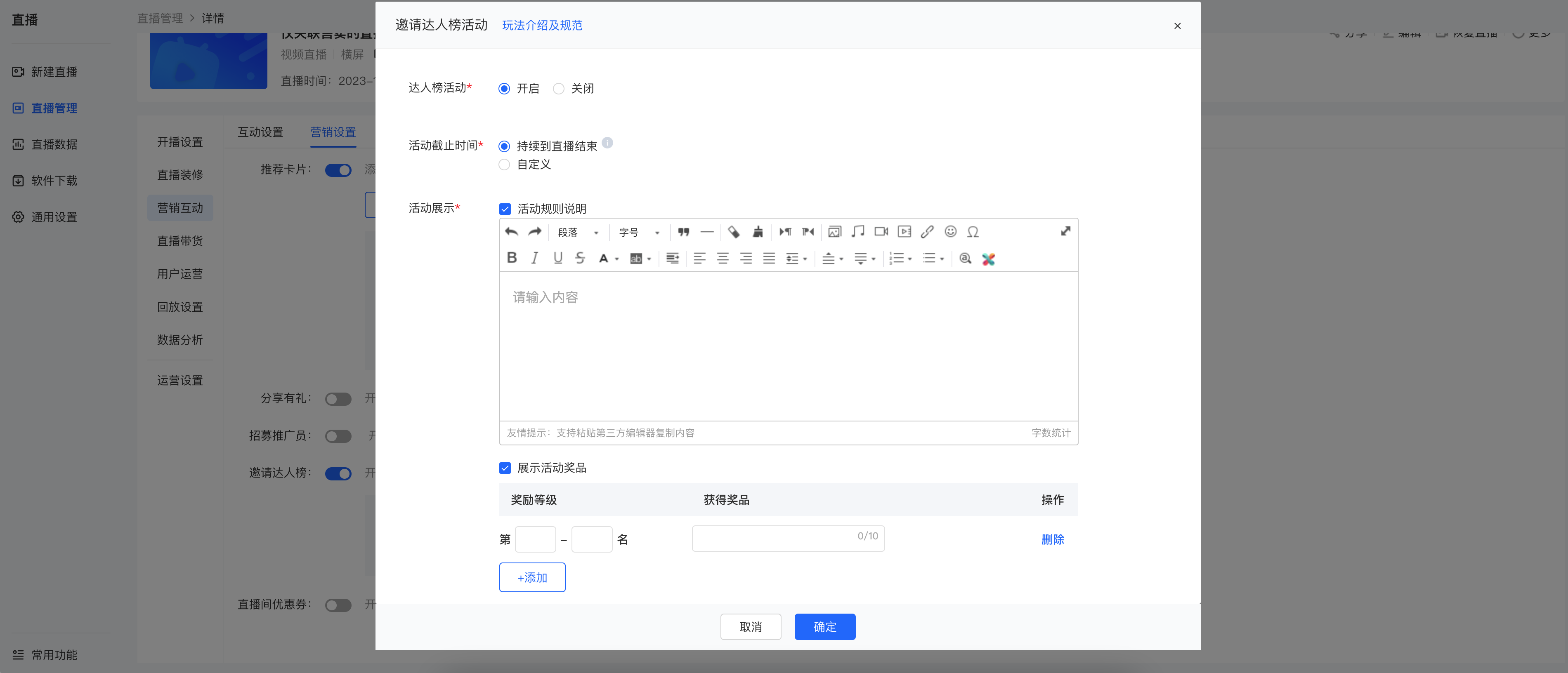
2. Start the Invitation Influencer Ranking Event, set the event end time (after the end, users will see the status “Event has ended”), event rules, and event prizes
(A maximum of 10 prizes can be set).
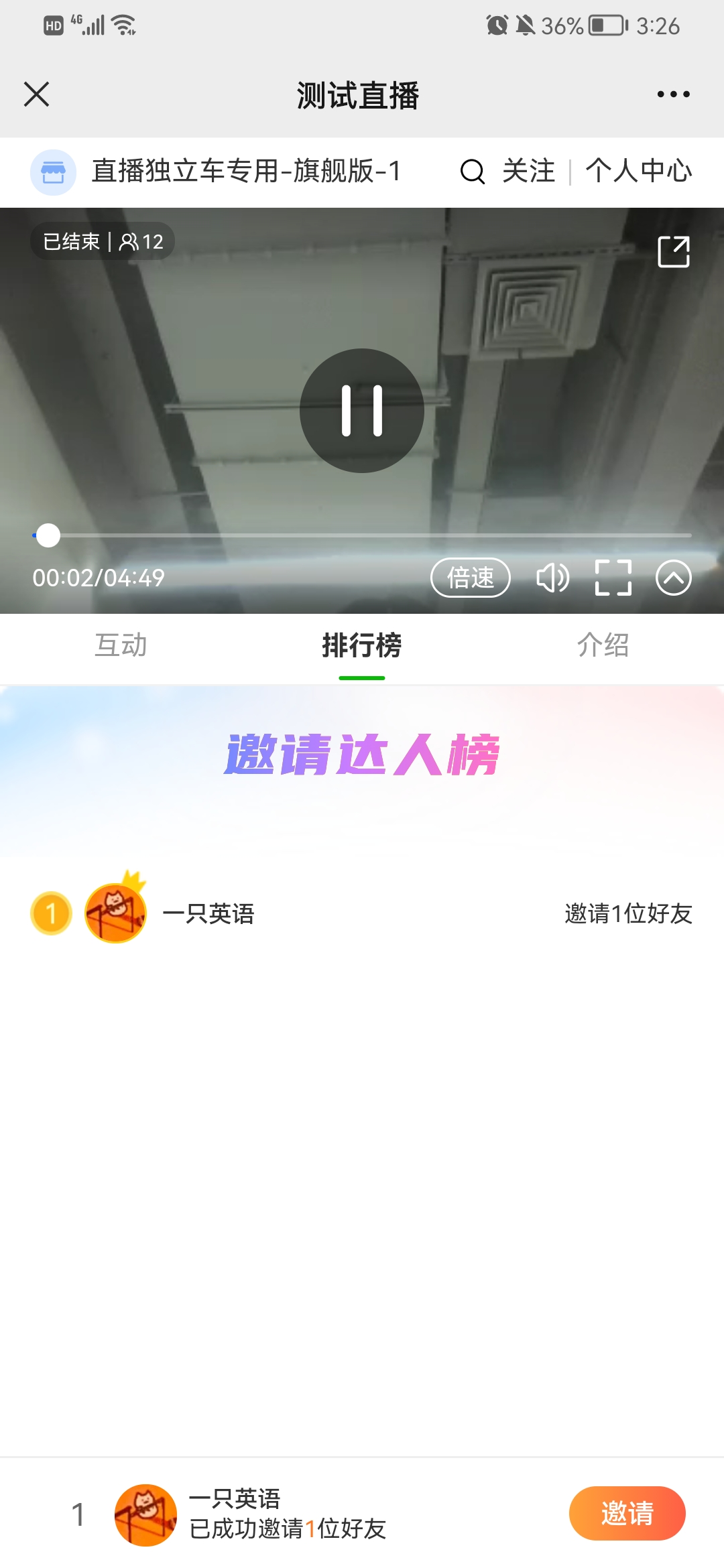
Step 2: View participation in the Invitation Influencer Ranking Event (H5 store)
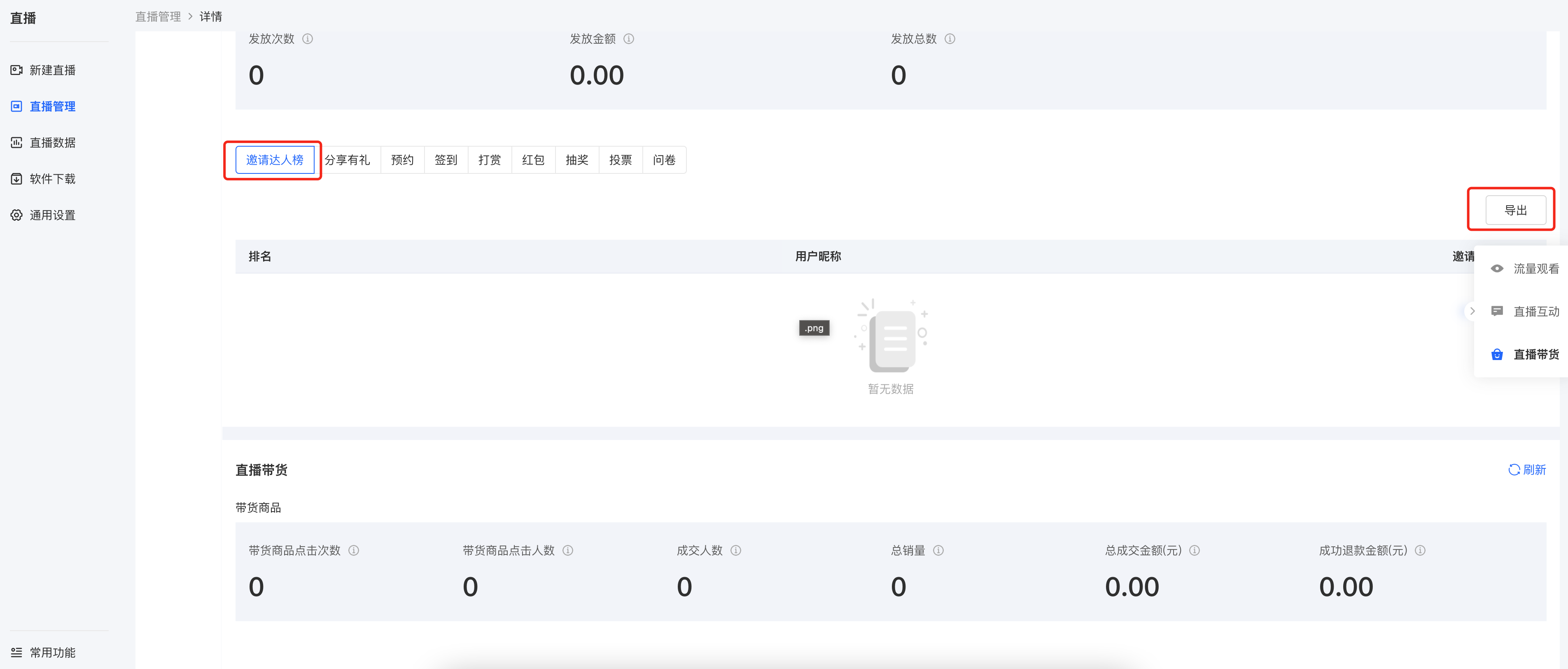
Step 3: Export data from the Invitation Influencer Ranking (Management console)
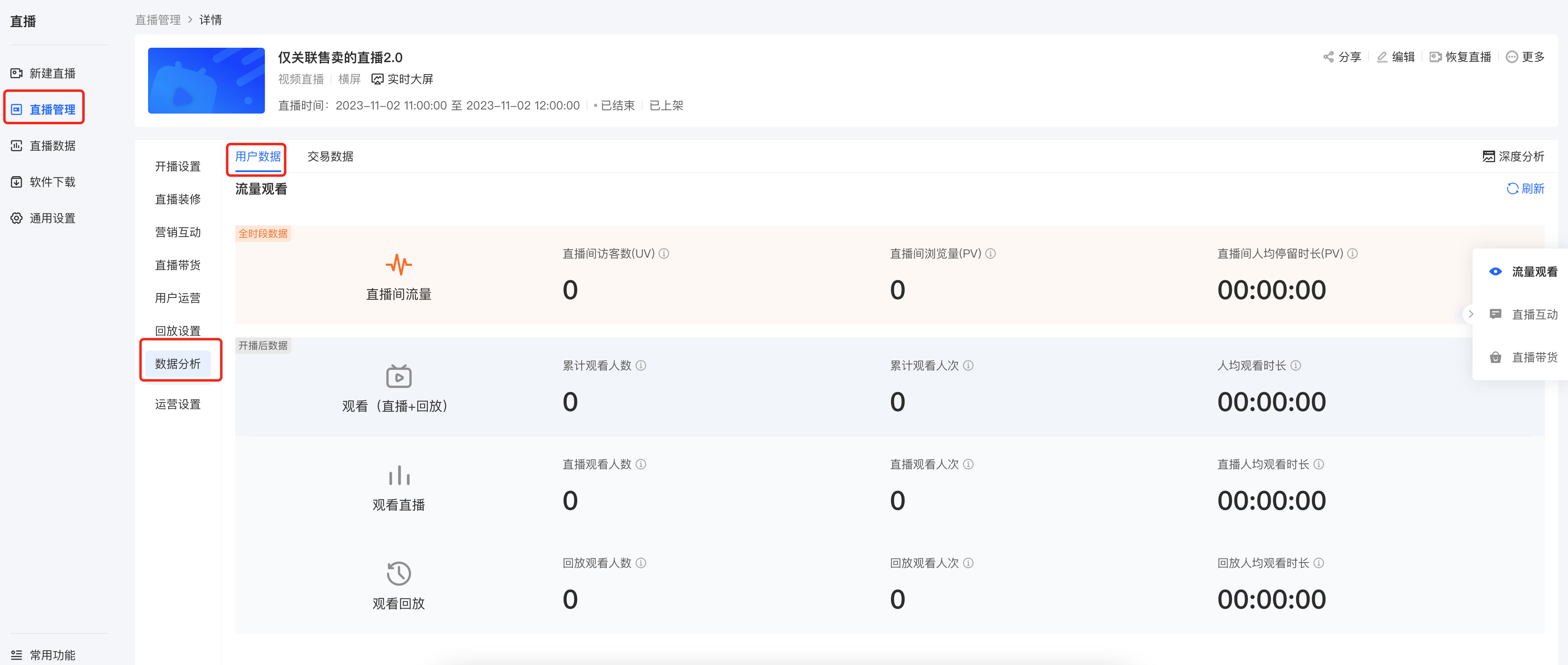
Enter the [Live - stream room details page] - Data analysis - User data - Invitation Influencer Ranking - Export.
(Note: Currently, only the cumulative data of the Invitation Influencer Ranking can be viewed and exported. Selecting data during the Invitation Influencer Ranking Event is not supported yet. Please remember to manually export the data from the Influencer Ranking when the event ends.We will update the feature later to support exporting data during the event)
Step 4: Distribute prizes (Manually)
You can notify users of their winning information and distribute prizes via (WeChat/SMS/Phone call).
Note: During the event, you can guide users in the live - stream room to add your WeChat to avoid situations where users cannot contact you to redeem prizes
No comments to display
No comments to display