
After successfully configuring live streaming, why can't students see the video?
After streaming, students won't immediately see the streaming screen. There's approximately a 12-second delay. If the streaming screen isn't visible for an extended period, ensure that the settings in the OBS software are correct:
1. Confirm that the streaming key and server address for the stream have been entered correctly (i.e., the URL and stream name of the target live room filled in OBS). If the instructor hasn't filled in the corresponding streaming key, the live screen may be pushed to another live room. If the corresponding streaming key and server address have been filled in, verify their accuracy [Verification path: OBS - Settings - Stream].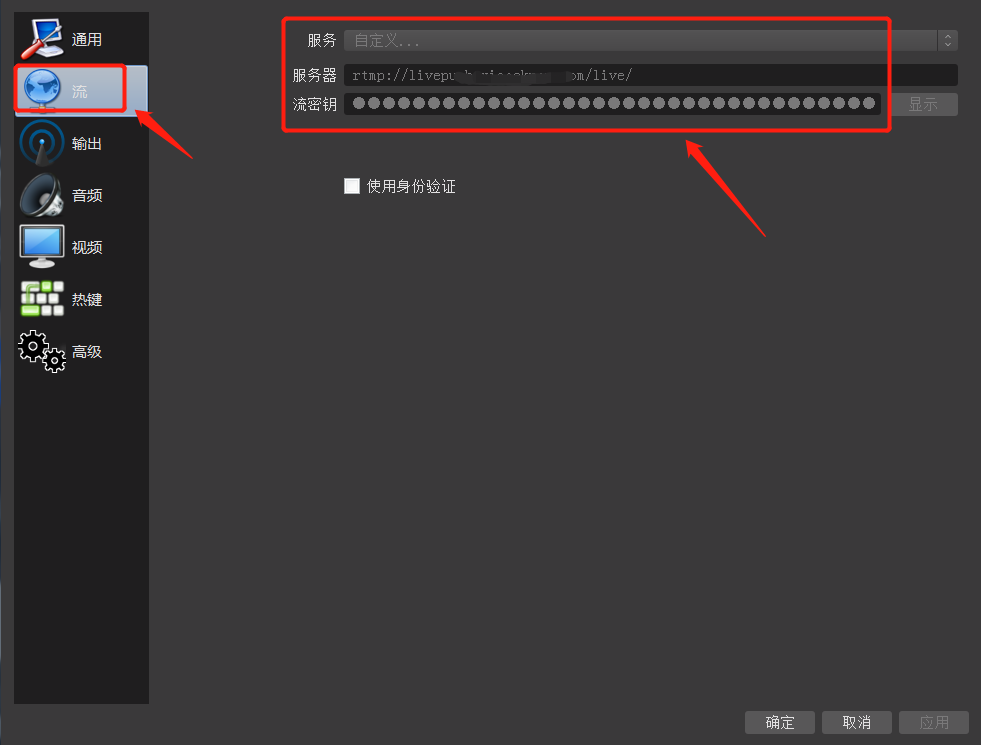
2. Check if the 'Start Streaming' button has been clicked in the OBS operation area to start the stream. If the stream has started, 'Stop Streaming' should be displayed in the bottom right corner.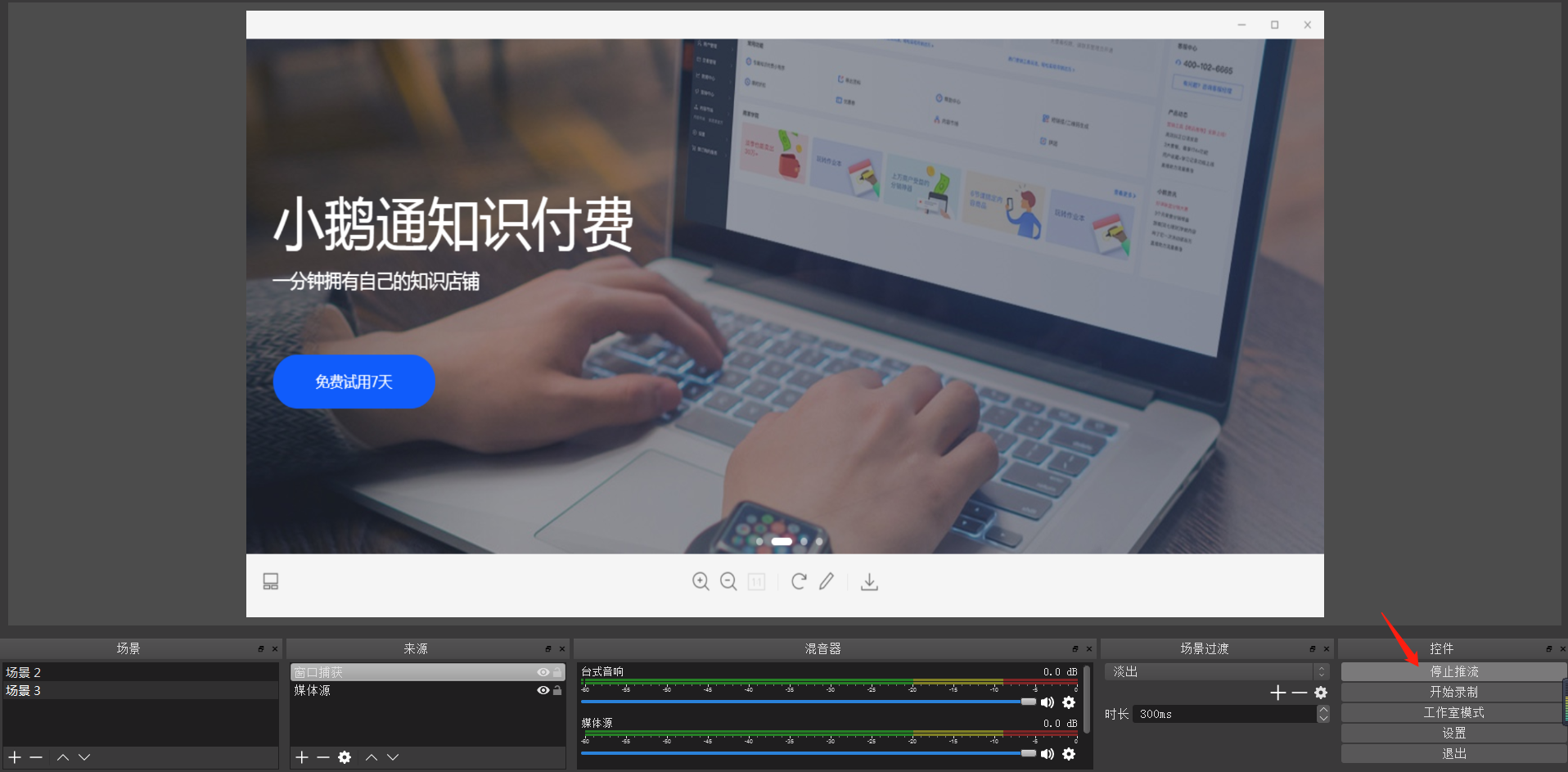
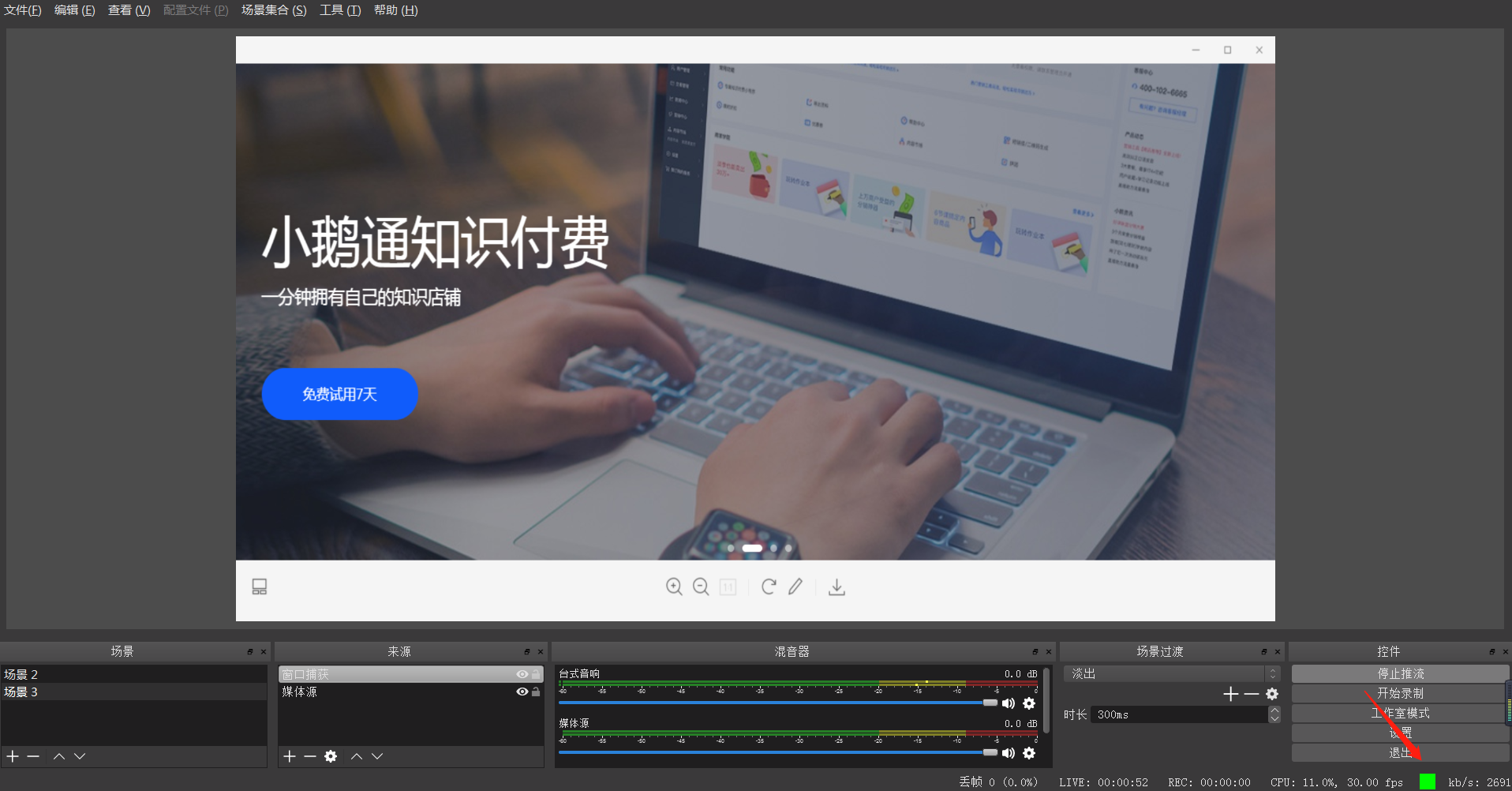
3. Check if the streaming quality indicator in the bottom right corner of OBS is green. If not, reduce the live streaming quality.
No comments to display
No comments to display