
What should I do if the virtual background and beauty filter don't work?
1. After setting the virtual background and beauty effects, you can't see the results. ClickDownload the plugin. After installing the plugin, re-enter the client, and the virtual background and beauty effects will appear.
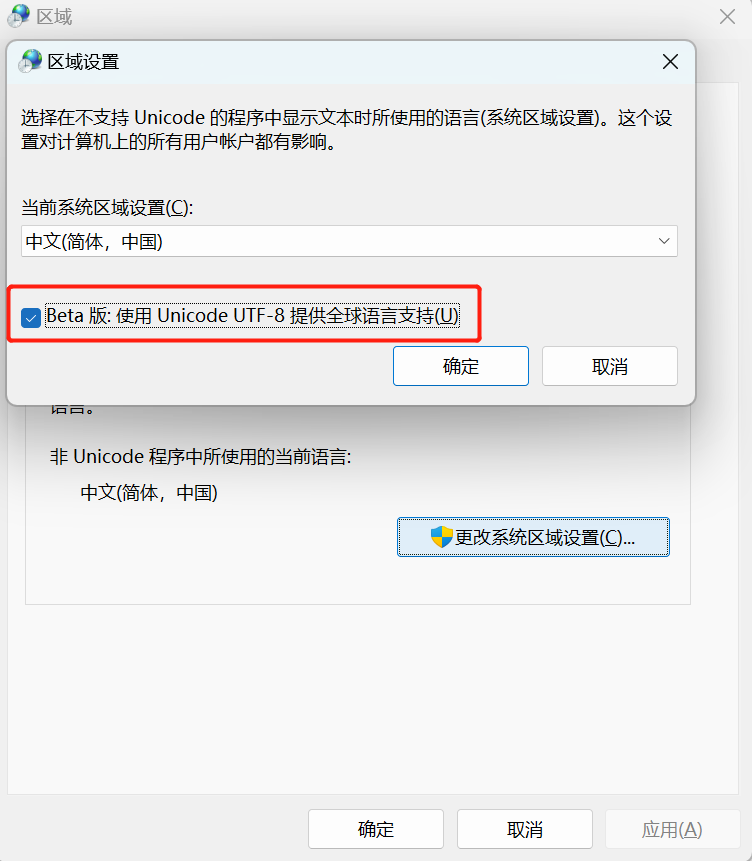
2. If the above method cannot solve the problem, you need to modify the system characters of your computer:
① First, right-click on the Start menu, click “Run” or use the shortcut key “Win + R” to open the Run window.
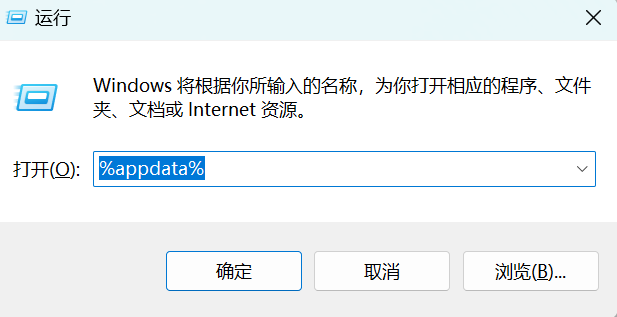
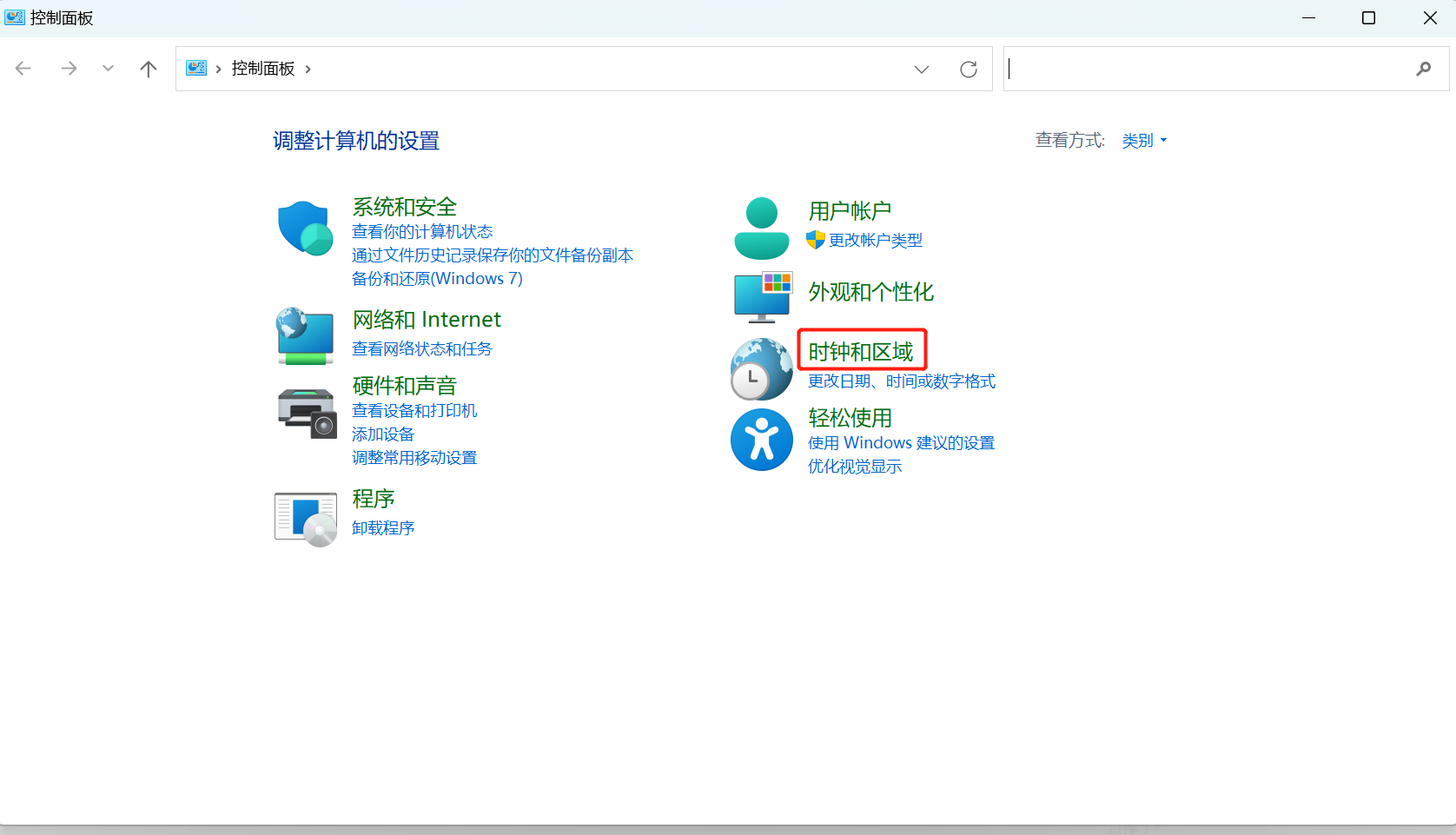
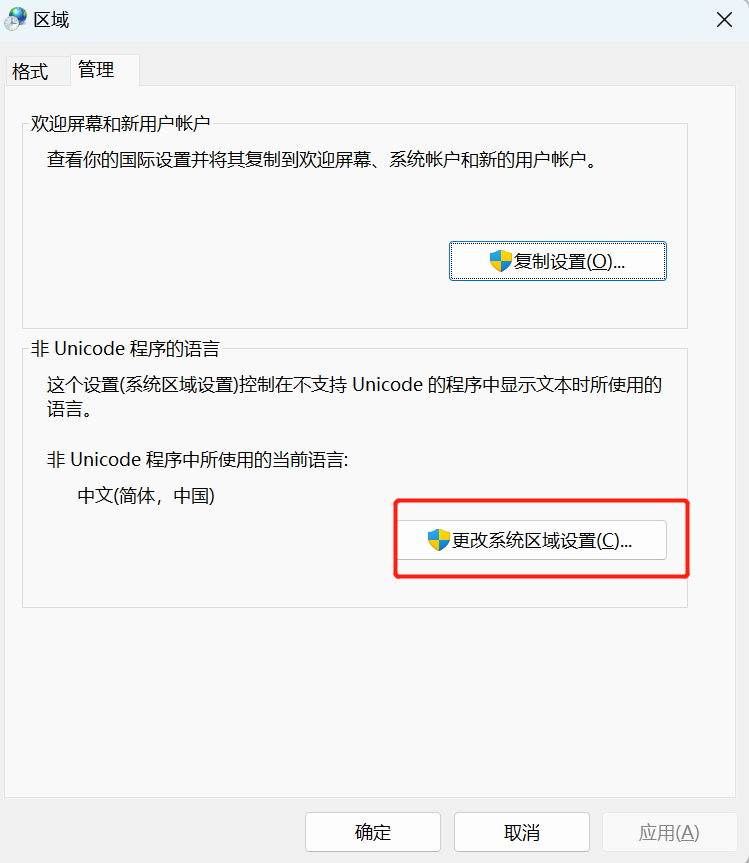
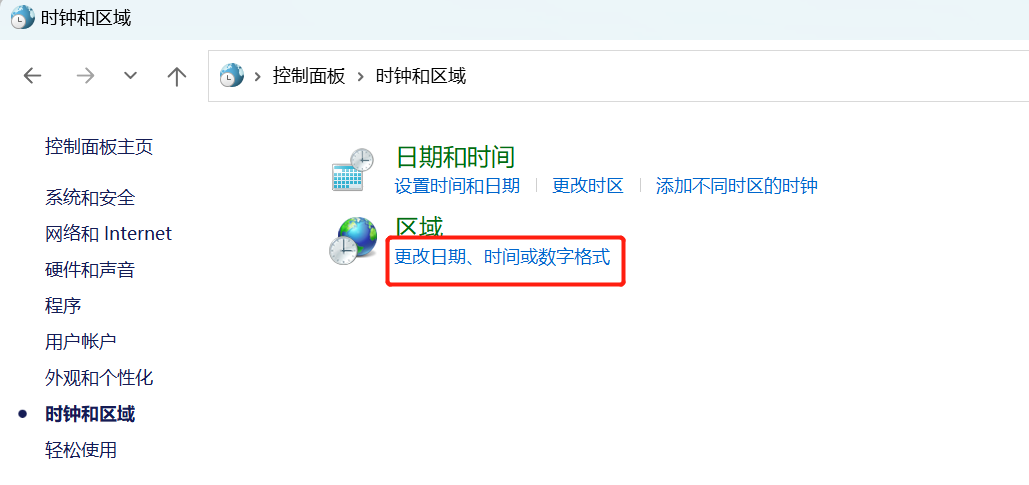
② Enter “control”, then press the “Enter” key to open the Control Panel. Find Clock and Region > Region > Management > Change system locale > Check “Beta: Use Unicode UTF-8 for worldwide language support”. Click “OK”, then click “Apply”. After that, reopen the client.
No comments to display
No comments to display