
Tutorial on Creating Paid Q&A
I. Feature Introduction
Paid Q&A is a platform where students can pay to ask questions and get one-on-one answers from teachers.
II. Purpose of Use
Students with questions about a particular topic hope to have one-on-one communication with industry professionals.
III. Usage Scenarios
One-on-one communication between students and teachers
IV. Operation Path
Merchant side: Computer management console → Courses → Interaction Management→ Paid Q&A, where store operators can configure paid Q&A.
V. Usage Tutorial
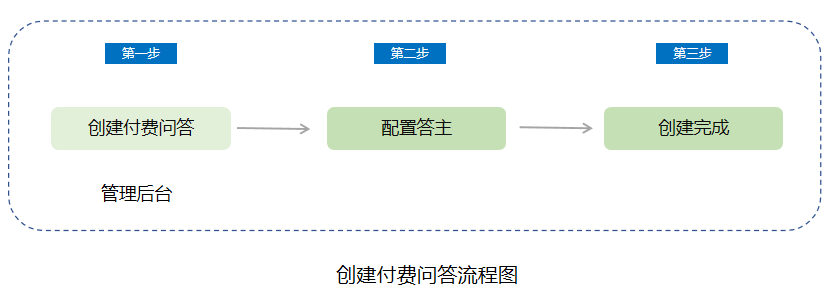
Step 1Enter the paid Q&A section through [Interaction Management] → [Paid Q&A] to create a paid Q&A.
[Paid Q&A Module]
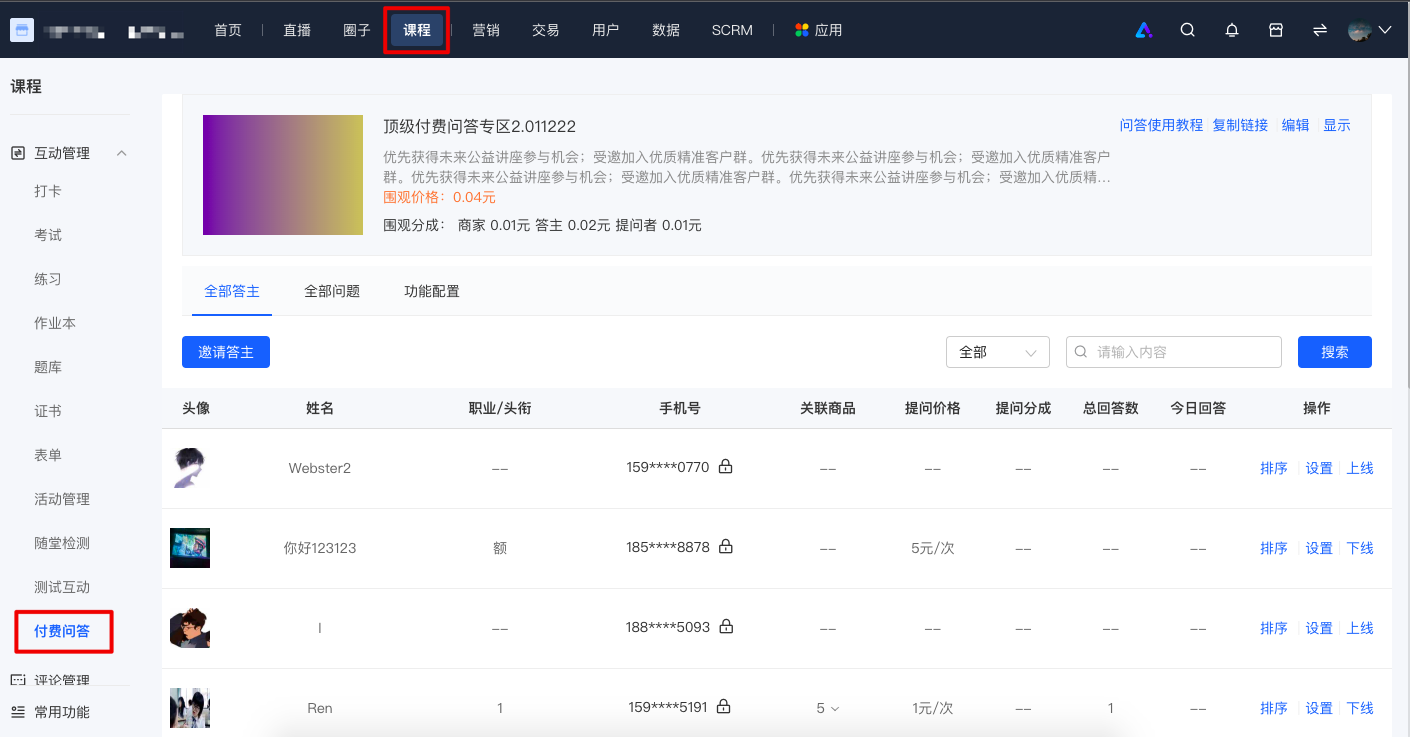
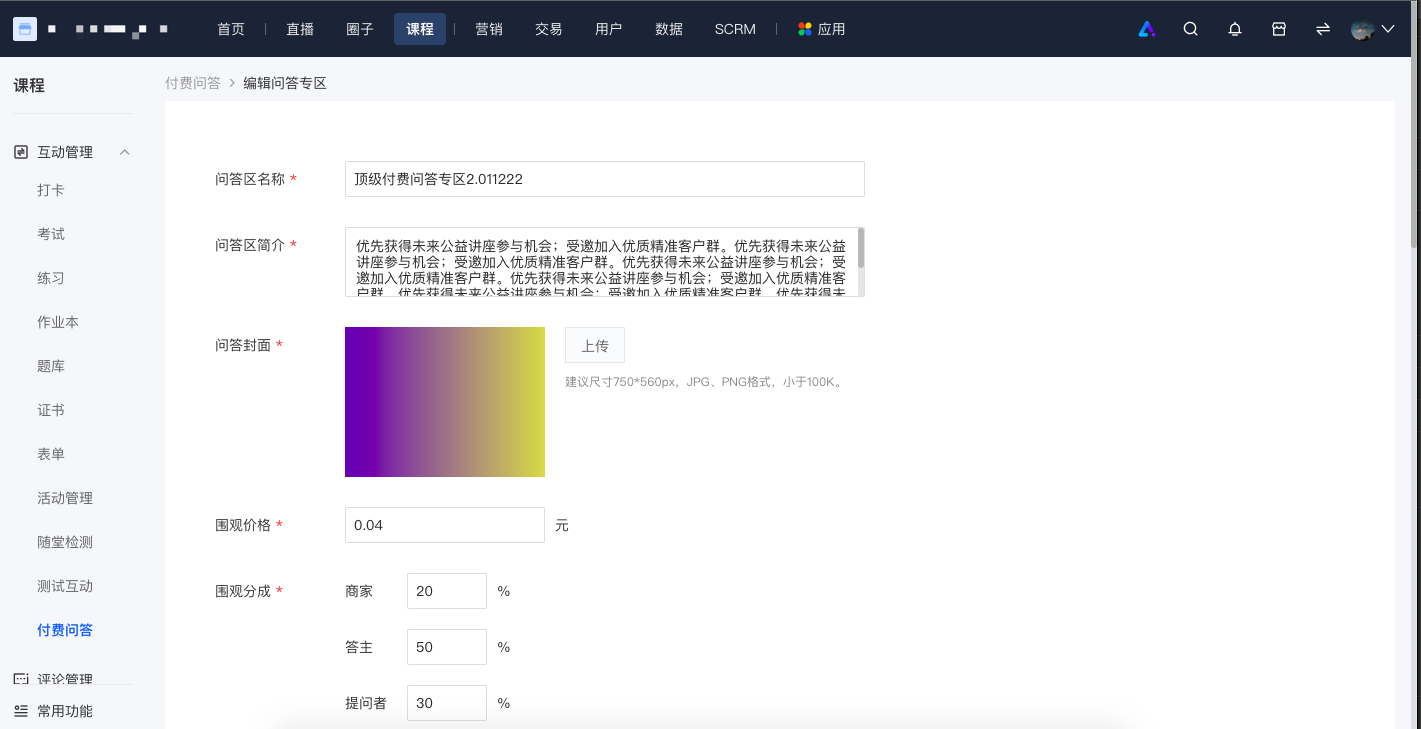
To enable paid Q&A, relevant information needs to be set. After the settings are completed, a paid Q&A section will be created. On the Q&A homepage, you can modify the relevant information of the Q&A section at any time.
Merchants can associate members in the section and set corresponding member benefits. Users who have purchased the associated membership can enjoy the corresponding benefits in the paid Q&A section. Currently supported member benefits include: free question asking, free viewing. (Member benefits allow students to view all answers for free.)
[Create Paid Q&A]
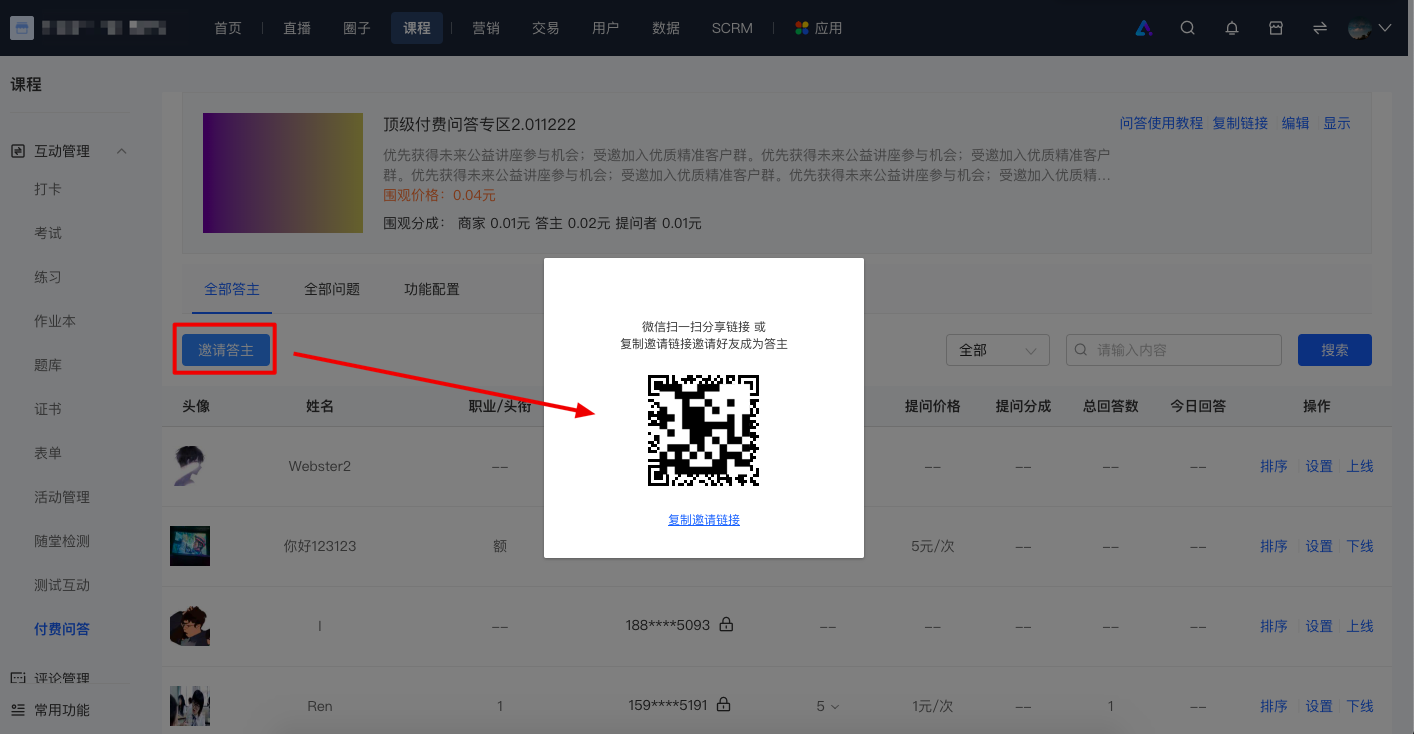
Step 2Configure answerers
In the [All Answerers] tab,Share the link to friends through the [Invite Answerers] button to quickly invite answerers. You can set relevant information and revenue sharing for each answerer, andconfirm their online and offline status.
Step 3Paid Q&A creation is completed
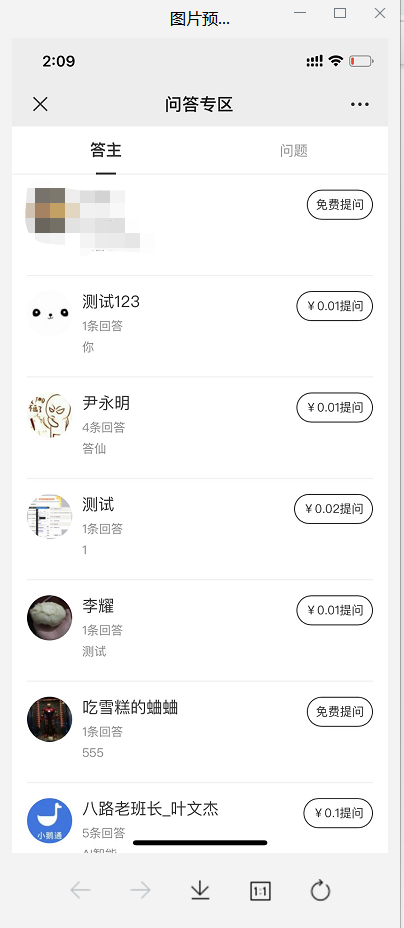
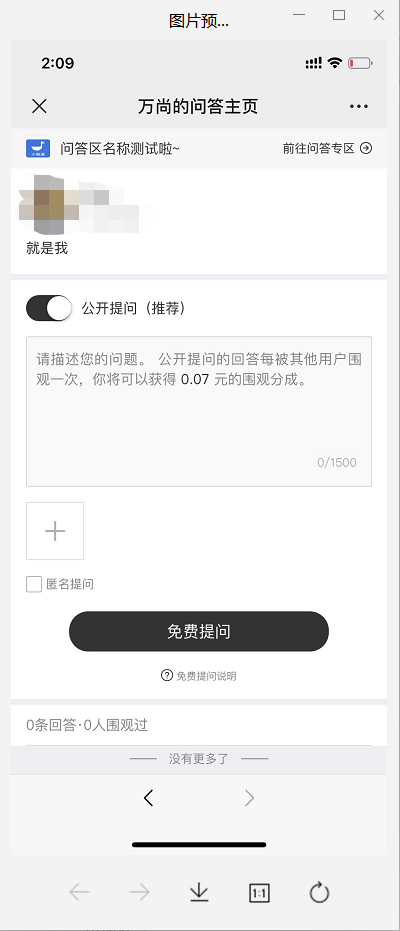
After the answerers go online, users can view the answerers and Q&A content in the Q&A section on the mobile app.
No comments to display
No comments to display