
How to set the scores for exam questions?
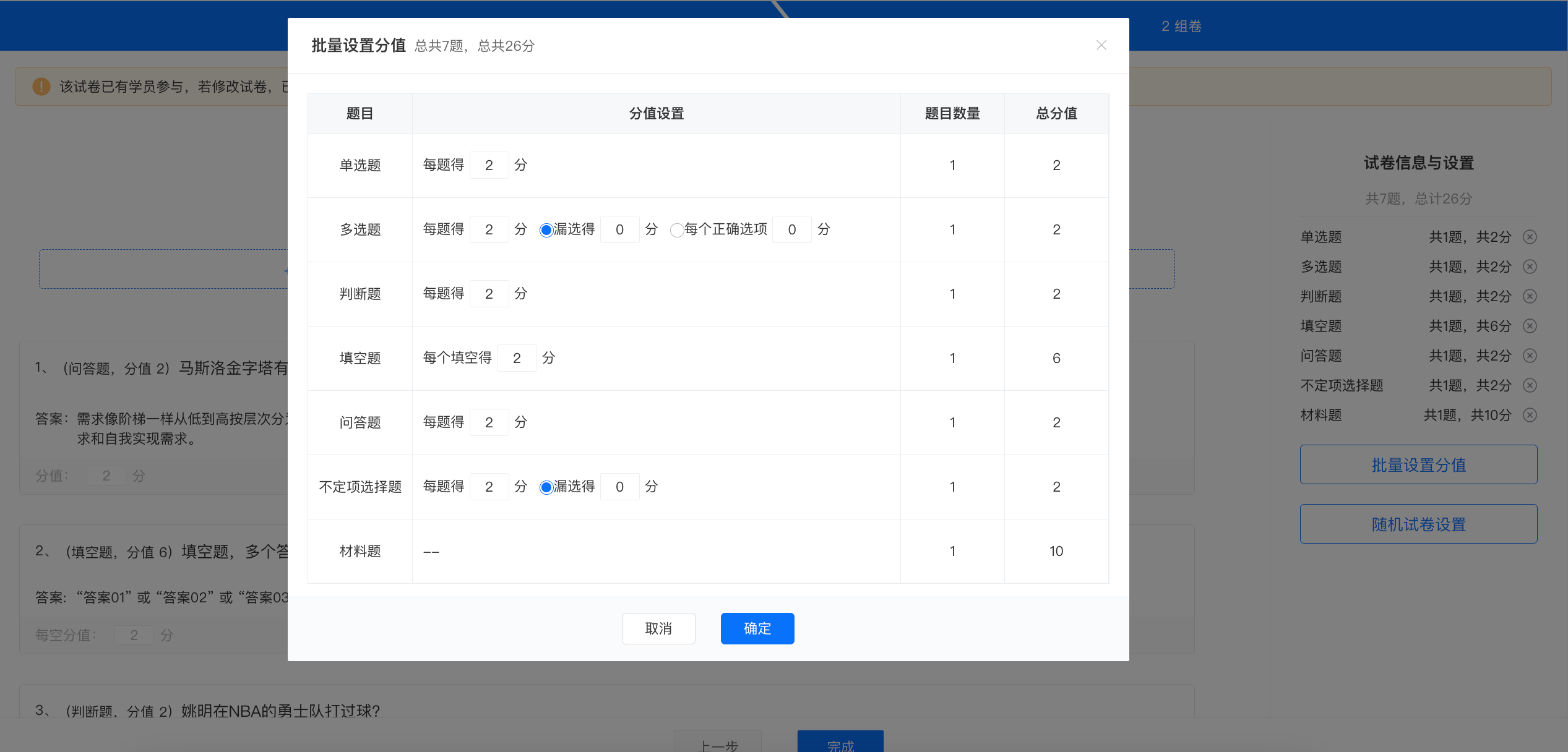
All five question types in the exam support batch score modification. You can set the scores for each question type in the left sidebar, and also set the score for a single question on the right.
1. Each question (total) score: x points. Selecting the correct answer for a single/multiple-choice question earns x points.
2. Partial selection earns x points. For example, if the correct answer to a question is ABC, selecting A/AB/C only earns x points, while selecting ABC earns full marks.
3. Each selected option earns x points. For example, if the options for a question are ABC, selecting A earns x points, selecting AB earns 2x points, and selecting ABC earns full marks.
Note: Incorrect selection results in no score. For example, if the options are ABCDE and the correct answer is ABC, selecting AD results in no score.
No comments to display
No comments to display