
Tutorial on Using Product Purchase Limits
I. Function Introduction
In scenarios such as clearance sales at low prices or new product launches, merchants can set purchase limits for products, restricting the number of items each user can purchase within a certain period. This helps merchants control individual users' purchasing behavior and improve the product's reach to users. Currently, this feature is applicable to the sales scenarios of [Physical Products] and [Paid Coupons].
II. Purpose of Use
(1) Cost control: Limited - purchase products have certain price advantages. By setting purchase limits, merchants can prevent users from bulk - buying products for resale.
(2) Creating a sense of product scarcity: Highlight the value of products and stimulate consumers' desire to buy.
(3) Preventing malicious inventory hoarding and fraudulent orders: In scenarios such as new product launches or special sales, more users can purchase products and enjoy the benefits.
III. Usage Scenarios
When a merchant plans a promotional event for physical products with low prices to attract more user traffic, they can set a limit of 3 items per user. This helps prevent users from buying a large number of low - priced products at once and reduces the occurrence of users taking advantage of the promotion.
IV. Operation Path
Merchant side: [Physical Products] Merchant's PC management console → Transactions → Product Management → Create/Edit Physical Products
[Paid Coupons] Merchant's PC management console → Marketing→ Marketing Campaigns→ Paid Coupons → Create/Edit Paid Coupons
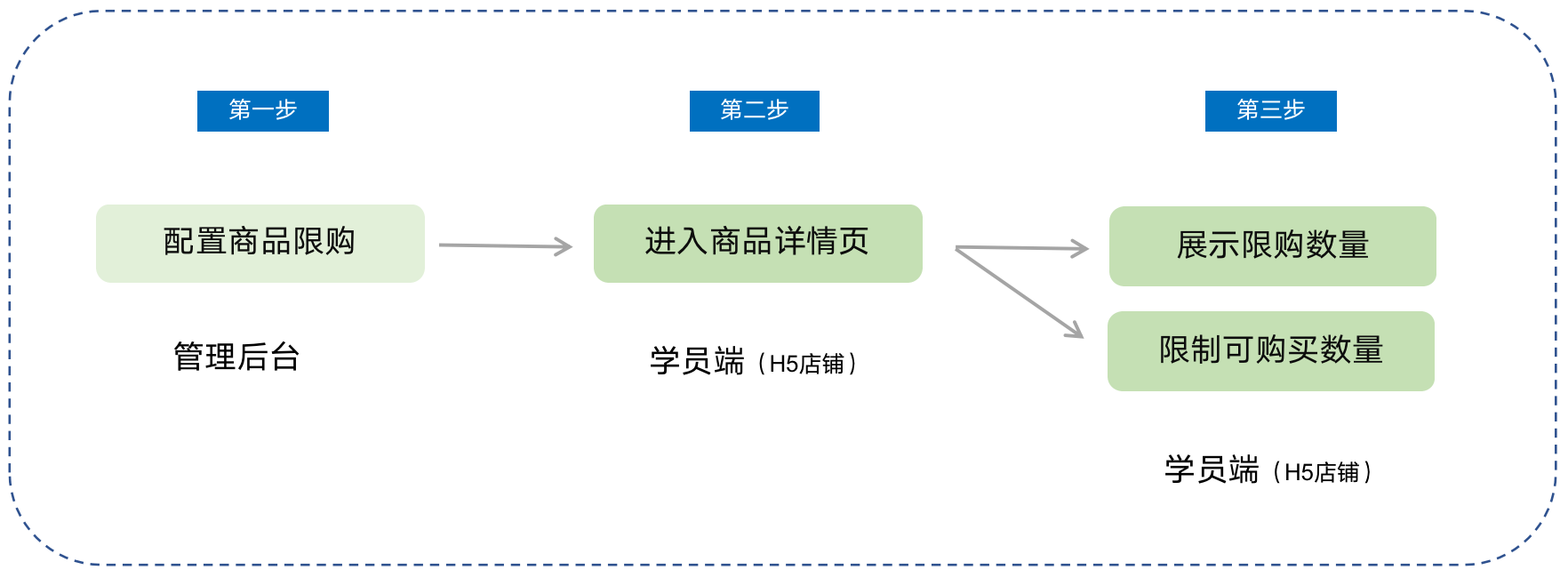
Student side: WeChat H5 Store → Product Details Page → Click to Purchase
V. Usage Tutorial
Step 1: Configure product purchase limits(Taking physical products as an example)
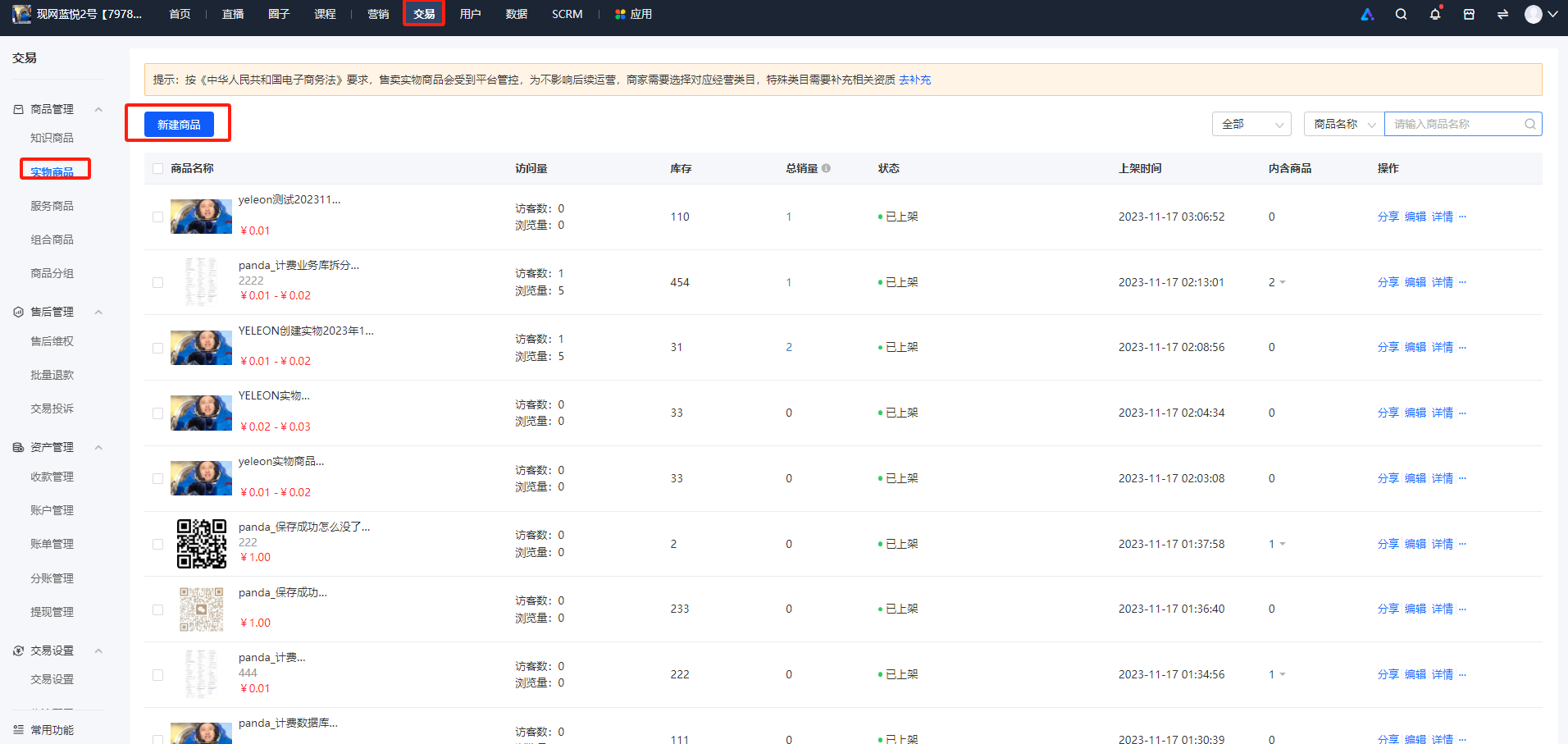
1. Log in to the store management backend. Click [Transactions] - [Product Management] - [Physical Products], and then click [New Product].
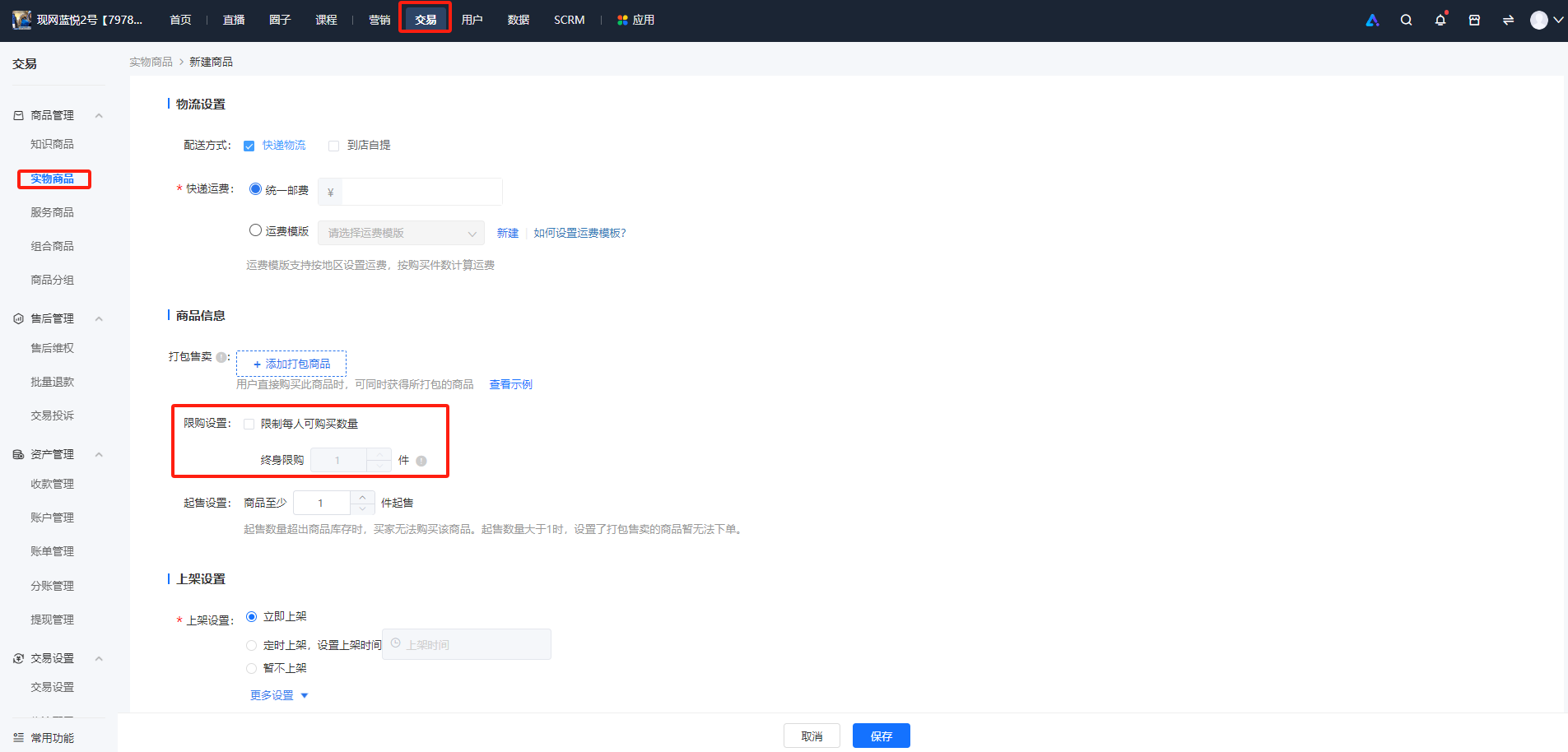
2. In the [Product Information] section, check [Purchase Limit Settings] and set the quantity. Currently, only lifetime purchase limits are supported, and periodic purchase limits are not available yet.
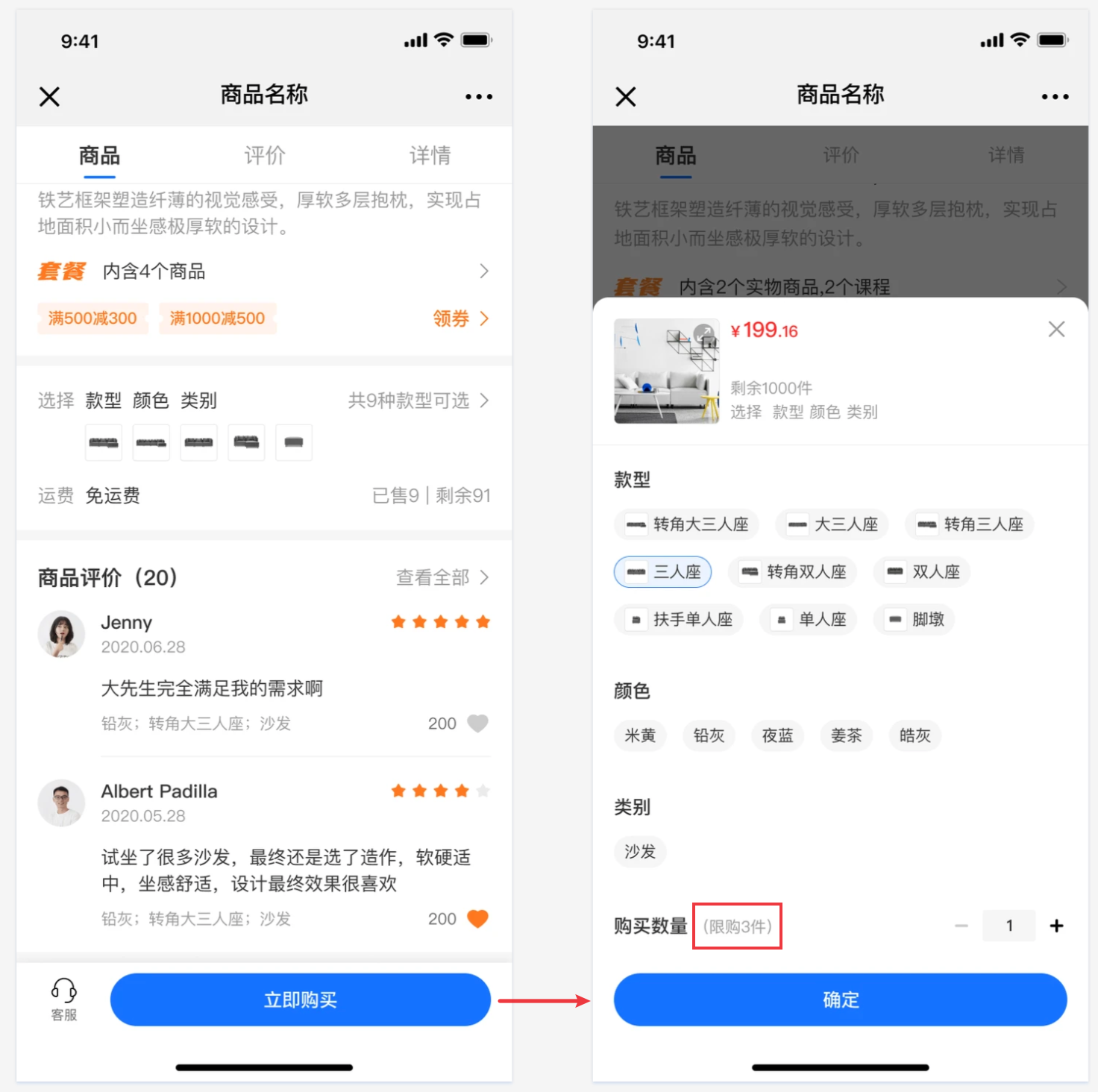
Step 2: Purchase on the student side
1. Physical products/Paid Coupons
2. Product details page of coupons
The number of products that users can purchase can be restricted.
No comments to display
No comments to display