# Tutorial on Using Product Purchase Limits
[中文](/books/d34ab/page/7e775)
**I. Function Introduction**
In scenarios such as clearance sales at low prices or new product launches, merchants can set purchase limits for products, restricting the number of items each user can purchase within a certain period. This helps merchants control individual users' purchasing behavior and improve the product's reach to users. Currently, this feature is applicable to the sales scenarios of \[Physical Products\] and \[Paid Coupons\].
**II. Purpose of Use**
(1) Cost control: Limited - purchase products have certain price advantages. By setting purchase limits, merchants can prevent users from bulk - buying products for resale.
(2) Creating a sense of product scarcity: Highlight the value of products and stimulate consumers' desire to buy.
(3) Preventing malicious inventory hoarding and fraudulent orders: In scenarios such as new product launches or special sales, more users can purchase products and enjoy the benefits.
**III. Usage Scenarios**
When a merchant plans a promotional event for physical products with low prices to attract more user traffic, they can set a limit of 3 items per user. This helps prevent users from buying a large number of low - priced products at once and reduces the occurrence of users taking advantage of the promotion.
**IV. Operation Path**
Merchant side: \[Physical Products\] Merchant's PC management console → Transactions → Product Management → Create/Edit Physical Products
\[Paid Coupons\] Merchant's PC management console → Marketing→ Marketing Campaigns→ Paid Coupons → Create/Edit Paid Coupons
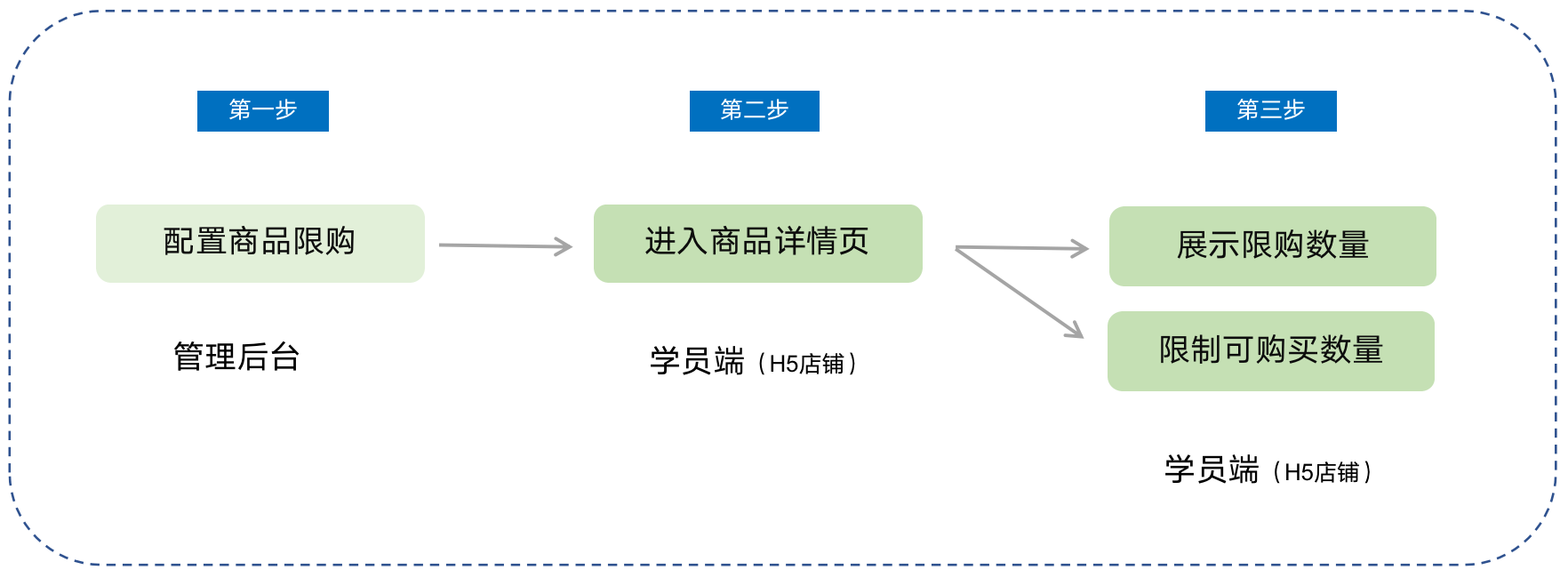
Student side: WeChat H5 Store → Product Details Page → Click to Purchase
**V. Usage Tutorial**
**Step 1: Configure product purchase limits***(Taking physical products as an example)*
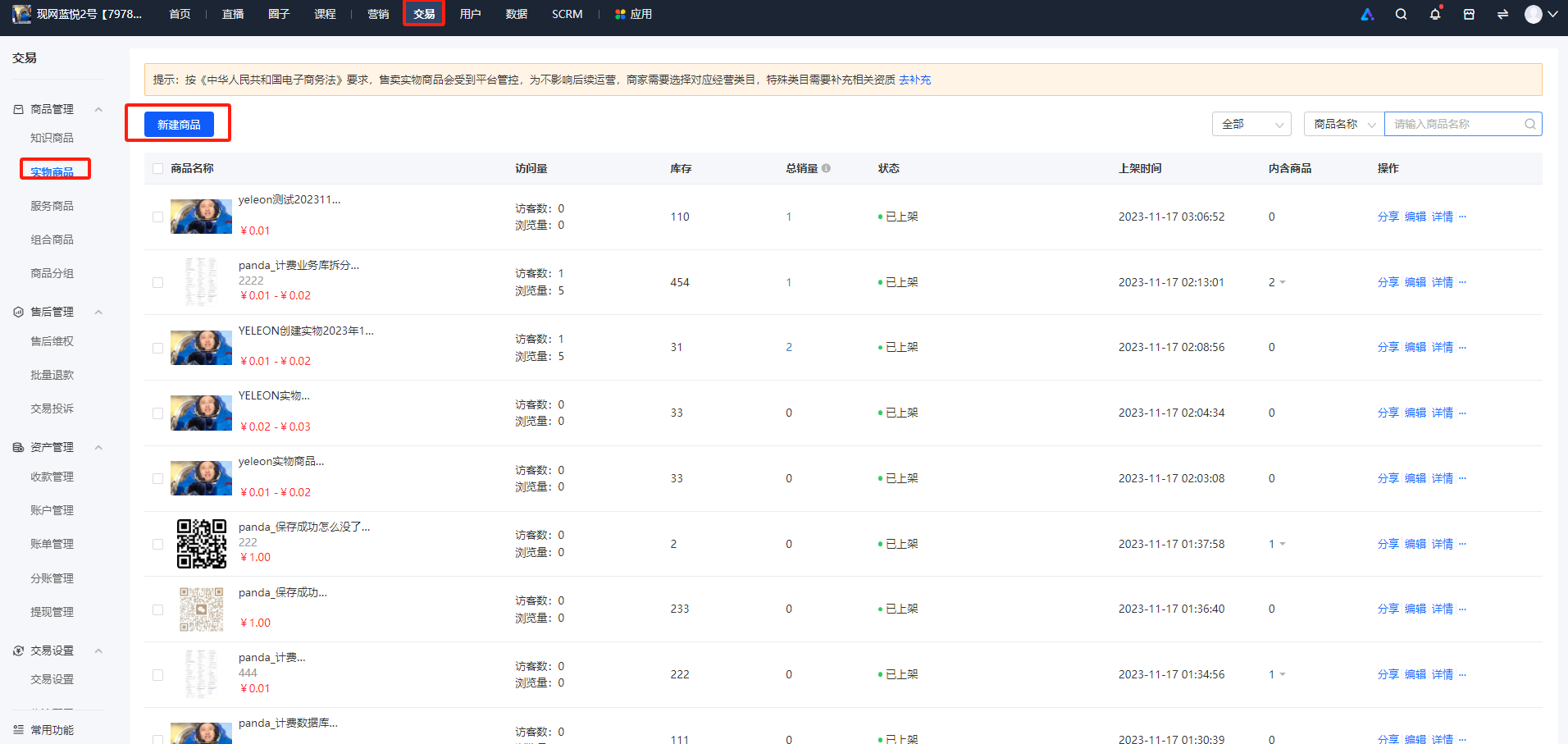
1. Log in to the store management backend. Click \[Transactions\] - \[Product Management\] - \[Physical Products\], and then click \[New Product\].
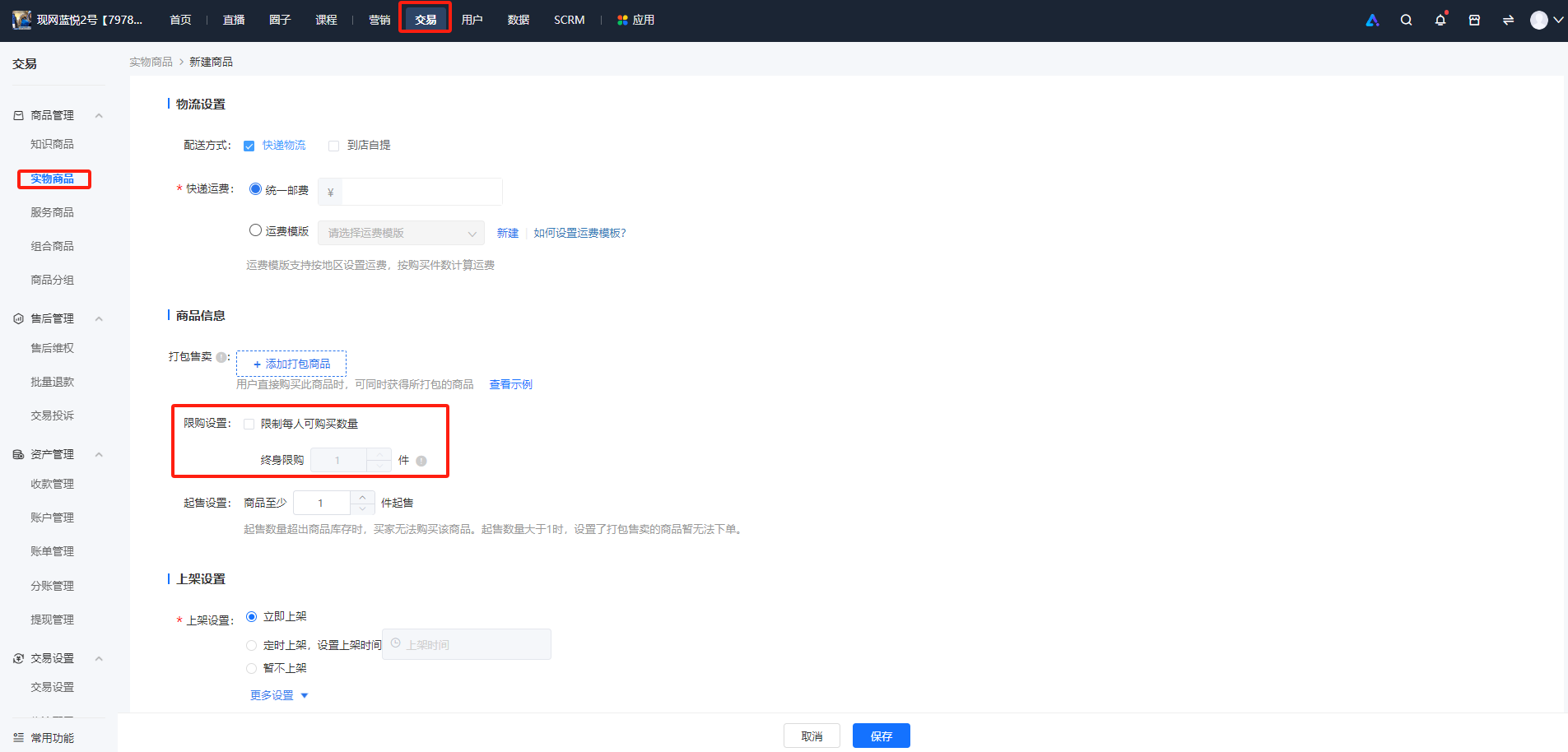
2. In the \[Product Information\] section, check \[Purchase Limit Settings\] and set the quantity. Currently, only lifetime purchase limits are supported, and periodic purchase limits are not available yet.
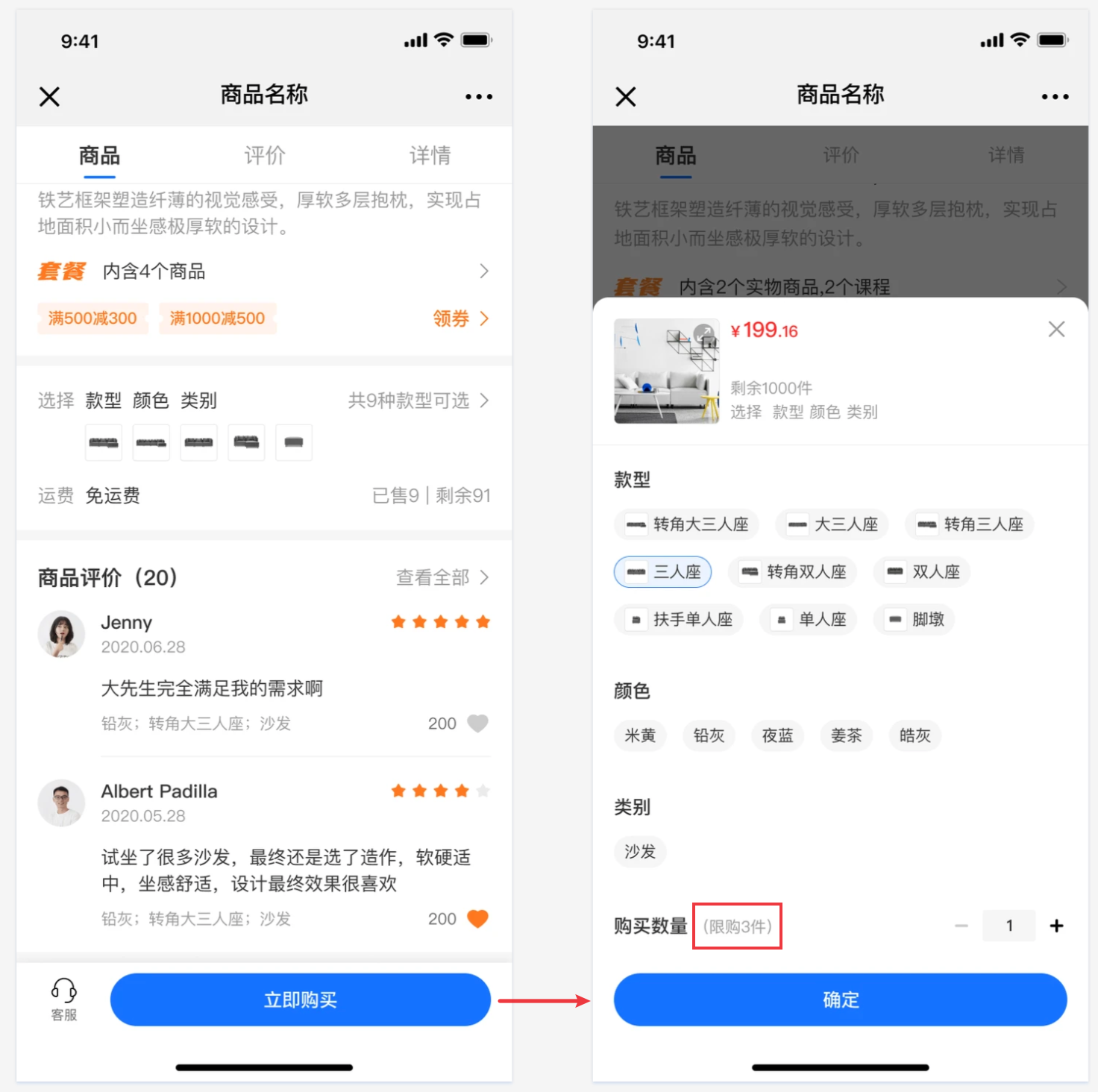
**Step 2: Purchase on the student side**
1. Physical products/Paid Coupons
2. Product details page of coupons
The number of products that users can purchase can be restricted.