
How to control the sharing of coupons or stop their issuance?
1. Control the sharing of coupons:When creating (editing) a coupon, check or uncheck the sharing settings to control the spread of the coupon sharing link.
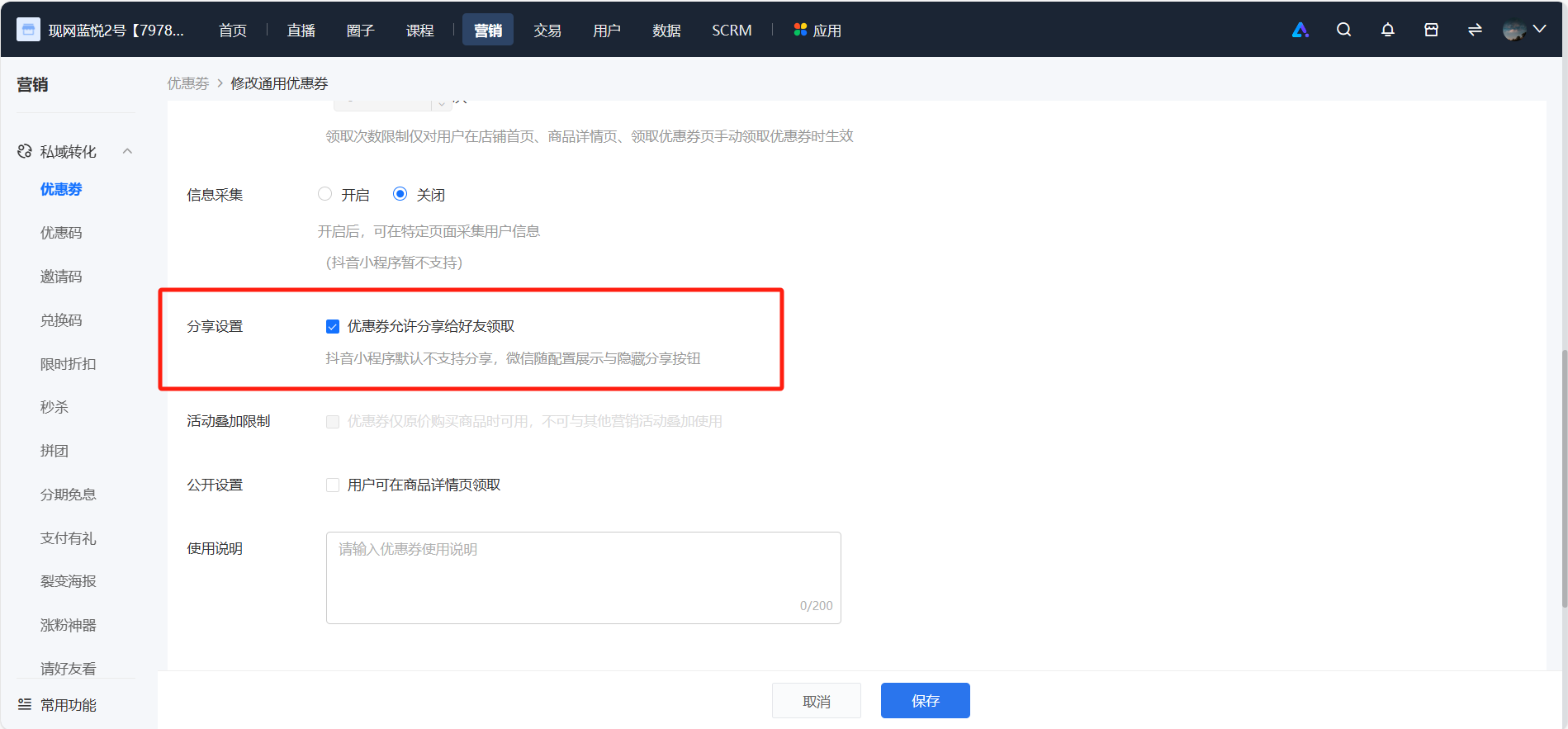
2. Stop issuing:Click 'Stop' on the coupon list page and confirm. After stopping, users will not be able to claim the coupon, and users who have already claimed it can continue to use it. 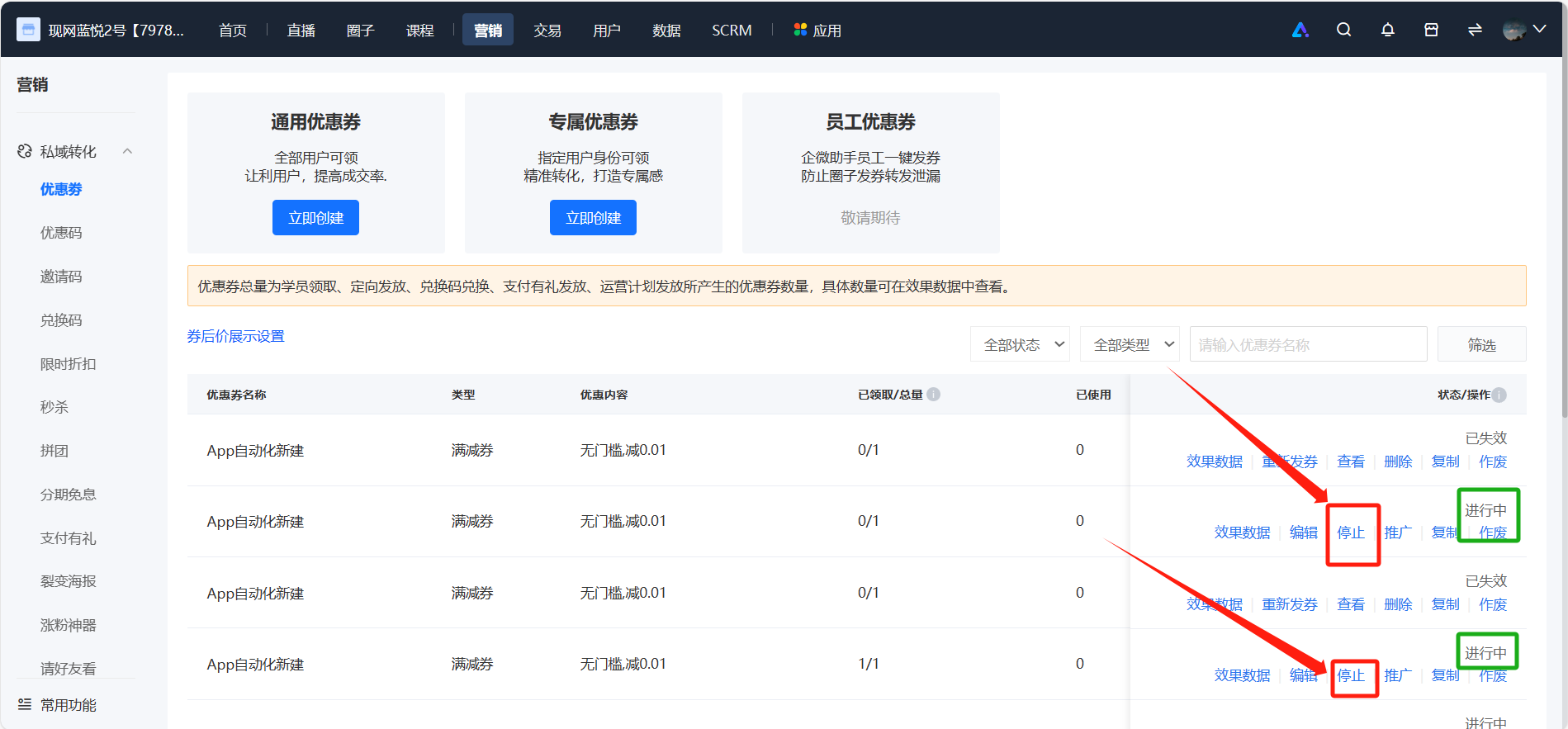
No comments to display
No comments to display