
Can users activated via invitation codes be deleted?
Yes, it's possible.
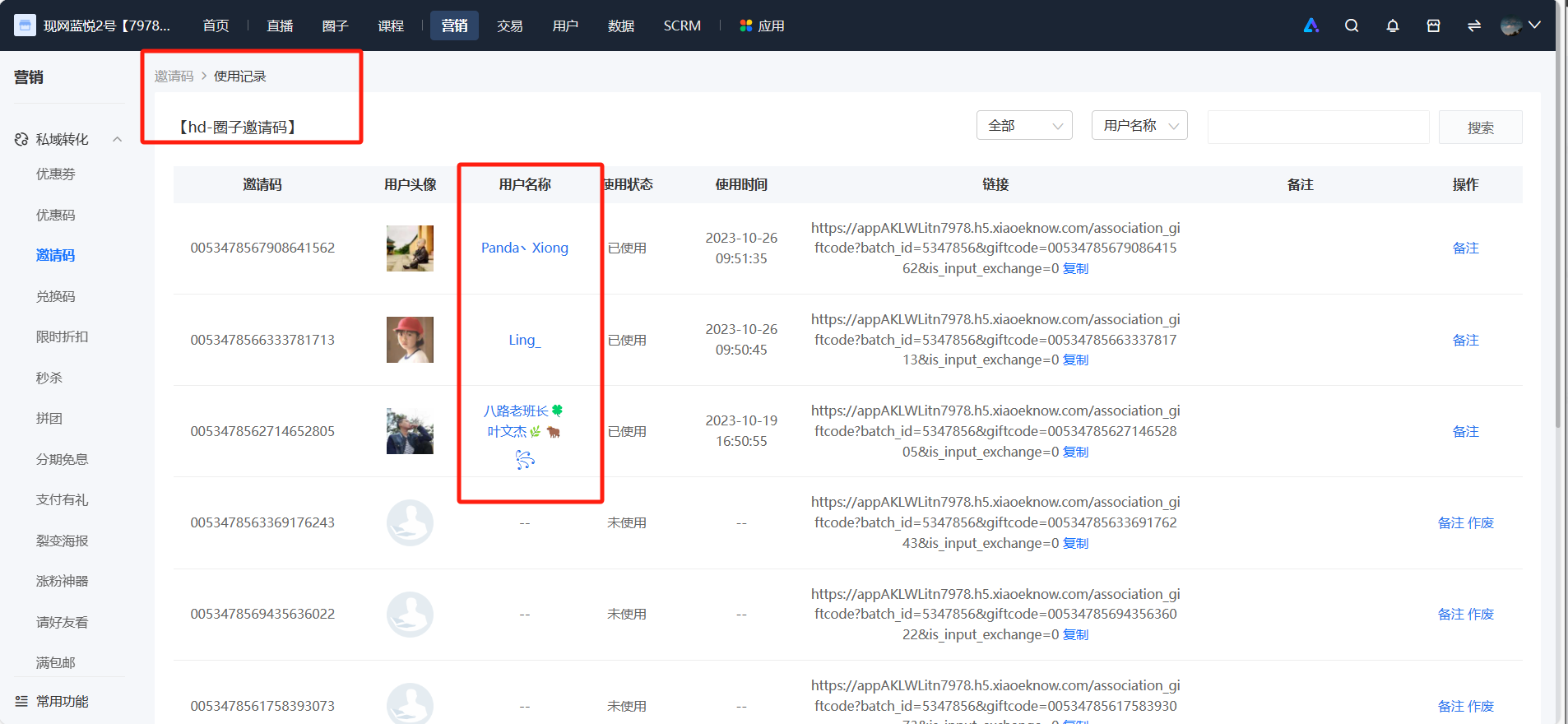
Step 1: On the elink management console, click [Marketing Center] - [Invitation Codes]. Find the invitation code batch you're targeting and click [Usage Records]. Locate the user you want to remove and click [User Name].
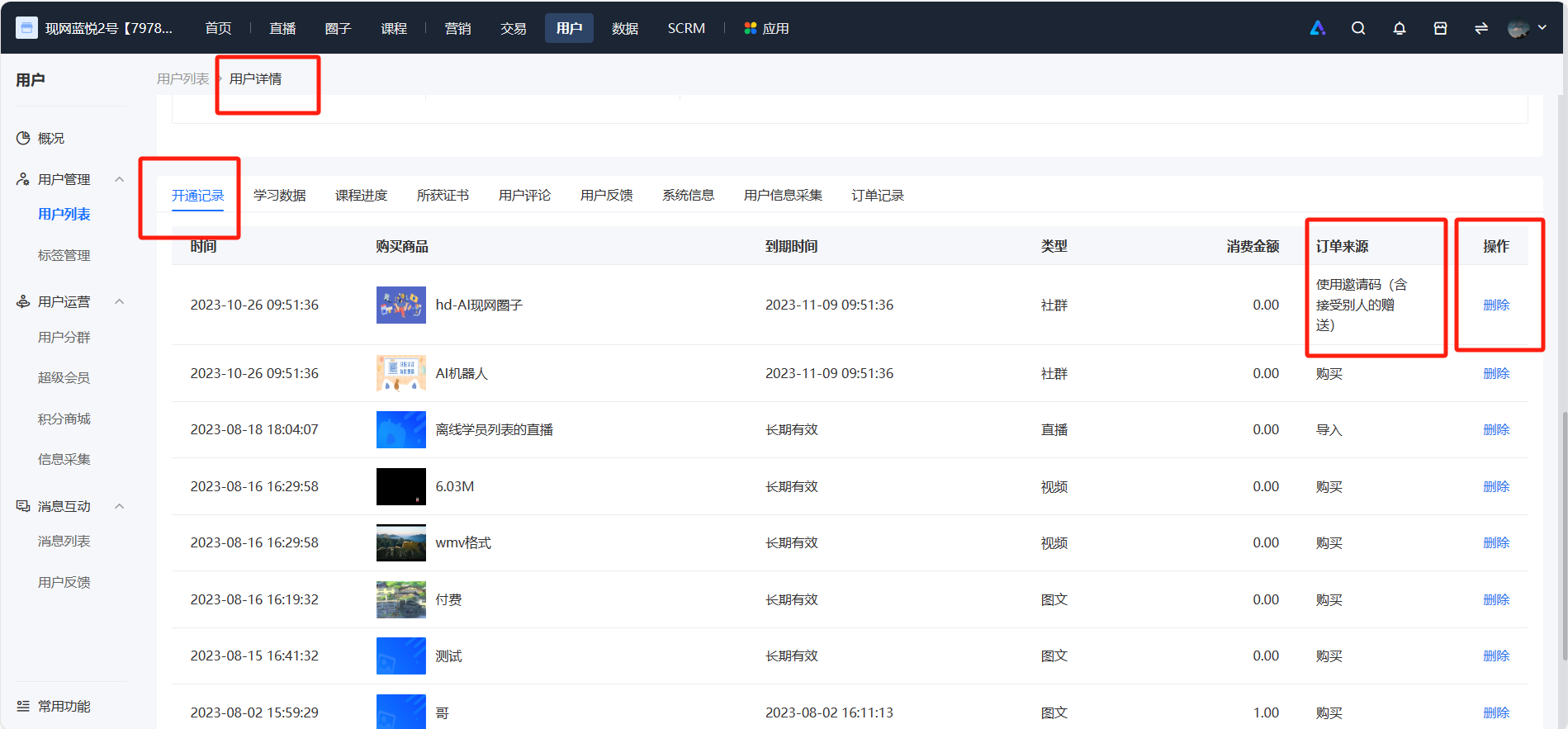
Step 2: In the user details - activation records, you can see the courses the user activated via the invitation code. Click the [Delete] button.
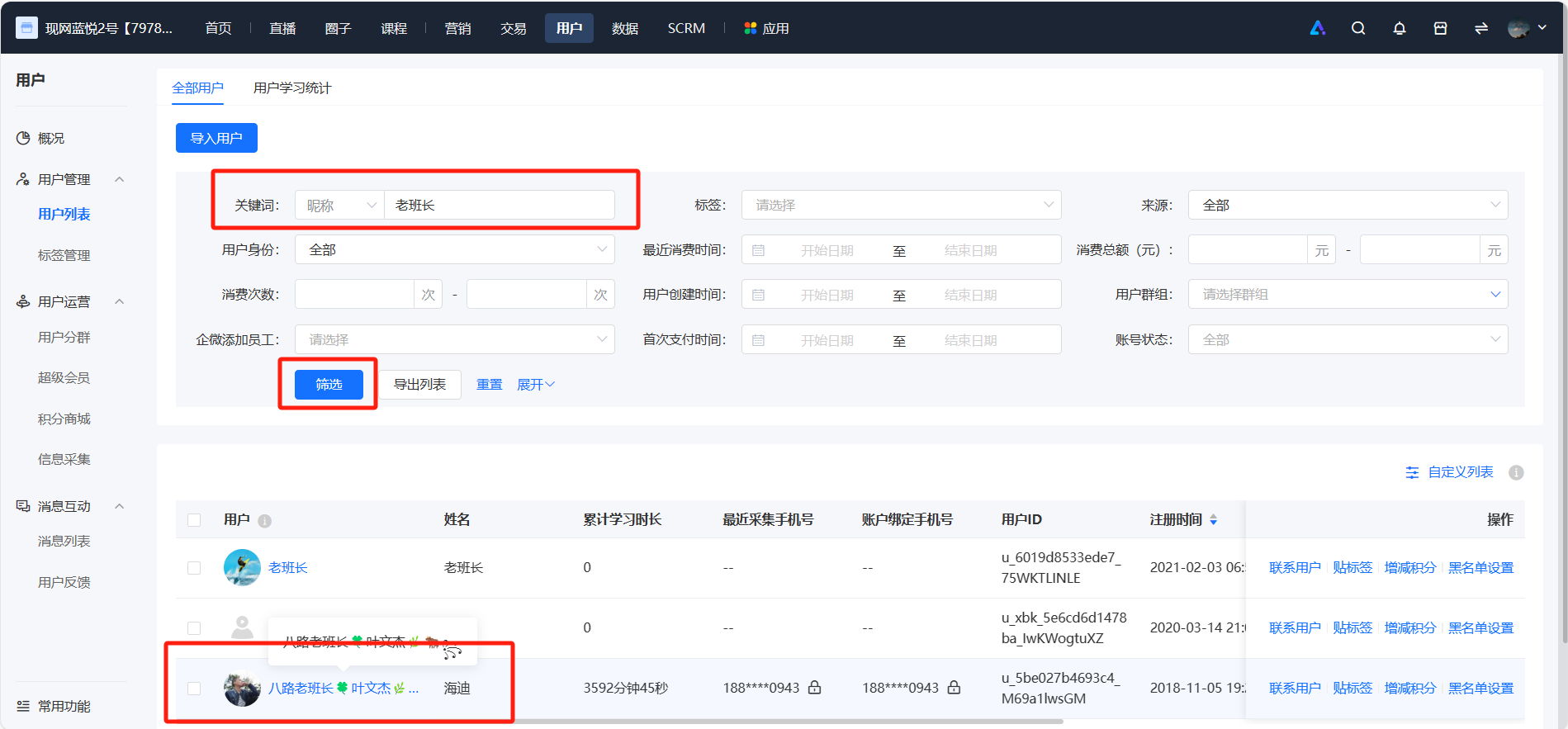
Note: You can also go to [User Management] - [User List] on the elink management console, filter by the user's nickname to find the user. In the activation records of the user details, you can see the courses the user activated via the invitation code. Click the [Delete] button.
No comments to display
No comments to display