
Usage tutorial for [Common Features] on the Overview Page
I. Function Introduction
1. Freely pin the recently used functions as quick access entries. You can directly access the functions with a single click, which helps merchants improve the efficiency of using the management console. This function is supported on both the new and old versions of the management console, but the customized data is not interoperable.
II. Purpose of Use
Pin the quick access entries that merchants use frequently to help them access quickly.
III. Usage Scenarios
Merchants often need to access the [Order Management] function to ship products to users who have purchased goods. Merchants can pin the [Order Management] function to the frequently used functions and open it with a single click, which improves the efficiency of merchants using the management console.
IV. Operation Path
[New Version of Management Console]:
2. AI Assistant - Overview Page - Frequently Used Functions
[Old Version of Management Console]:

V. Usage Tutorial
[New Version of Management Console]:
(1) Step 1: Open Frequently Used
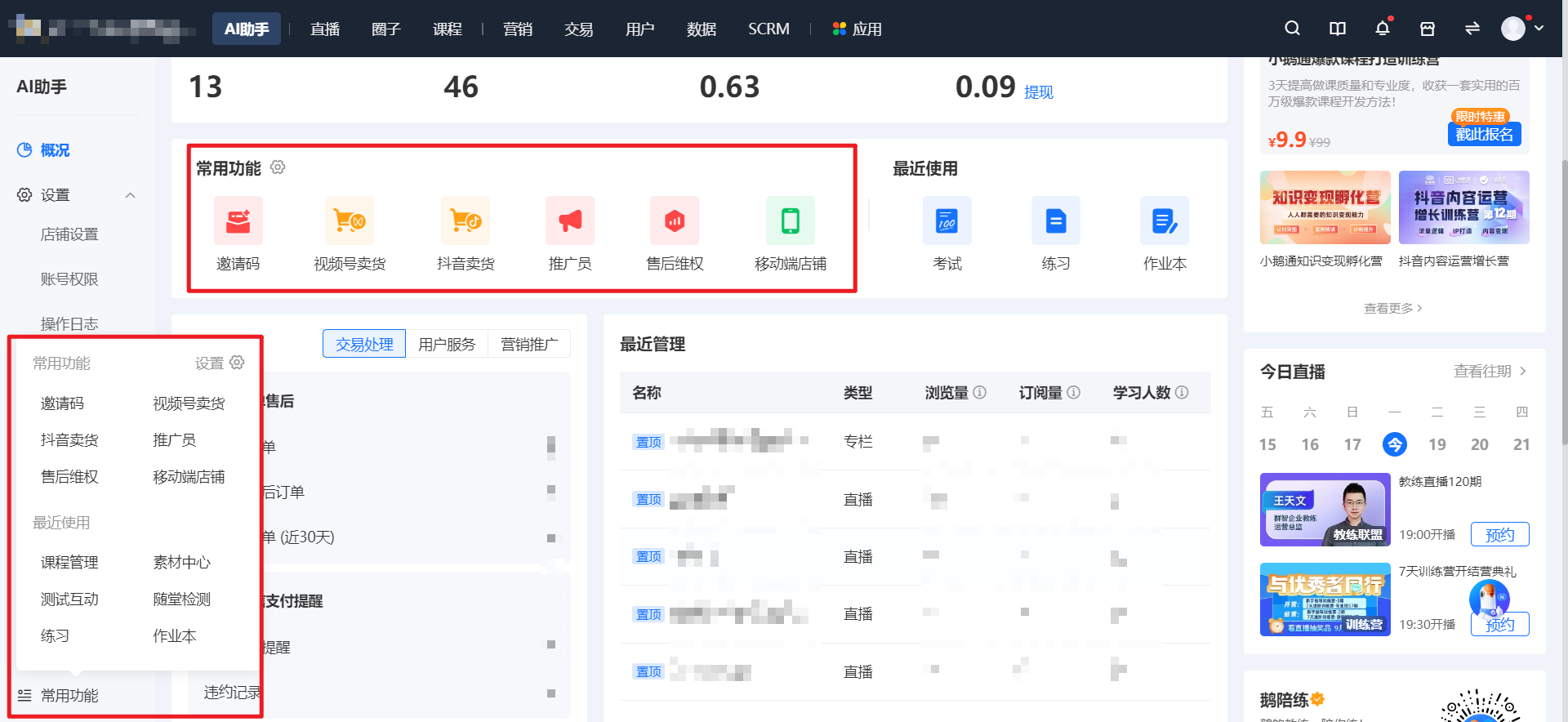
(2) Step 2: Add/Delete Frequently Used Functions
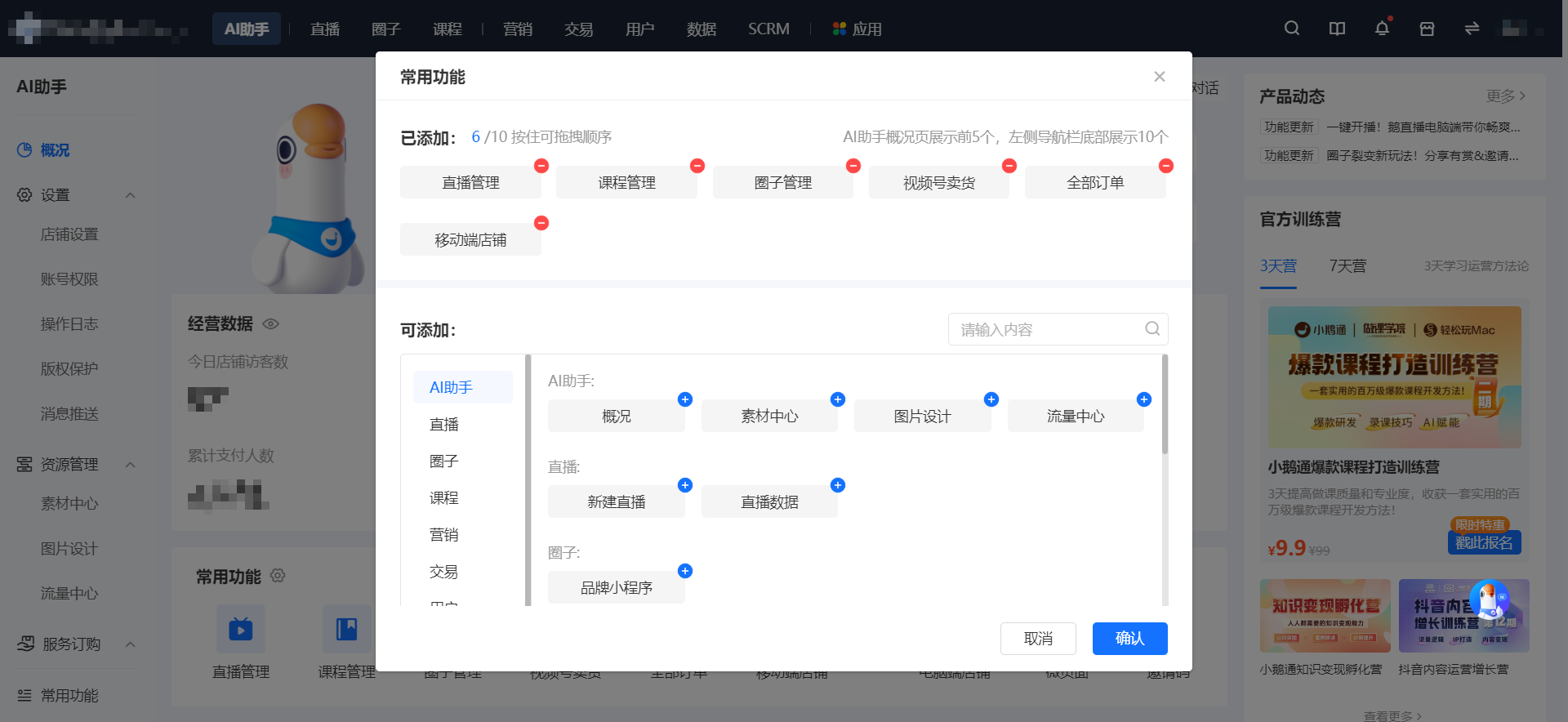
Click the settings button. In the settings pop - up window,Add/delete frequently used functions. You can quickly locate the frequently used functions of a certain section or search for the specific name of the frequently used function in the pop - up window.
[Old Version of Management Console]:
(1) Step 1: Open Frequently Used

(2) Step 2: Add/Delete Frequently Used Functions
① Add: In the recently used section, the six functions that have been recently clicked are displayed. Move the mouse over the function entry and click [+] to add the function to the frequently used functions. You can add up to 10 functions. Click the function to jump to the function page.

② Delete: Move the mouse over the function entry and click [-] to delete the added function.

No comments to display
No comments to display