
Operation Log Usage Tutorial
I. Feature Introduction
To help merchants better manage store staff and determine responsibilities, the [Operation Log] module has been newly launched. Merchants can query sensitive operations performed by store staff on the management console at any time.
**Note:Currently, the elink management consoleonly records some important and sensitive operations.It does not provide records of all functional operations. If you have new requirements, you can report the sensitive operations you expect to be recorded through the service steward. We will regularly update and maintain this function.
II. Operation Path
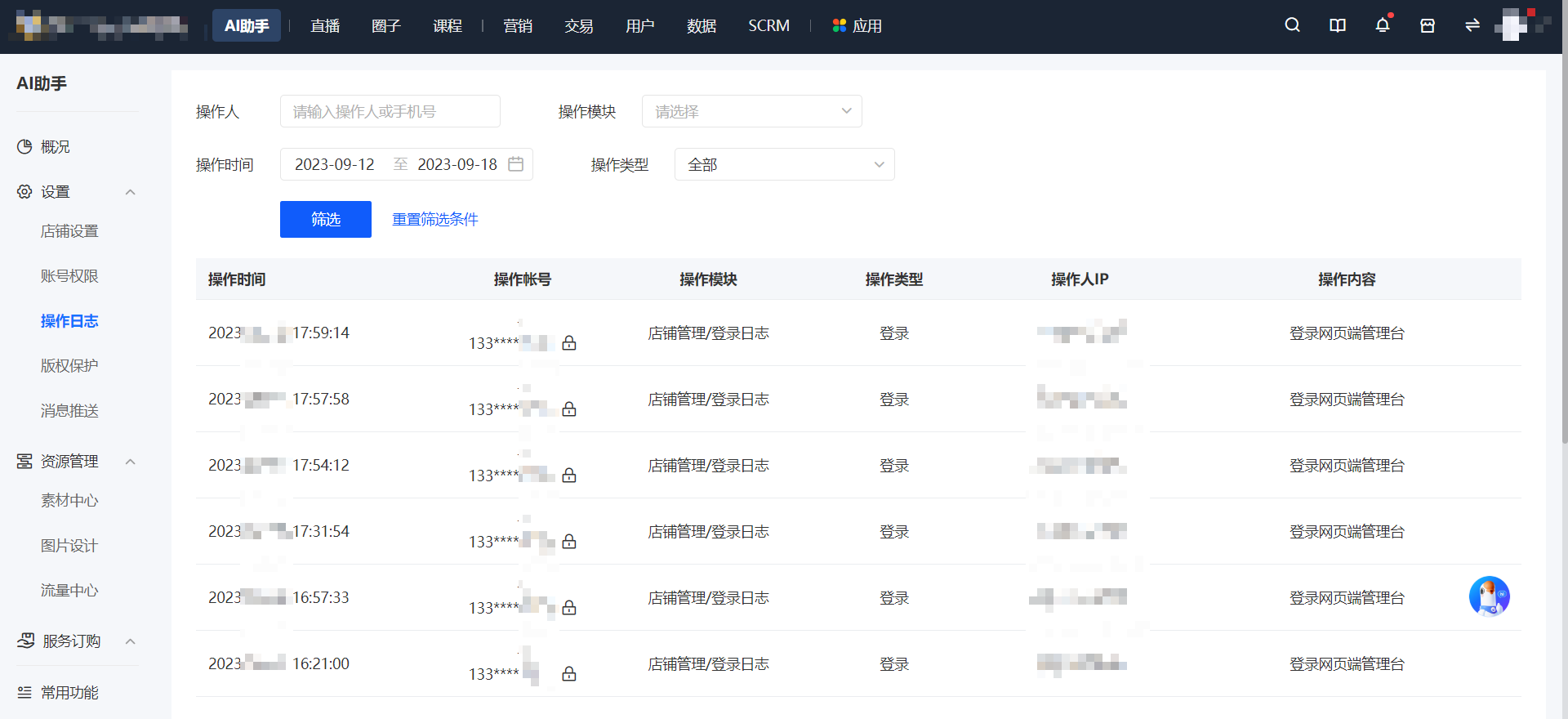
elink Management Console - AI Assistant - Settings - Operation Log
III. Usage Tutorial
1. By default, the operation records recently executed in the current store are provided. If there are too many records, merchants can narrow the query scope and obtain more accurate operation records by filtering by operator, operation module, operation type, and operation time.
2. Courses and physical products can be restored with one click within 30 days after deletion.
3. By default, the [Operation Log] permission is assigned to senior administrators and ordinary administrators. Administrators can independently configure permissions for other roles.
No comments to display
No comments to display