
Tutorial on Using Message Push
I. Feature Introduction
Merchants can set the messages sent from the store to users on the "Message Push" page. They can set the push methods (WeChat template messages, SMS) for different scenarios according to usage.
II. Purpose of Use
Merchants can use different push methods to re - engage users based on scenario characteristics, thereby increasing user activity.
III. Usage Scenarios
For example: After a user successfully participates in a group - buying activity, the store can send a WeChat template message to notify the user. The user can directly enter the group - buying course by clicking on the message.
For users who have not followed the merchant's service official account, the merchant can enable SMS notifications, and users will receive an SMS reminder of successful group - buying.
IV. Operation Path
Merchant side: Settings -- Message Push -- Edit settings page (for some scenarios, e.g., live - class start reminder)
Student side: Actively click to subscribe (for some scenarios) -- Receive messages via WeChat service official account/SMS
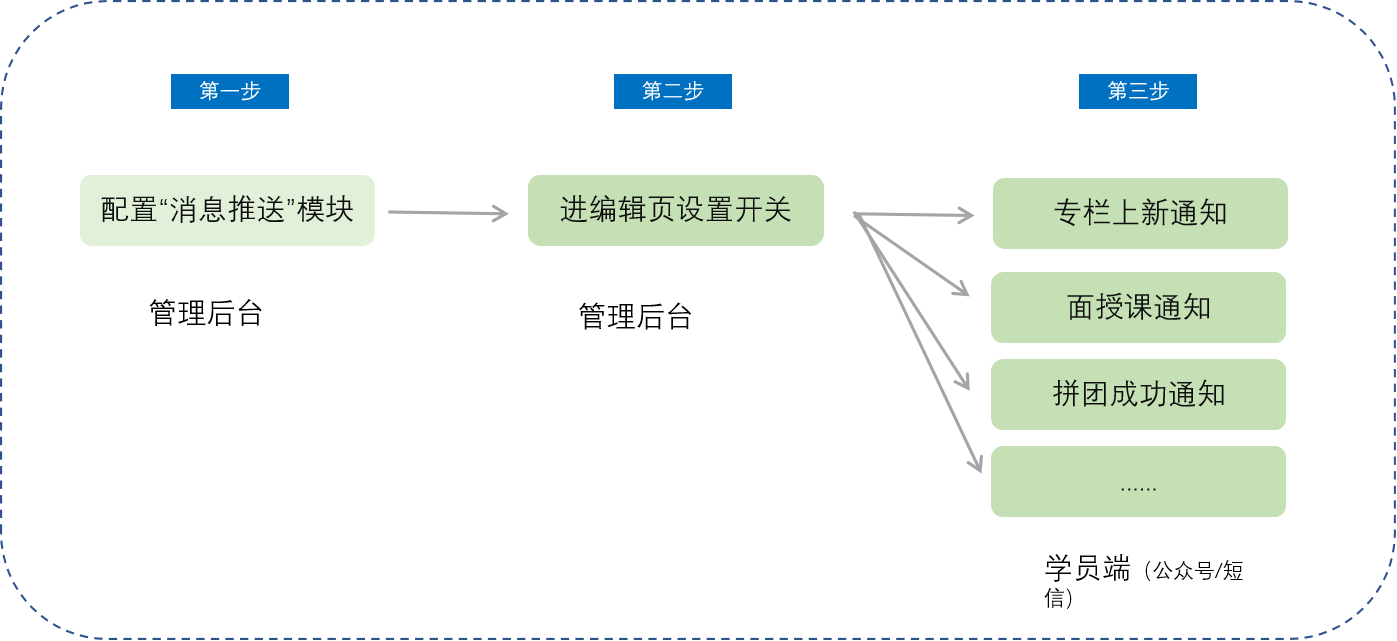
V. Usage Tutorial
Step 1: Configure the "Message Push" module
Enter the "Settings - Message Push" module and set the push methods for different scenarios according to usage requirements.
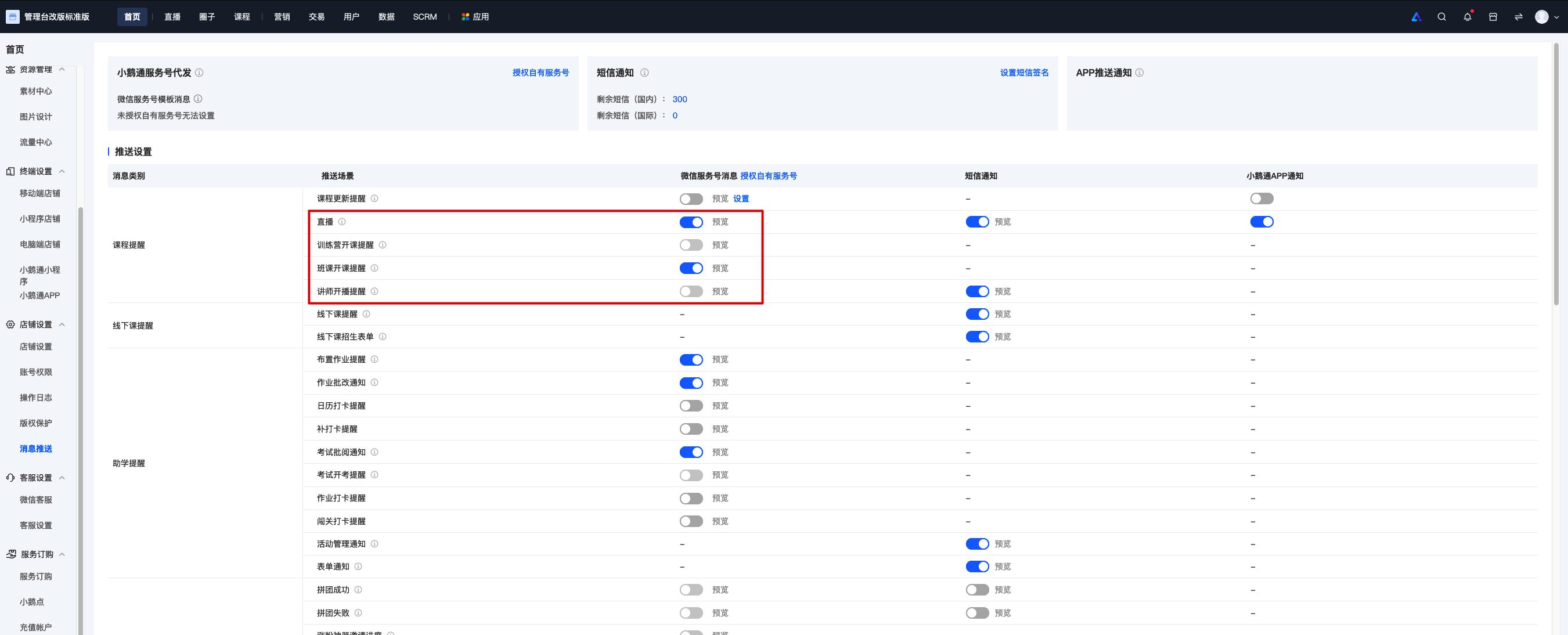
(Settings - Message Push)
Step 2: Enter the editing page for settings
Enter the editing page and set the push method
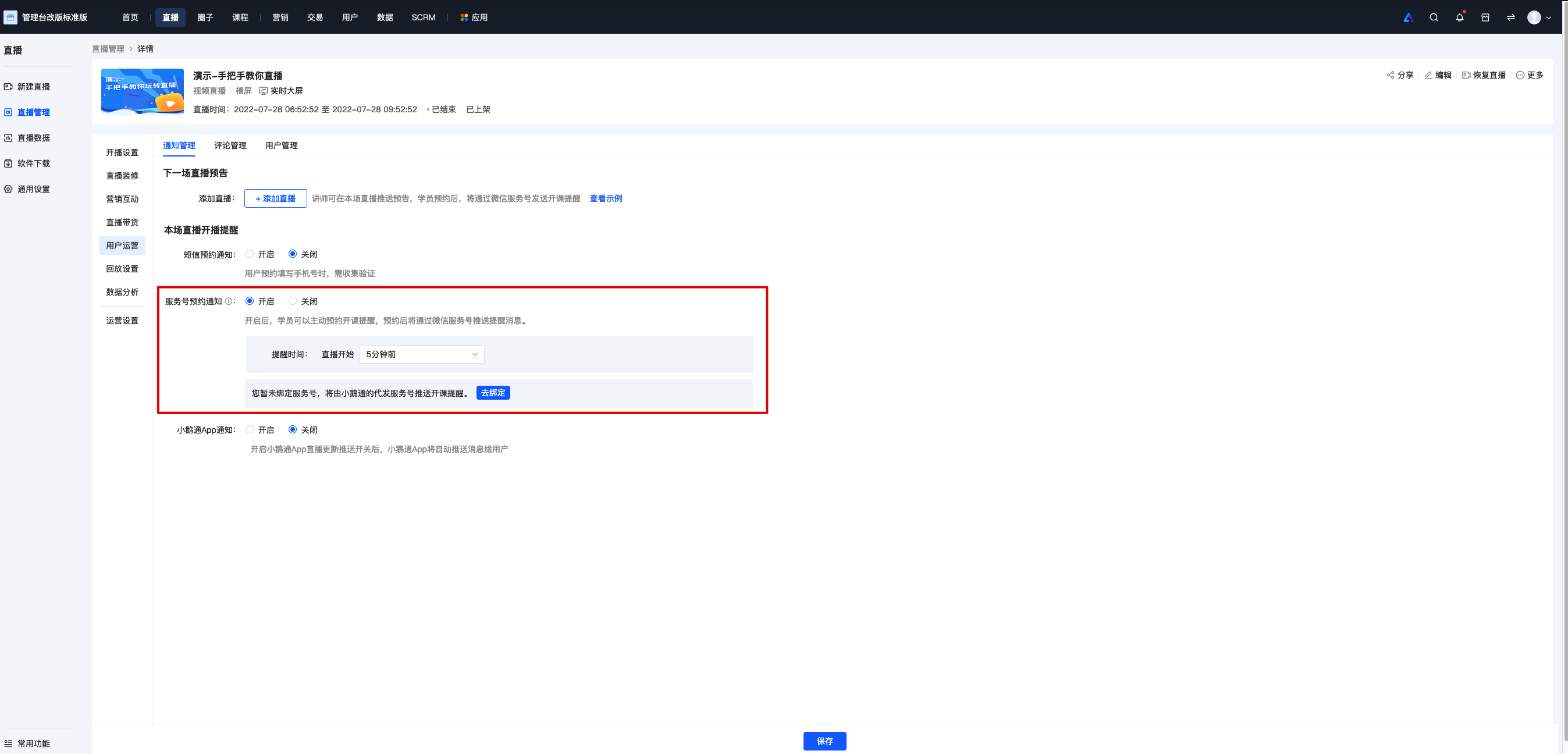
(Live - room details - Operation settings)
Step 3: Students receive notifications
Students receive notifications via service official account template messages and SMS
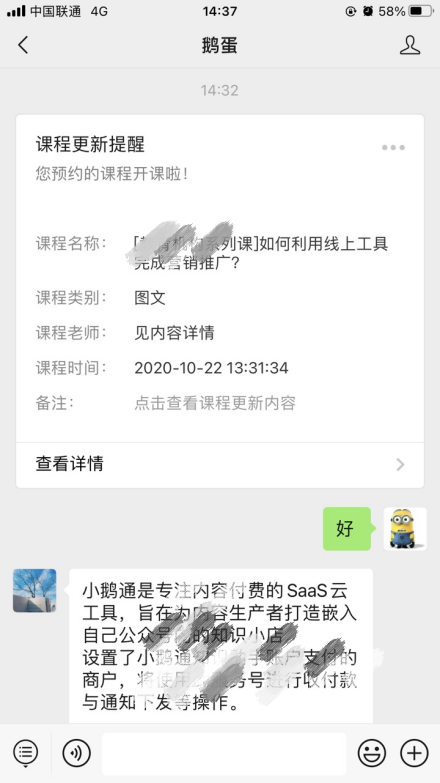
(Service official account template messages)
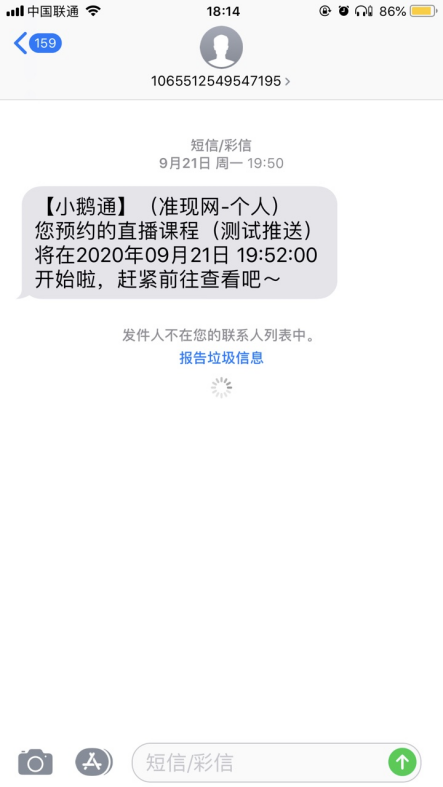
(SMS)
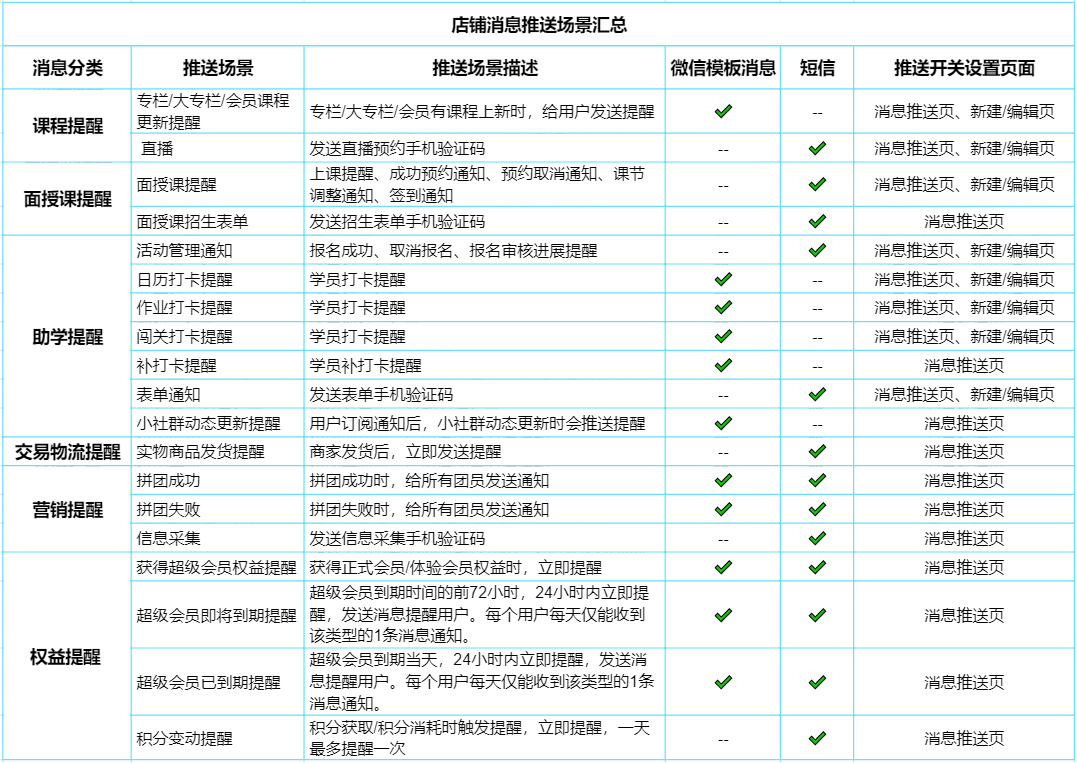
VI. Summary of Message Push Scenarios
The configurable message pushes are as shown in the following figure:
No comments to display
No comments to display