
Tutorial on Using the Mobile Online Store Navigation
I. Function Introduction
II. Purpose of Use
Merchants can guide users to quickly find the content they are interested in through personalized navigation settings.
III. Use Scenarios
If your online store has a large number of products and activities, you can use store navigation for page guidance. The store navigation can jump to the micro - homepage/knowledge products/my messages/my purchases/custom links/product groups/learning center. For example, you can set up an event page and a course promotion page. Through the store navigation, users can jump between the homepage/events/promotions/my pages, guiding users to focus on the content you have set up in advance.
IV. Operation Path
Merchant side: Store -> Store Decoration -> Mobile Store -> Store Navigation
V. Usage Tutorial
Step 1: Homepage- Terminal Settings - Mobile Store - Store Navigation(Merchant management background)
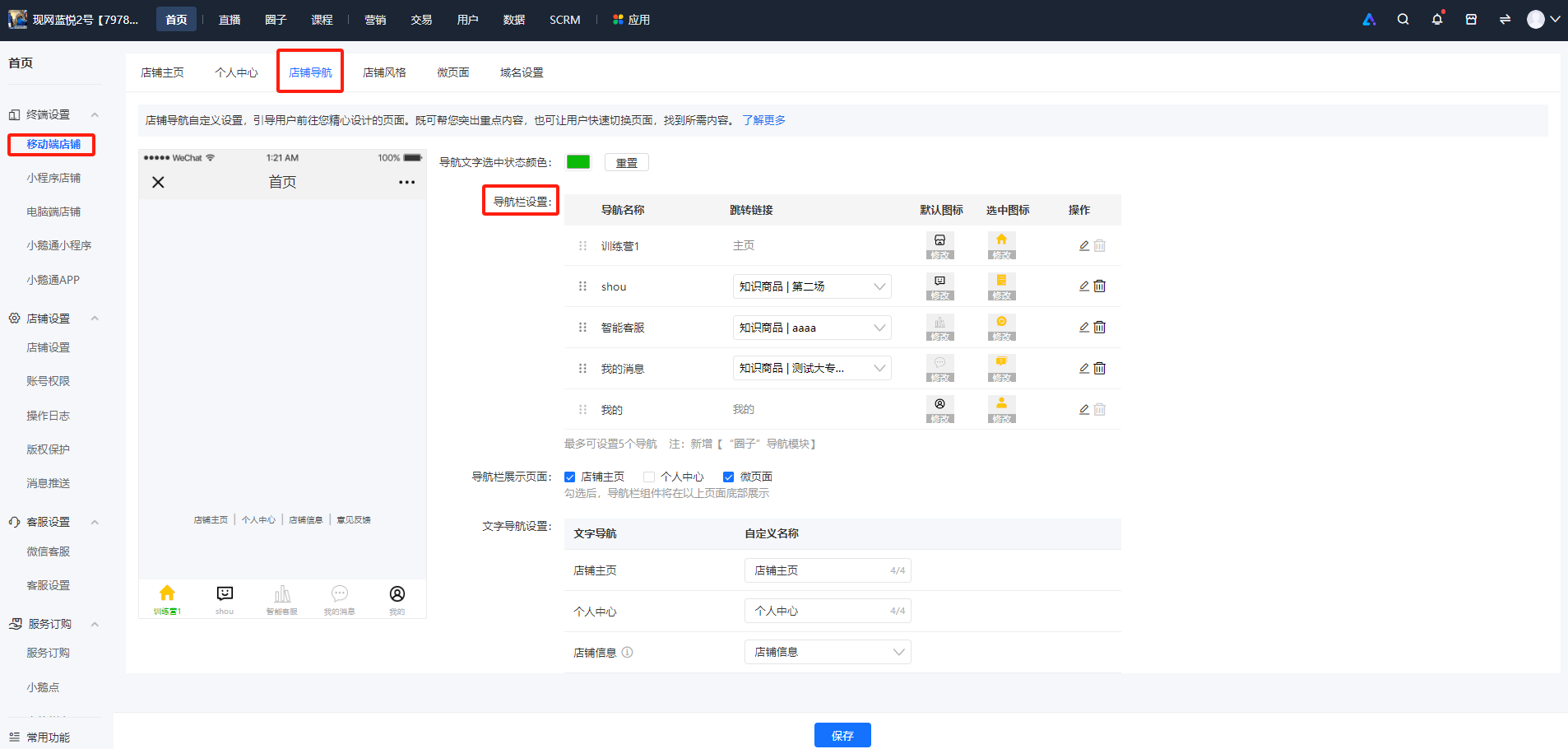
1. Support customizing the navigation name, navigation icon, and the page the navigation jumps to (the jump links of the homepage and 'My' navigation cannot be changed);
2. Support dragging the navigation edit box with the mouse to adjust its order (the positions of the homepage and 'My' navigation cannot be changed). Up to 5 navigation items can be added;
3. Support setting the display page of the navigation bar. By default, [Store Homepage] and [Personal Center] are checked; (if a micro - page is checked, all micro - pages will be displayed by default).
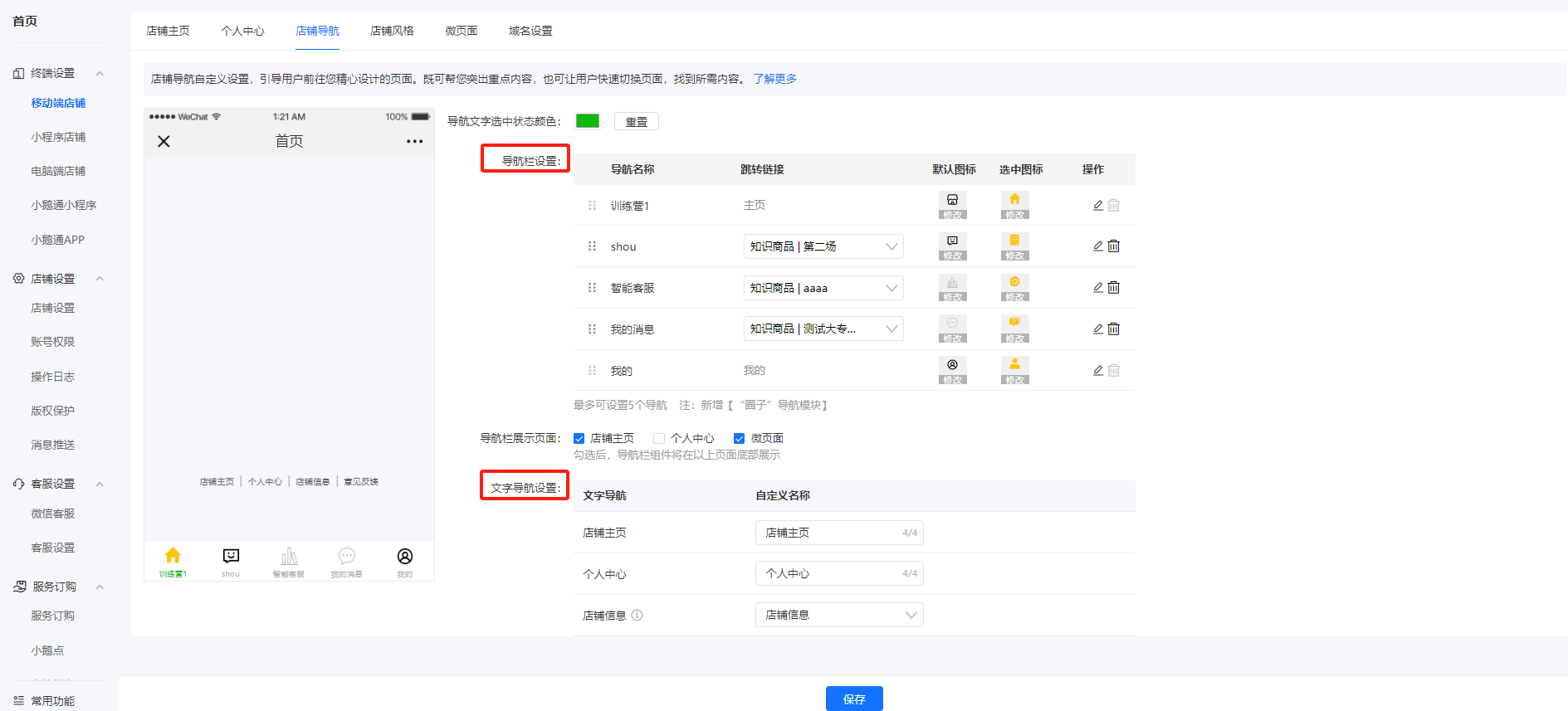
Step 3:Click Save
No comments to display
No comments to display