
How to set the online and offline status of audio products?
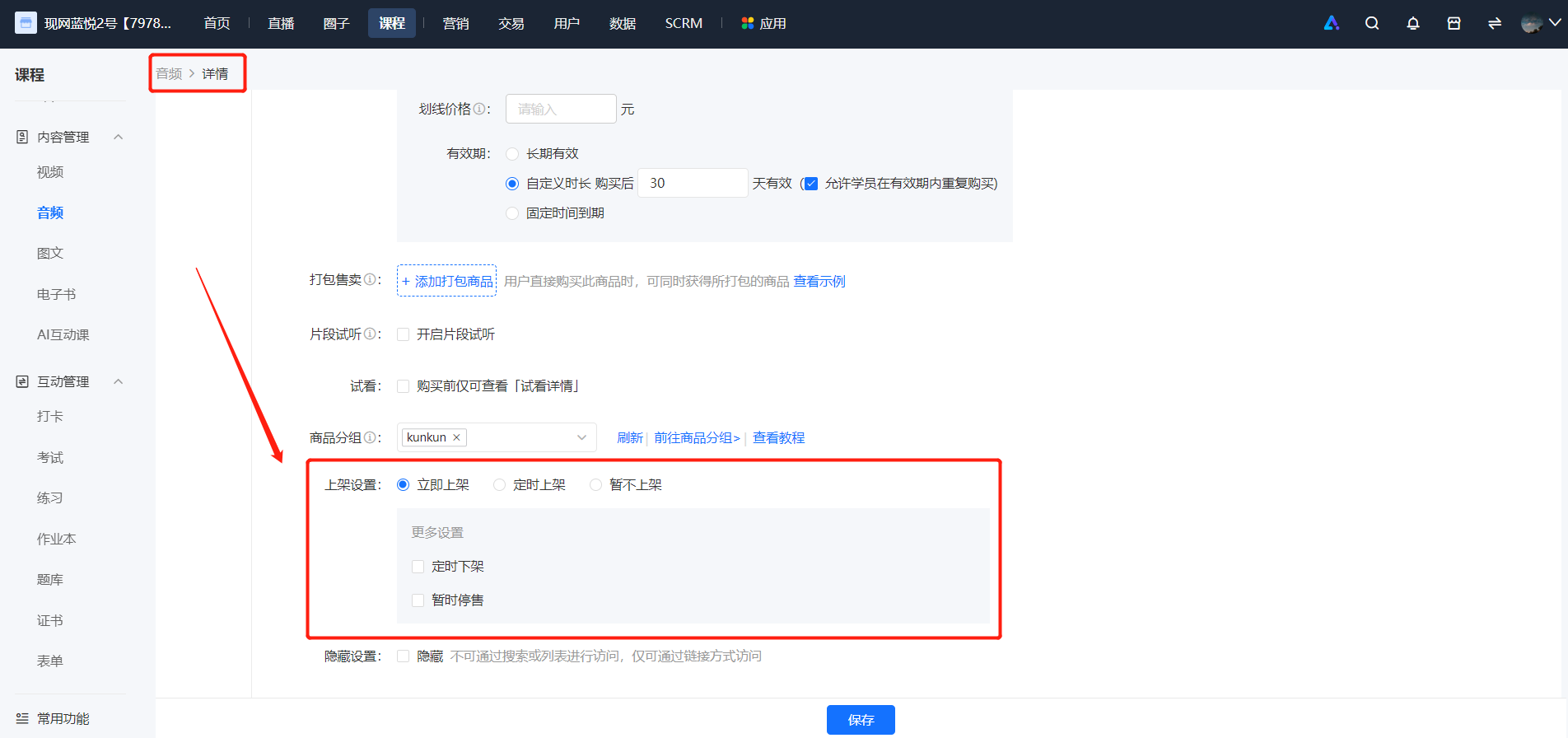
1. When creating/editing a product, you can set the product to be listed.
If you set the product to be listed immediately, it will be displayed in the store upon publication.
If you set the product to be listed at a scheduled time, it will be displayed in the store after the set time.
If you set the product to be hidden after listing, it can only be accessed via a link.
【Content Management】-【Audio】-【Details/Edit】-【Sales Settings】
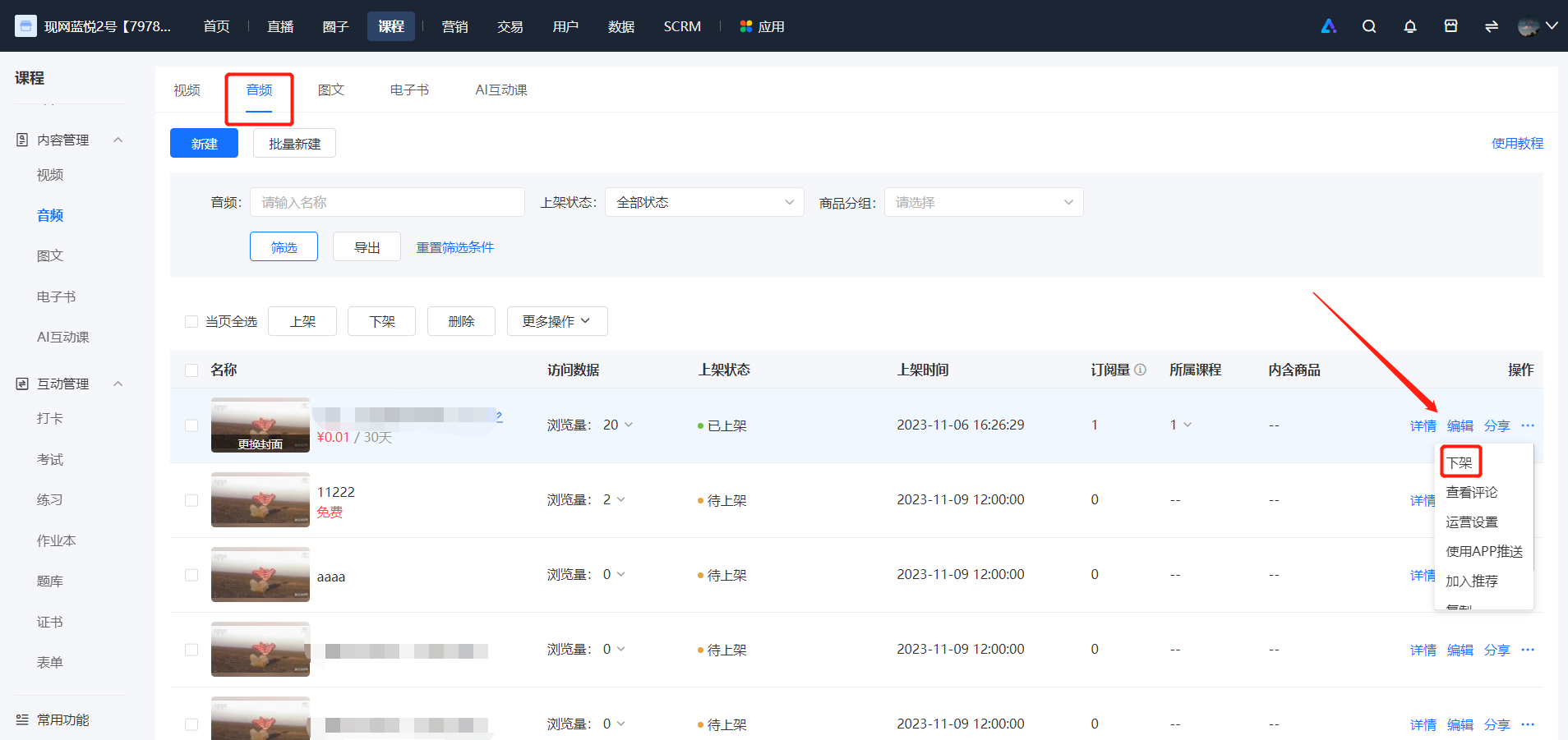
2. After saving the product, you can directly list or unlist the audio product in the audio list.
No comments to display
No comments to display