
How to set the preview content for a column?
Merchants can set audio, videos, images and texts, live streams, and e-books in the column as free previews. Users who have not subscribed to the column can view the free preview content for free.
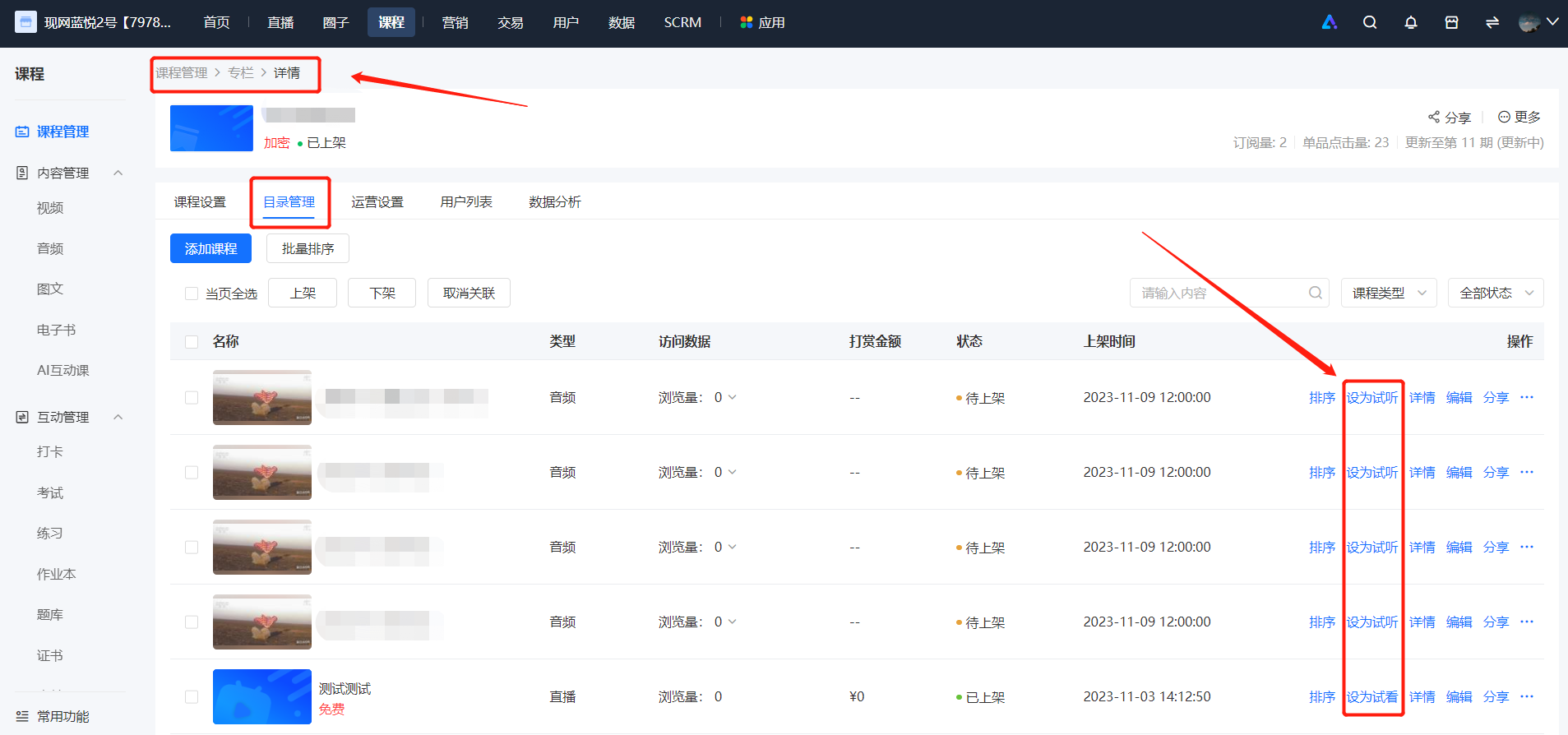
Setting method:Find the content you want to set as a free preview. In the additional operations, click [Set as Free Preview]. Merchants who offer single-item sales do not support setting content as free previews. This content will then become free content for users who have not subscribed to the column to view. After the setting is successful, you can see the 'Free Preview' label on the right side of the content name. You can also cancel the free preview at any time in the additional operations. After cancellation, users who have not subscribed to the column will not be able to view this content.
No comments to display
No comments to display