
How to add products to a column
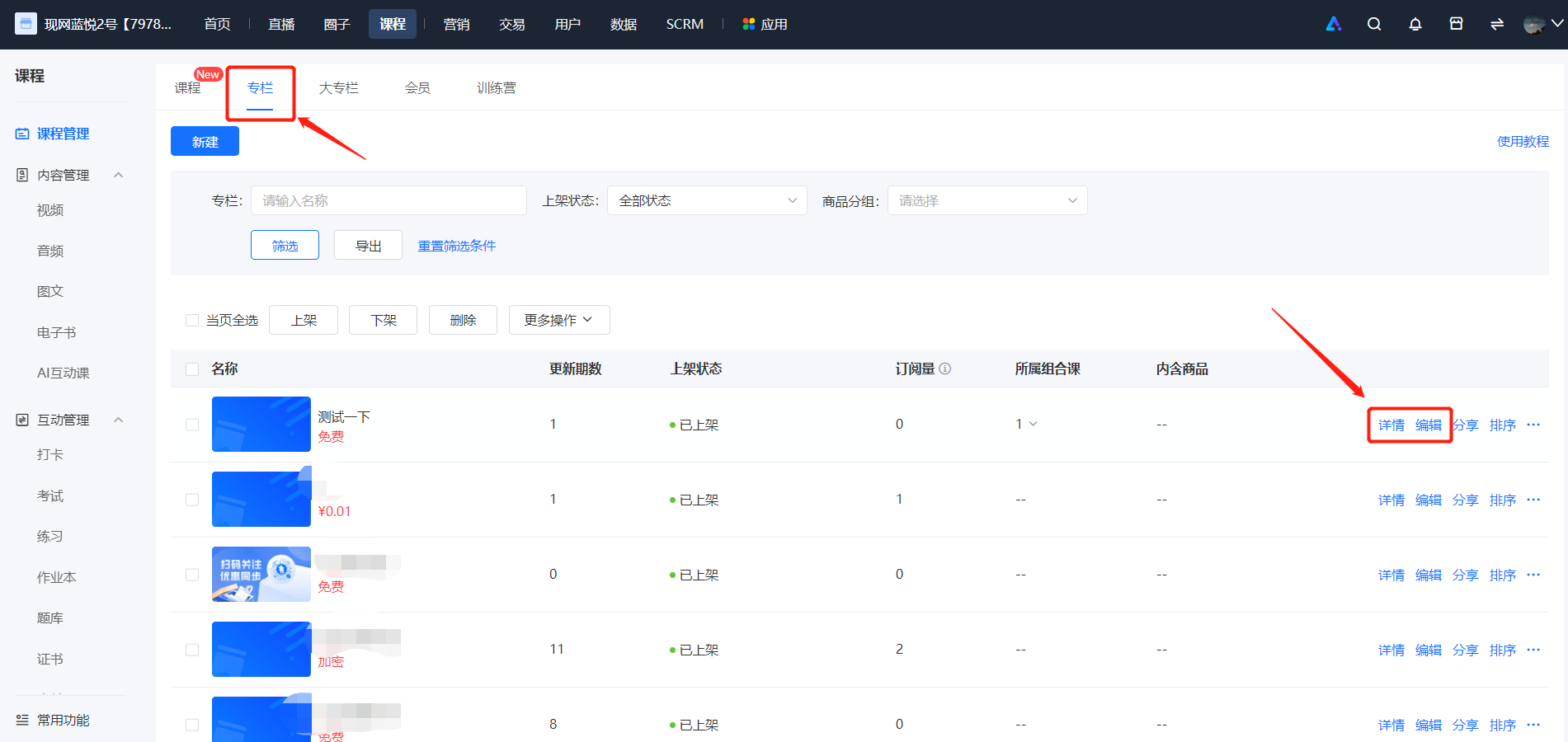
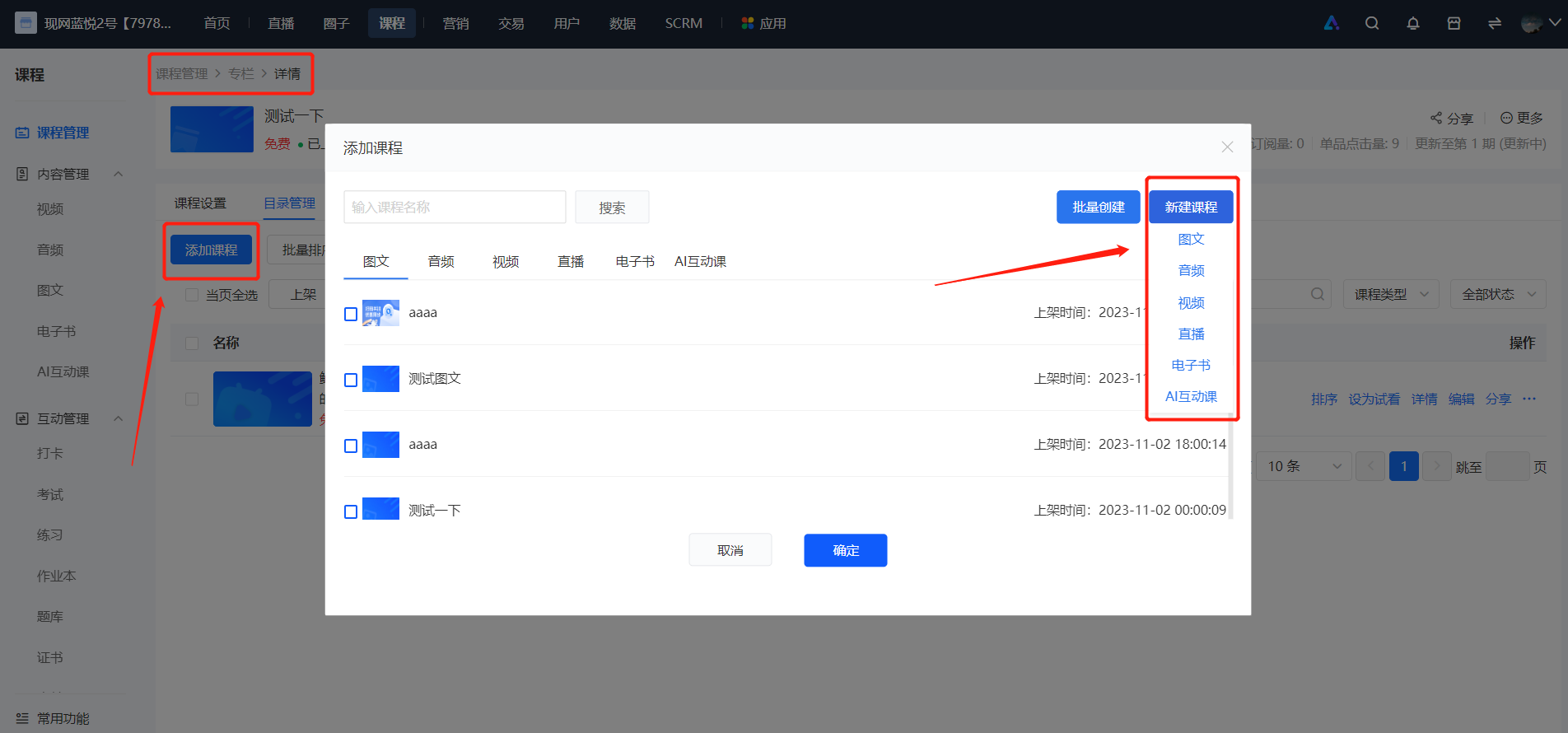
In the column list, click on the column to which you want to add content. Then click [Details] - [Catalog Management] - [Add Course], and you can select existing products or create new ones. The [Create New] mode follows the same process as creating a single product. You can create five types of single products: audio, video, graphic - text, live stream, e - book, and AI interactive course.
No comments to display
No comments to display