Skip to main content
BookStack
View All
Search
Shelves
Books
Log in
Info
Content
Books
内容-课程(含内容管理)
大专栏
大专栏目录如何开启?
大专栏目录如何开启?
English
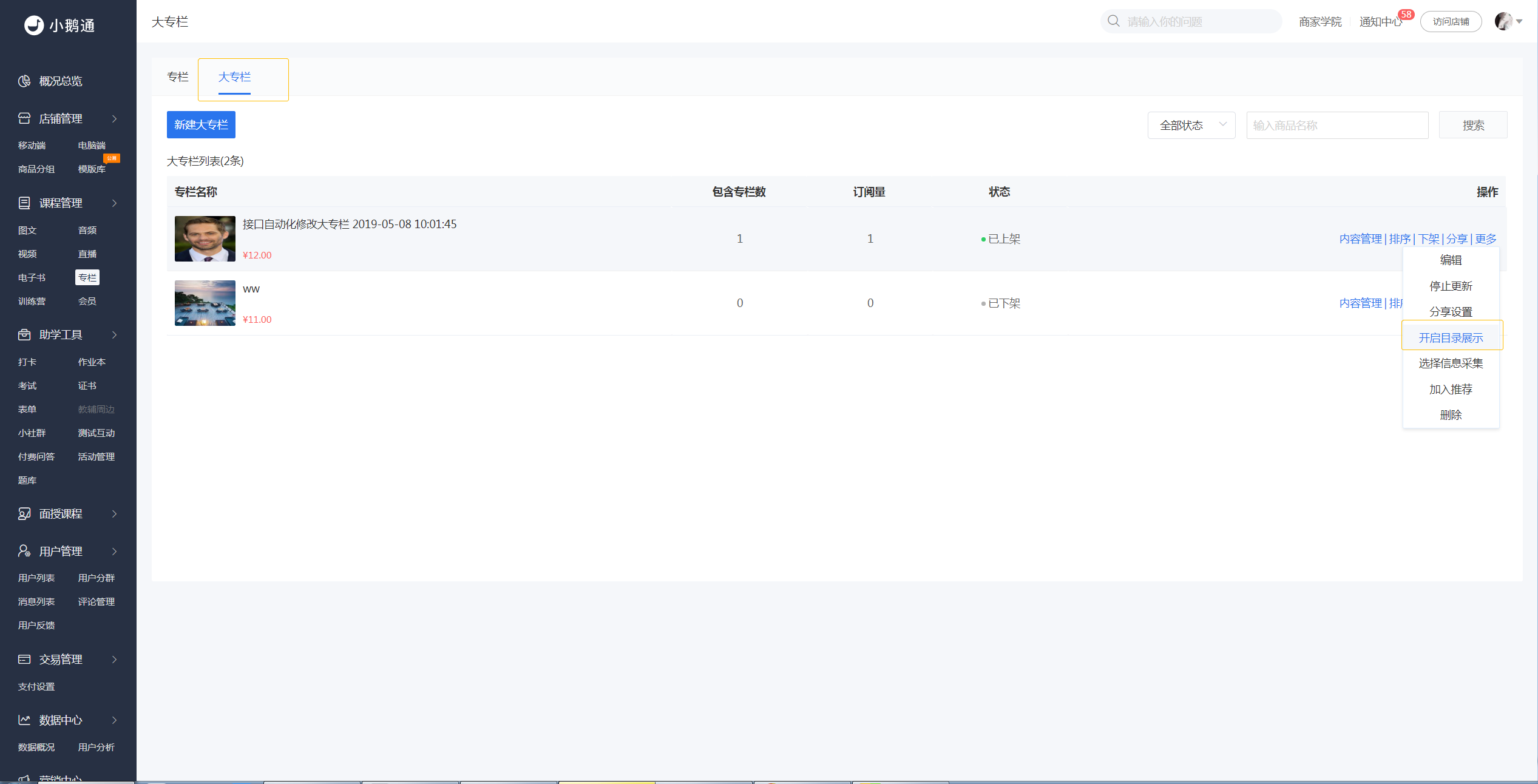
1.在【大专栏】的列表页,点击【更多】-【开启目录展示】-【确认】,即可让的用户在在商品购买页查看大专栏内商品目录。
Enter section select mode
Previous
大专栏
Next
大专栏更新后是否有提醒用户?
0 Comment Threads
0 Archived
No comments to display
No comments to display
Back to top

No comments to display
No comments to display