Skip to main content
BookStack
View All
Search
Shelves
Books
Log in
Info
Content
Books
首页
信息隐藏
如何设置隐藏商品订阅数?
如何设置隐藏商品订阅数?
English
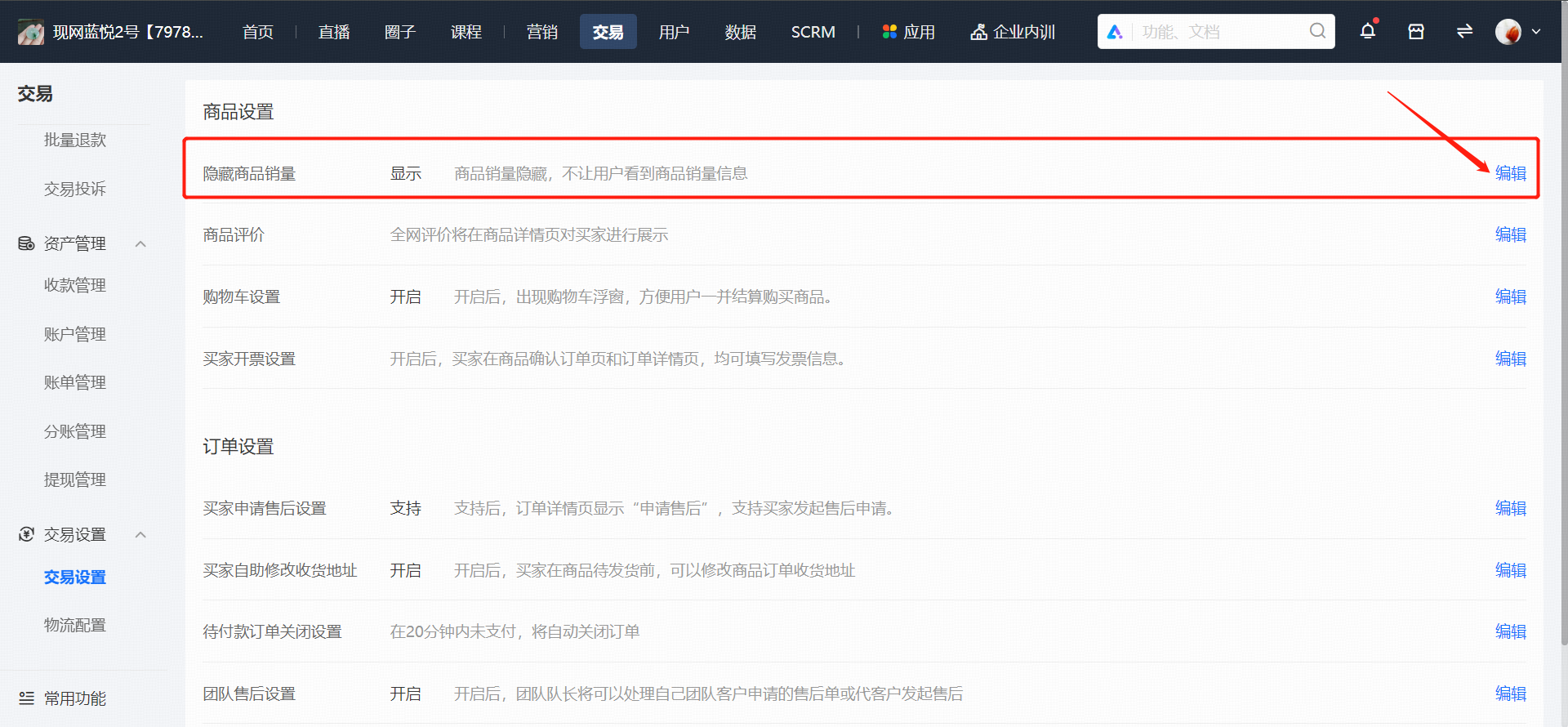
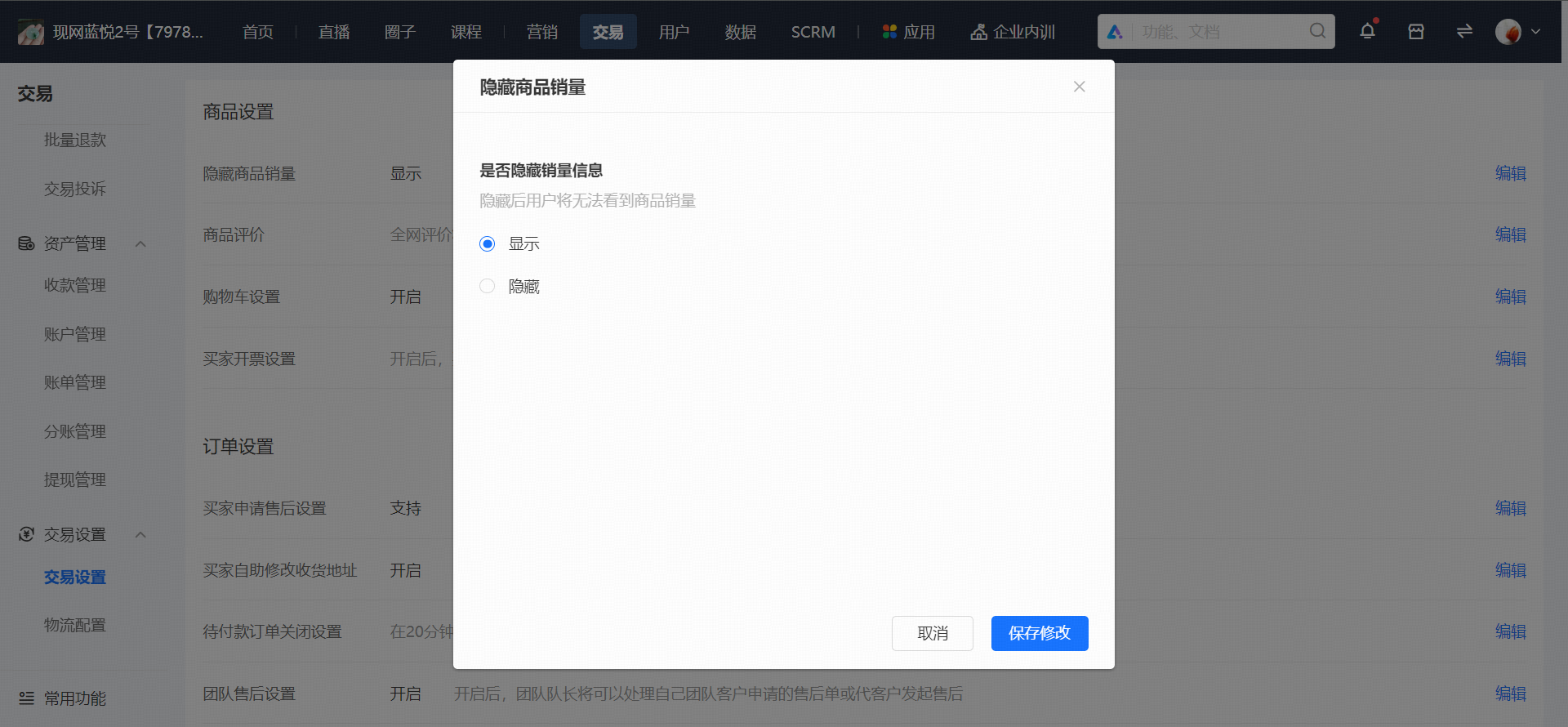
登录店铺管理后台,在【交易】→【店交易设置】中找到【商品设置】模块,找到隐藏商品销量设置,选择隐藏后,手机端将不会展示商品销量。
Enter section select mode
Previous
信息隐藏使用教程
Next
店铺设置
0 Comment Threads
0 Archived
No comments to display
No comments to display
Back to top

No comments to display
No comments to display