
How to add members to channel levels?
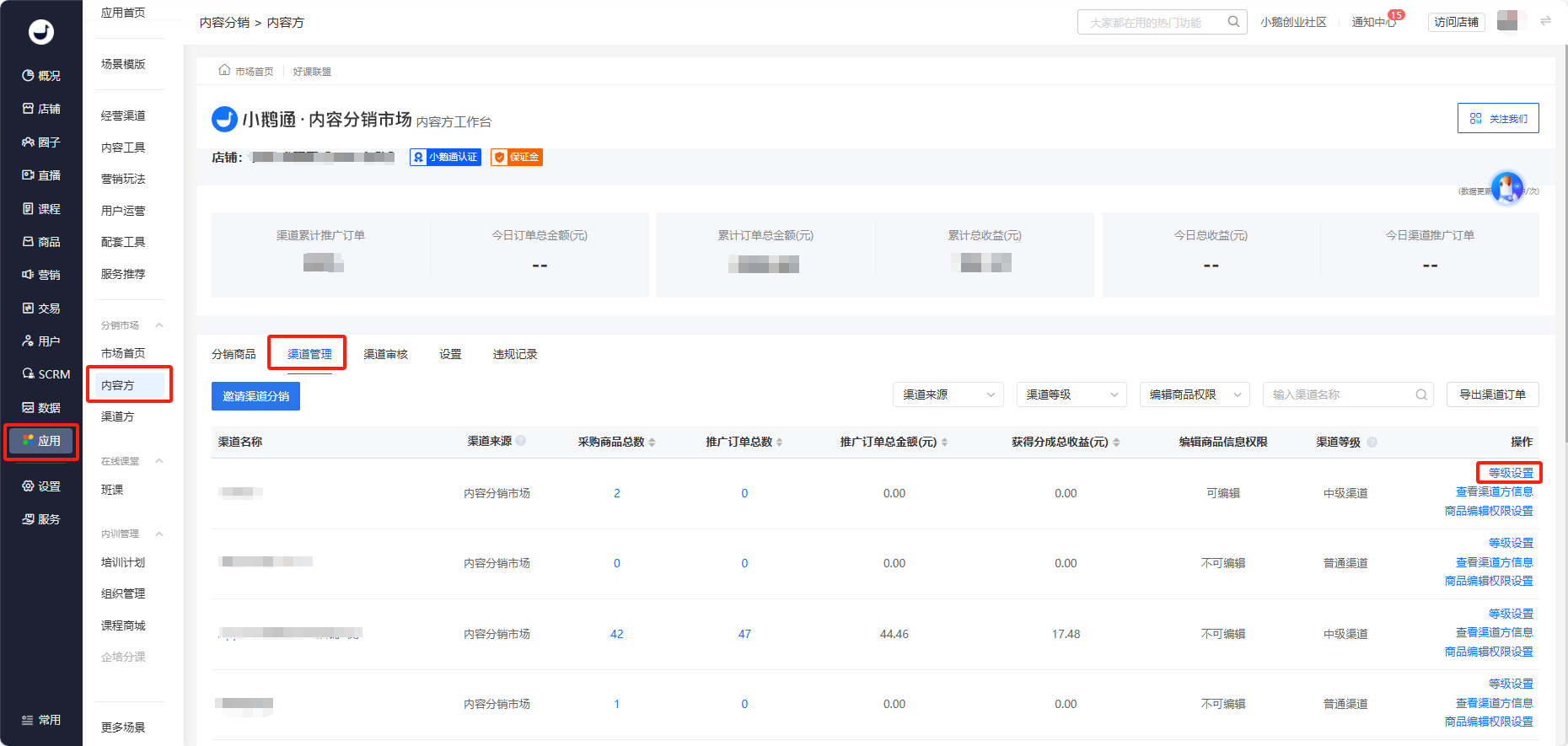
Hello, you can go to the store management backend - Applications - Affiliate Marketing for Courses. For content providers, go to Channel Management. Then you'll enter the list of all channels that have purchased and are distributing your courses. Find the name of the channel whose level you want to adjust. In the operation column on the right, click on the channel level, select the corresponding level you want to adjust to, and click OK.
No comments to display
No comments to display