
Bind Official Account
Step 1: Copy the store link
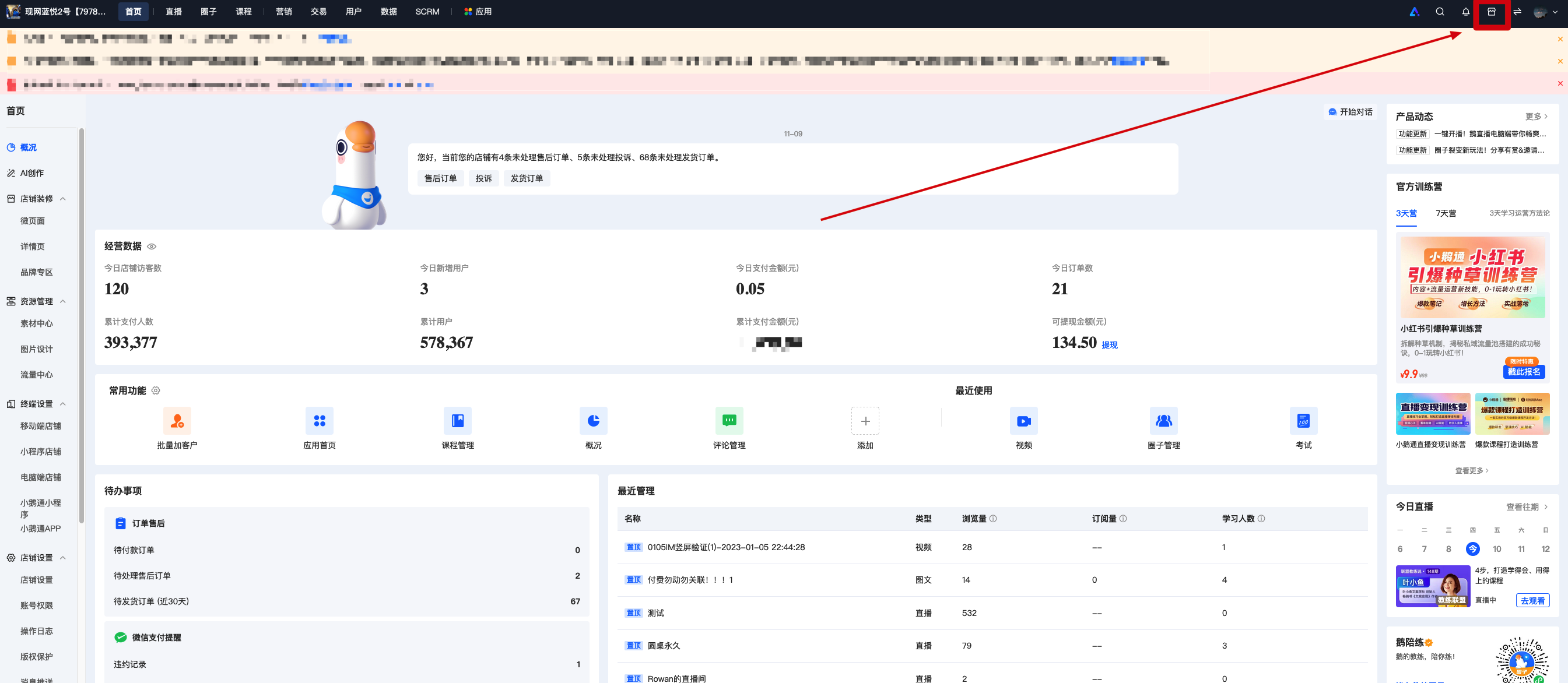
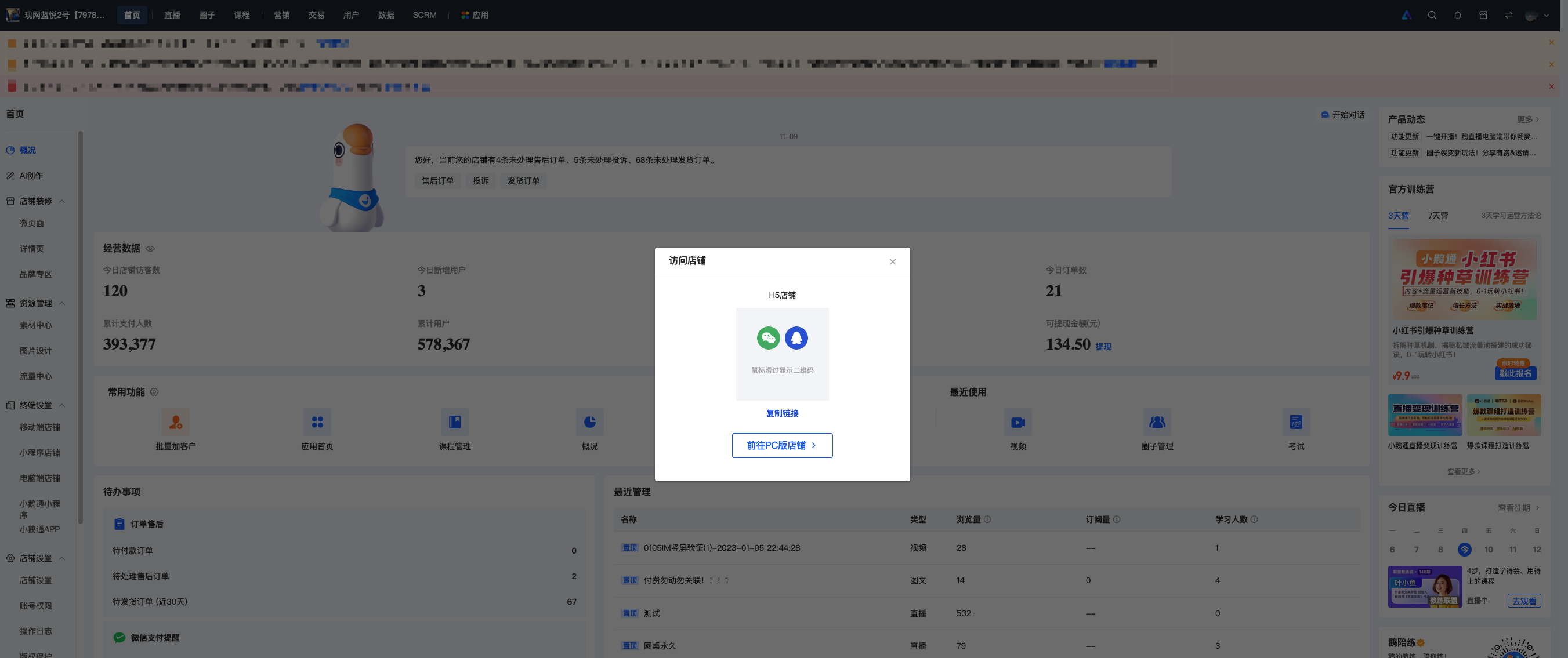
Log in to your elink account and access the desktop management console.Click on the top right corner of the overview pageClick the “Visit Store” button and copy the page link in the pop - up window.
Step 2: Log in to your WeChat official account
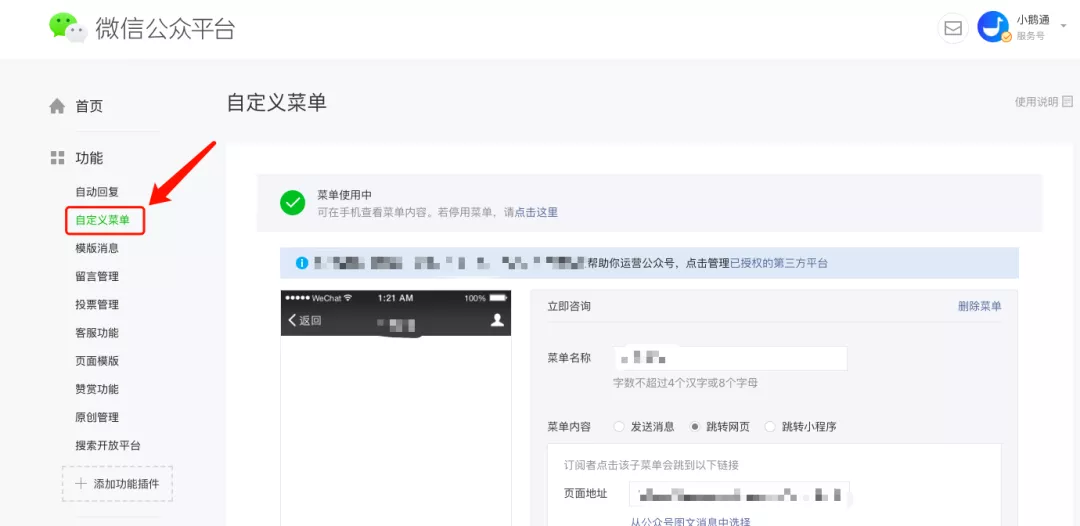
Log in to the WeChat public platform (https://mp.weixin.qq.com)Login to your WeChat official account.
Step 3: Embed the store link in the official account menu
Click on “Custom Menu” in the left - hand menu barThen add a custom menuSelect “Jump to Webpage”And copy your store link.
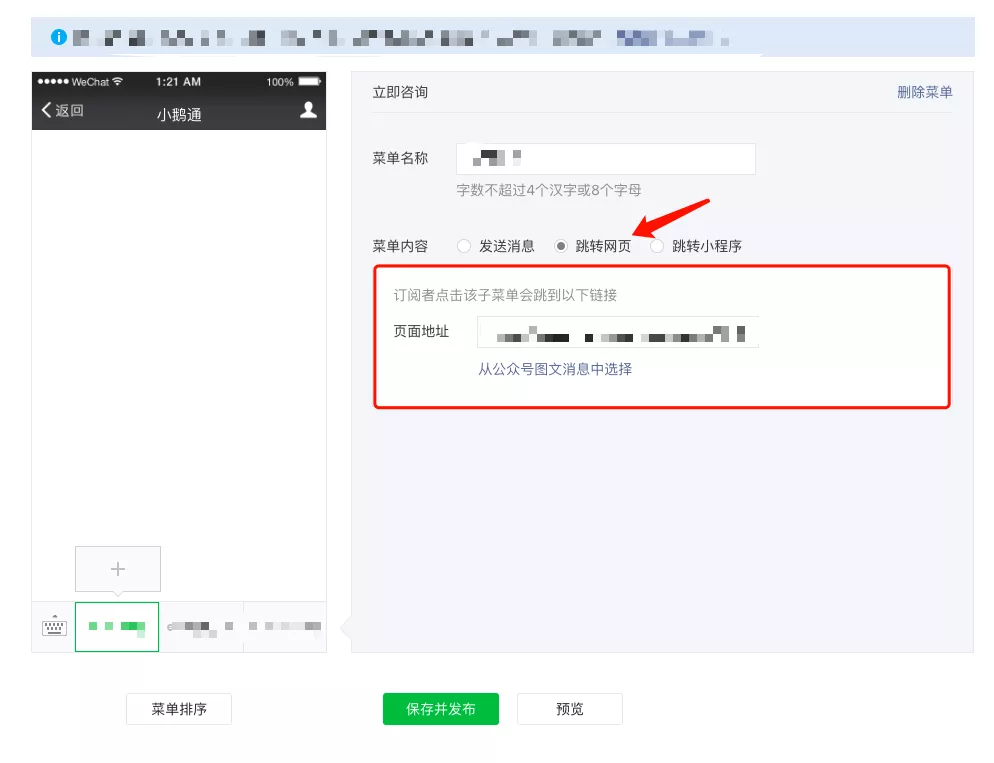
Note: Only WeChat official accounts that have passed WeChat verification can jump to webpages from the menu bar.
After successful publication, you can access your personal Online Store page from the official account.

No comments to display
No comments to display