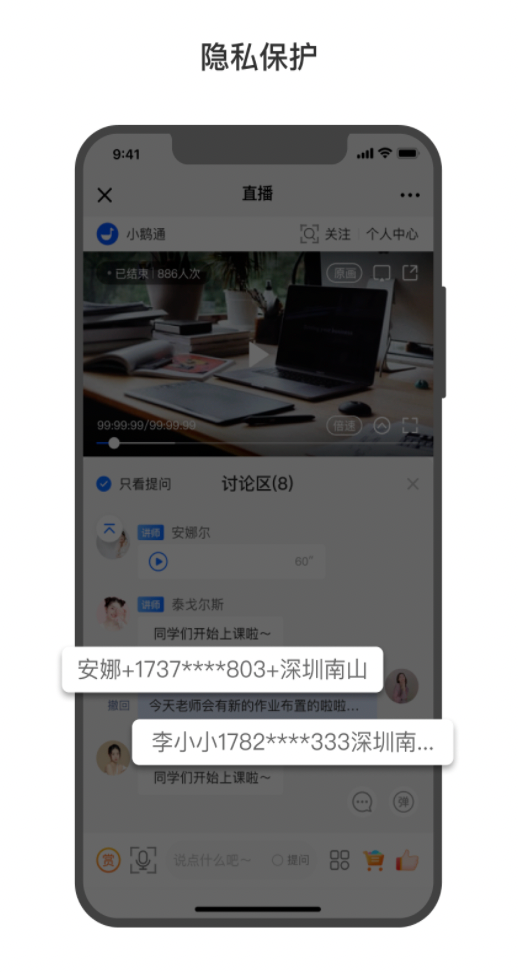
Tutorial on Privacy Protection Usage
I. Function Introduction
Privacy protection can effectively safeguard the privacy of learners. When a learner's nickname contains a phone number, the phone number in the nickname will be hidden when the learner comments in the live - streaming room. The instructor and teaching assistants can view the learner's comments and nicknames in the live - streaming room without any impact.
II. Purpose of Use
1. Protect the interests of merchants and ensure that the phone numbers of learners, which are the merchants' resources, will not be leaked from the live - streaming room.
2. Protect the privacy of learners and avoid unauthorized information leakage.
III. Usage Scenarios
After enabling the function, learners don't need to worry about their phone numbers being leaked when commenting. Merchants can effectively protect the learners' nicknames and avoid losses caused by customer data leakage.
IV. Operation Path
Merchant side: Merchant background → Live streaming → General settings
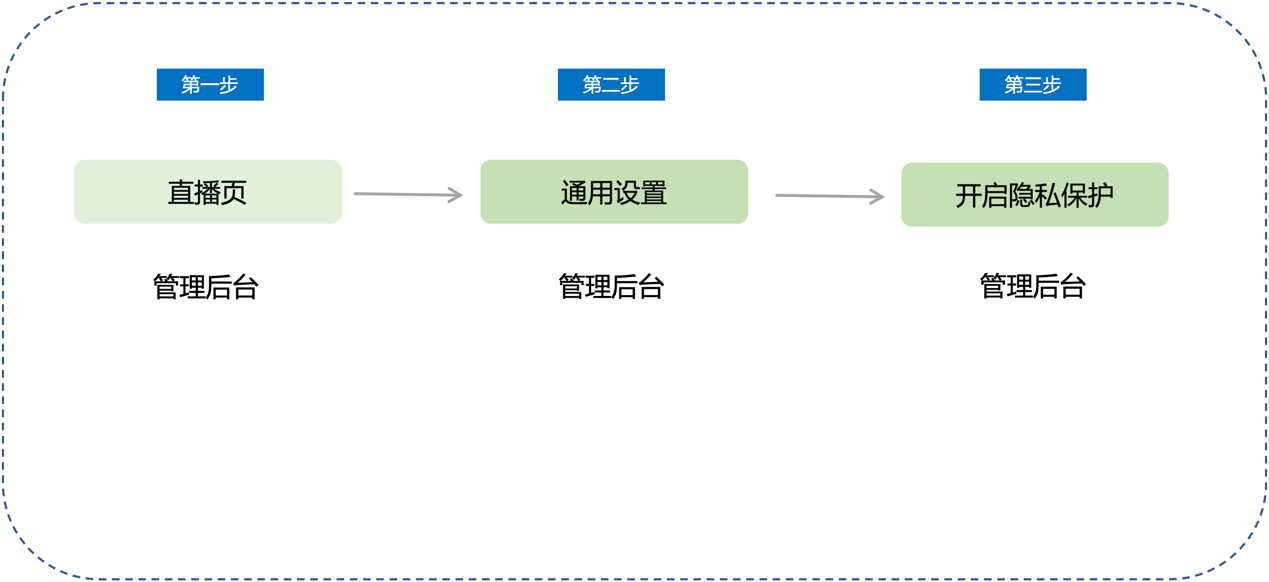
V. Usage Tutorial
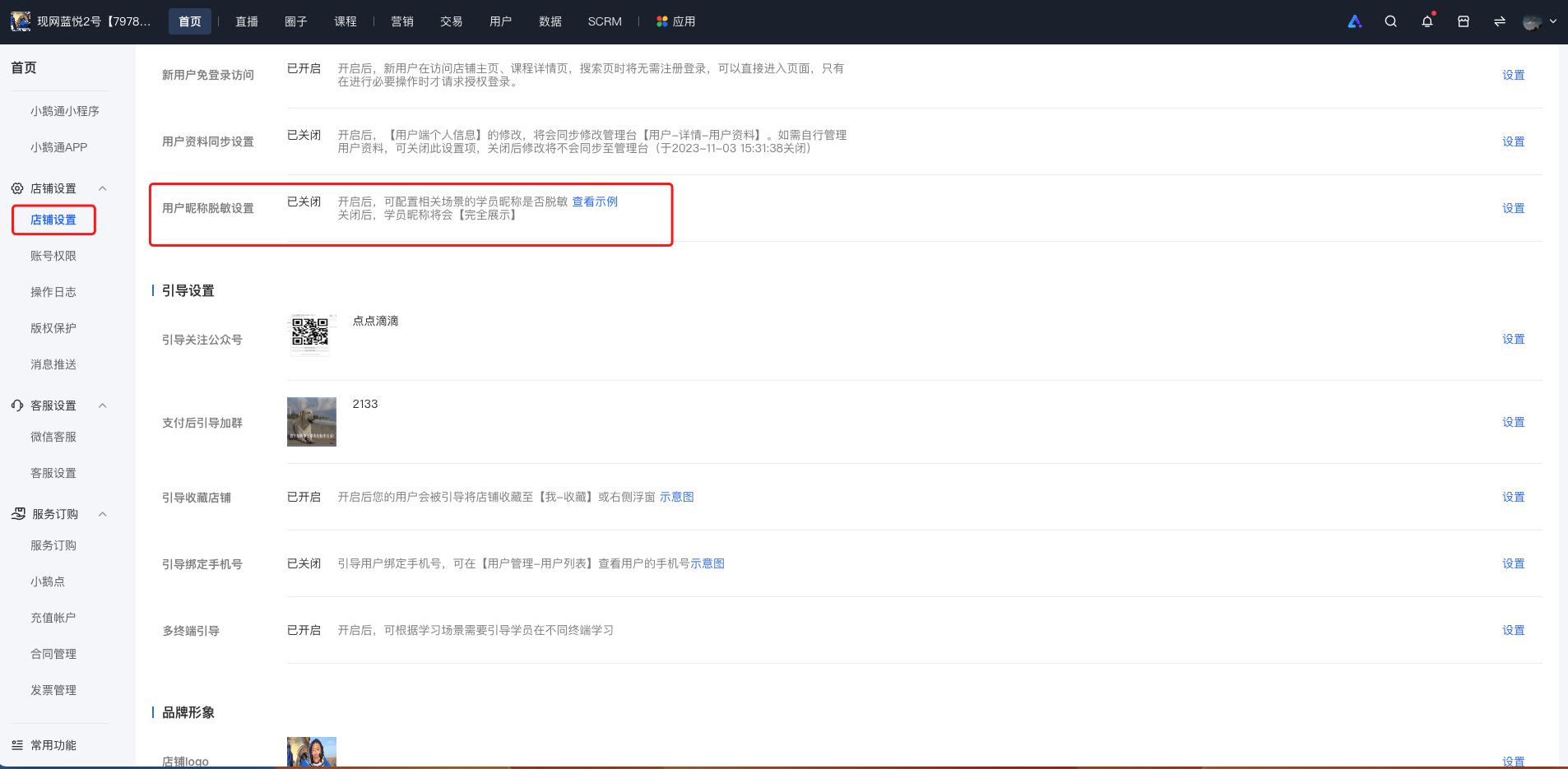
Step 1: Enter Settings - Store settings - User nickname desensitization settings(Management background)
Step 2: Enable privacy protection(Management background)
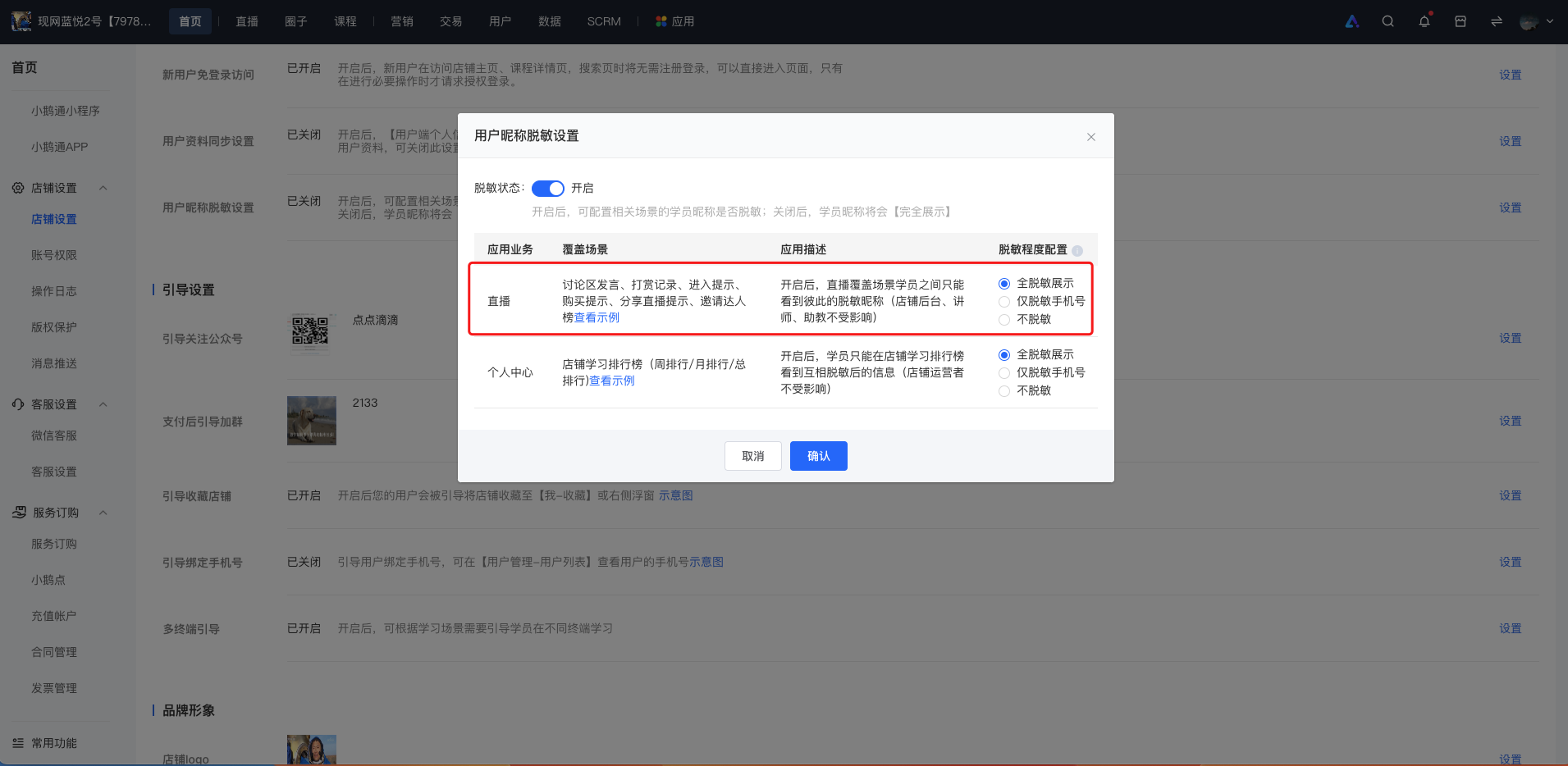
Effect after enabling the privacy protection function: