
How to rebroadcast a live stream to Bilibili
Merchants can use the rebroadcast function on elink to synchronize their live - streaming content to Bilibili, thereby increasing the content reuse rate and traffic reach rate.
I. Step 1: Obtain the Bilibili streaming address
1. Log in to Bilibilihttps://www.bilibili.com/Click on your avatar to enter your personal center
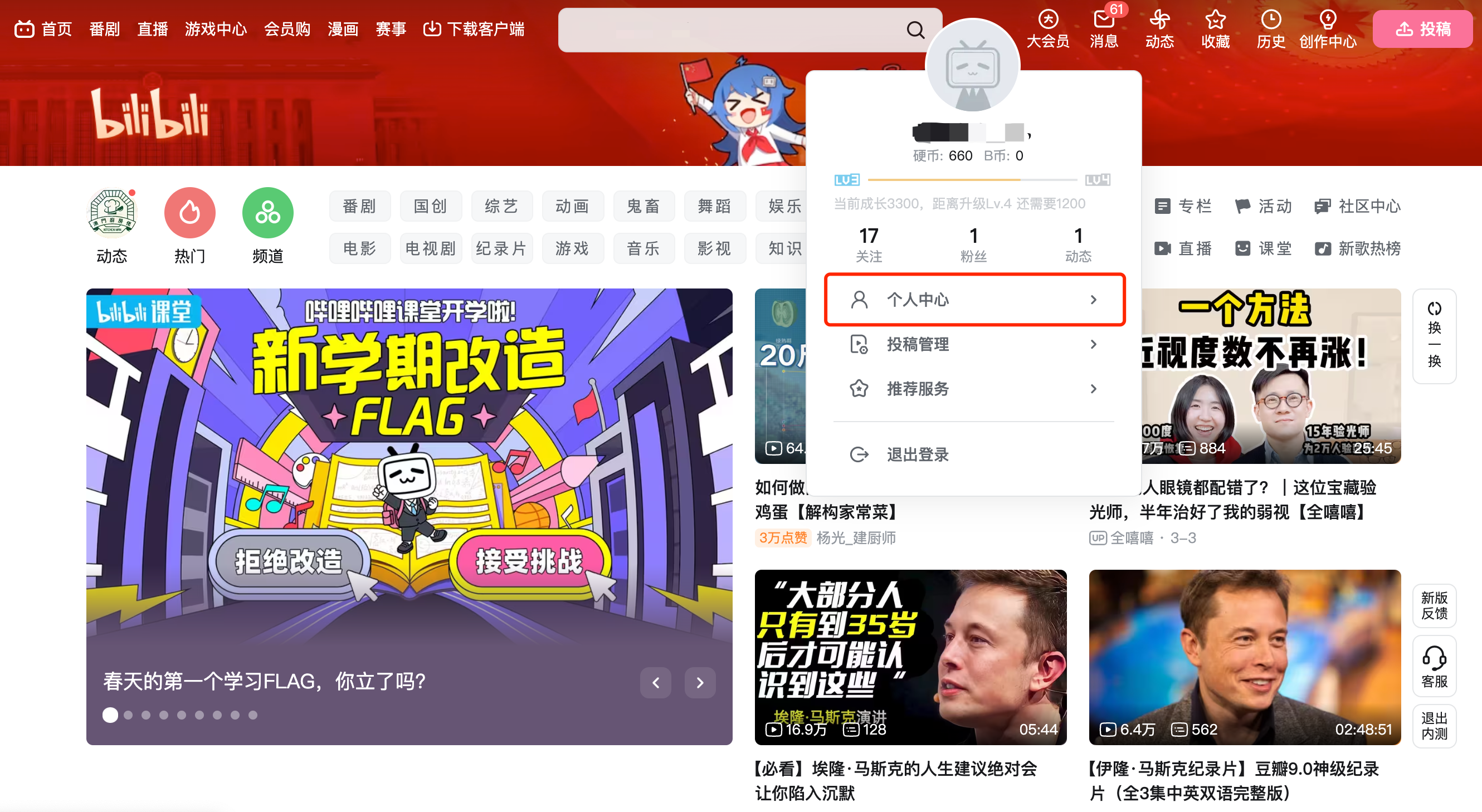
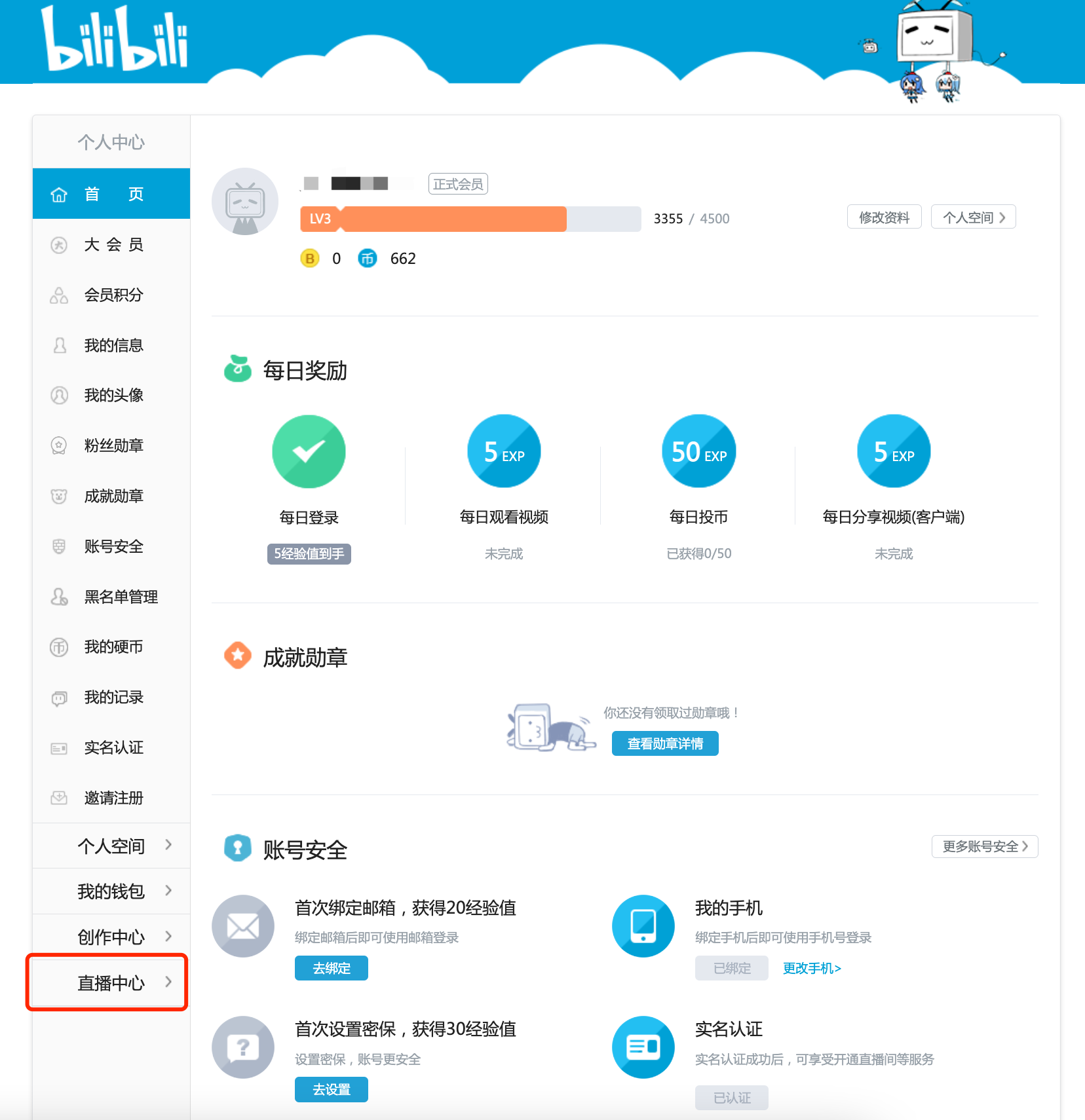
2. Click [My Live Room - Live Streaming Settings] on the left - hand navigation menu to enter your live - streaming room
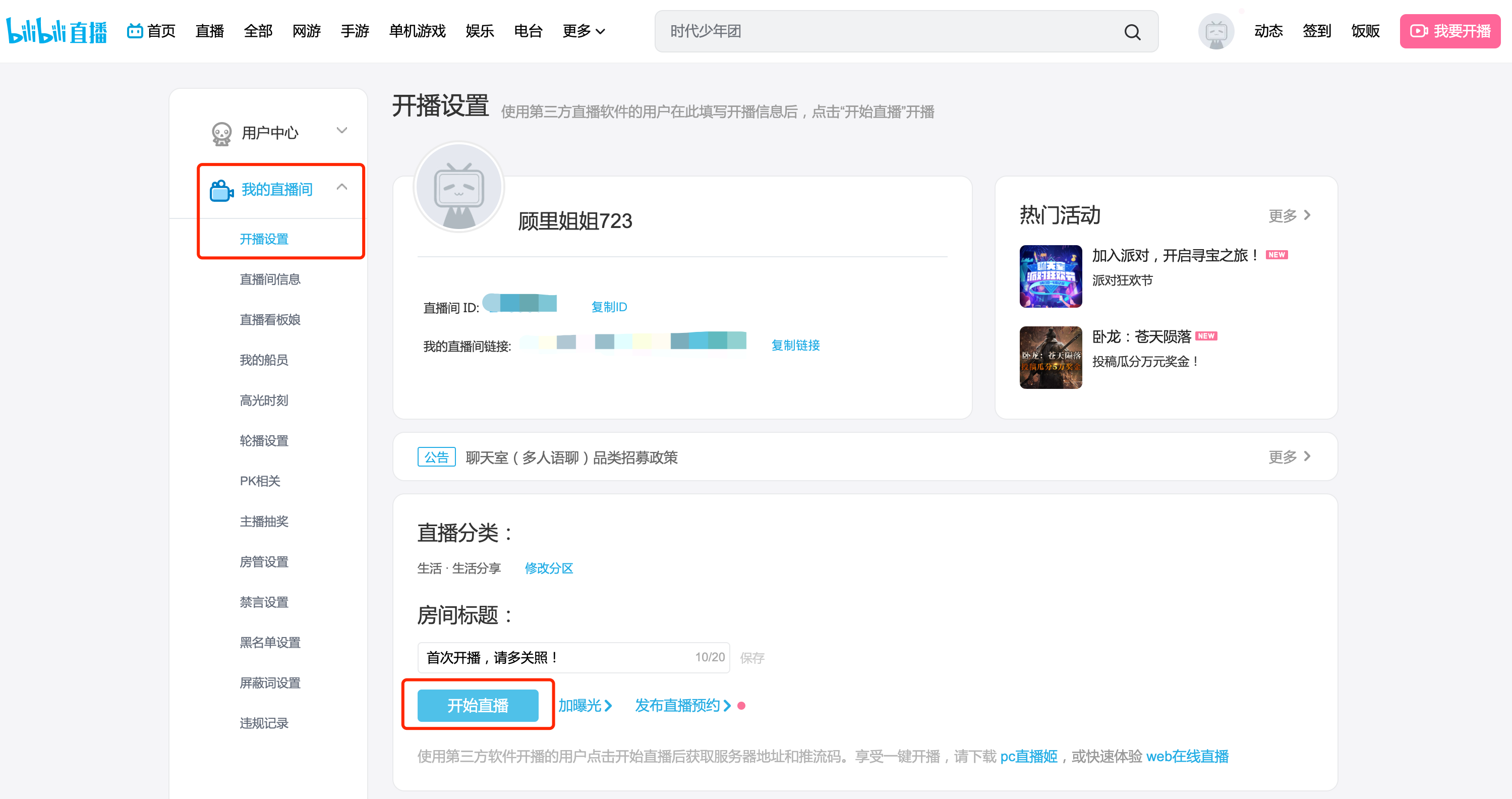
3. Set the title and category of the live - streaming room. After clicking the 'Start Live Streaming' button, copy the streaming address and key.
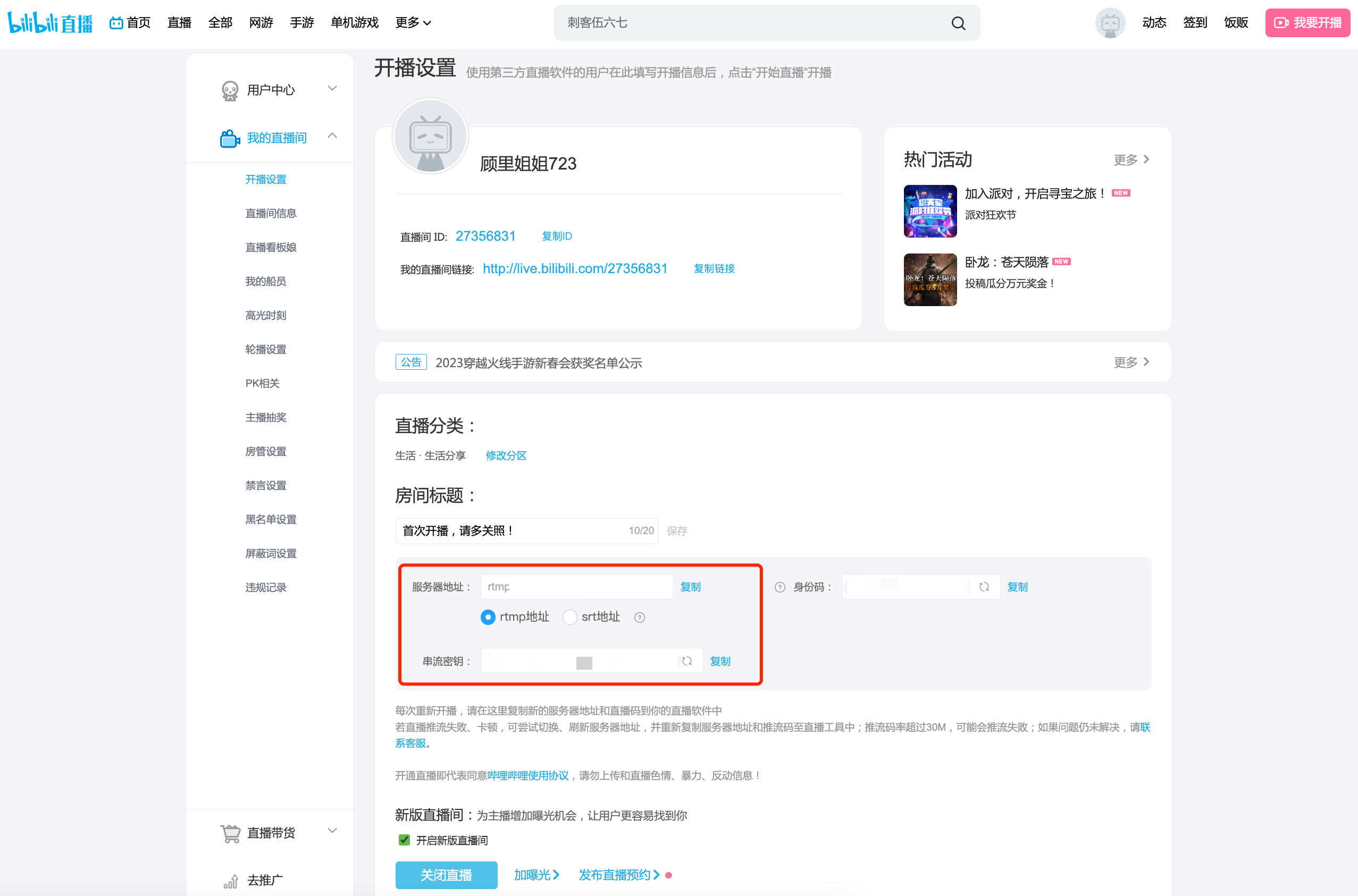
*Note: Ifthe streaming address starts with the format 'rtmp://txy......', it is an invalid streaming address. Please check if the VPN on your computer is enabled. If it is enabled, please turn it off and then re - obtain the streaming address.If it is not enabled, please try switching the hotspot, browser, or device. If the format of the streaming address remains unchanged after the attempt, please consult Bilibili's official customer service.
II. Step 2: Fill in the elink management background
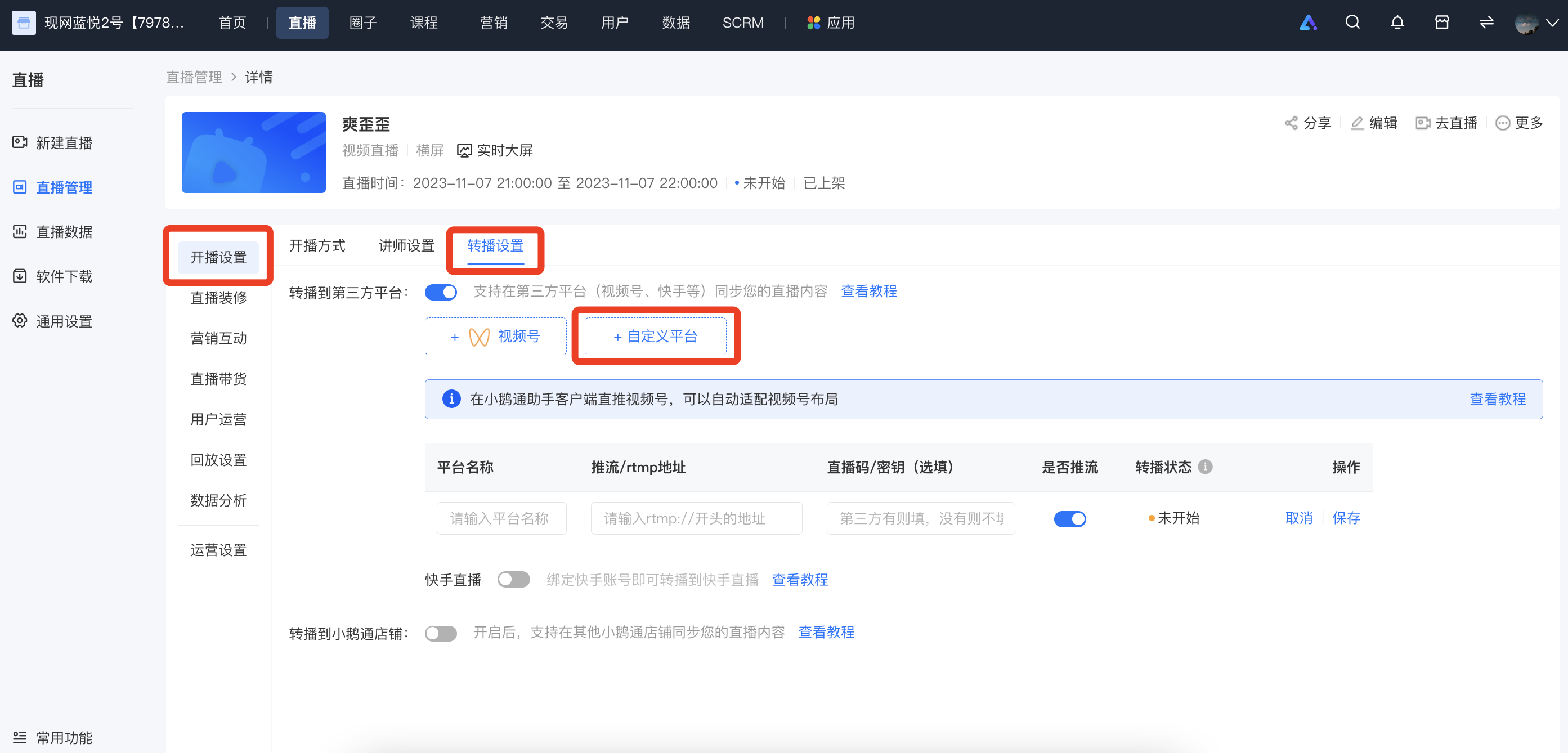
Log in to the elink management background, select the live - streaming room you want to rebroadcast, enter [Details Page - Live Streaming Settings - Rebroadcast Settings - Rebroadcast to Third - Party Platform - Custom Platform], fill in the name of the rebroadcast platform, the streaming address, and the key, and then click 'Save'.
III. Step 3: Start live streaming
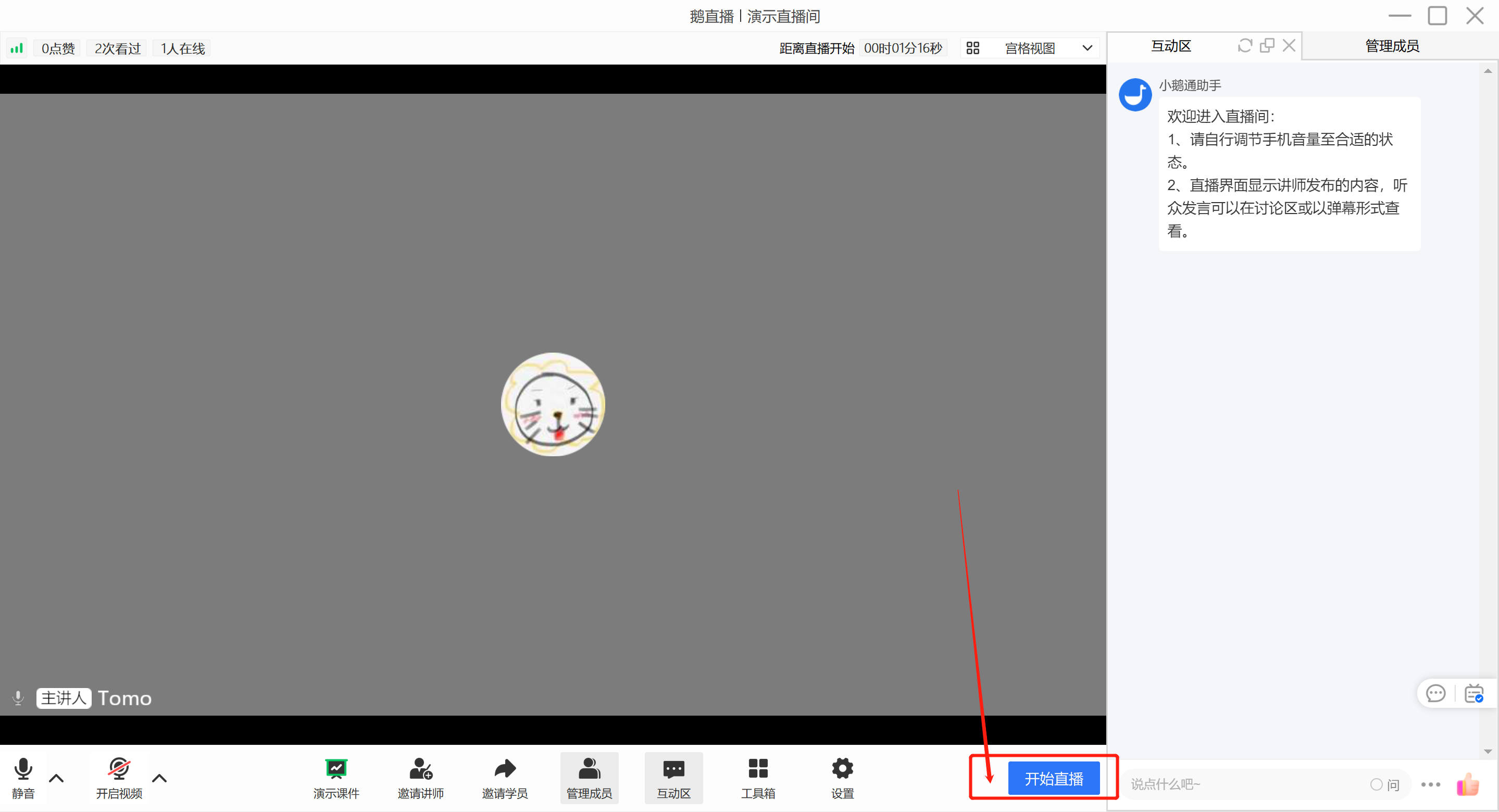
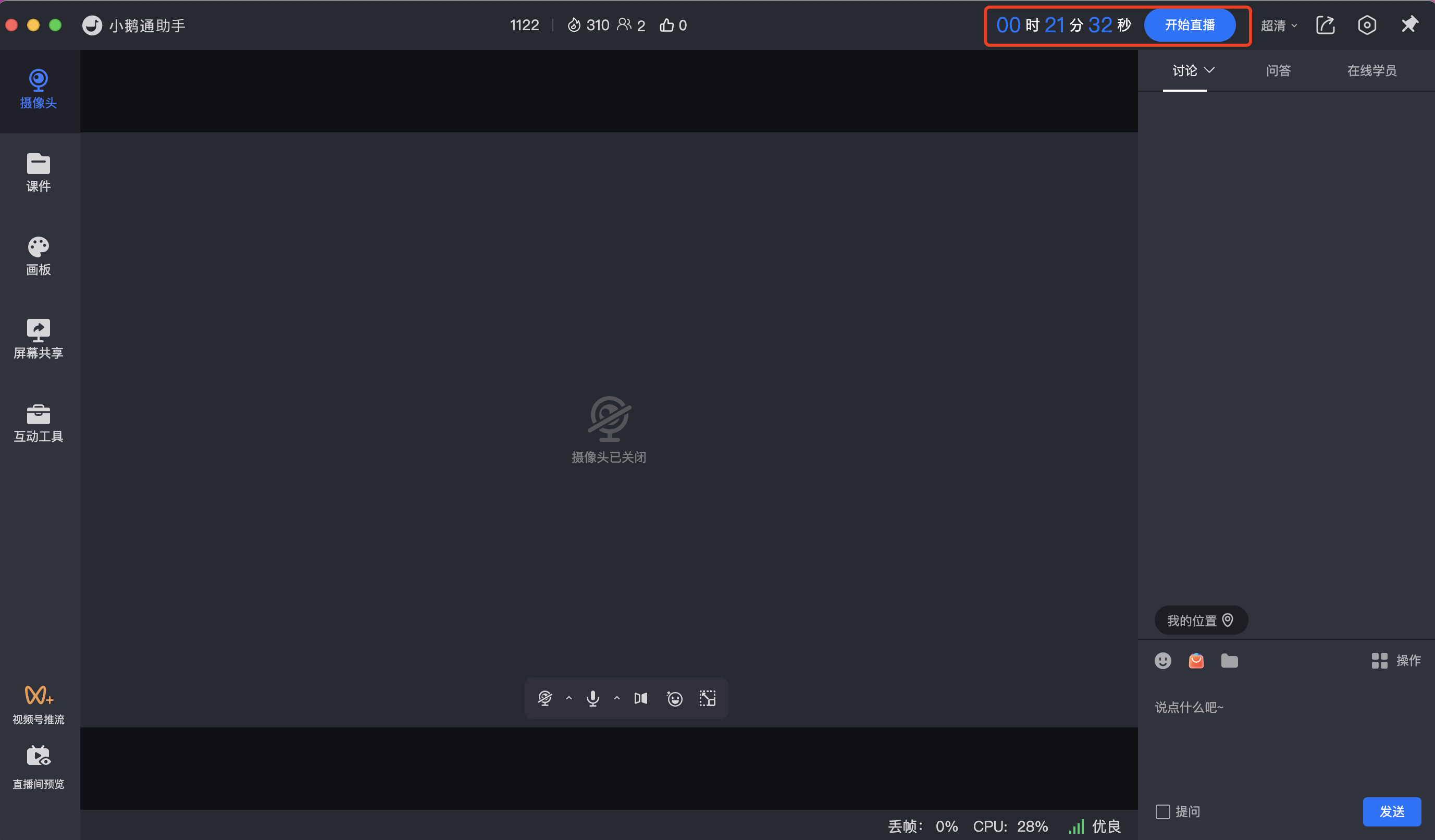
Go to the eLive client or the elink live - streaming terminal to start live streaming. Different live - streaming modes are applicable to different live - streaming terminals:
- Landscape live streaming: Computer (eLive client,elink Assistant client, web version), Mobile phone (eLive Mini Program)
- Portrait live streaming: Mobile phone (eLive Mini Program)
- Recorded live streaming: Computer (web version), Mobile phone (H5)
IV. Frequently Asked Questions
1. After starting the live streamWhy can't I see the picture on Bilibili?
1) Check if the streaming address and key have expired. If they have expired, you need to go to Bilibili to re - obtain them and then fill them in the elink management background.
2) Ifthe streaming address starts with the format 'rtmp://txy......', it is an invalid streaming address. Please check if the VPN on your computer is enabled. If it is enabled, please turn it off and then re - obtain the streaming address.If it is not enabled, please try switching the hotspot, browser, or device. If the format of the streaming address remains unchanged after the attempt, please consult Bilibili's official customer service.
2. Do I still need to start the live stream on Bilibili after starting it on elink?
No. Under normal circumstances, you can see the streaming picture in the Bilibili room after starting the live stream on elink.