Tutorial on Using the New Version of the Mobile Check-in Feature
I. Upgrade Instructions
Punch-in is a tool that integrates community interaction, interest-based learning, assignment distribution, effect verification, and fun challenges. Currently, to provide a better punch-in experience, a version upgrade is about to be carried out for the mobile punch-in terminals (including the elink Punch-in Mini Program, as well as the punch-in modules in the store H5, elink Learner APP, and elink Learner Mini Program). The following will introduce the upgrade content.
II.Upgrade Content
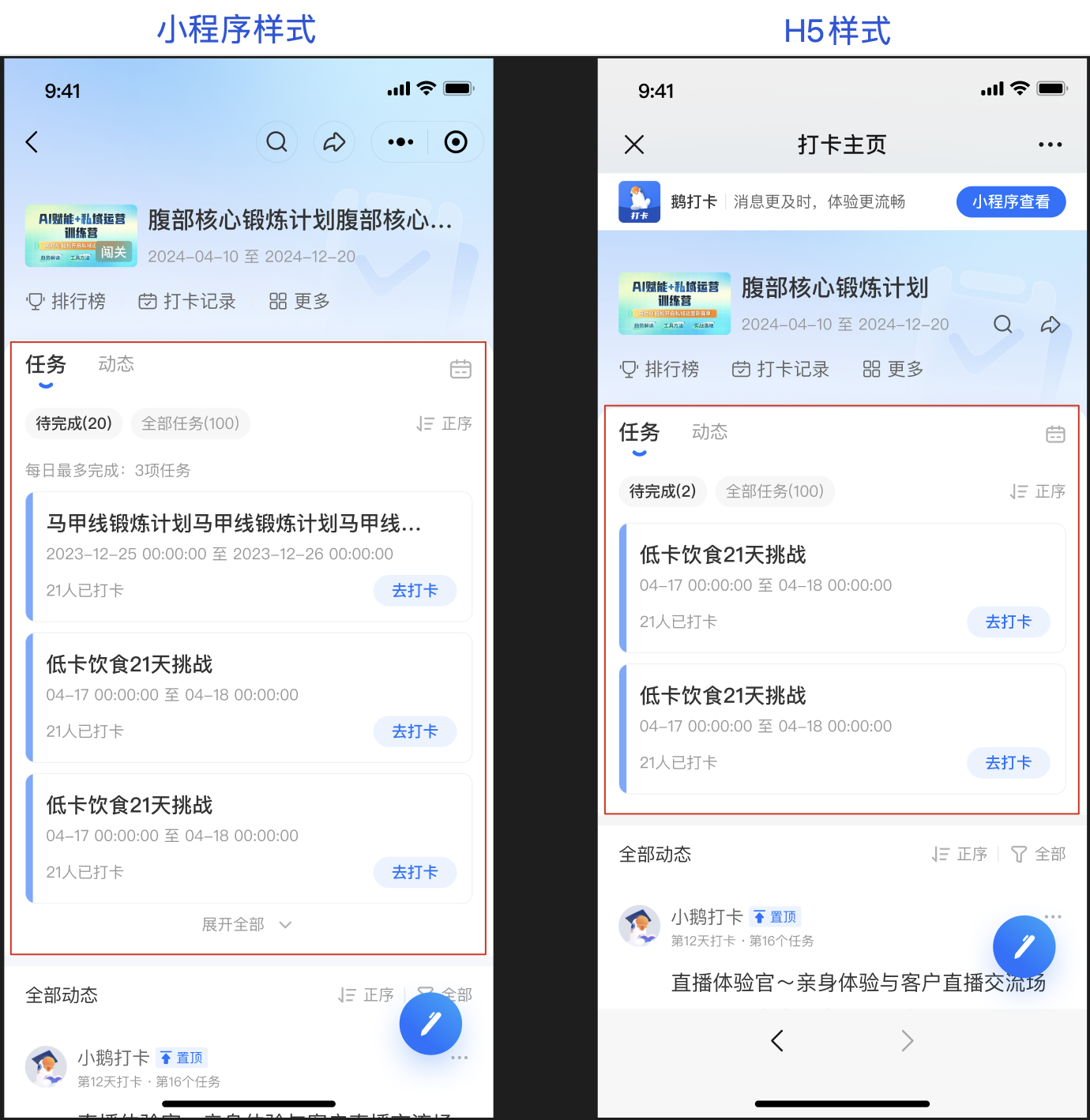
1.Punch-in Homepage -Highlight the Task Section
After learners enter the punch-in homepage, they will first see the 「Task Bar」. By clicking on the 【Dynamic】 tab, they can switch to the 「Dynamic Bar」. This makes it convenient for learners to know what tasks they need to complete as soon as they enter the punch-in page. At the same time, they can refer to and learn from others' punch-in content with the tasks in mind.
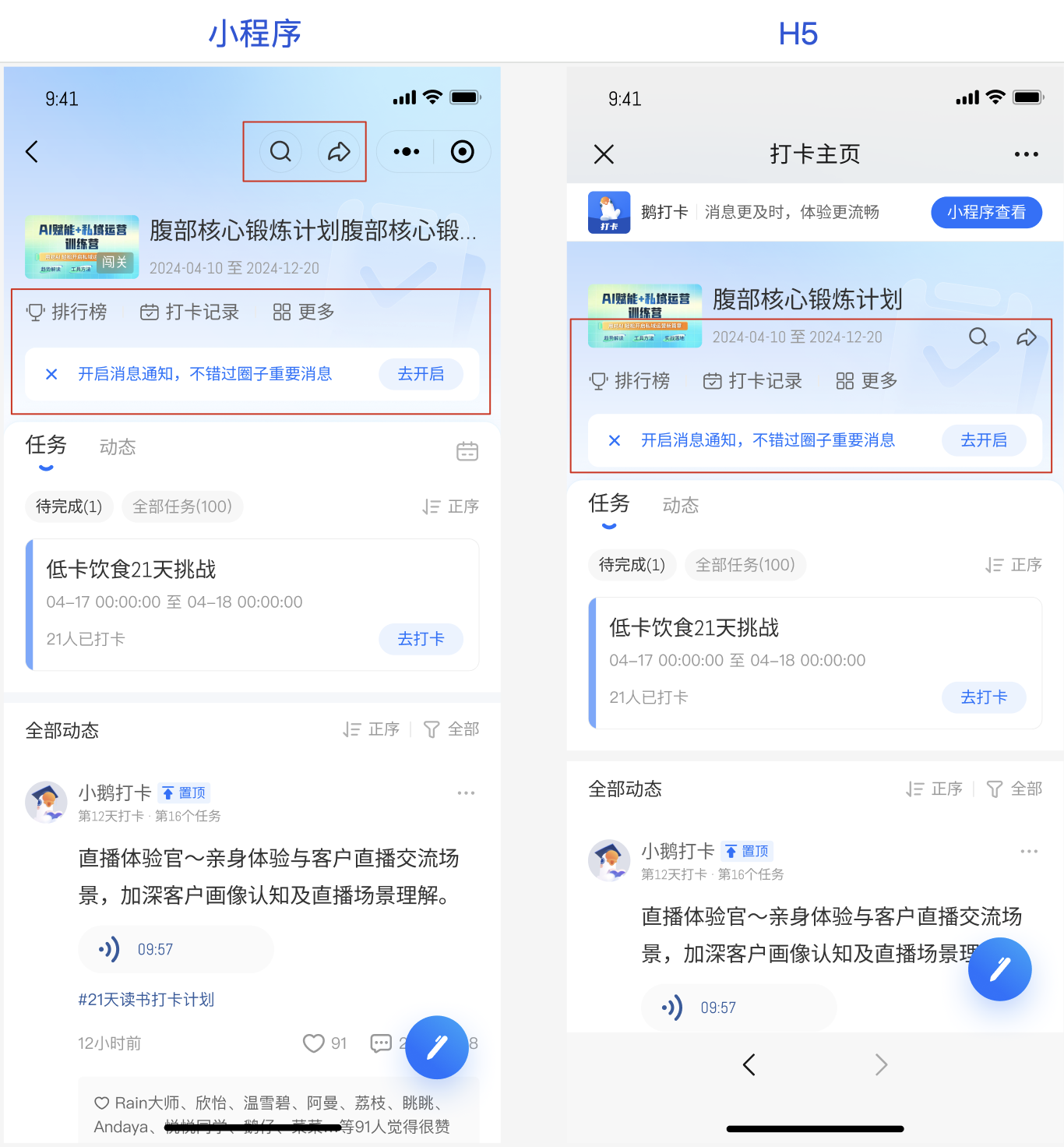
2. Punch-in Homepage - Toolbar Integration
The tools required for punch-in are uniformly placed at the top, and the tool entrances for the two types of interfaces are basically unified. This makes it convenient for learners to discover and use the tools, and also solves the problem of learners' discomfort with multi - terminal operations.
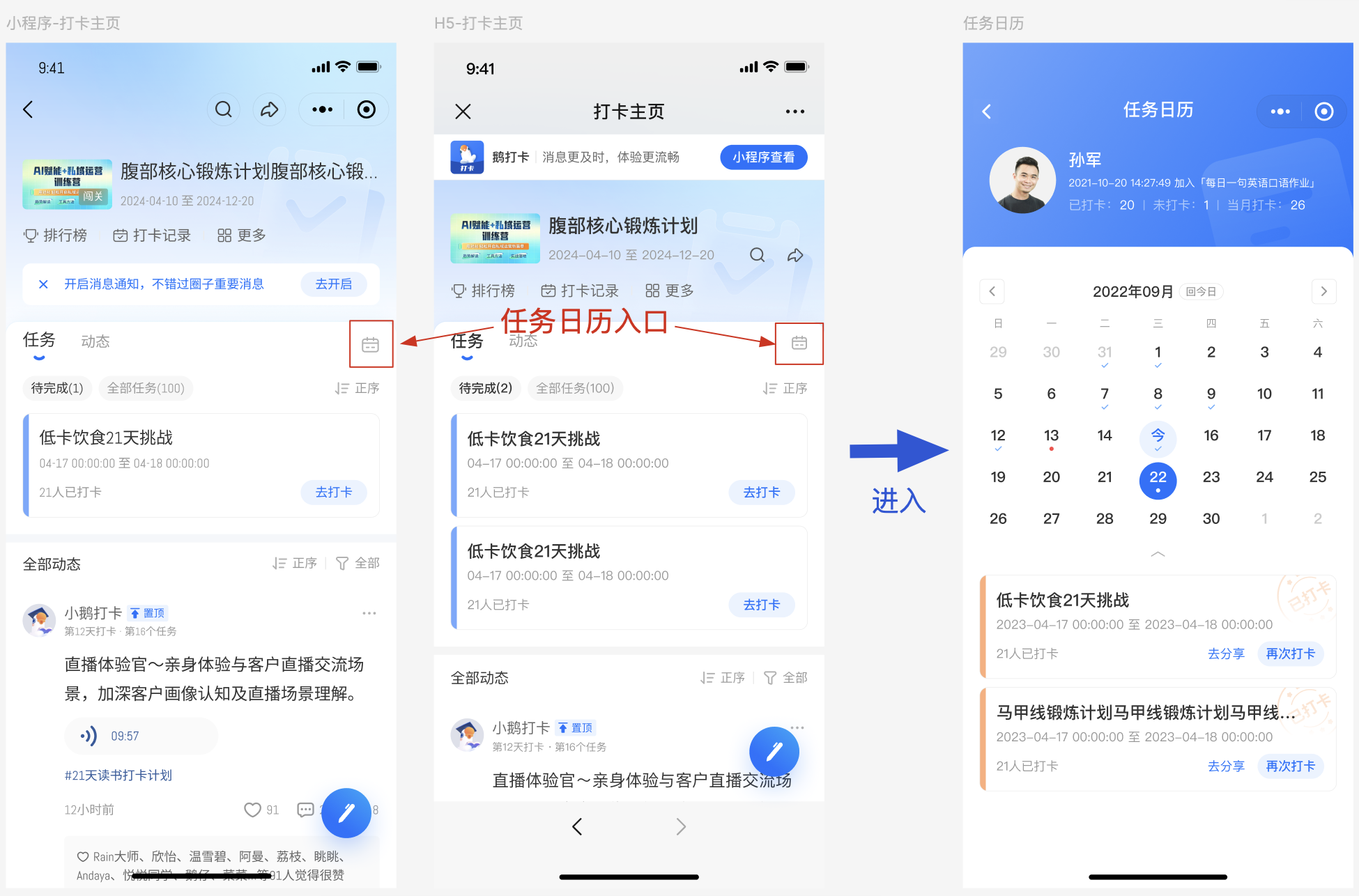
3. Support for Task Calendar
Calendar punch-in supports displaying the task calendar. Learners can see the daily task arrangements and the content available for punch-in in the task calendar, which helps them clearly understand the learning rhythm.
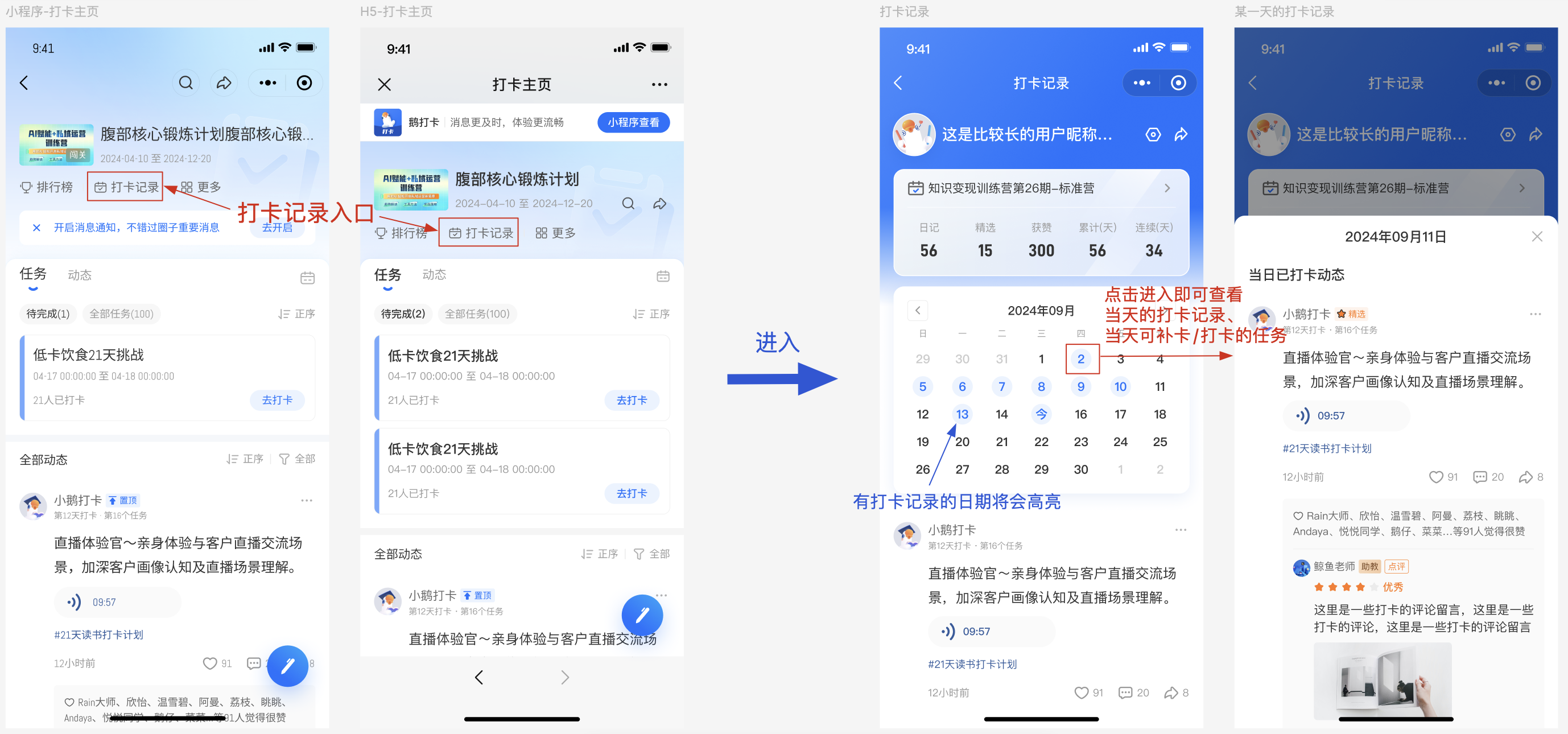
4.More Precise Query of Punch-in Records
Calendar punch-in supports viewing learners' punch-in calendars. Learners can immediately see their punch-in persistence at a glance. In addition to viewing the punch-in records of different dates, they can also quickly make up for the missed punch-in dates. This is convenient for users to have an overall understanding of their punch-in situation and also promotes the completion of learning.