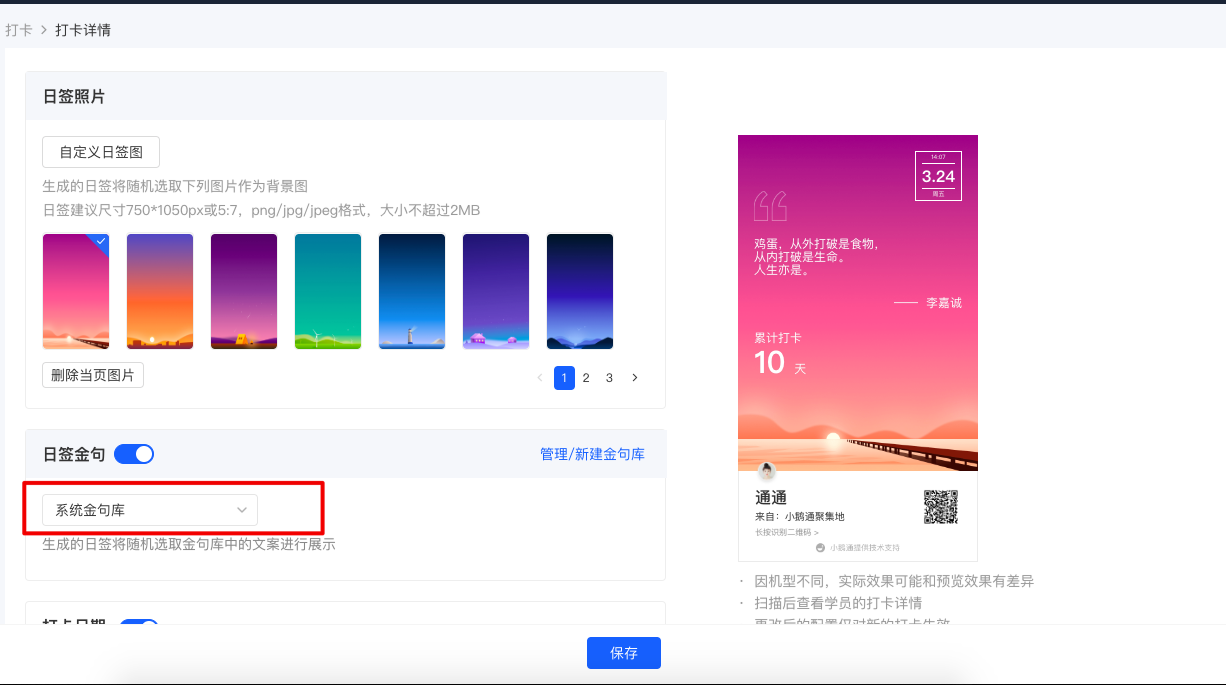
Can the famous quotes in the daily check-in signature images be modified?
Yes, you can customize the famous quotes in the daily signature image by referring to the following steps.
Step 1: Enter the quote library
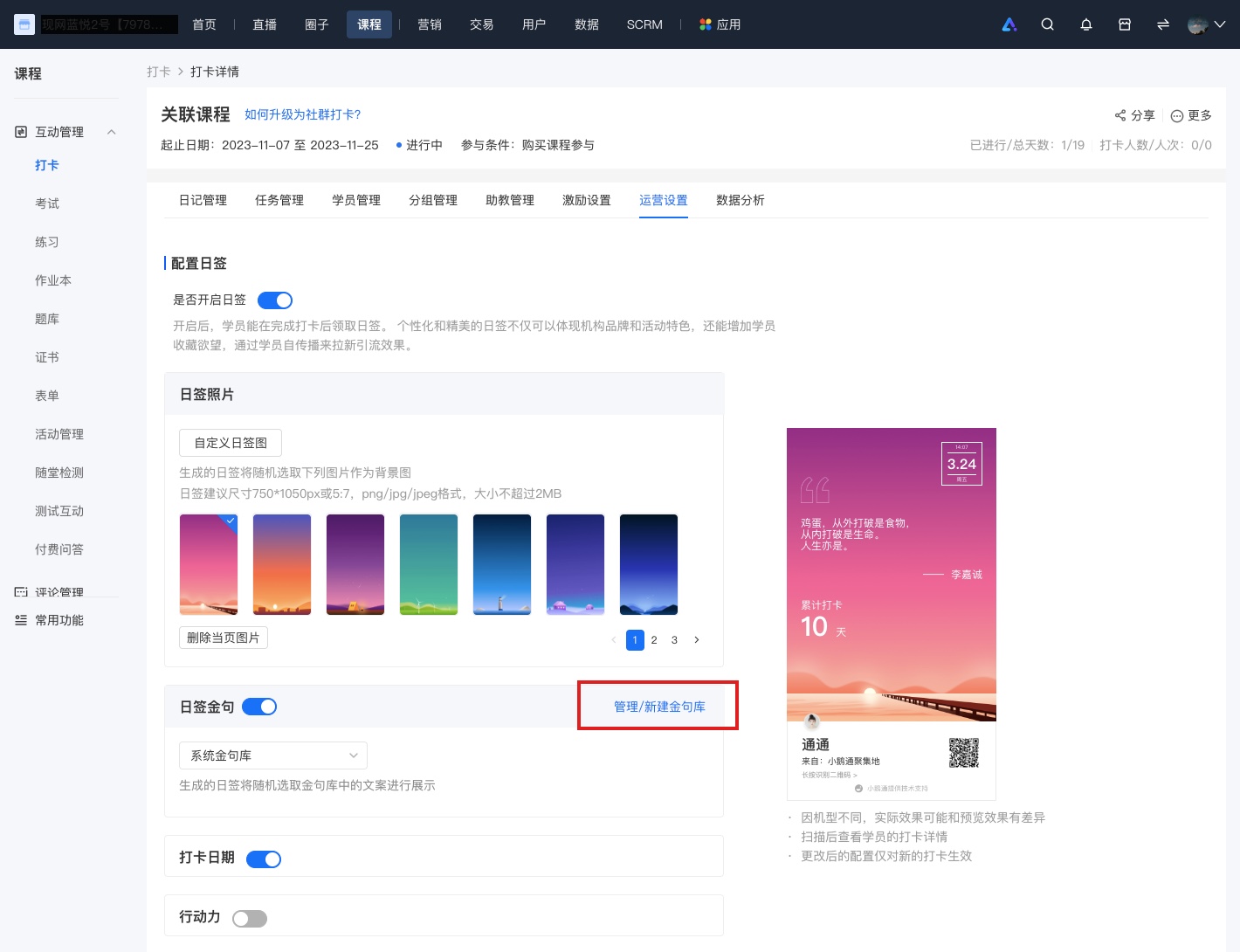
1. Enter the check-in where you need to configure the quotes for the daily signature image, and click [Operation Settings].
2. Find [Daily Signature Quotes], click [Manage/Create New Quote Library], and enter the quote library list.
Step 2: Create a new quote library
1. Click [Create New Quote Library] and set a name for the quote library.
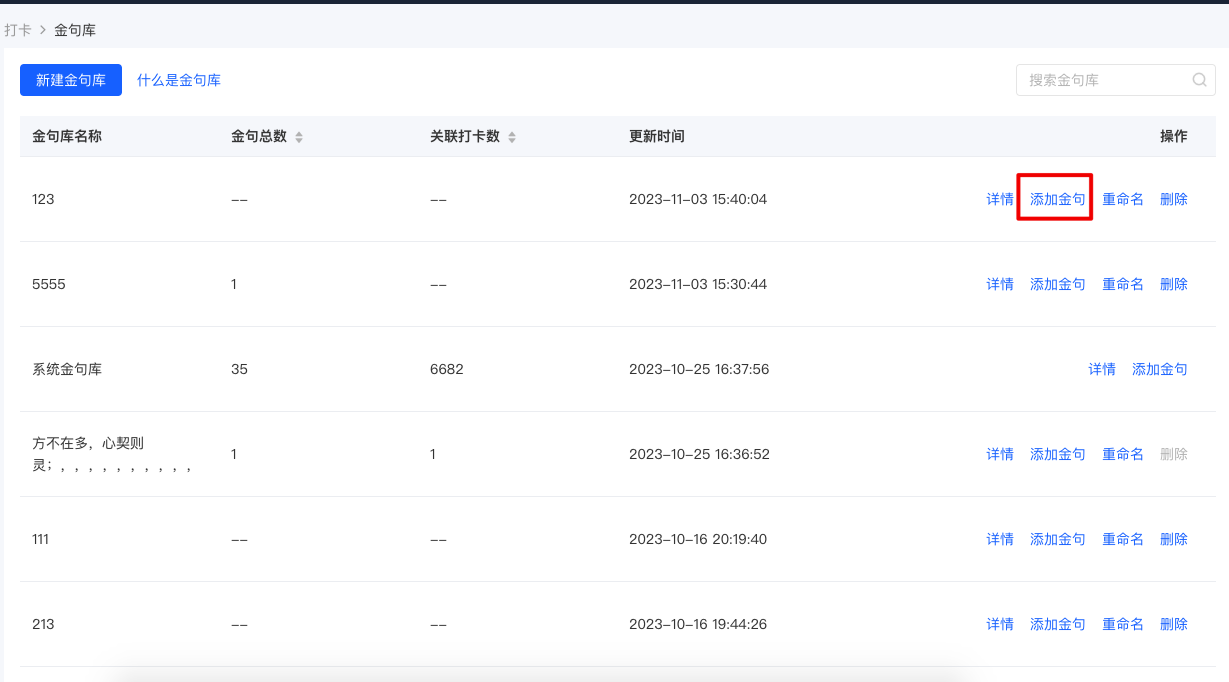
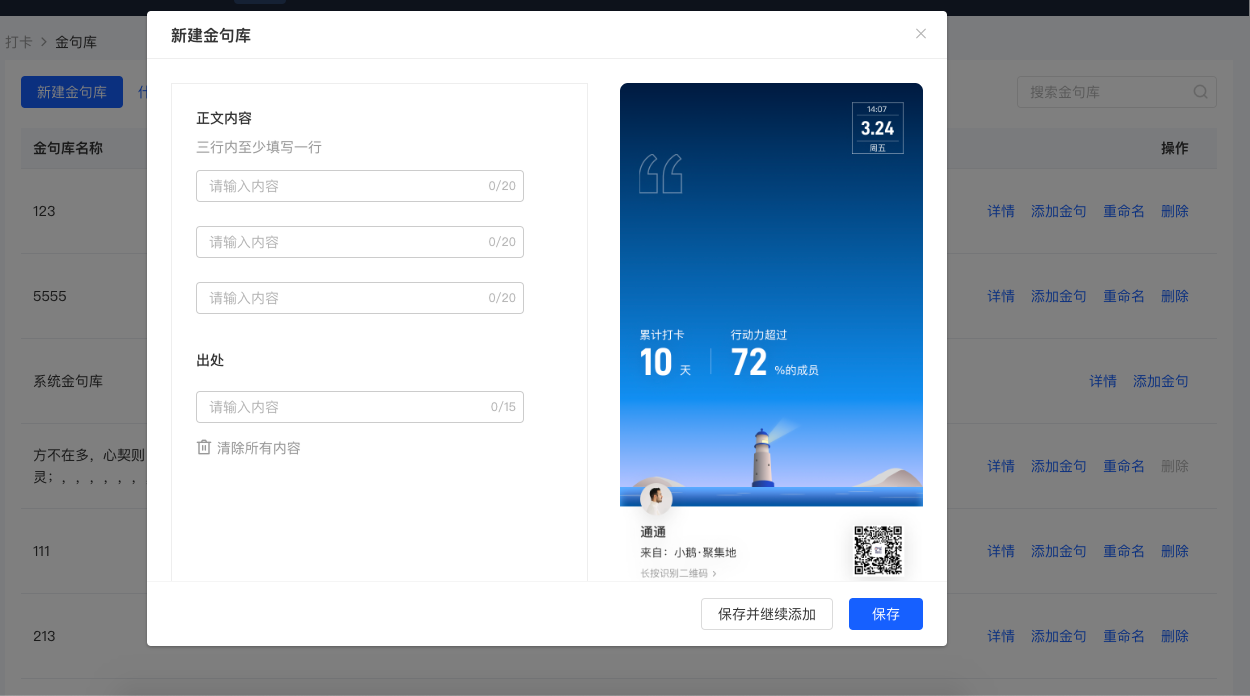
2. After creating the quote library, click [Add Quote] and fill in the content and source of the quote. 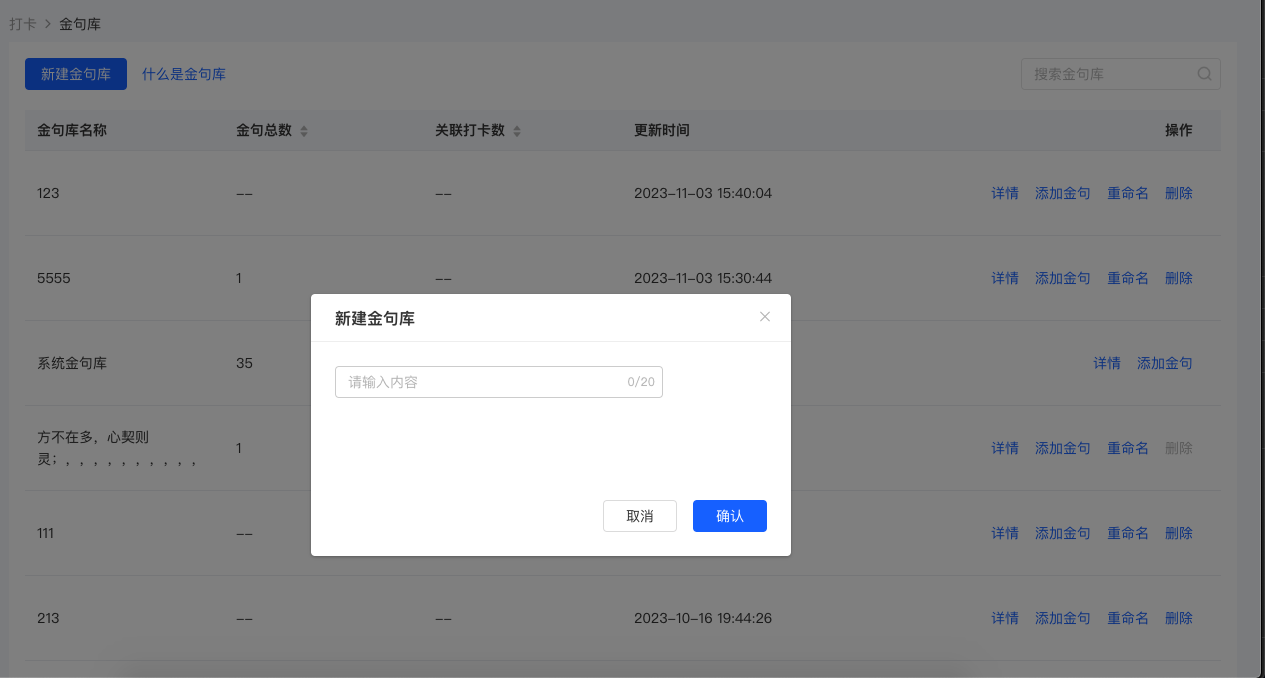
Step 3: Configure the quote library for the corresponding check-in
Select the check-in you need to configure, enter the check-in details, select [Operation Settings], and choose the corresponding quote library.