# How to complete real-name authentication on WeChat
[中文](/books/d34ab/page/0e659)
When you use the elink personal mode, elink will collect the payment for the content products you sell on your behalf. You can initiate a withdrawal request to transfer your earnings to the bound WeChat account for withdrawal.
According to the official restrictions of WeChat Pay, the daily withdrawal limit for a real - name verified WeChat account is 100,000 yuan. Withdrawals from non - real - name verified WeChat accounts are not supported.
Therefore, before making a withdrawal, you need to check whether your WeChat account is real - name verified on the mobile WeChat client. If it is not verified, you need to complete the real - name verification.
### The specific operation steps are as follows:
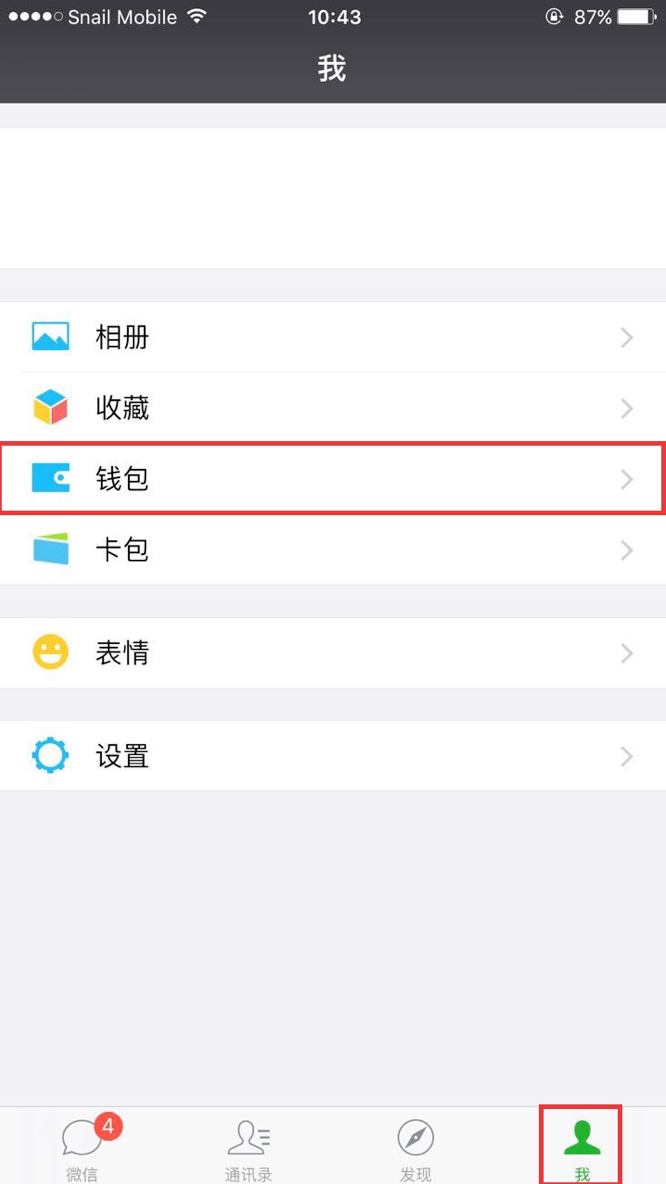
Step1: Log in to yourmobile WeChat client, click on the option “Me” in the bottom menu bar, and find the option “Wallet”.
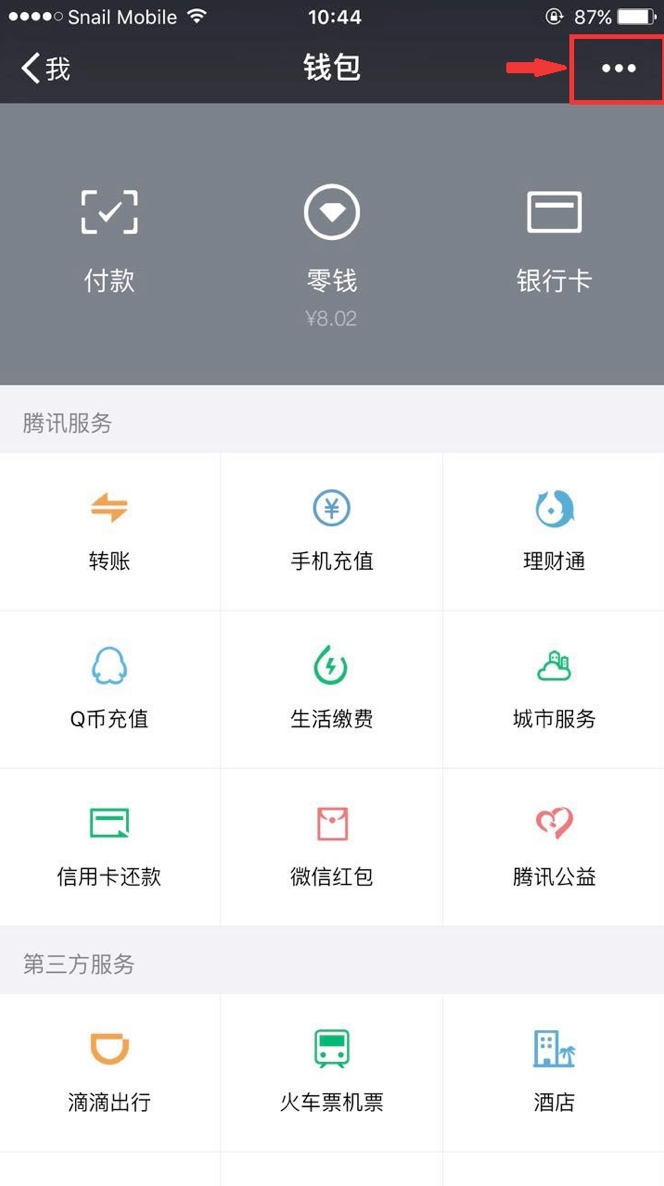
Step2: Click on the “Wallet” option to enter the wallet page, and then click on the “More” option in the upper - right corner (the icon isthree dots).
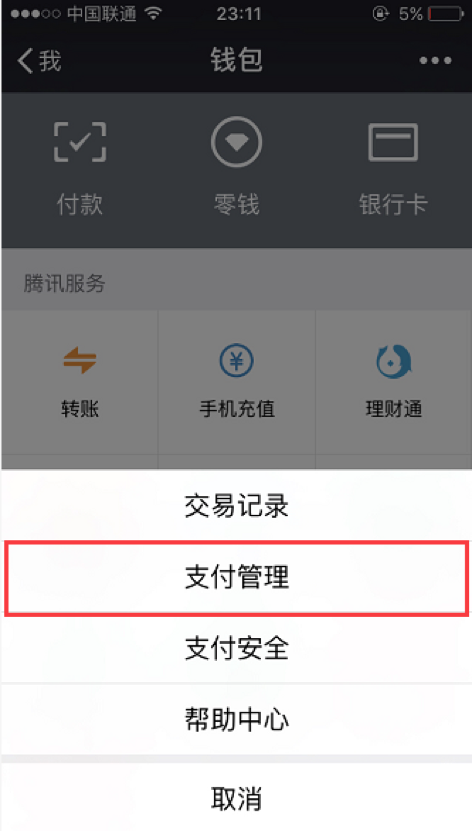
Step3: Click on the “Payment Management” option.
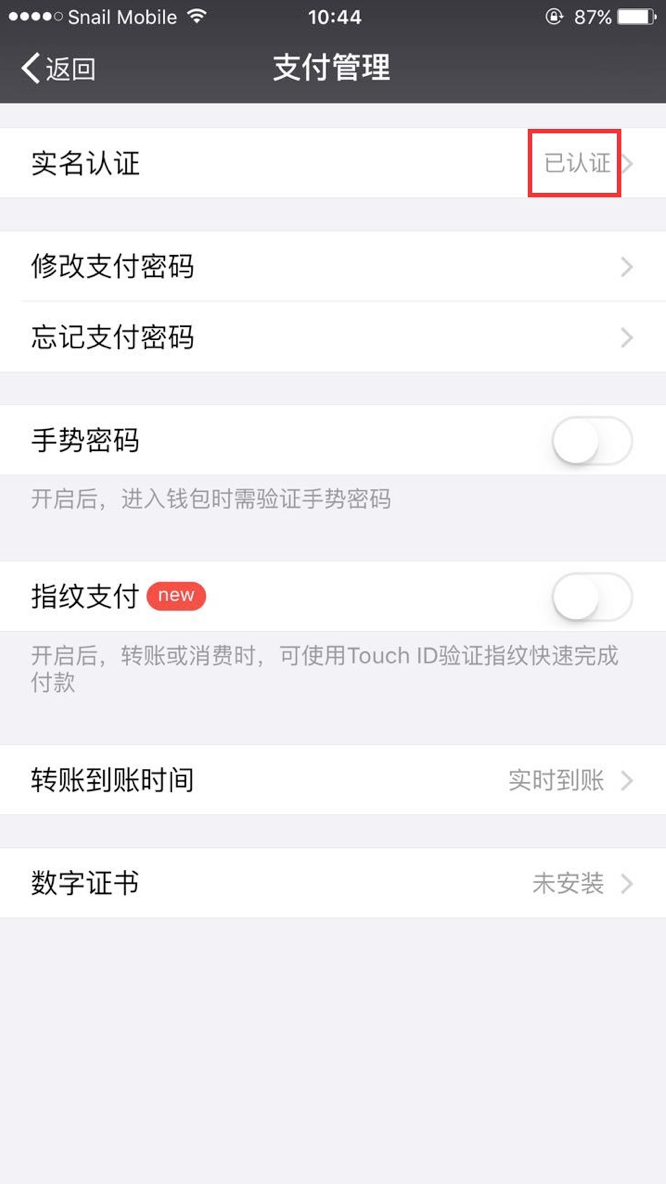
Step4: Check whether your account has been real - name verified on the payment management page.
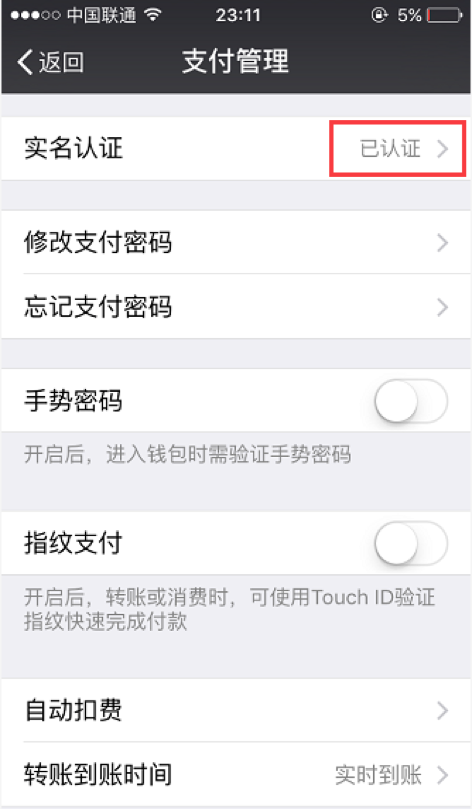
If it shows “Verified” in the “Real - Name Verification” column, you can return to the elink management background and continue with the withdrawal operation.
If it shows “Verify Now” in the “Real - Name Verification” column, please refer to Step5.
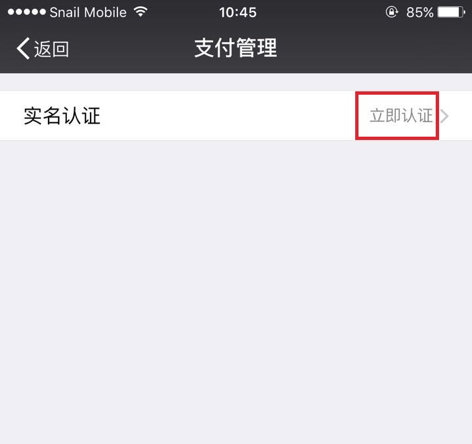
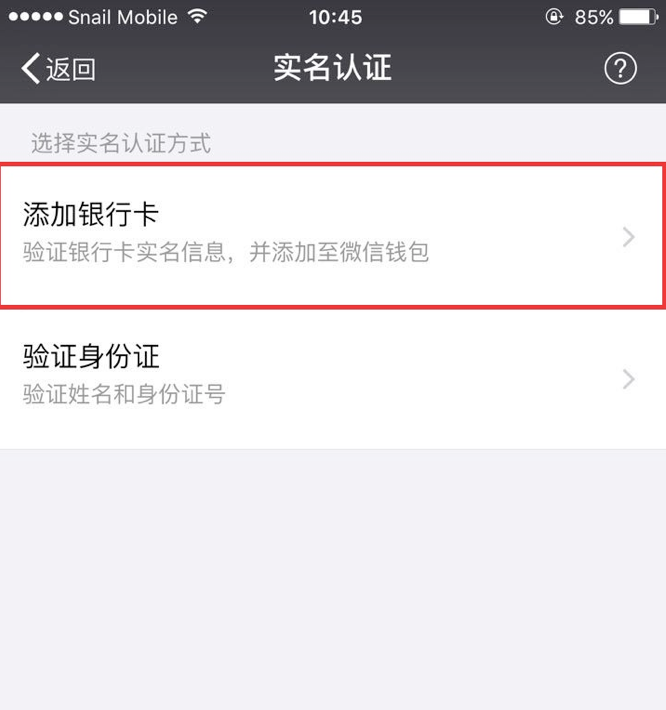
Step5: If it shows “Verify Now” in the “Real - Name Verification” column, it means you haven't completed the real - name verification. Please click on “Verify Now” to start the verification process.
There are two verification methods available. We choose the “Bind Bank Card” method and fill in the relevant verification information.
Step6: After filling in the relevant information, click “Complete”. If you see that the status of “Real - Name Verification” has changed to “Verified”, it means your WeChat real - name verification has been successful.
Now you can return to the elink management background and continue with the withdrawal operation.The daily withdrawal amount for a real - name verified WeChat account cannot exceed 20,000 yuan