Tutorial on Using the Online Store Navigation
I. Function Introduction
II. Scenario Examples
If your online store has a large number of products and activities, you can use the store navigation to guide users through the pages. The store navigation can direct users to the mini homepage, course themes, or the latest content.
For example, you can set up an event page and a course promotion page. With the store navigation, users can switch between the homepage, events, promotions, and their personal pages, guiding them to focus on the pre - set content.
III. Operation Steps
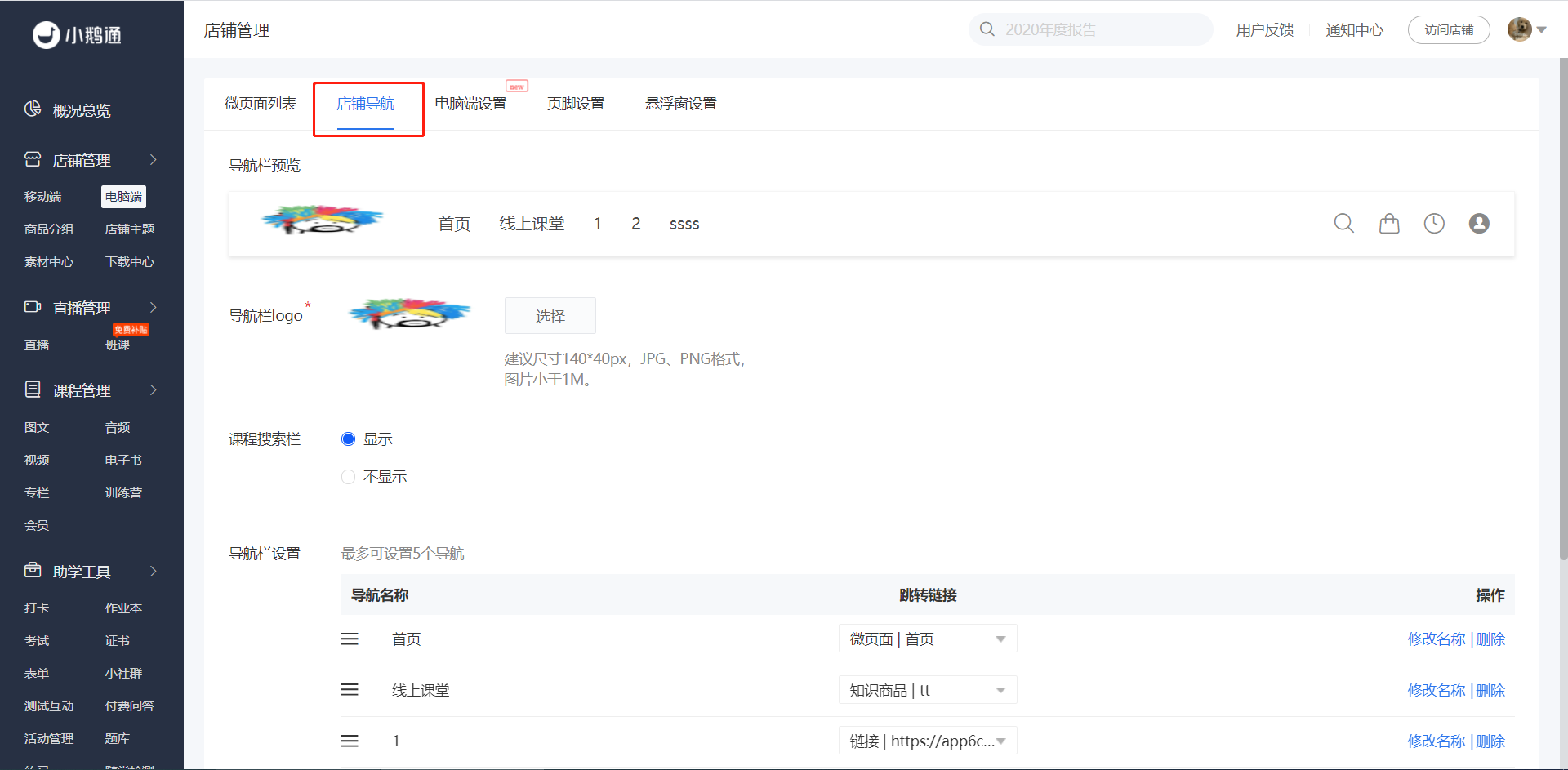
Step 1: Click 'Store Management' - 'Desktop' - 'Store Navigation' to enter the store navigation editing page.
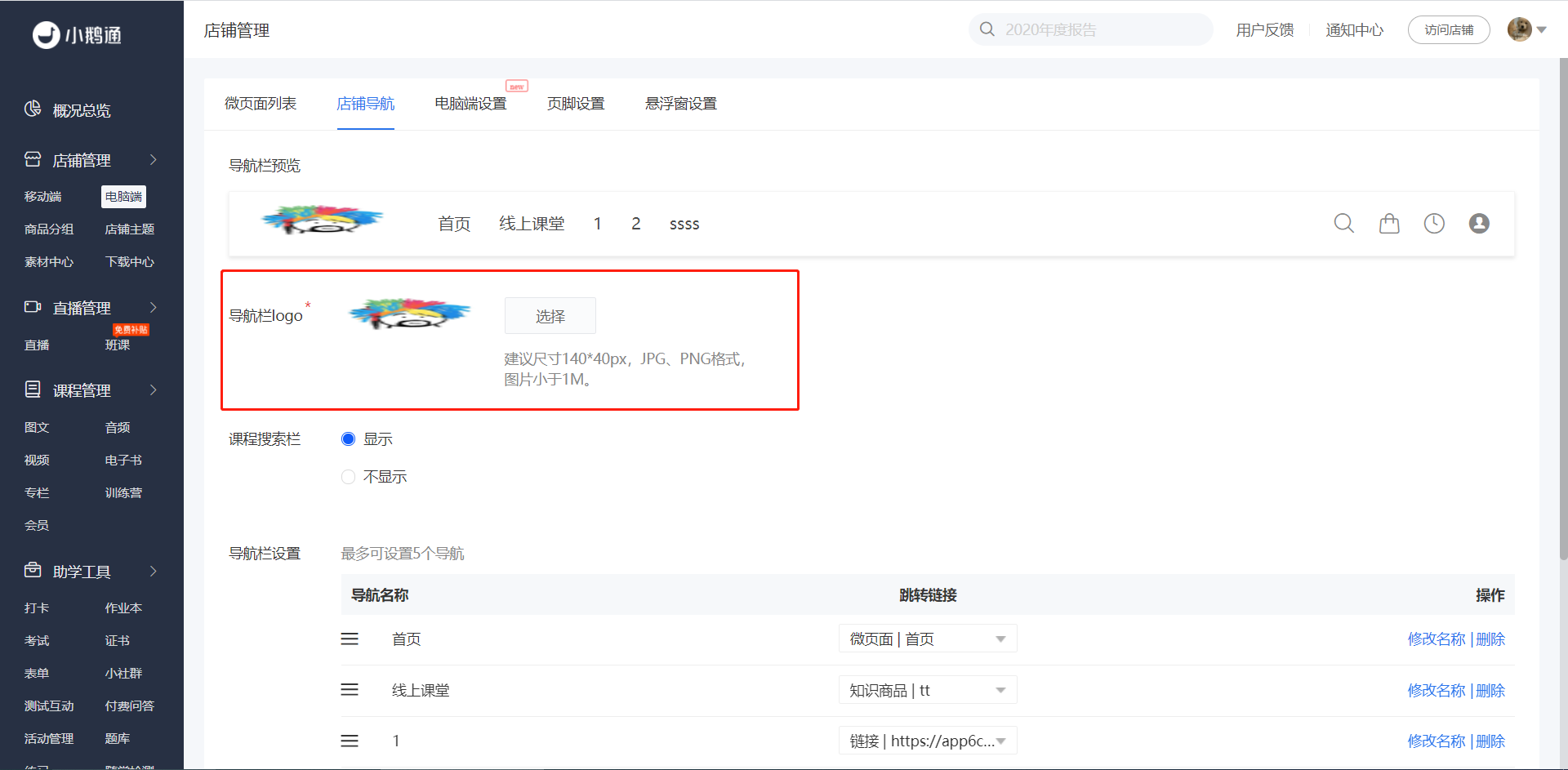
Step 2: Upload the navigation logo and view the effect above.
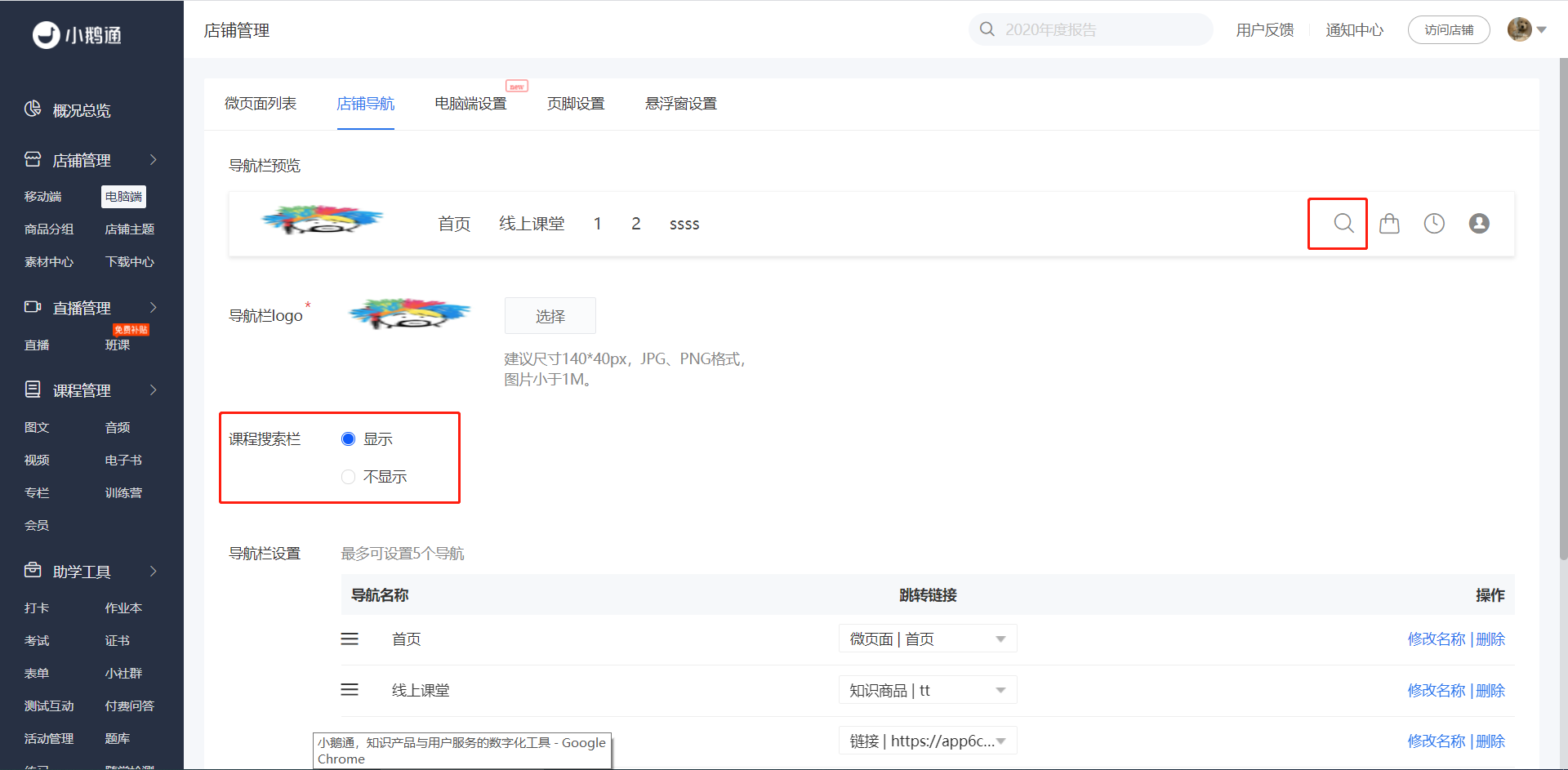
Step 3: You can customize whether to display the course search bar. If it's set to display, you can view the effect in the preview section.
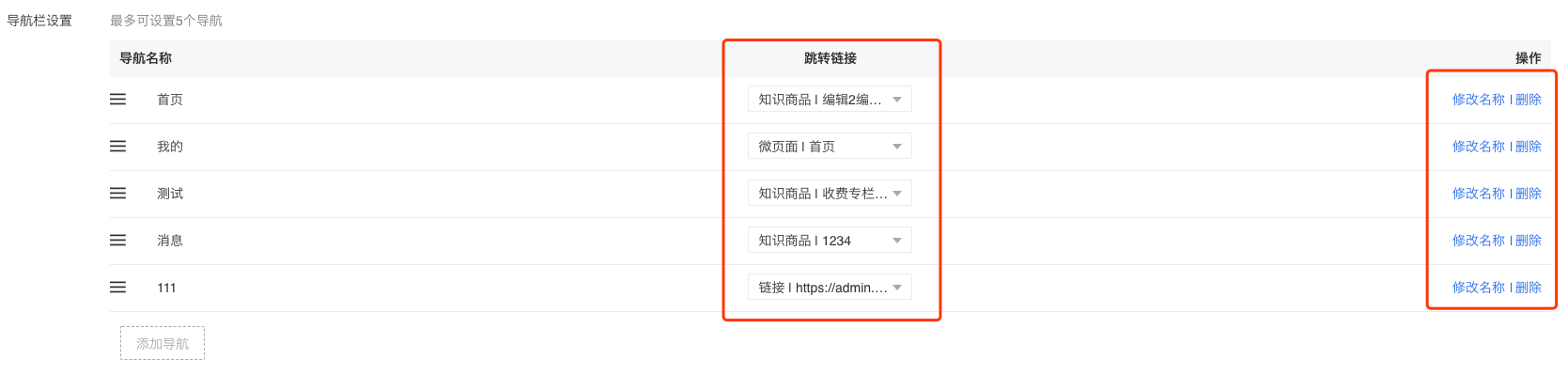
Step 4: You can customize the navigation names and the pages they link to. You can also drag the navigation editing boxes with the mouse to adjust their order. You can add up to 5 navigations.