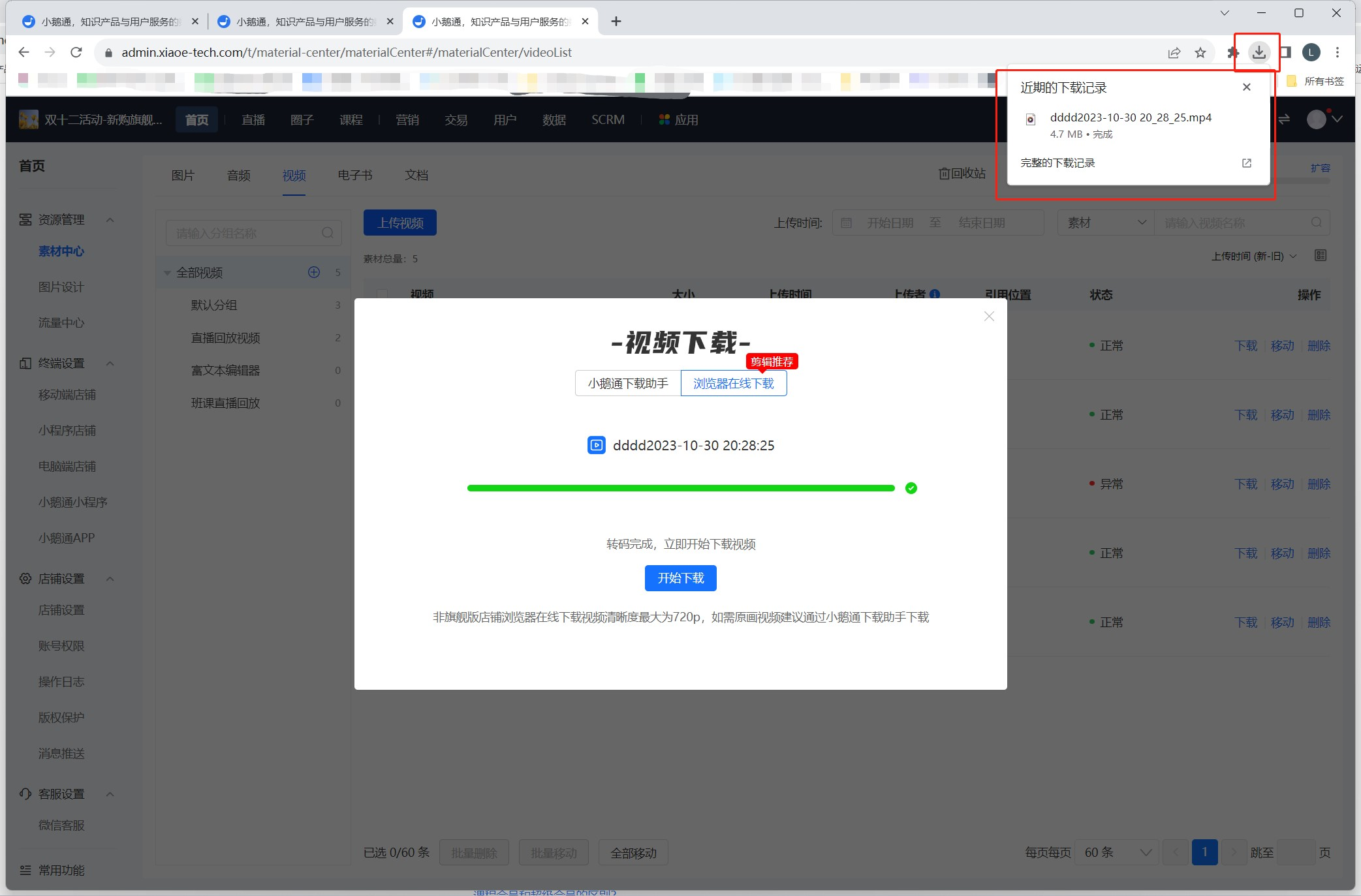
How to download live replay videos using [Online browser download]
I. Function Introduction
After the live stream ends, use a browser to download the live replay video online.
II. Use Scenarios
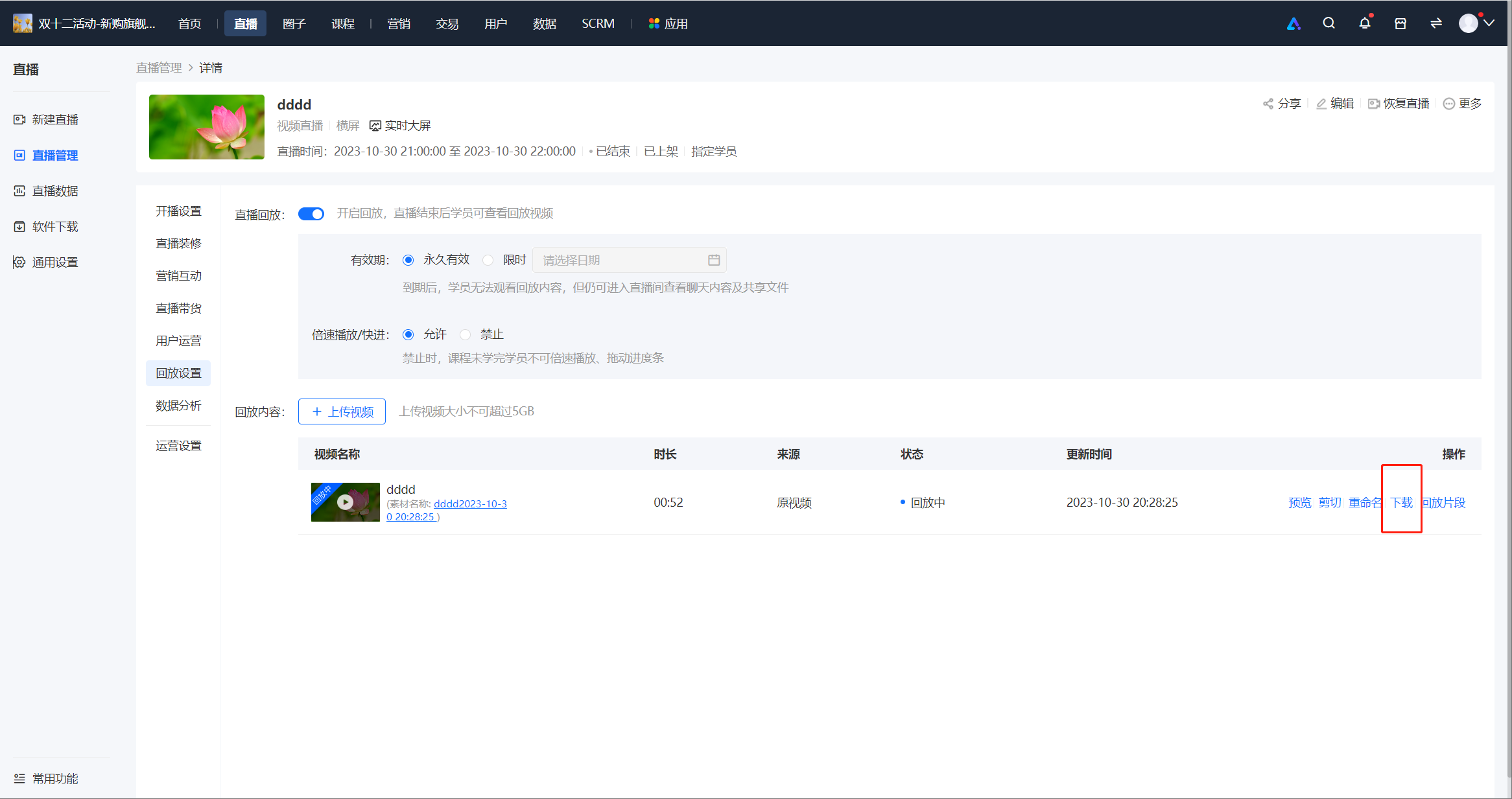
Scenario 1: Live Stream Management - Live Stream Details - Replay Settings - Download Live Stream Replay Video
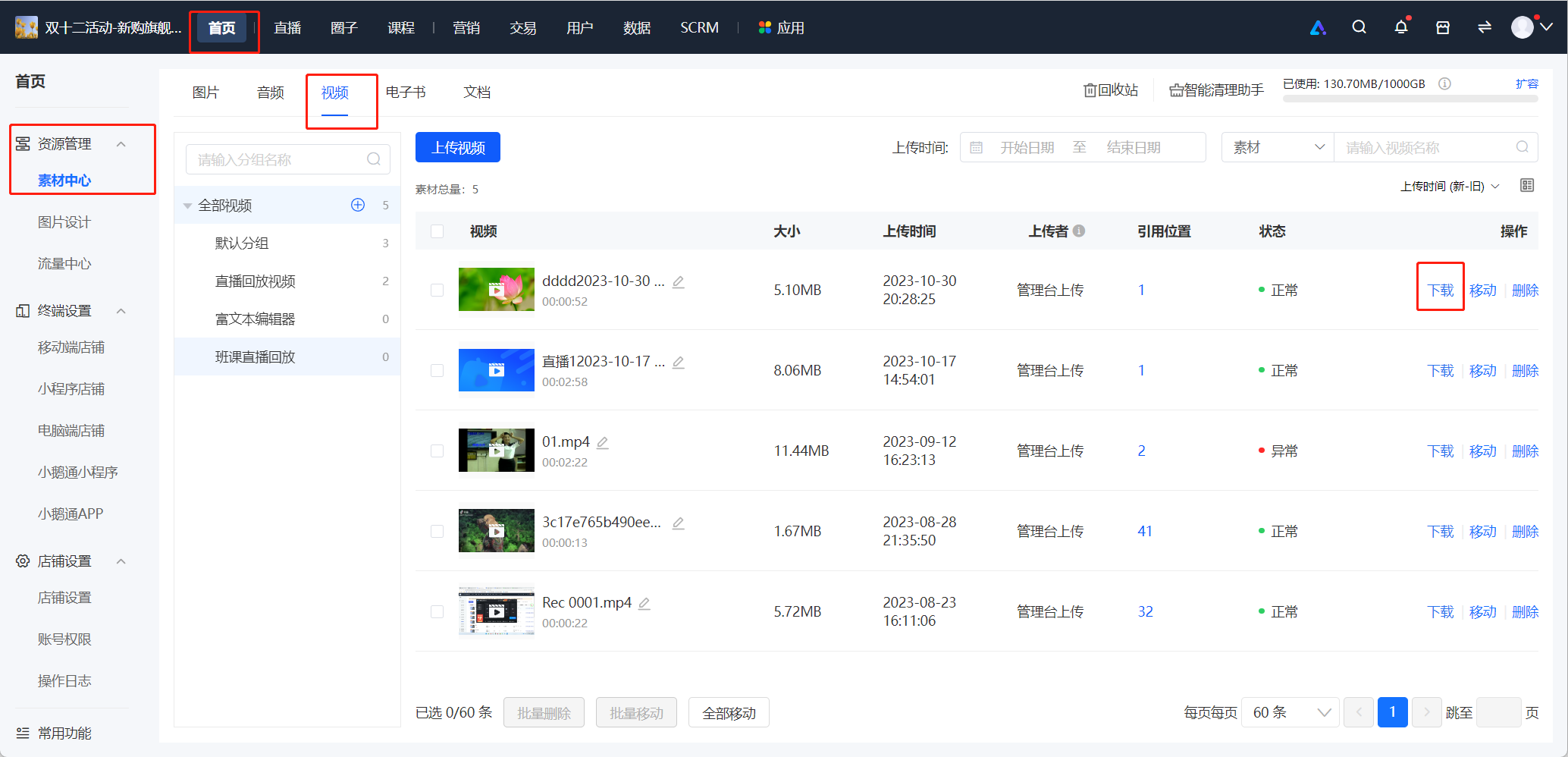
Scenario 2: Media Center - Videos - Download Live Stream Replay Video
III. Operation Path
Merchant Side:
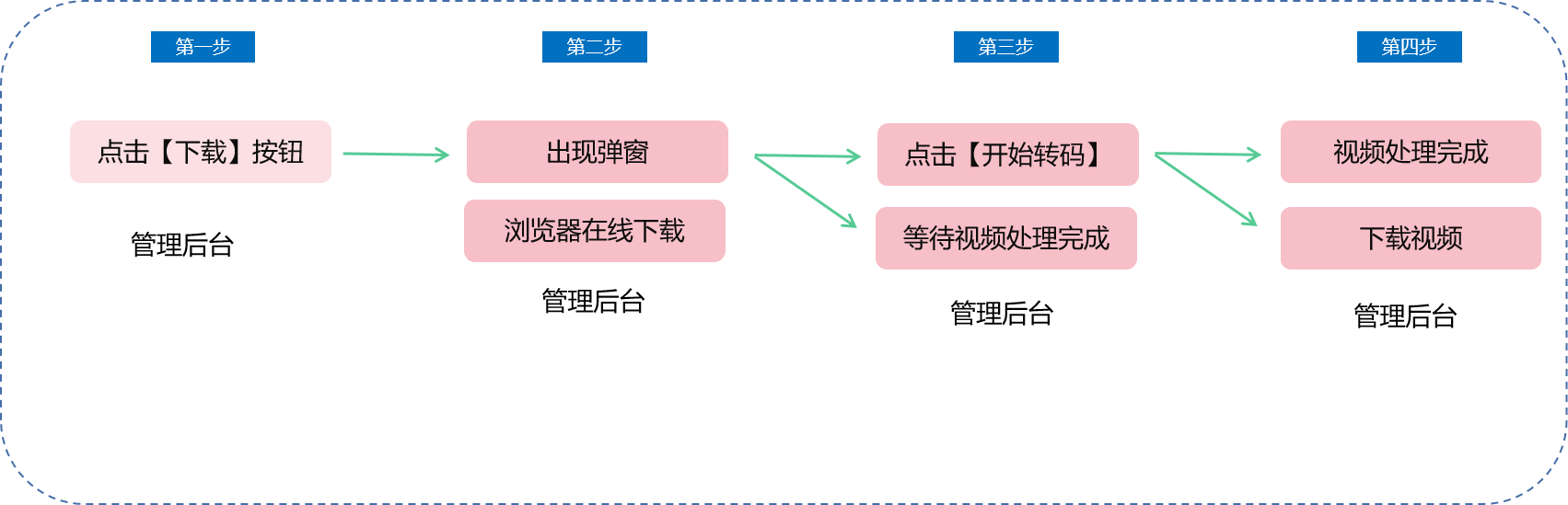
1. Management Console - Live Stream Management - Live Stream Details - Replay Settings - Download Live Stream Replay Video - A pop - up window appears - Download online via browser - Start transcoding - Download the video
2. Management Console - Media Center - Videos - Download Live Stream Replay Video - Download Live Stream Replay Video - A pop - up window appears - Download online via browser - Start transcoding - Download the video
IV. Usage Tutorial
Step 1:Click the 'Download' button for the live stream replay video on the management console - A pop - up window appears.
1. Management Console - Live Stream Management - Live Stream Details - Replay Settings - Click 'Download'
Management Console - Media Center - Videos - Live Stream Replay Video - Click 'Download'
2. A pop - up window guiding you to download the live stream video appears.
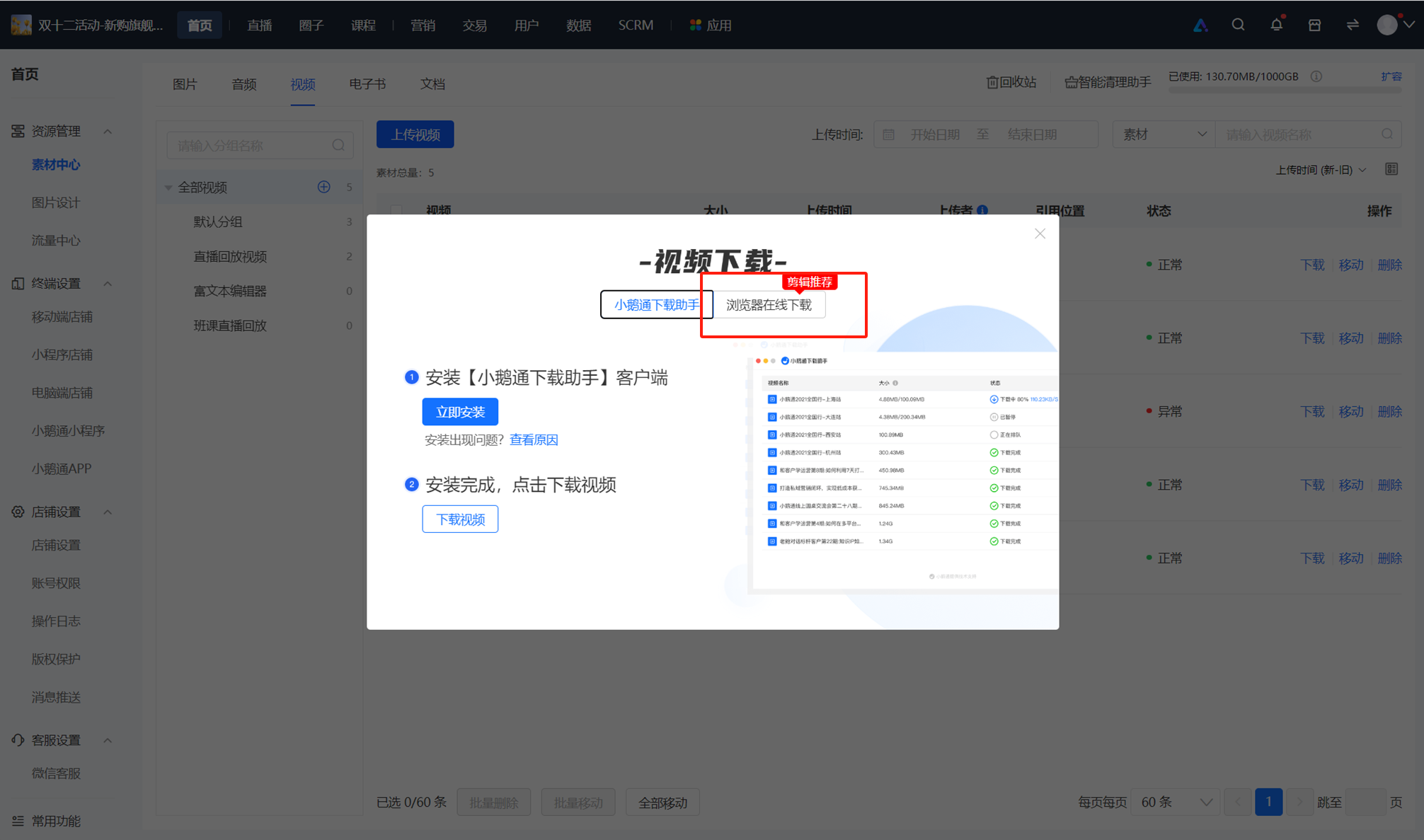
3. Click 'Download online via browser';
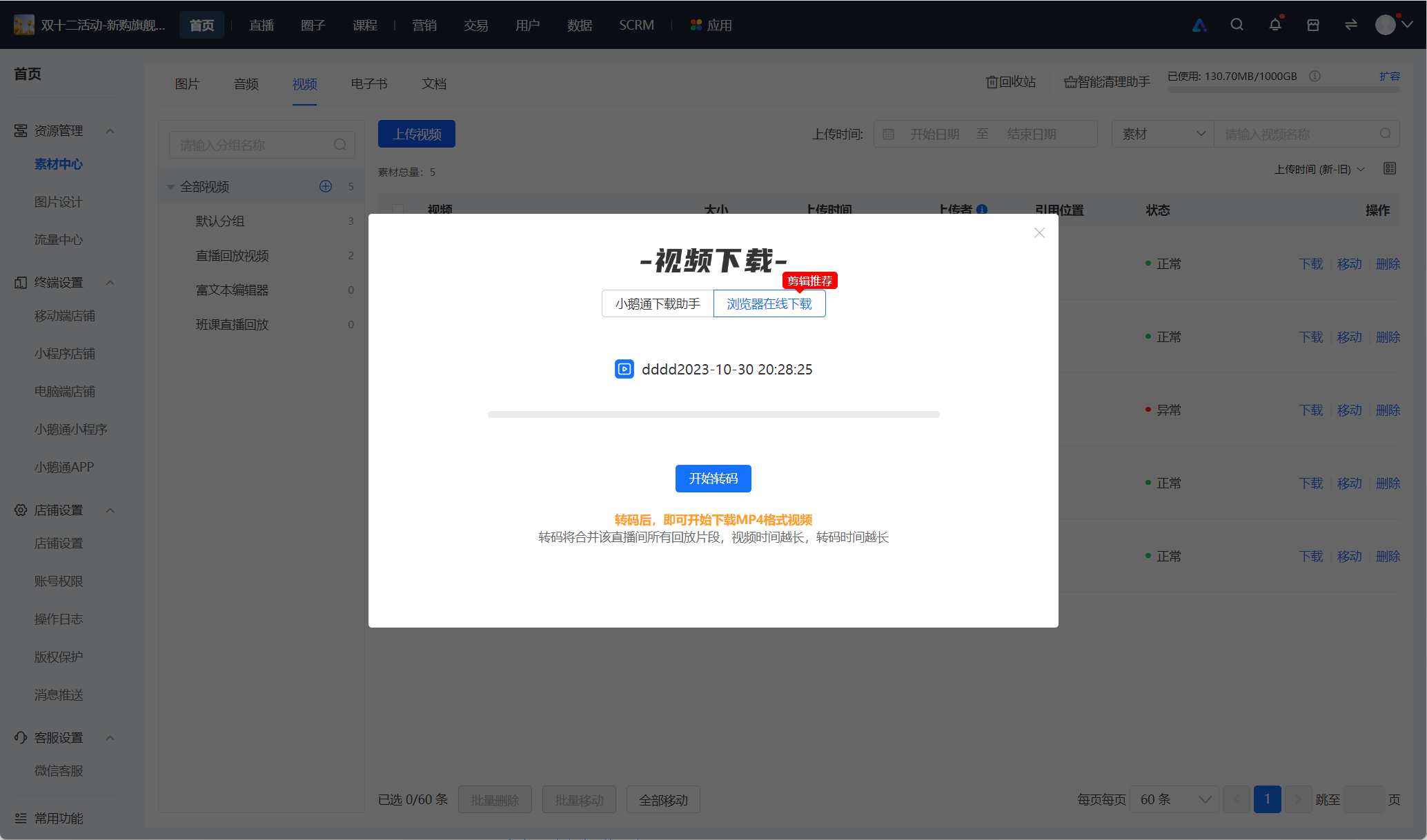
Step 2:Transcode the video
Click 'Start transcoding' in the pop - up window - The background starts processing the video - Wait for the transcoding to succeed;
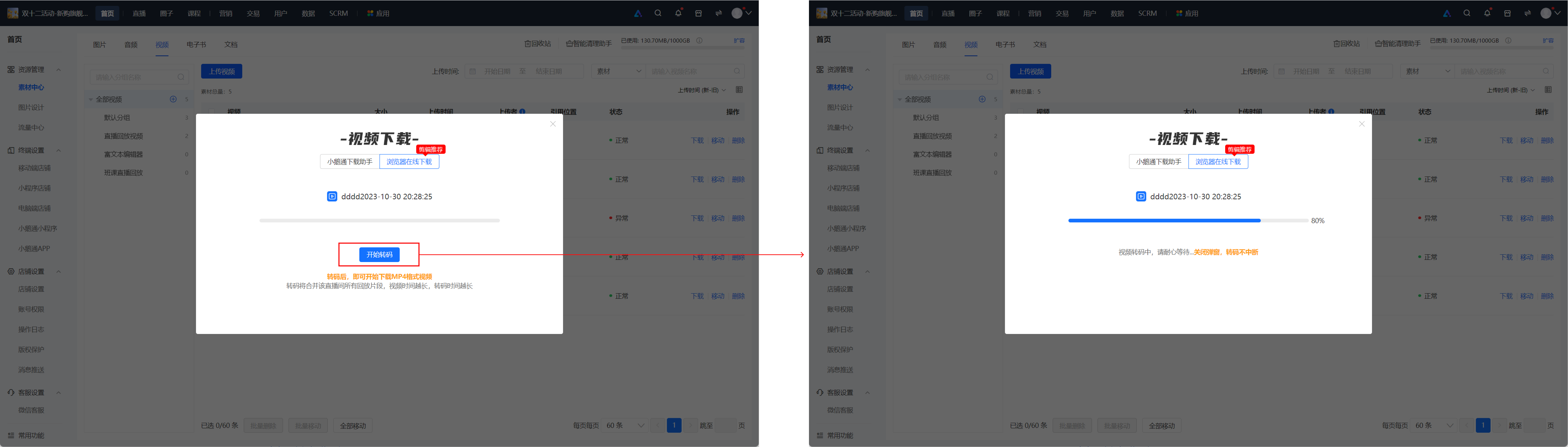
Step 3:Download the video
After the transcoding is successful, click 'Download now' in the pop - up window - The browser starts downloading the replay video.