# Can the background color of the micro-page be customized?

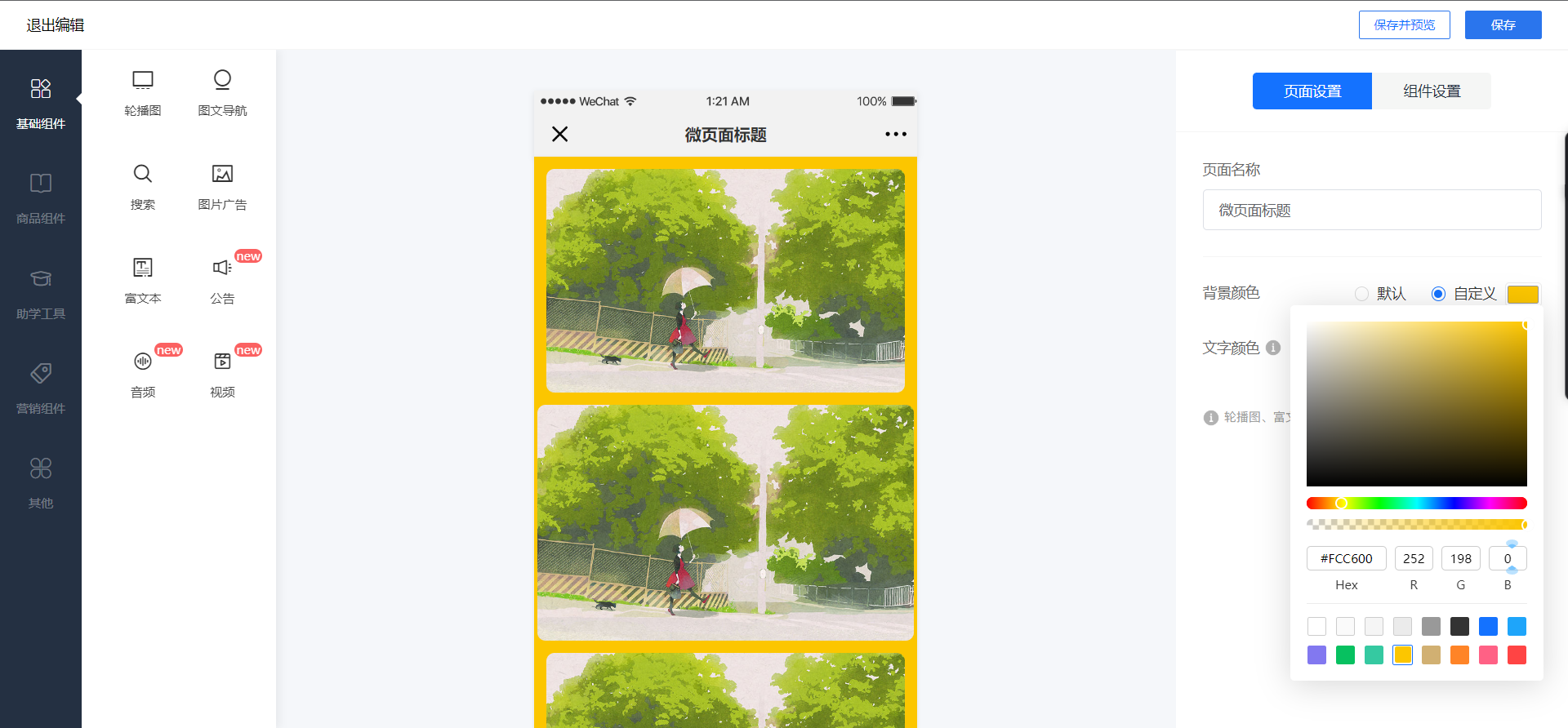
<div data-elink-language-switch="1" id="bkmrk-%E4%B8%AD%E6%96%87" style="border:1px solid #d6d9de;border-radius:6px;padding:10px 12px;margin:0 0 18px 0;background:#f8fafc;font-size:14px;">[中文](/books/8f855/page/35f4a)</div><span style="font-size:15px;">Supports merchants to customize colors. Merchants can set the 【Custom Background Color】 when editing the title of the Mini Page.</span>

**<span style="font-size:15px;">Operation path:</span>**<span style="font-size:15px;">Desktop management</span><span style="font-size:15px;">In the backend, click 【Store - Mobile Store】, then click 【Mini Page - Edit Mini Page】, and find the 【Custom Background Color】 on the right side.</span>

<span style="font-size:15px;">![微页面背景色.png](https://wechatapppro-1252524126.file.myqcloud.com/help_document/image/ueditor/61475500_1654672986.png ".png")</span>

**<span style="font-size:15px;"><span style="font-size:15px;">\*\*Note: You can change the background color of the Mini Page, but you cannot set a background image.</span></span>**<span style="font-size:15px;"><span style="font-size:15px;"></span></span>