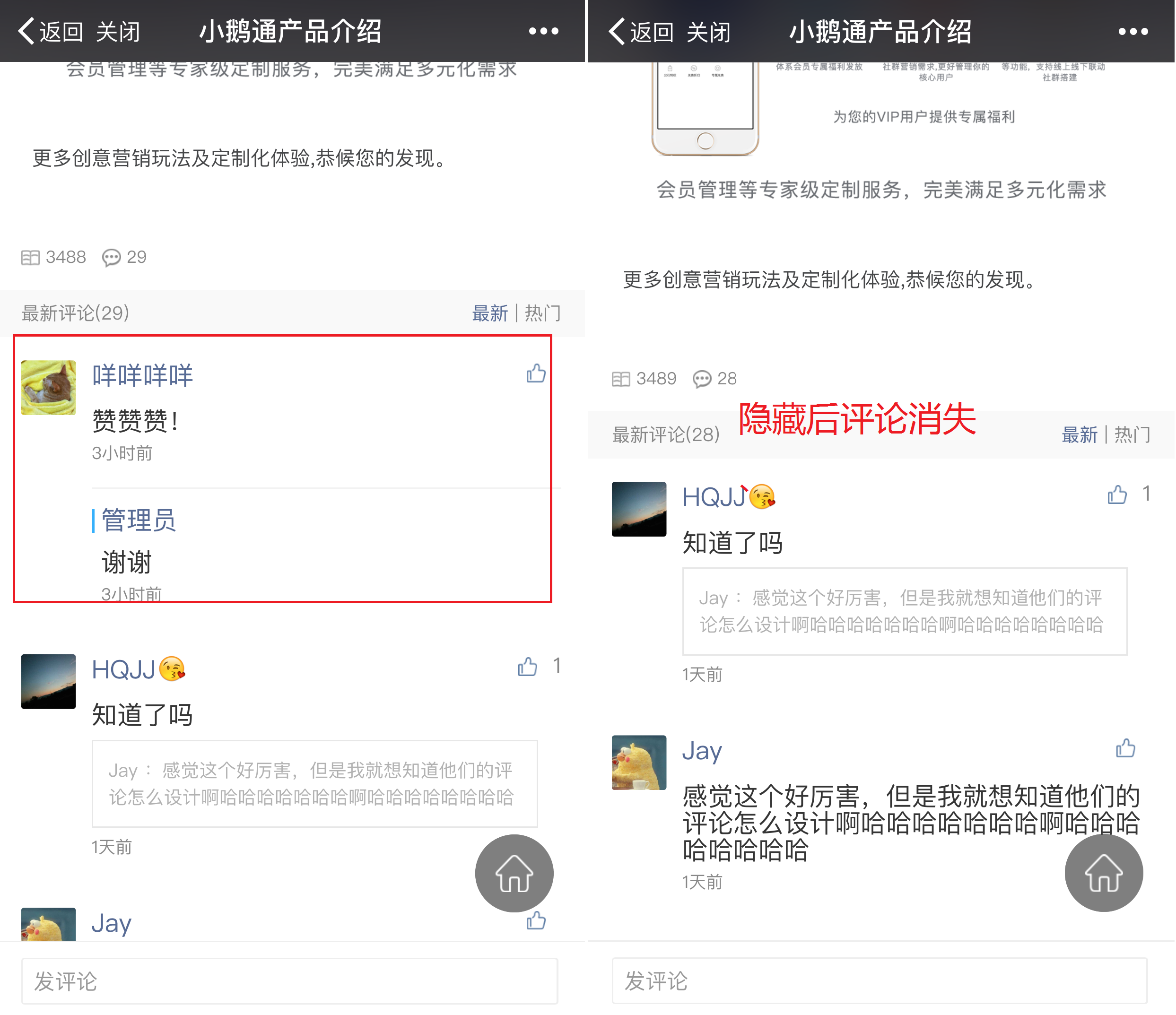
Instructions for Comment Interaction Function
Click [Courses - Comment Management] in the left sidebar of the elink Management Console, and you can view comments on all content except those in the live streaming room.
You can find the comments you want to manage by scrolling through the list or searching in the search bar.You can manage a comment by clicking 'Reply' and 'More' on the right side of the comment.
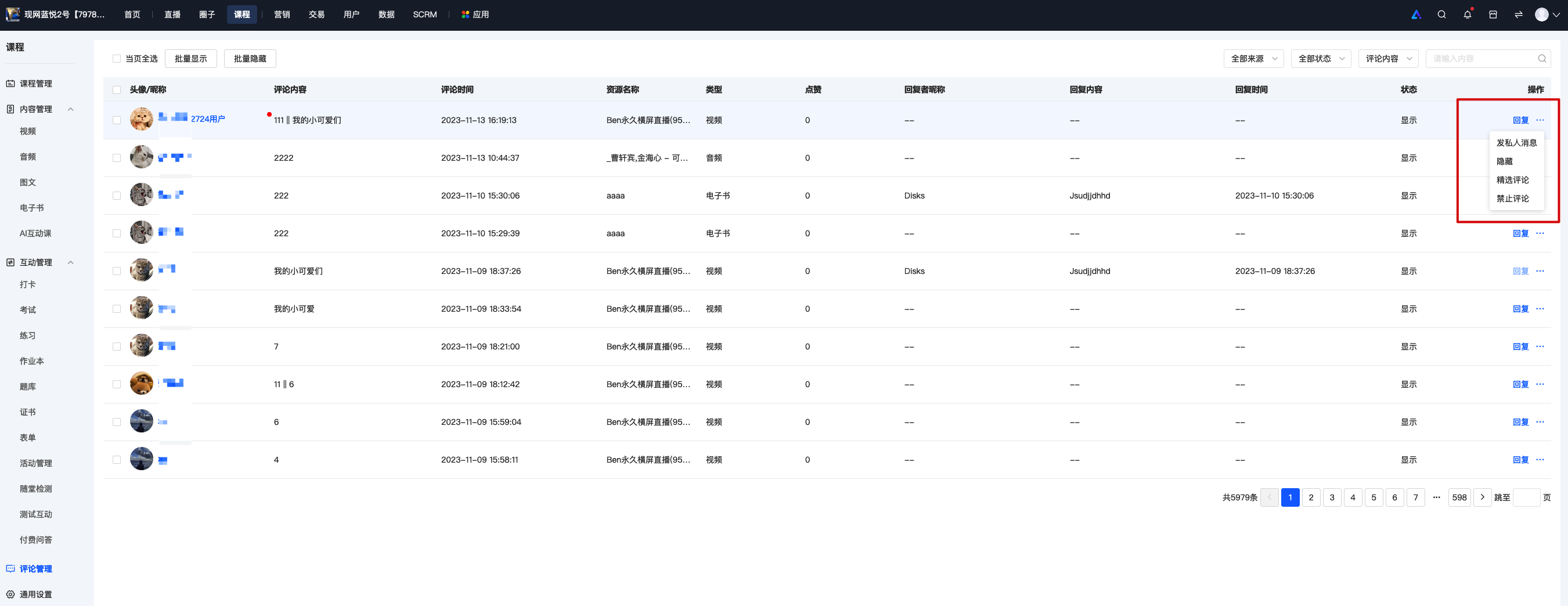
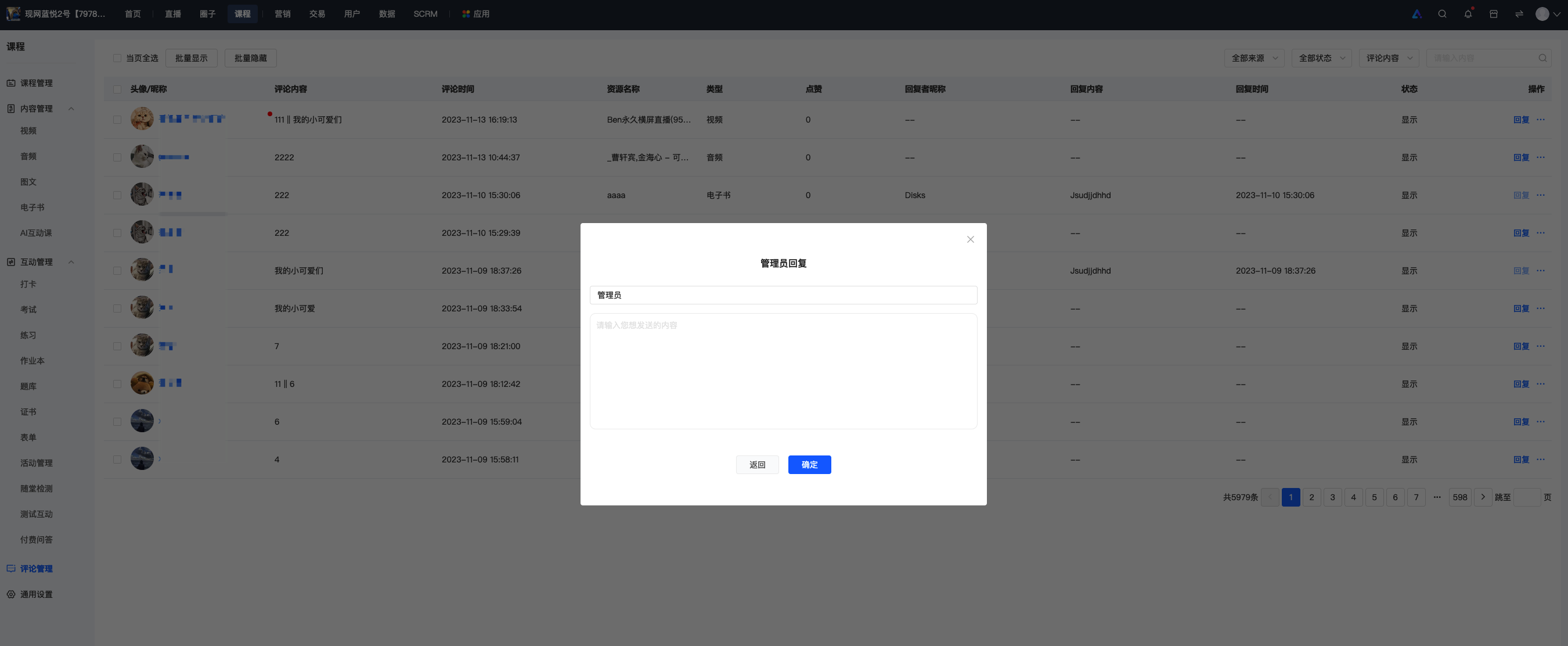
1. Click 'Reply' on the right side of the list, and you can reply to the comment.
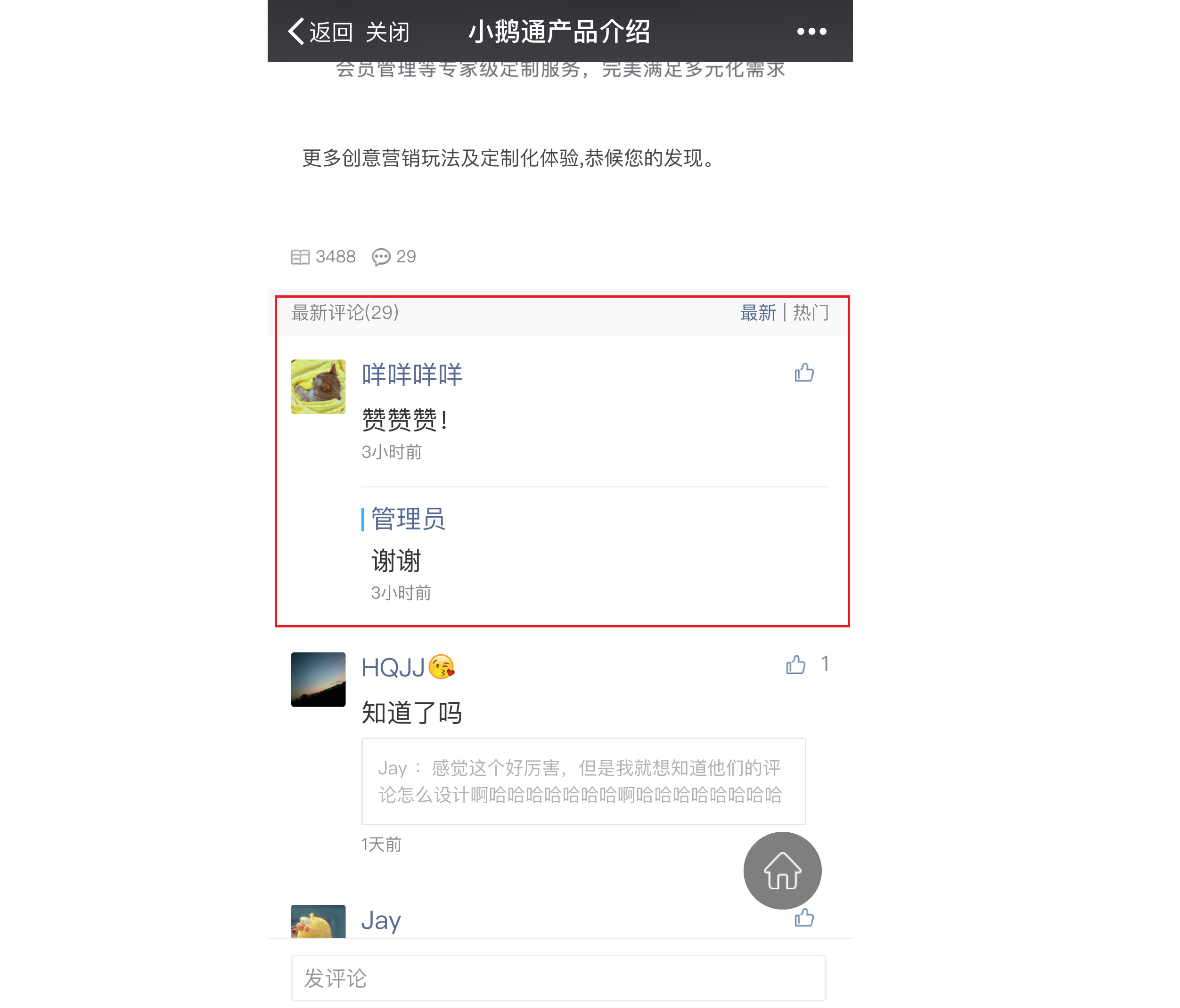
Your reply will be displayed in the comment list of the relevant content.
2. Click 'More' and select 'Send Private Message'. Your reply to the comment will be displayed in the 'Messages' list on the user's mobile device.
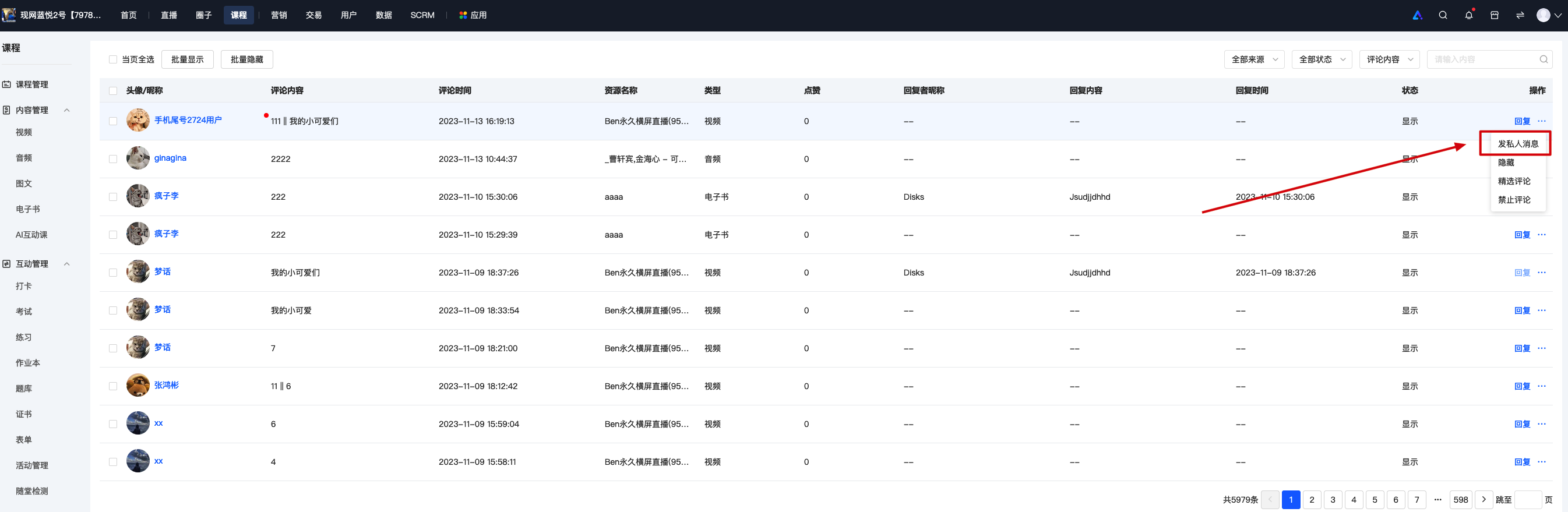
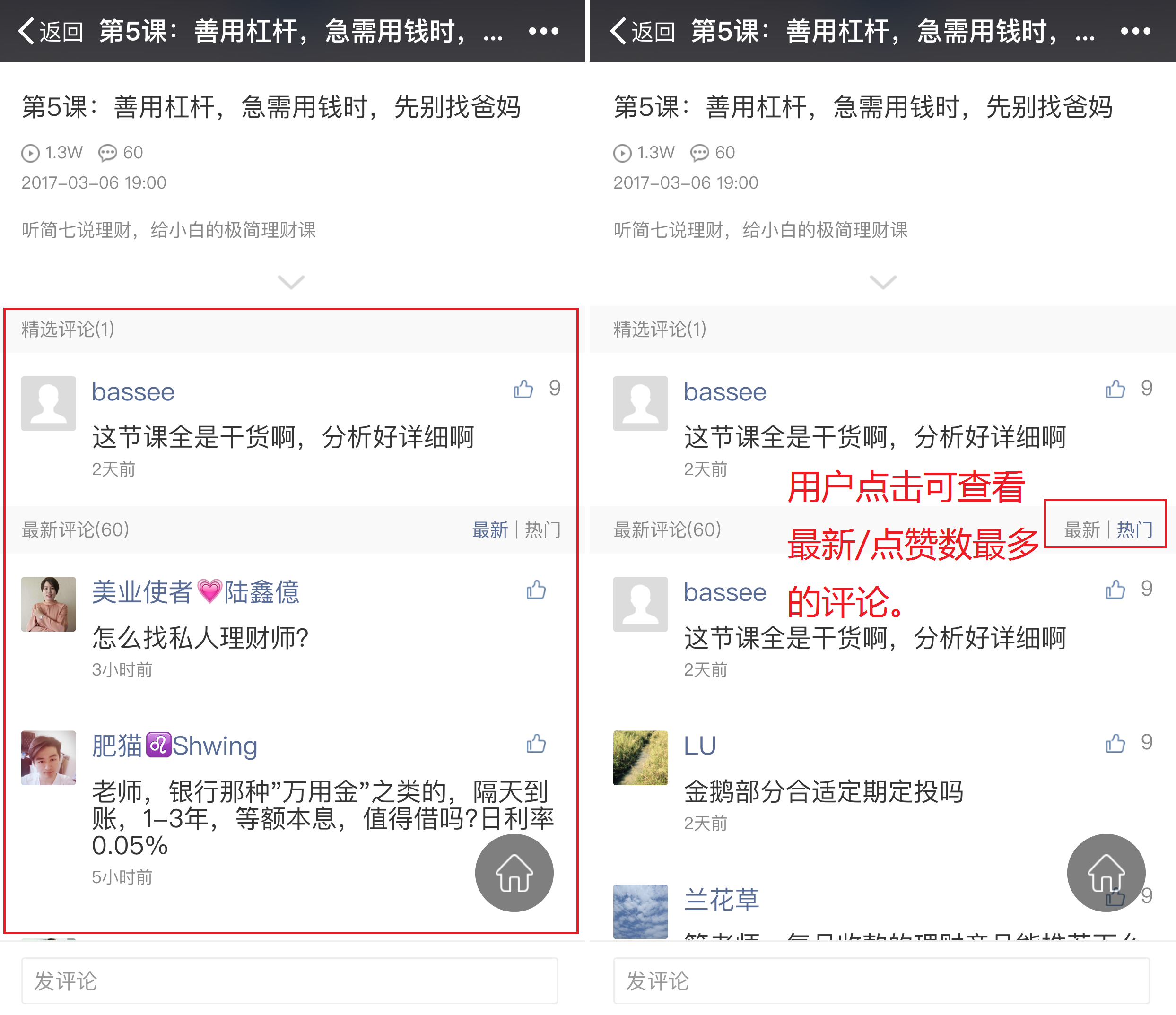
3. Click 'Feature' in 'More', and you can set featured comments.
4. Click 'Hide' in 'More', and you can hide inappropriate comments.