# What should the instructor do if they accidentally click the end class button during a class on the client side?

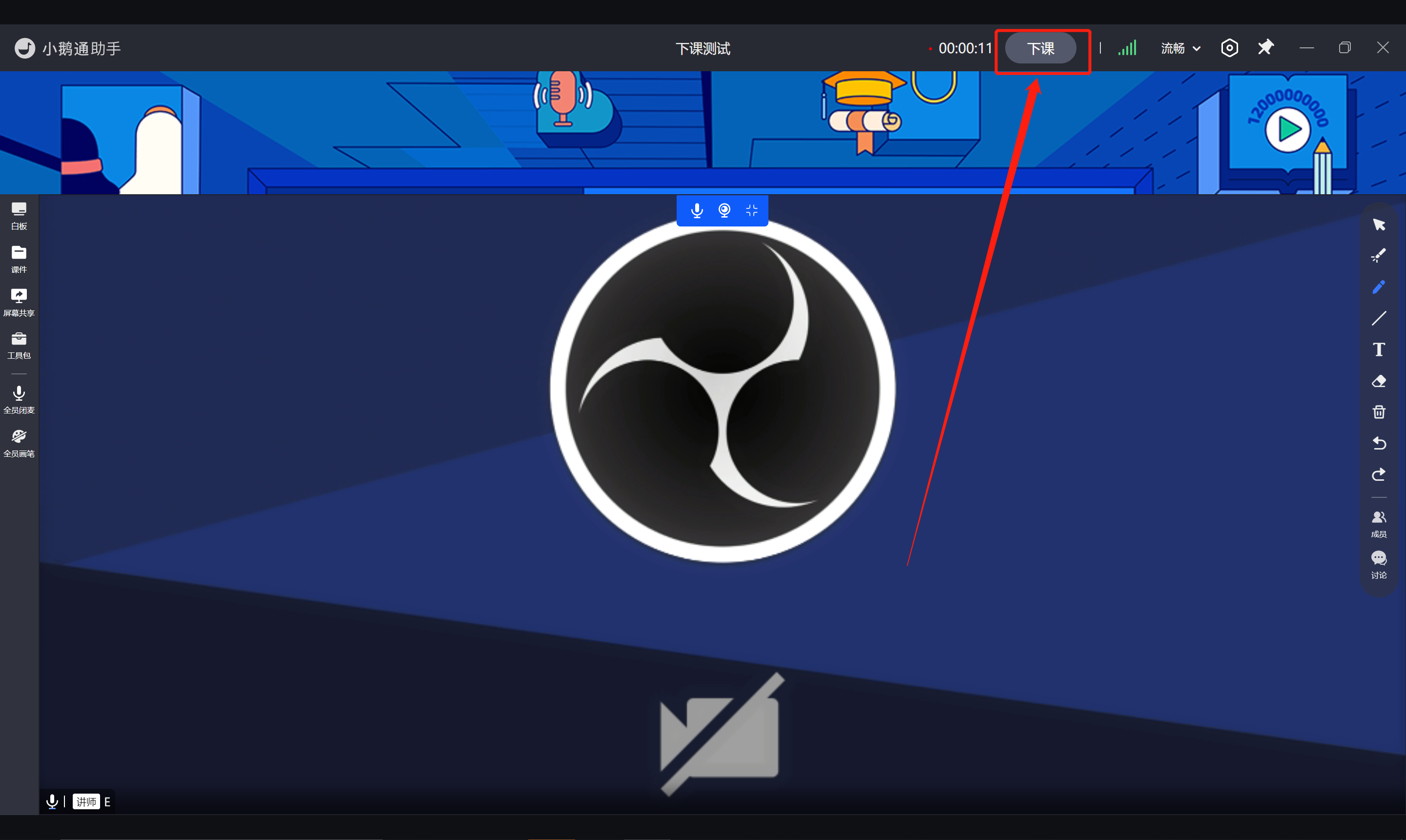
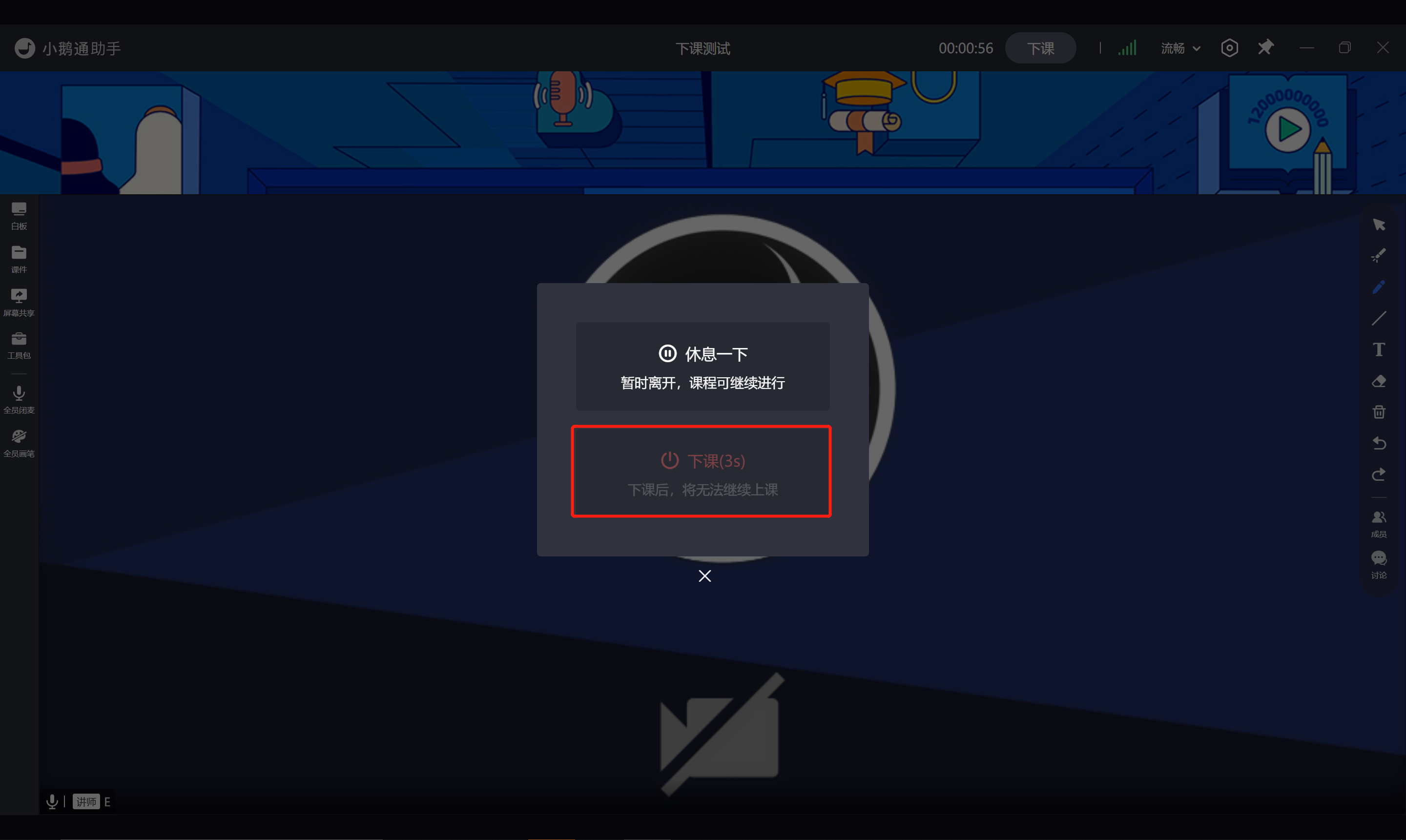
<div data-elink-language-switch="1" id="bkmrk-%E4%B8%AD%E6%96%87" style="border:1px solid #d6d9de;border-radius:6px;padding:10px 12px;margin:0 0 18px 0;background:#f8fafc;font-size:14px;">[中文](/books/68d30/page/149e9)</div><span style="font-size:15px;">After the instructor clicks the "End Class" button during the class,</span><span style="font-size:15px;">A pop-up window will appear:</span>

<span style="font-size:15px;">1. Click "Take a Break" to return to the course list page. The course will not end and you can enter it again.</span>

<span style="font-size:15px;">2. The "End Class" button will have a 5-second countdown to prevent accidental course termination.</span>

![30.png](https://wechatapppro-1252524126.file.myqcloud.com/help_document/image/ueditor/97251100_1640266649.png ".png")

![31.png](https://wechatapppro-1252524126.file.myqcloud.com/help_document/image/ueditor/78778600_1640266650.png ".png")

<span style="font-size:15px;">  
</span>

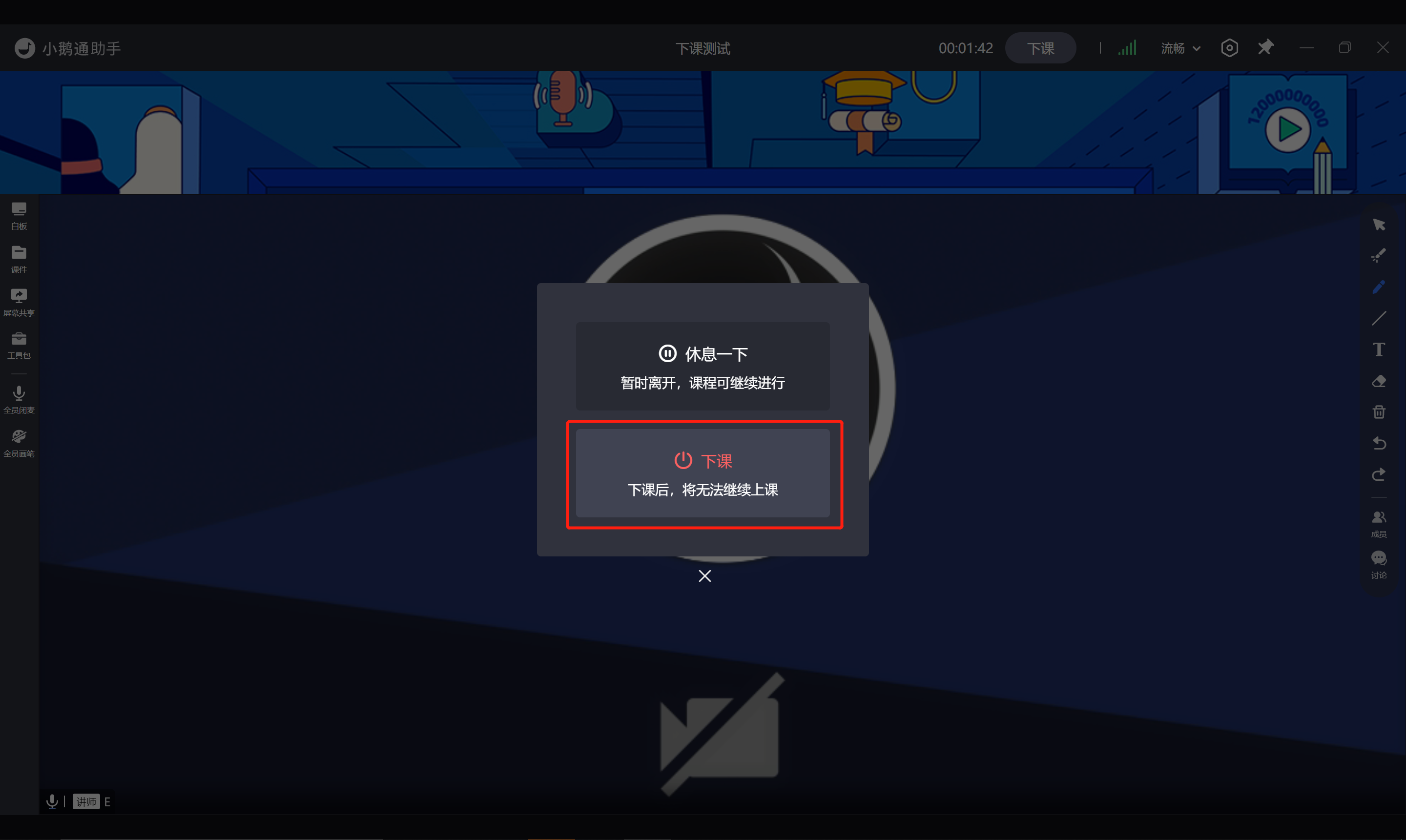
<span style="font-size:15px;">After the countdown ends, the "End Class" button will light up and can be clicked.</span>

<span style="font-size:15px;"><span style="font-size:15px;">At this time, clicking "End Class" will end the class session and you cannot start it again.</span></span>

![32.png](https://wechatapppro-1252524126.file.myqcloud.com/help_document/image/ueditor/60825700_1640266651.png ".png")

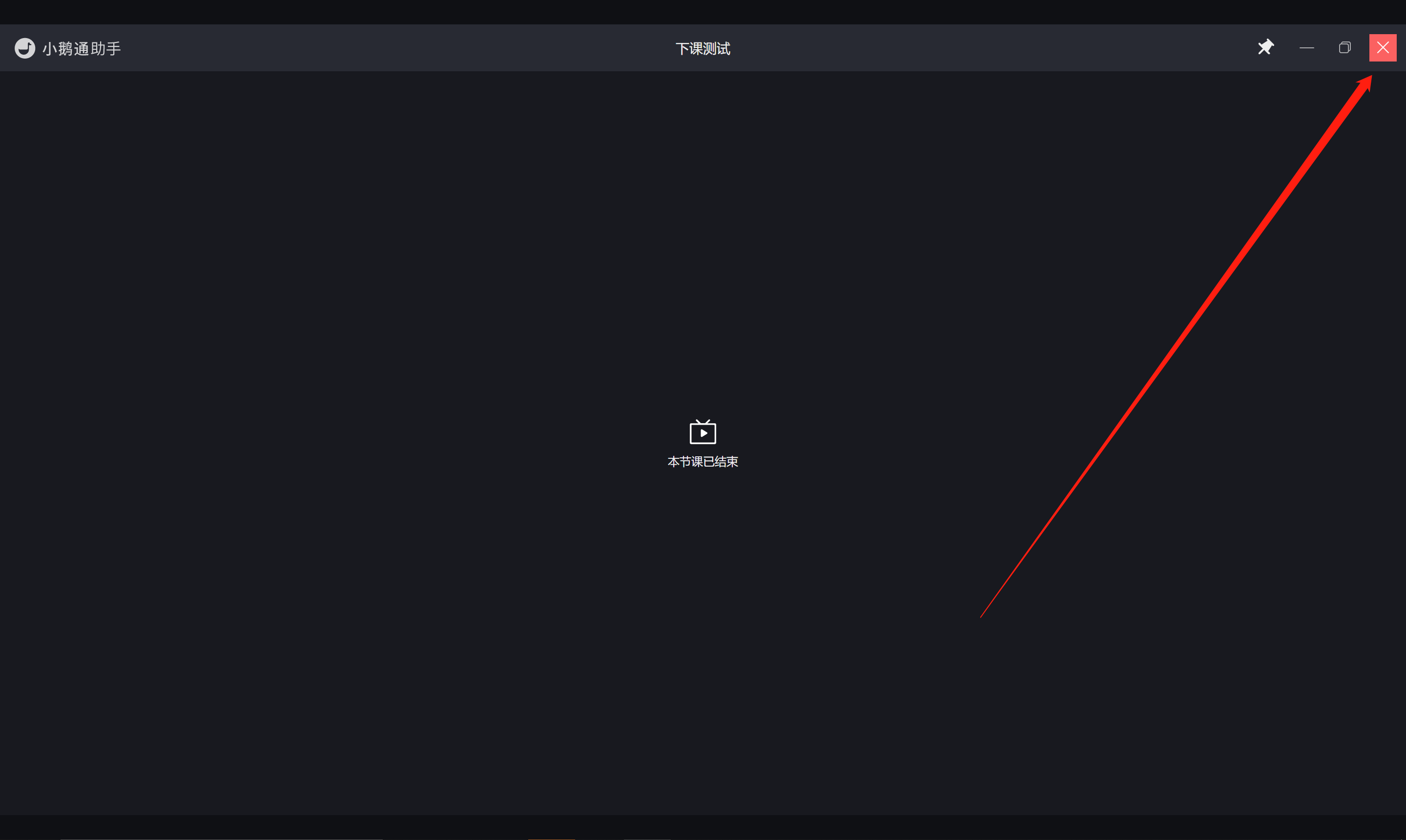
<span style="font-size:15px;"><span style="font-size:15px;">Click the top right corner to close the interface and return to the course calendar list page.</span></span>

<span style="font-size:15px;">![33.png](https://wechatapppro-1252524126.file.myqcloud.com/help_document/image/ueditor/12873500_1640266652.png ".png")</span>