Tutorial on Using Promotion Coupons/Codes
I. Function Introduction
Promoters can promote the coupons and promo codes specified by the merchant. After the learners successfully claim them, they will be bound to the promoter as customers. When customers place orders using the coupons or promo codes to enjoy the discounts, the promoter can also receive corresponding commission rewards.
II. Purpose of Use
1. Provide promoters with a novel way to acquire new customers. Promoters can help merchants distribute coupons and promo codes to users with purchase intentions, thereby increasing the redemption rate of coupons and promo codes.
2. Customers can place orders at discounted prices, and promoters can receive commission rewards, achieving mutual benefits.
III. Usage Scenarios
1. Assist in new customer acquisition: Promoter A is a new promoter for the store and needs to quickly bind a group of customers in a short period. By distributing coupons/codes in the community or on the Moments, Promoter A can quickly bind the first batch of customers.
2. Promote conversion: Promoter A has been following up with Customer B for some time, but Customer B has not placed an order. Promoter A offers a discount to Customer B by promoting coupons/codes to encourage price - sensitive customers to make a purchase.
IV. Operation Path

V. Usage Tutorial
Step 1: Specify Promotable Coupons/Codes (Management Back - end)
Specific path: Computer management console - Marketing - Promoters - Promotable Products/Tools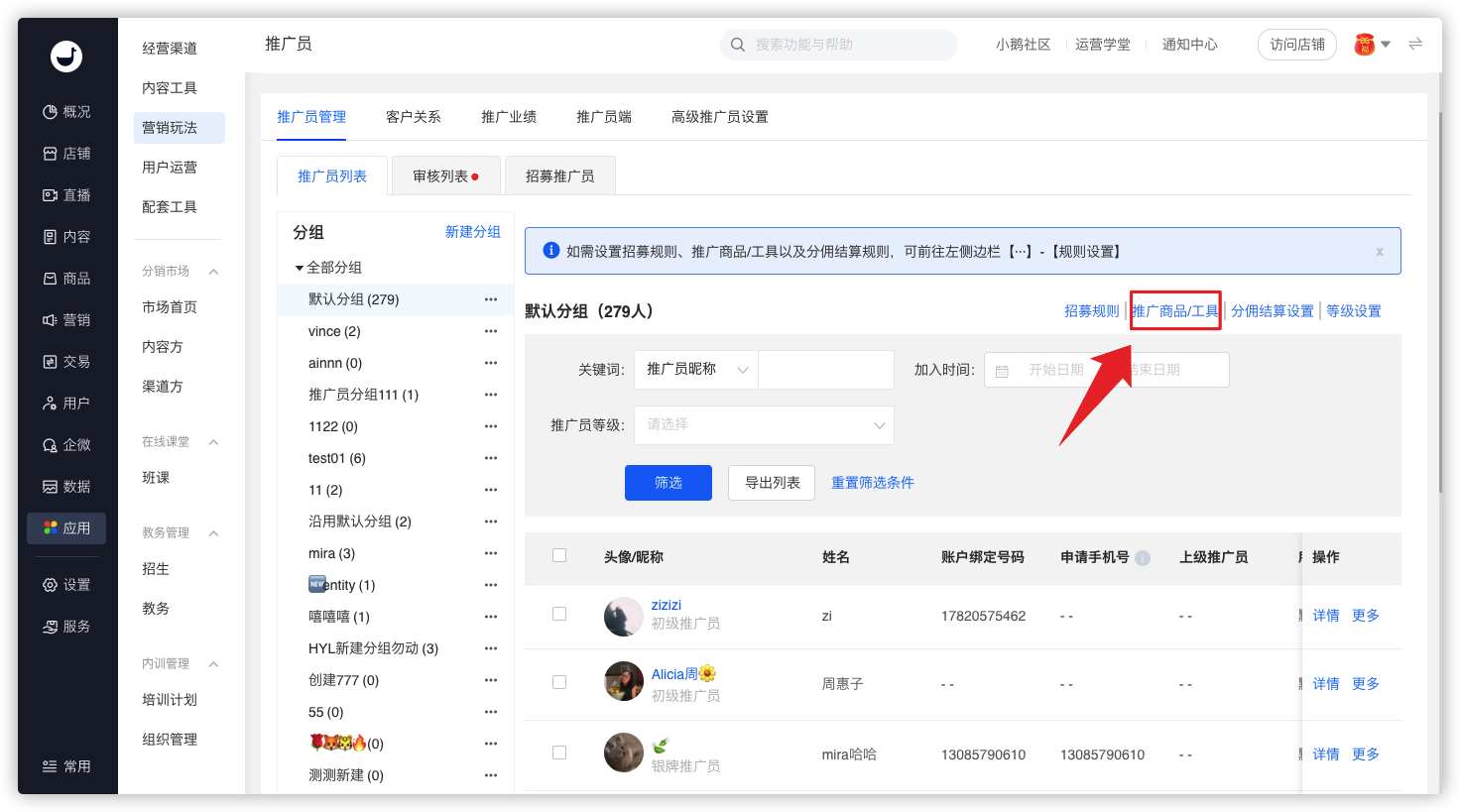
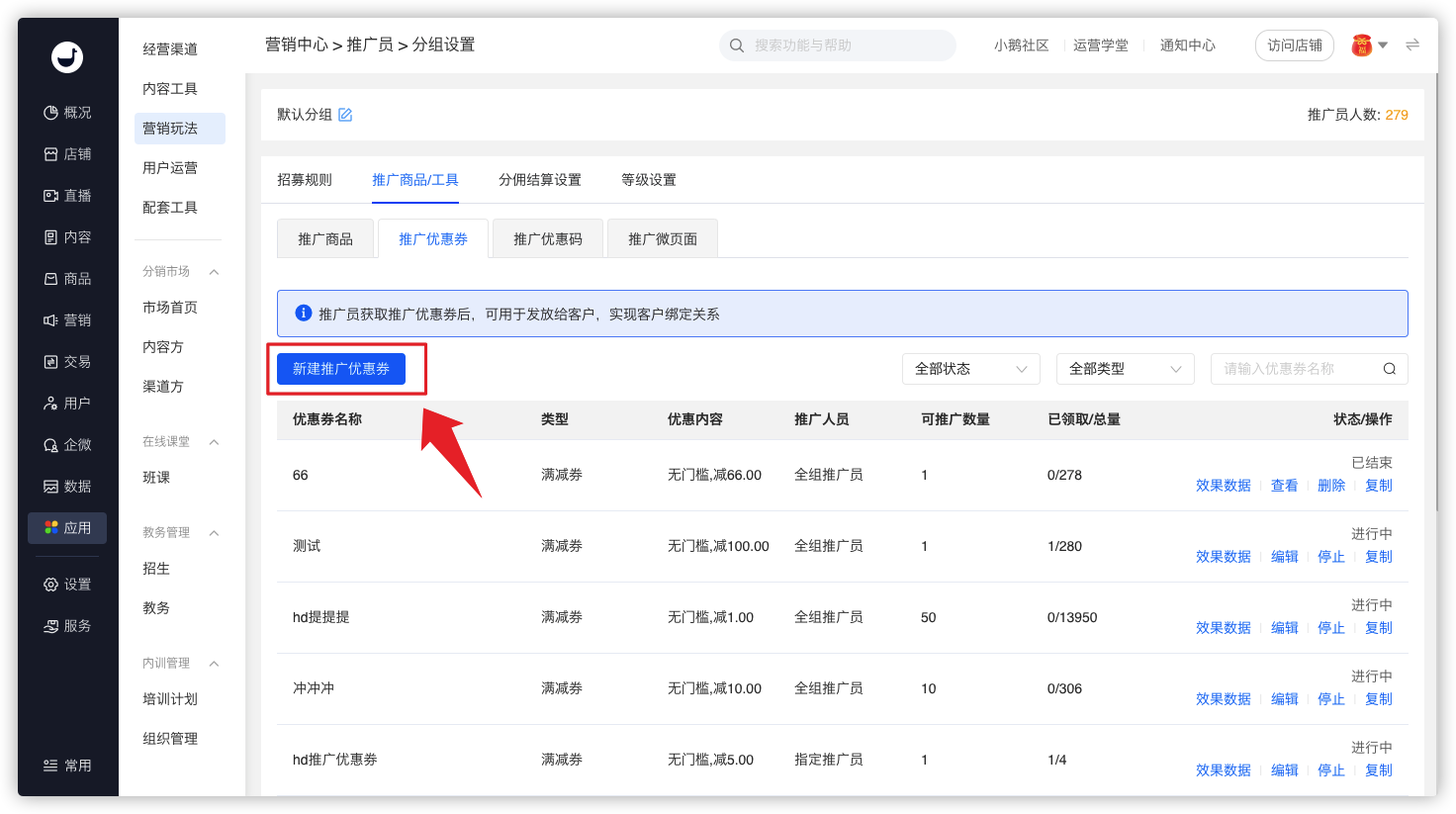
· Click [Create New Promotable Coupon] to add promotable coupons with one click.
· Click [Add Promo Code] to specify the created promo codes as promotable ones. A maximum of 50 promo codes can be specified. 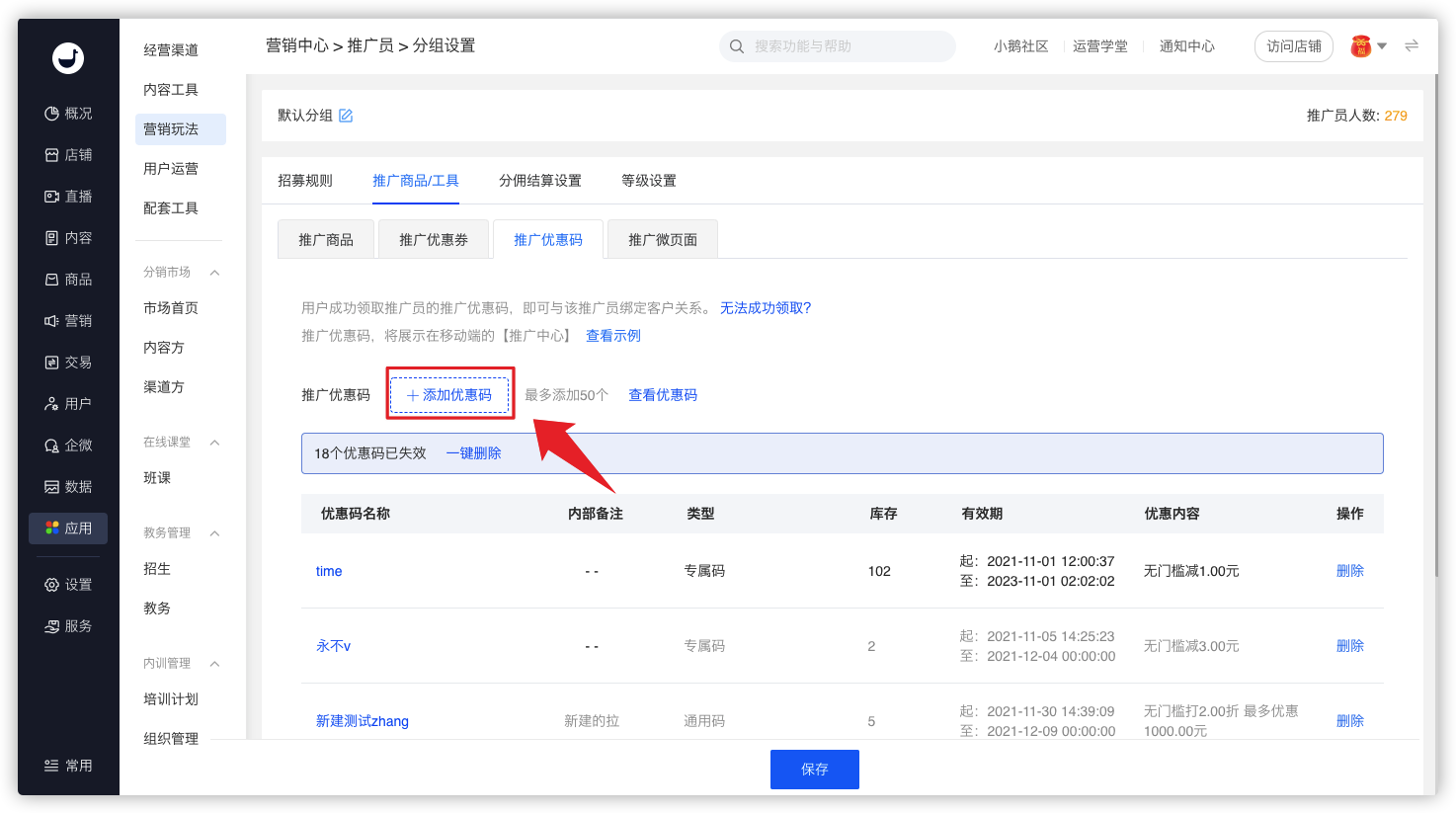
· Only promo codes with the status of [Not Started] and [In Progress] can be specified as promotable promo codes.
· Click the [Save] button at the bottom. After successful saving, the specified promotable promo codes will be synchronized to the promotion center of the H5 store.
Step 2: Promote Coupons/Codes (Promoters)


·Promoters can see the [Promote Coupons/Codes] entry in the promotion center. Click it to enter the list page of promotable coupons/codes.
·On the list page of promotable coupons/codes, select the coupons/codes with appropriate denominations or applicable product ranges. Click [Go to Promote]. Promoters can preview the claim page that users will see after opening it in advance and share the coupons/codes with learners on this page.
·The list page of promotable coupons/codes will automatically hide the expired or invalid coupons and promo codes.
Step 3: Claim Coupons/Codes and Bind the Relationship (Learners)


·When learners open the claim page, they can see the exclusive avatar and nickname of the promoter. On the coupon claim page, click [Go to Claim], or on the promo code claim page, click [Claim Now]. After successful claim, they will be bound to the promoter as customers.
·When customers place orders using the coupons or promo codes to enjoy the discounts, the promoter can also receive corresponding commission rewards.
Step 4: View Data (Management Back - end)
Merchants can view the redemption status of learners in the coupon effectiveness data and promo code effectiveness data.