How to enable users to automatically become promoters (everyone promotes)?
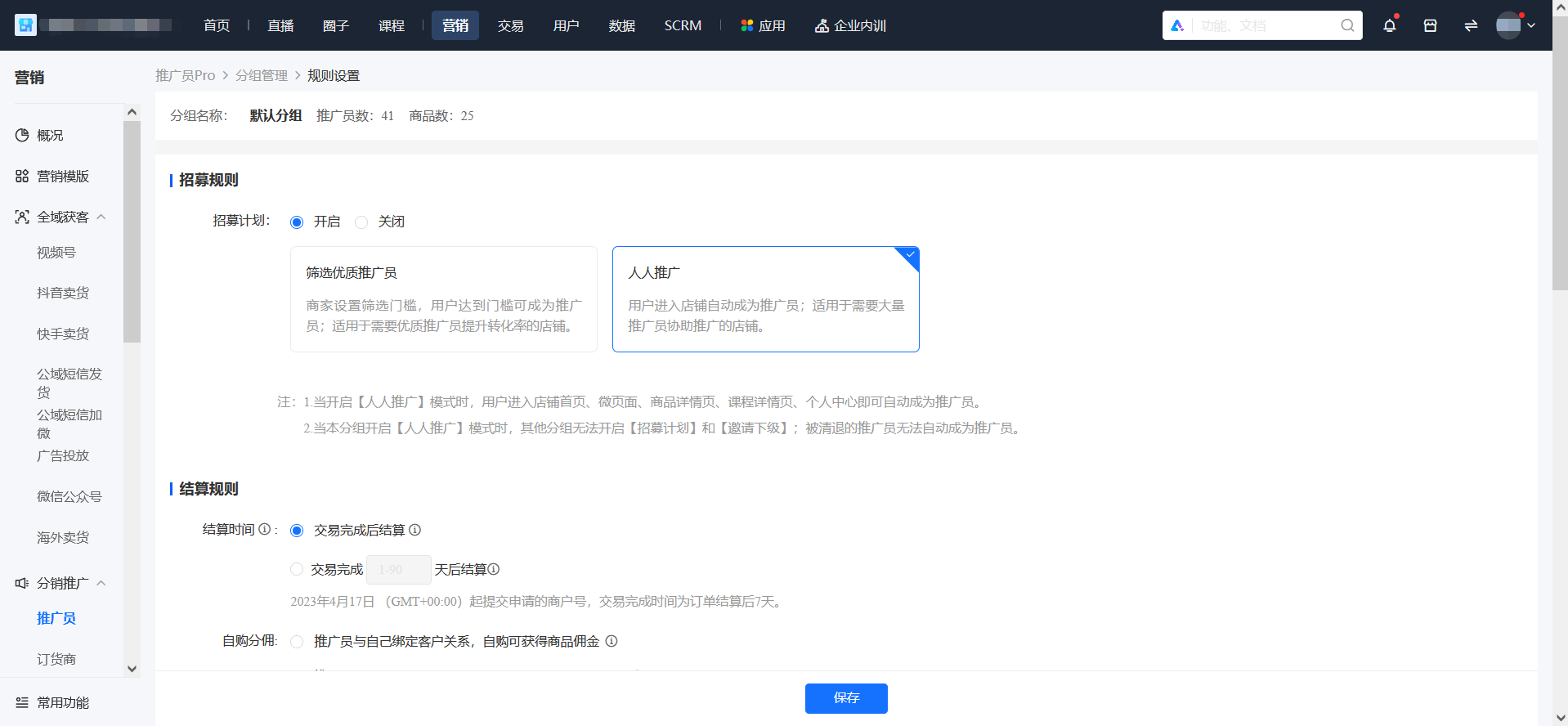
Configuration method:Click [Rule Settings] - [Recruitment Rules], then click to enable the recruitment plan. When you select the [Everyone Promotes] recruitment mode and click [Save].
How users can automatically become promoters:Users enterthe store homepage, mini pages, product detail pages, course detail pages, and personal centerandcomplete authorizationto automatically become promoters.
Precautions:
1. Inviting promoters is not supported under the Everyone Promotes mode. Existing invitation relationships will not be affected.
2. After enabling Everyone Promotes, the recruitment page will stop recruiting, and promoters who have been removed cannot trigger automatic promotion. Merchants can guide users to re - apply after disabling Everyone Promotes or manually import these users through the backend to add them as promoters again.
3. Only one group is supported to enable Everyone Promotes at most. After enabling Everyone Promotes, all automatically - added promoters will be added to this group by default.