# What should I do if the live streaming push URL for Channels fails to work?

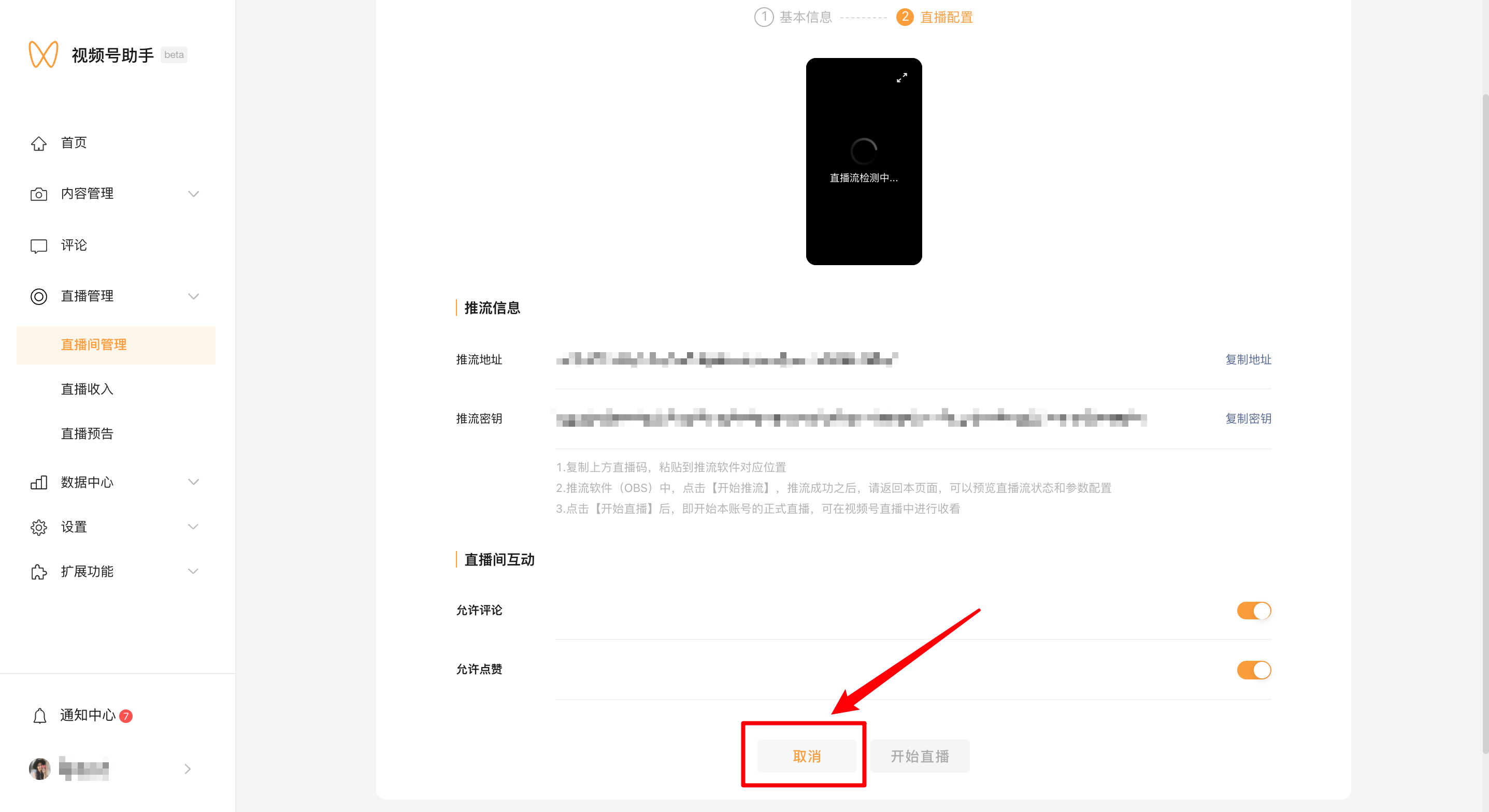
<div data-elink-language-switch="1" id="bkmrk-%E4%B8%AD%E6%96%87" style="border:1px solid #d6d9de;border-radius:6px;padding:10px 12px;margin:0 0 18px 0;background:#f8fafc;font-size:14px;">[中文](/books/091d5/page/7eabe)</div><span style="font-size:15px;">Merchants need to recreate a Channels live streaming room and obtain the streaming push address. The specific operations are as follows:</span>
<span style="font-size:15px;">1. Cancel the current live streaming room.</span>

<span style="font-size:15px;">![00.png](https://wechatapppro-1252524126.file.myqcloud.com/help_document/image/ueditor/2740100_1699362235.png ".png")</span>

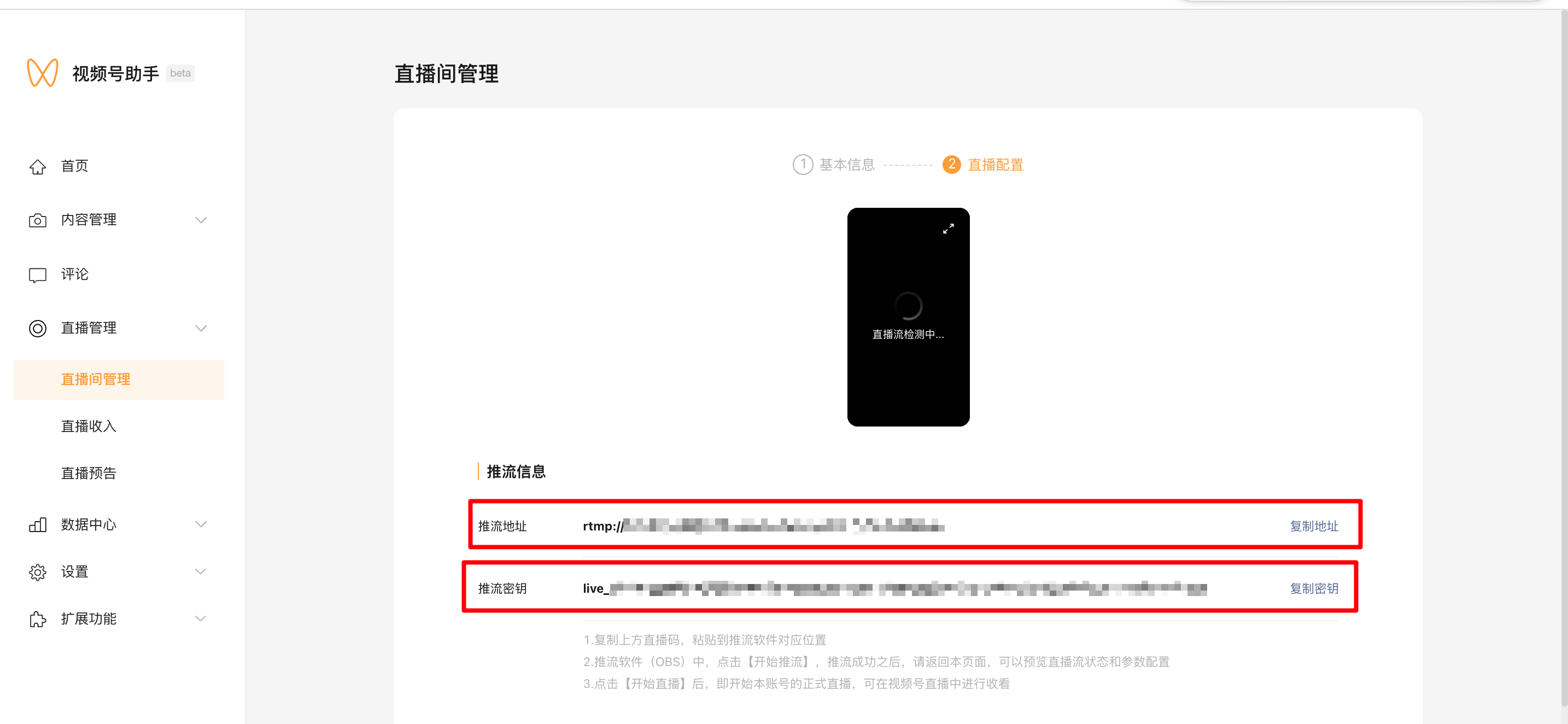
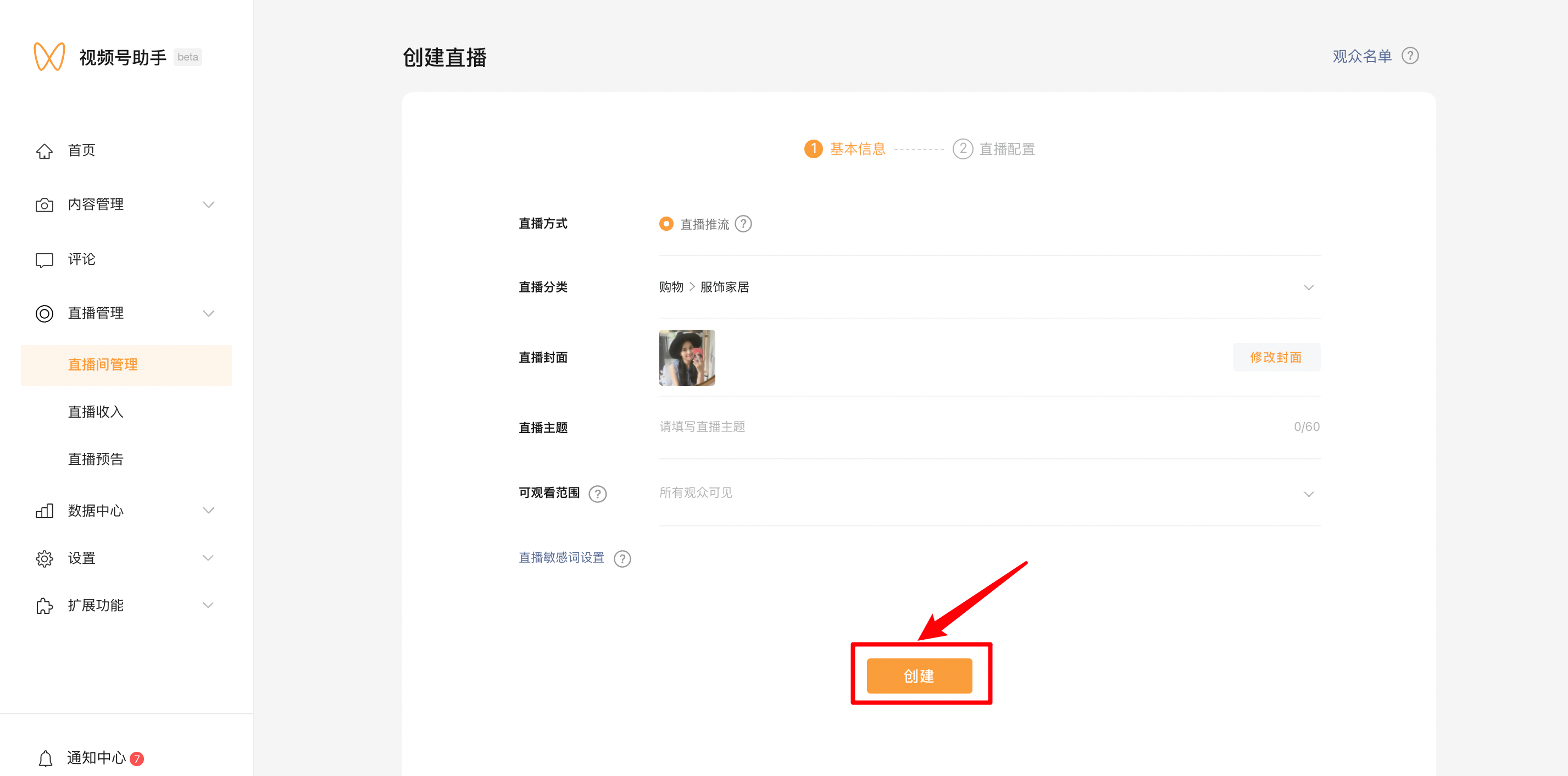
<span style="font-size:15px;">2. Recreate the live stream and obtain the streaming push address.</span>

![02.png](https://wechatapppro-1252524126.file.myqcloud.com/help_document/image/ueditor/39552000_1699362235.png ".png")

![03.png](https://wechatapppro-1252524126.file.myqcloud.com/help_document/image/ueditor/65474800_1699362235.png ".png")

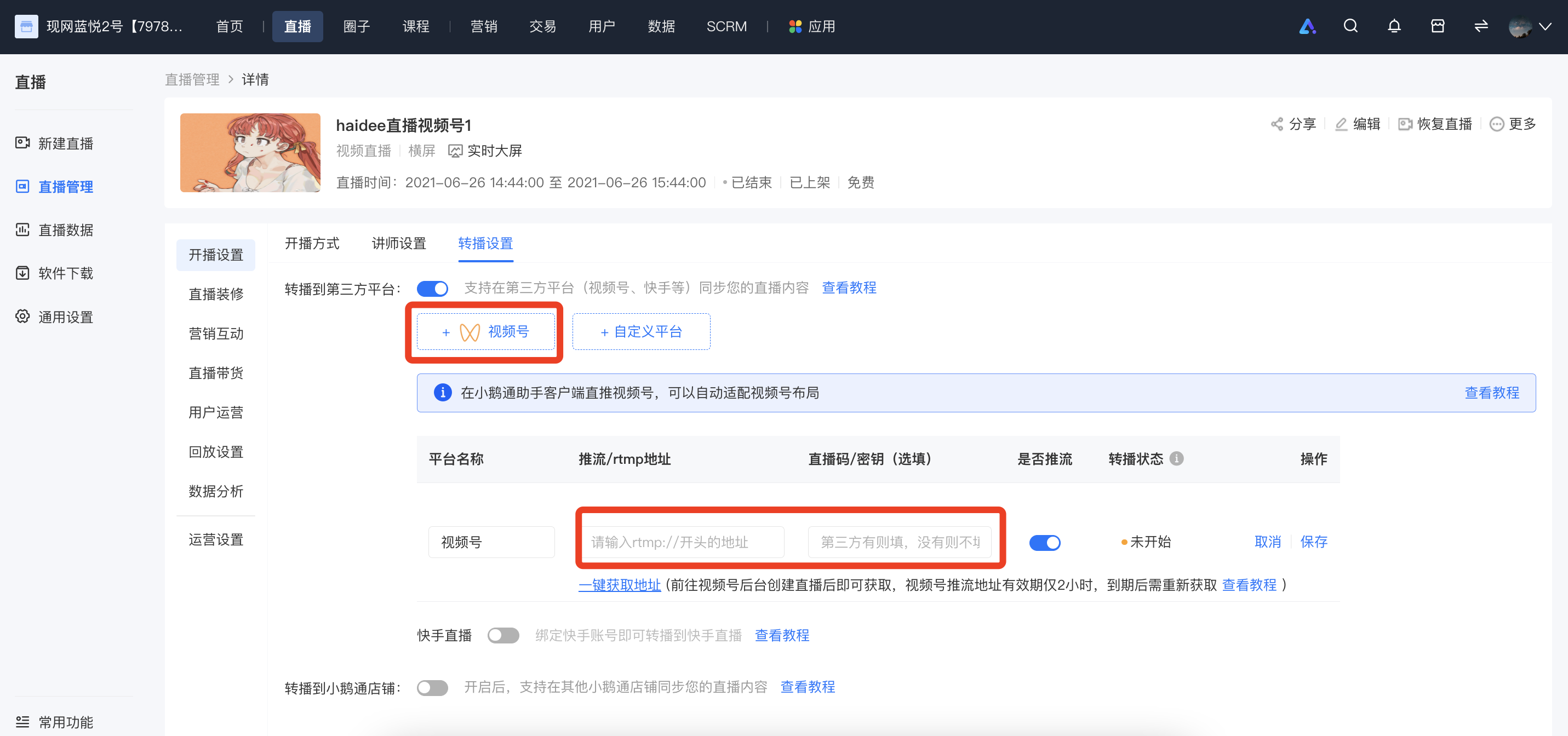
<span style="font-size:15px;">3. Replace the streaming push address with the latest one.</span>

<span style="font-size:15px;">![image.png](https://wechatapppro-1252524126.file.myqcloud.com/help_document/image/ueditor/55932300_1699362235.png ".png")</span>