# Tutorial on Using the Playback Validity Period Function

<div data-elink-language-switch="1" id="bkmrk-%E4%B8%AD%E6%96%87" style="border:1px solid #d6d9de;border-radius:6px;padding:10px 12px;margin:0 0 18px 0;background:#f8fafc;font-size:14px;">[中文](/books/091d5/page/d3957-6zd)</div>**<span style="font-size:17px;">I. Feature Introduction</span>**

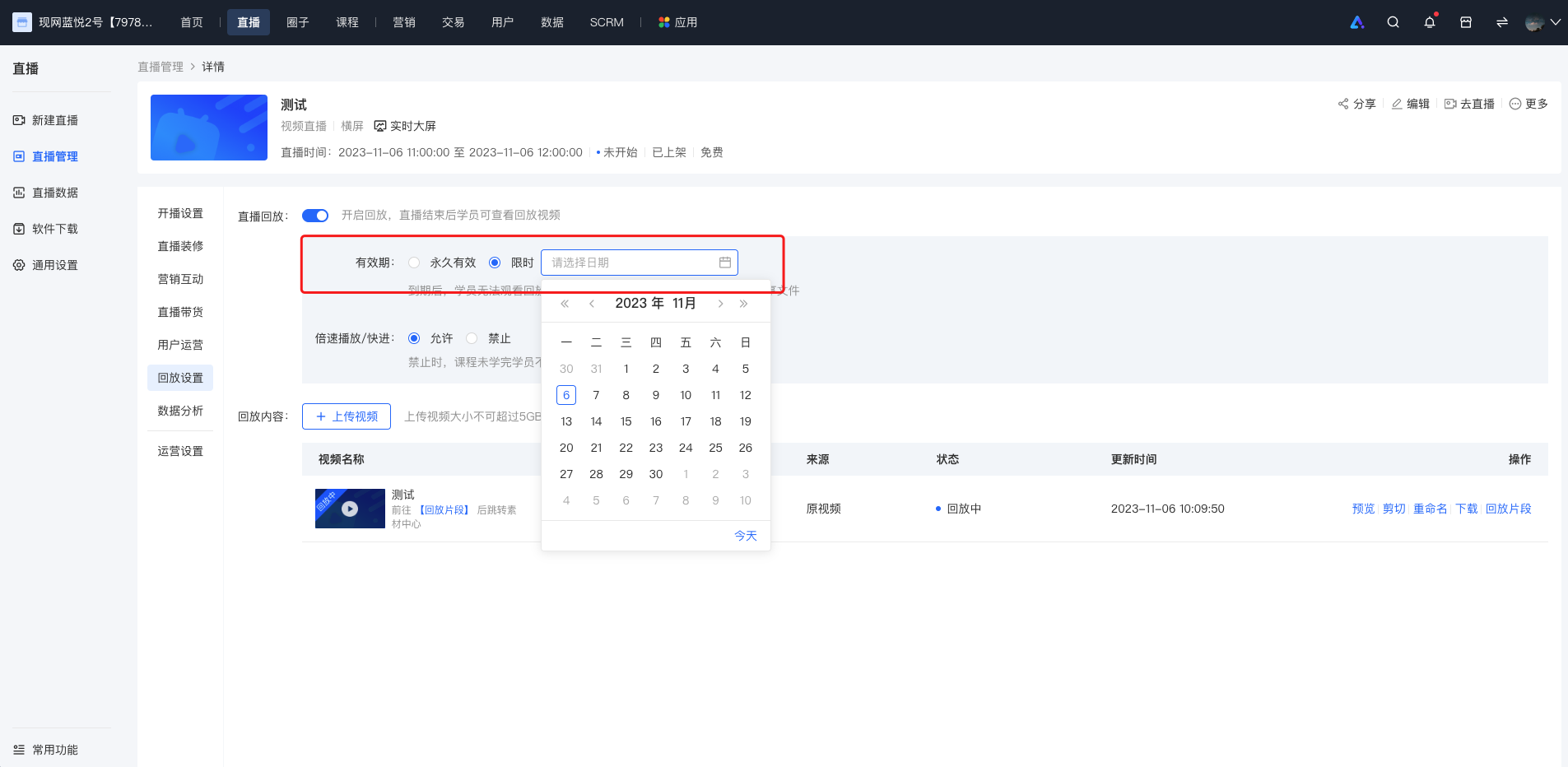
<span style="font-size:14px;">Merchants can set the validity period of the replay. They can control the viewing duration of students by selecting the \[Limited Time\] option on the replay settings interface or the live course editing page and specifying the expiration date of the replay.</span>

<span style="font-size:14px;">  
</span>

**<span style="font-size:17px;">II. Purpose of Use</span>**

<span style="font-size:14px;">To meet the merchants' needs to encourage students to watch the content promptly and improve the viewing rate.</span>

<span style="font-size:14px;">  
</span>

**<span style="font-size:17px;">III. Usage Scenarios</span>**

<span style="font-size:14px;">Merchants notice that students are lazy and lack motivation in learning. They hope to urge students to study the purchased courses by setting a validity period for the replay.</span>

**<span style="font-size:17px;">IV. Operation Path</span>**

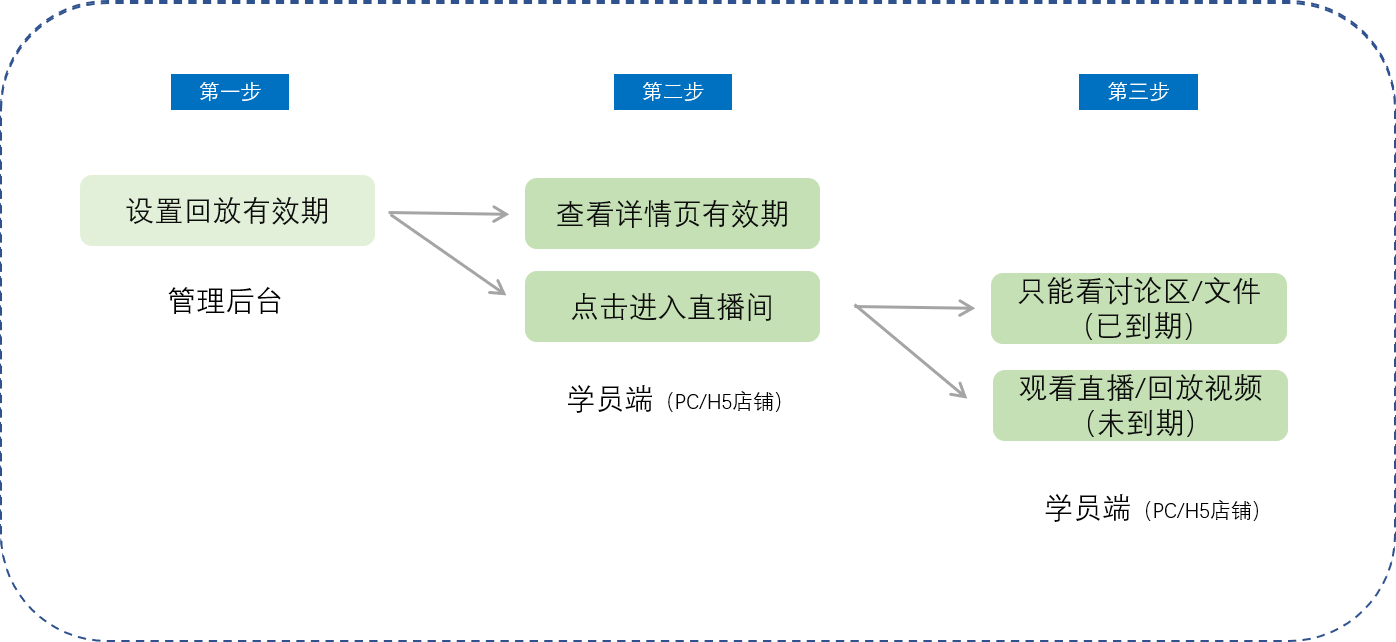
<span style="font-size:14px;">Merchant side: Merchant backend</span>

<span style="font-size:14px;">Student side: Live room details page → Enter the live broadcast</span>

**<span style="font-size:17px;">V. Usage Tutorial</span>**

![1.png](https://wechatapppro-1252524126.file.myqcloud.com/help_document/image/ueditor/92507000_1699238248.png ".png")

<span style="font-size:14px;">  
</span>

**<span style="font-size:14px;">Step 1: Set the replay validity period (Management backend)</span>**

**<span style="font-size:14px;">![image.png](https://wechatapppro-1252524126.file.myqcloud.com/help_document/image/ueditor/90481700_1699238248.png ".png")</span>**

**<span style="font-size:14px;">  
</span>**

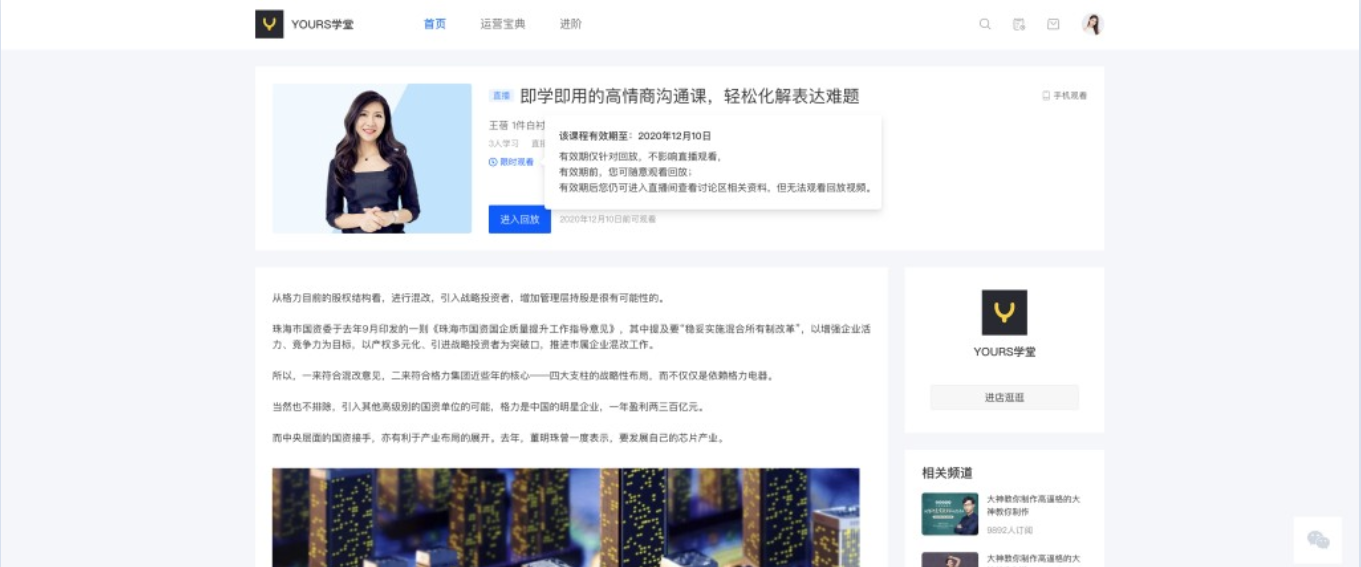
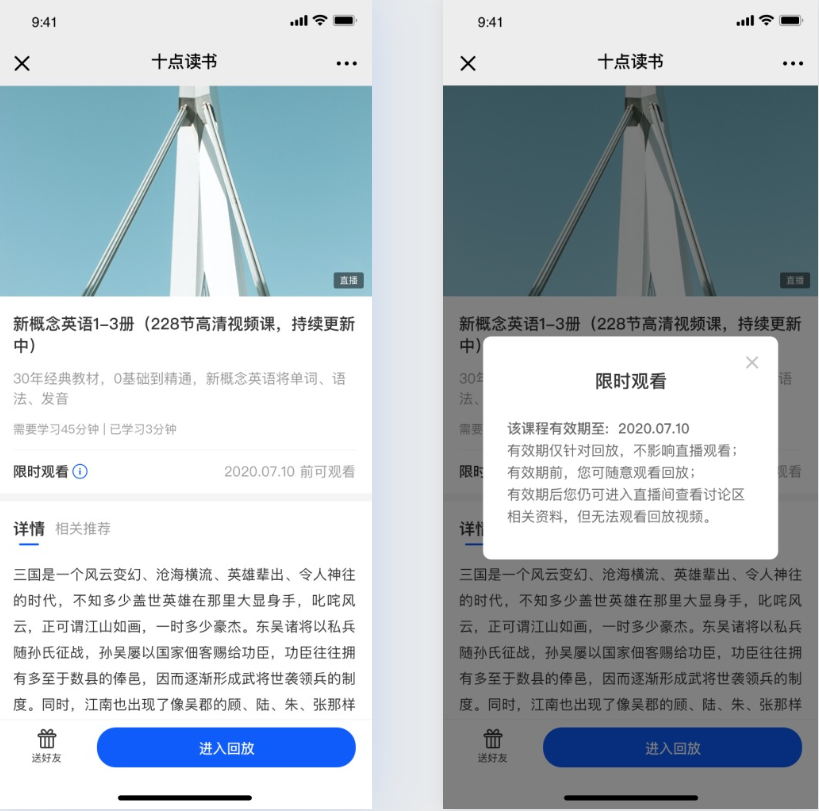
**<span style="font-size:14px;">Step 2: Check the validity period on the details page (Student PC/H5 store)</span>**

![3.png](https://wechatapppro-1252524126.file.myqcloud.com/help_document/image/ueditor/38094200_1699238249.png ".png")

<span style="font-size:14px;">PC student store</span>

![4.png](https://wechatapppro-1252524126.file.myqcloud.com/help_document/image/ueditor/71347200_1699238249.png ".png")

<span style="font-size:14px;">**H5 student store**</span>

**<span style="font-size:14px;">Step 3: Enter the live room (Student PC/H5 store)</span>**

<span style="font-size:14px;">When the replay is still within the validity period, students can watch the replay video normally without any issues.</span>

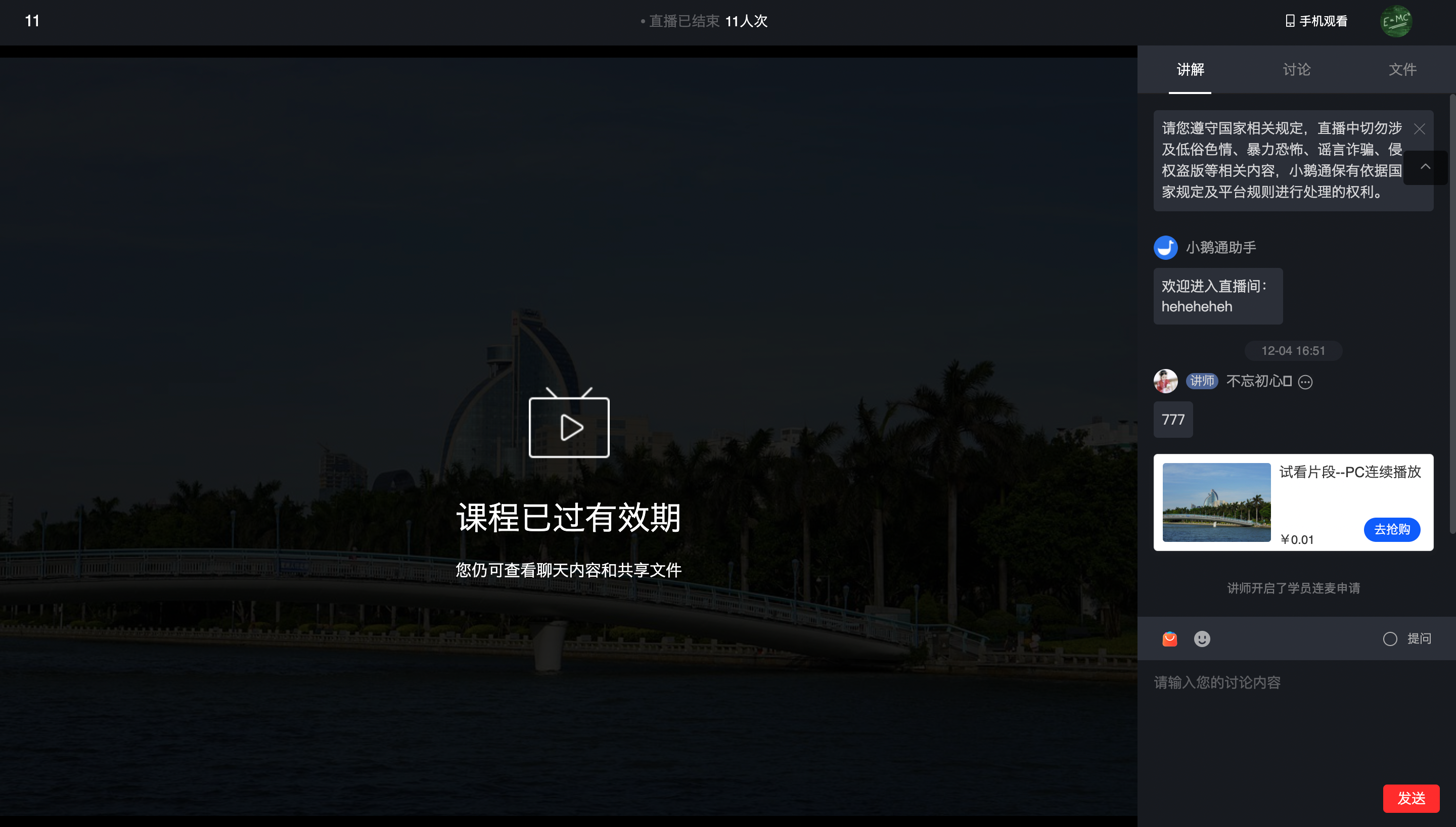
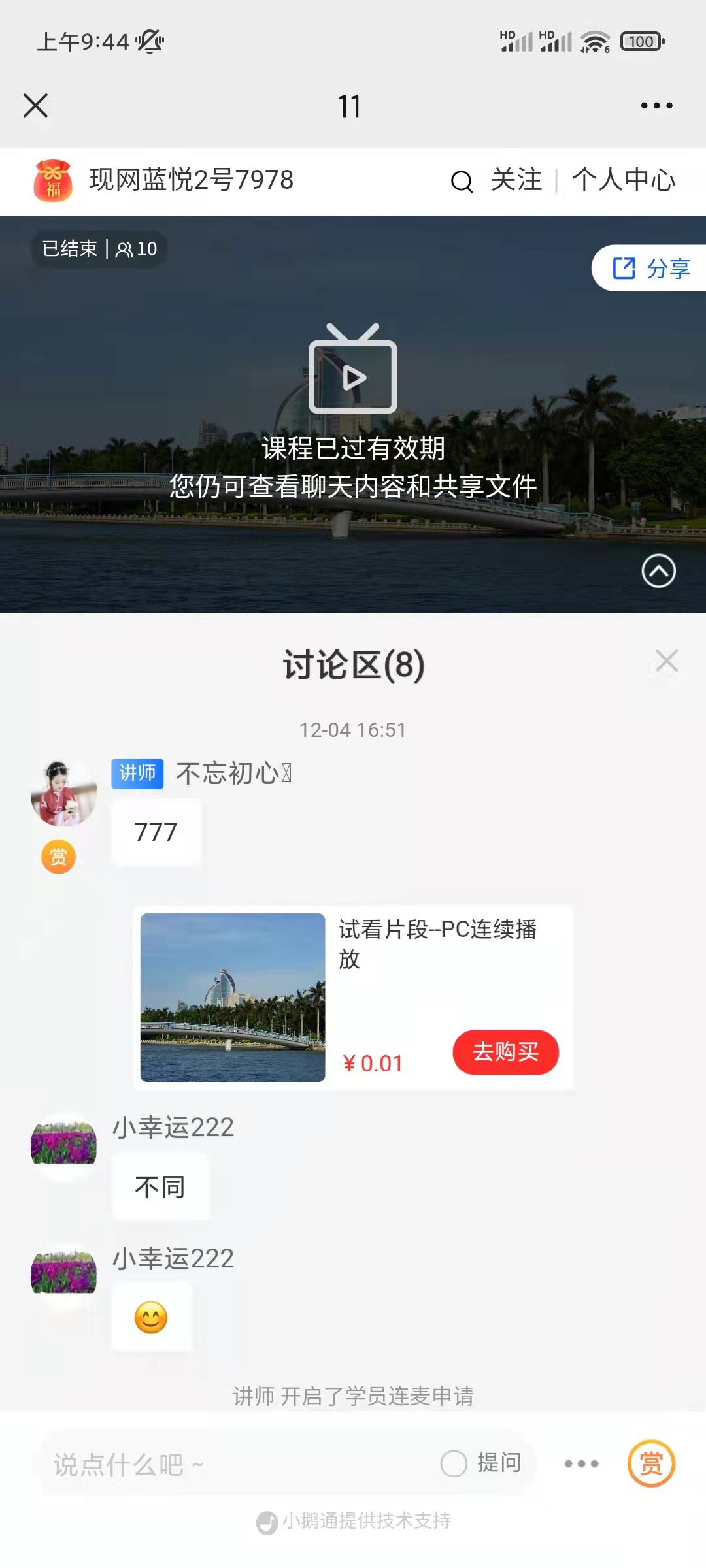
<span style="font-size:14px;">When the replay has expired and students enter the live room:</span>

<span style="font-size:14px;">![image.png](https://wechatapppro-1252524126.file.myqcloud.com/help_document/image/ueditor/27963700_1699238250.png ".png")</span>

**<span style="font-size:14px;">PC student store</span>**

**<span style="font-size:14px;">  
</span>**

<span style="font-size:14px;">![image.png](https://wechatapppro-1252524126.file.myqcloud.com/help_document/image/ueditor/59974800_1699238250.png ".png")</span>

<span style="font-size:14px;">**H5 student store**</span>

<span style="font-size:14px;"></span>