# Tutorial on Setting the Live Streaming Room Cover

<div data-elink-language-switch="1" id="bkmrk-%E4%B8%AD%E6%96%87" style="border:1px solid #d6d9de;border-radius:6px;padding:10px 12px;margin:0 0 18px 0;background:#f8fafc;font-size:14px;">[中文](/books/091d5/page/14294)</div>**<span style="font-size:17px;"><span style="font-family:Cambria;">I.</span><span style="font-family:'微软雅黑', sans-serif;">Function Introduction</span></span>**

<span style="background-color:rgb(255,255,255);color:rgb(53,53,53);font-family:'宋体', 'Helvetica Neue', Helvetica, 'PingFang SC', 'Microsoft YaHei', 'Source Han Sans SC', 'Noto Sans CJK SC', 'WenQuanYi Micro Hei', sans-serif;font-size:10.5pt;letter-spacing:0pt;">Cover Settings for the Live Streaming Room</span>

<span style="font-size:11pt;font-family:'Helvetica Neue', Helvetica, 'PingFang SC', 'Microsoft YaHei', 'Source Han Sans SC', 'Noto Sans CJK SC', 'WenQuanYi Micro Hei', sans-serif;color:rgb(51,51,51);background-image:initial;background-position:initial;background-size:initial;background-repeat:initial;background-attachment:initial;letter-spacing:0pt;vertical-align:baseline;"></span>

<span style="font-family:'PingFang SC', 'Microsoft YaHei', '黑体', '宋体', sans-serif;font-size:14px;white-space:pre-line;background-color:rgb(250,250,250);"></span>

**<span style="font-family:'宋体';font-size:17px;"><span style="font-family:Cambria;">II.</span><span style="font-family:'微软雅黑', sans-serif;">Purpose of Use</span></span>**

<span style="font-size:10.5pt;font-family:'宋体', 'Helvetica Neue', Helvetica, 'PingFang SC', 'Microsoft YaHei', 'Source Han Sans SC', 'Noto Sans CJK SC', 'WenQuanYi Micro Hei', sans-serif;background-image:initial;background-position:initial;background-size:initial;background-repeat:initial;background-attachment:initial;letter-spacing:0pt;vertical-align:baseline;">Display the page effect of the live streaming room and package the live streaming room.</span>

**<span style="font-family:'宋体';font-size:17px;"><span style="font-family:Cambria;">III.</span><span style="font-family:'微软雅黑', sans-serif;">Usage Scenarios</span></span>**

<span style="font-size:14px;font-family:'宋体';"><span style="font-family:'PingFang SC', 'Microsoft YaHei', '黑体', '宋体', sans-serif;font-size:14px;white-space:pre-line;background-color:rgb(250,250,250);">Cover settings for video live streaming, audio live streaming, and recorded live streaming.</span></span>

**<span style="font-family:'宋体';font-size:17px;"><span style="font-family:Cambria;">IV.</span><span style="font-family:'微软雅黑', sans-serif;">Usage Tutorial</span></span>**

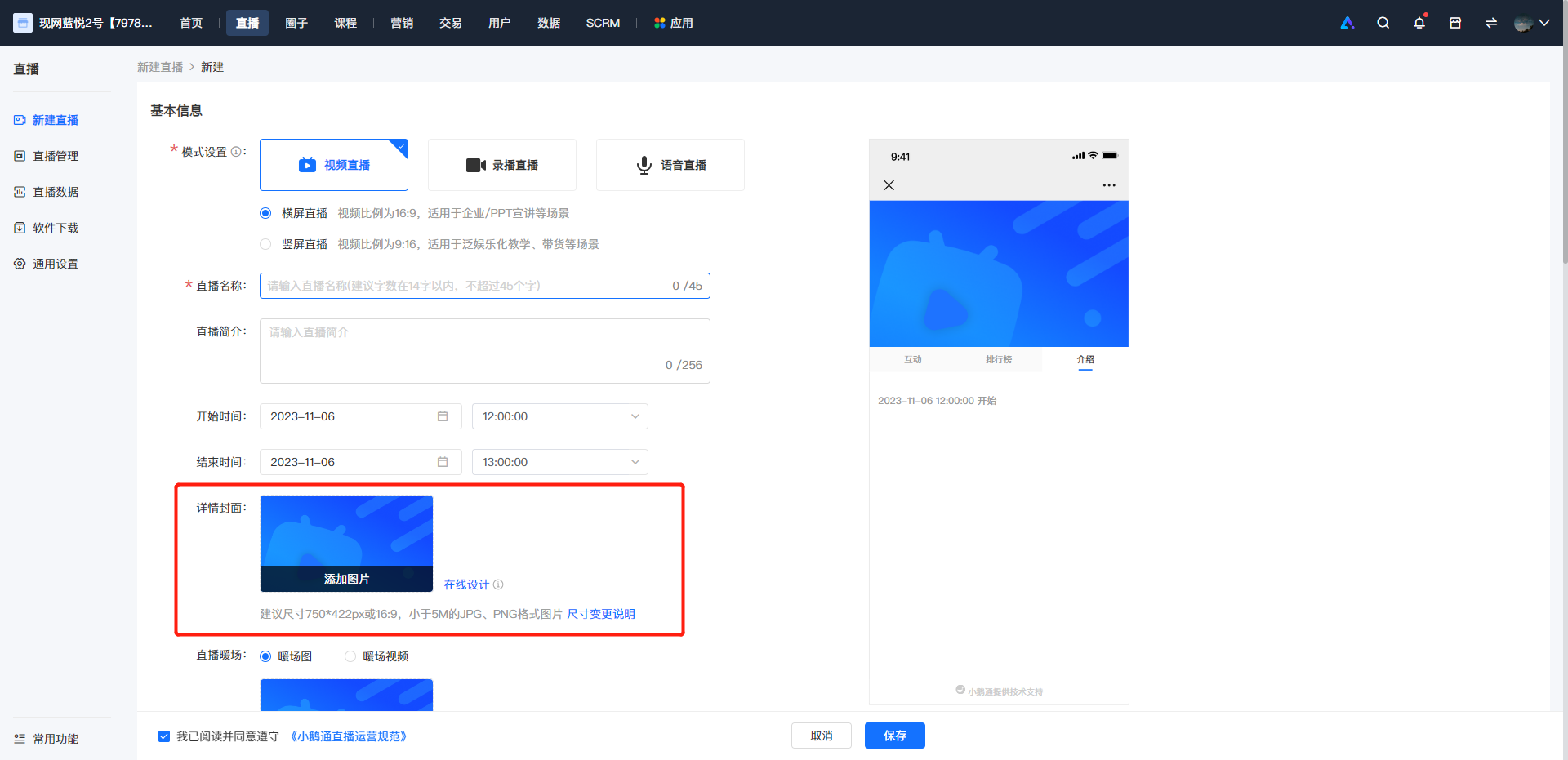
<span style="font-size:14px;"><span style="font-family:'微软雅黑', serif;">1.</span><span style="font-family:'微软雅黑';">Upload the cover on the page for creating a new live stream.</span></span>

<span style="font-size:14px;"><span style="font-family:'微软雅黑', serif;">![image.png](https://wechatapppro-1252524126.file.myqcloud.com/help_document/image/ueditor/88046600_1699240546.png ".png")</span></span>

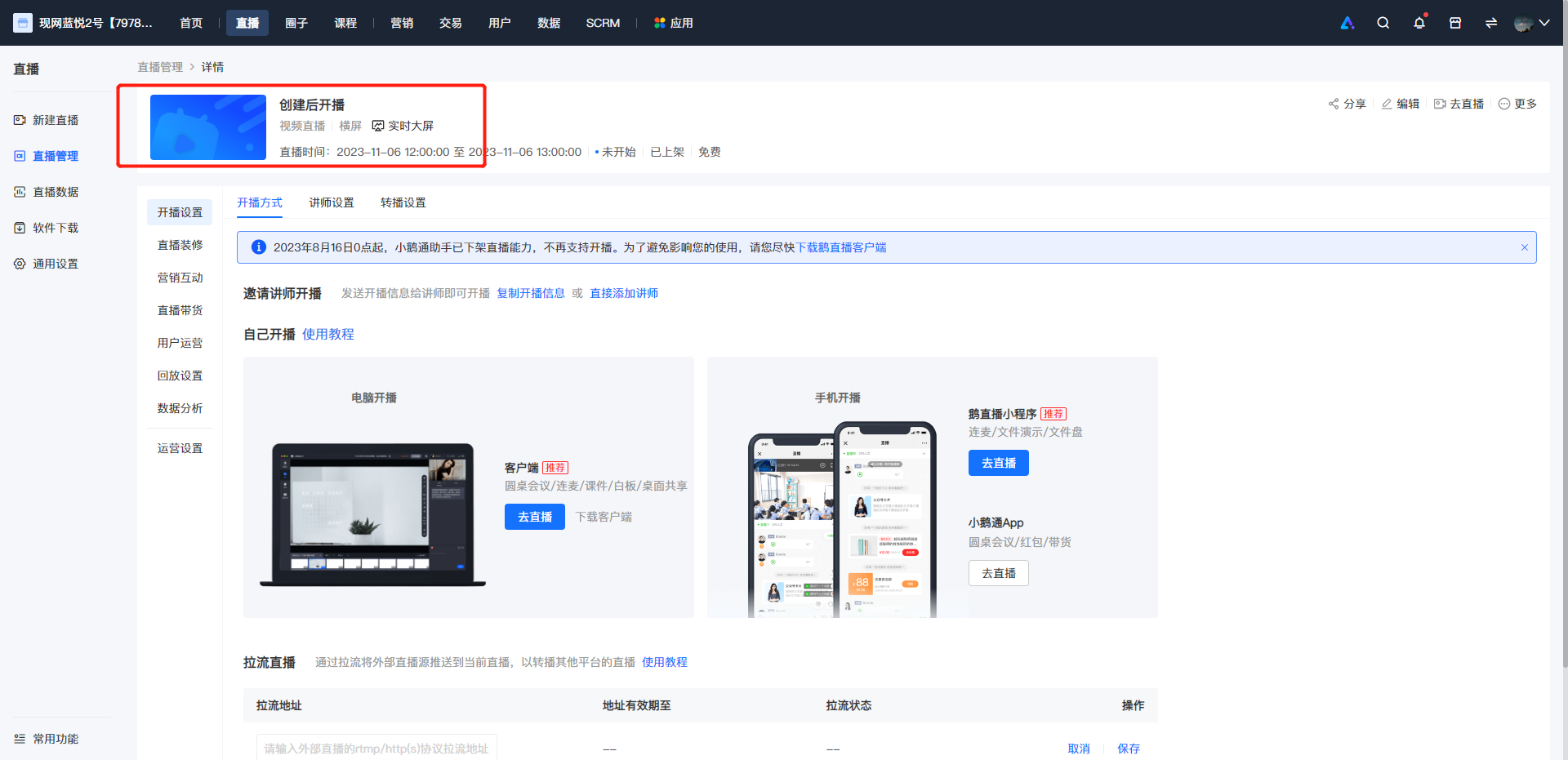
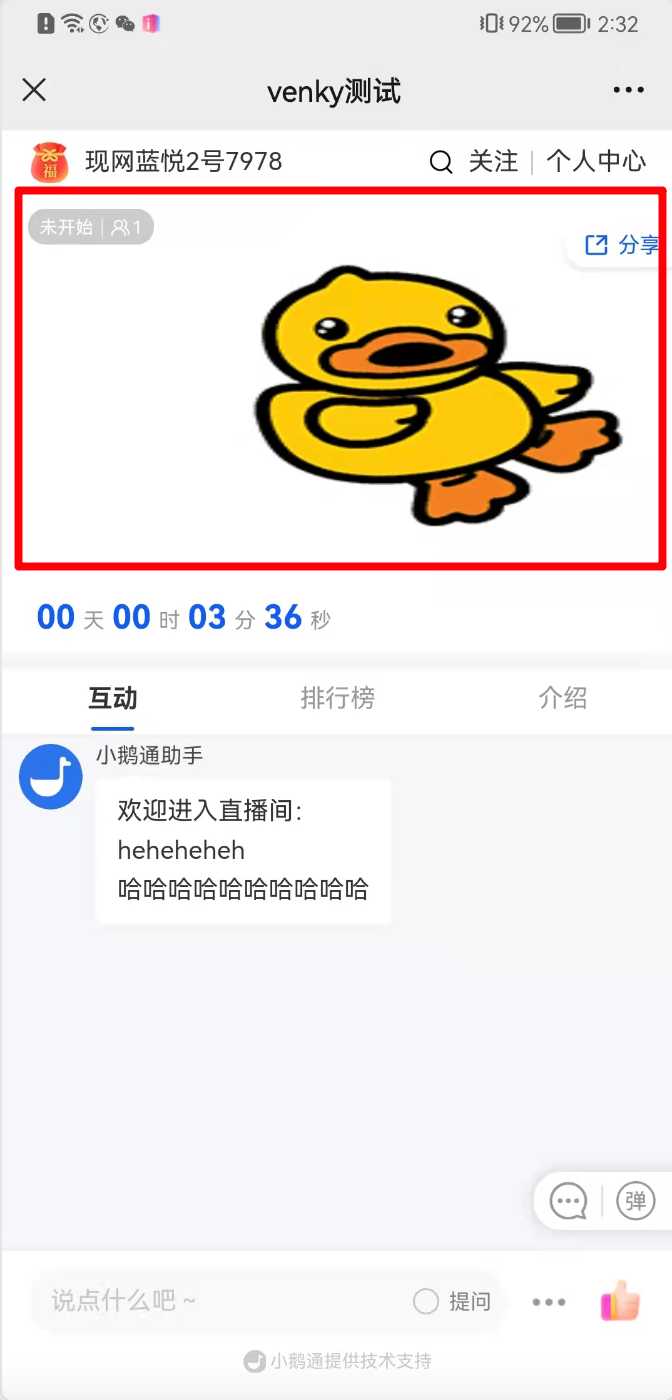
<span style="font-size:14px;"><span style="font-family:'微软雅黑', serif;">2.</span><span style="font-family:'微软雅黑';">Display on the live stream details page.</span></span>

<span style="font-size:14px;"><span style="font-family:'微软雅黑';">![image.png](https://wechatapppro-1252524126.file.myqcloud.com/help_document/image/ueditor/94902800_1699240572.png ".png")</span></span>

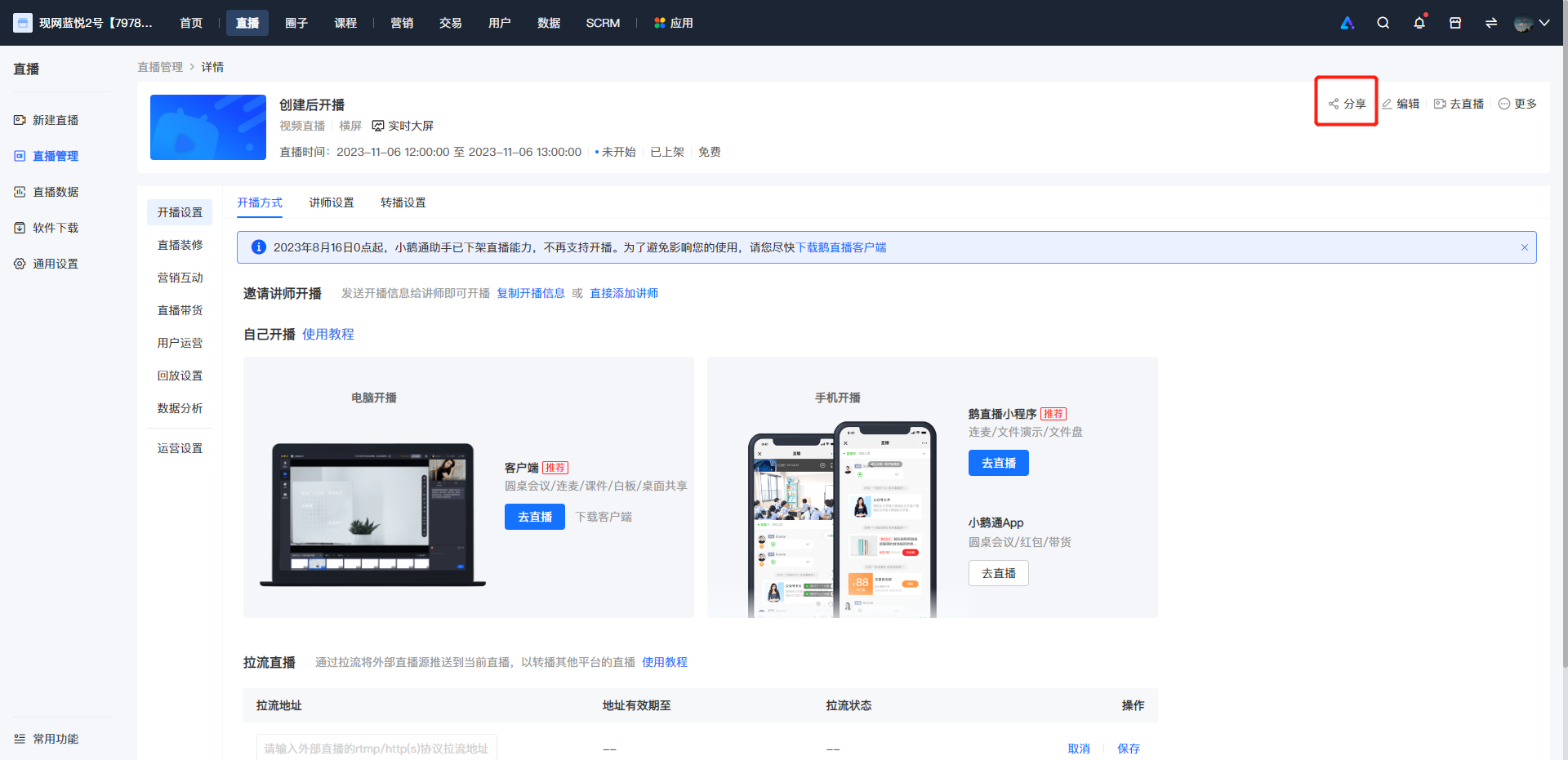
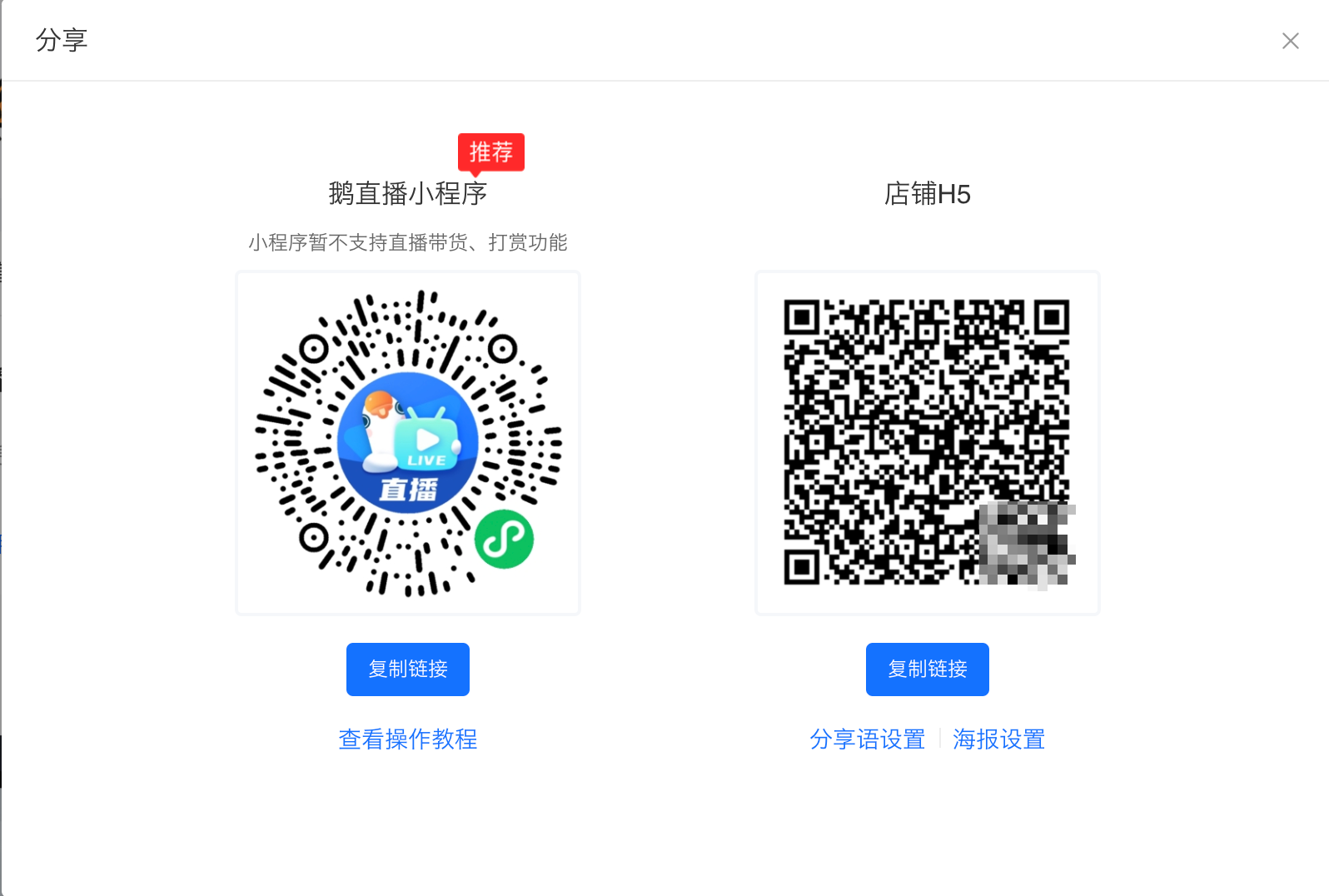
<span style="font-size:14px;"><span style="font-family:'微软雅黑', serif;">3.</span><span style="font-family:'微软雅黑';">Click 'Share' and scan the QR code to view the effect on WeChat.</span></span>

<span style="font-size:14px;"><span style="font-family:'微软雅黑';">![image.png](https://wechatapppro-1252524126.file.myqcloud.com/help_document/image/ueditor/82224800_1699240572.png ".png")</span></span>

![image.png](https://wechatapppro-1252524126.file.myqcloud.com/help_document/image/ueditor/76736600_1699240481.png ".png")

![image.png](https://wechatapppro-1252524126.file.myqcloud.com/help_document/image/ueditor/97261700_1699240481.png ".png")