Tutorial on Sending Products during Live Commerce
I. Function Introduction
It supports instructors to send course products in the live streaming room.
II. Purpose of Use
Merchants can drive the sales of course products by sending them during live streaming.
III. Usage Scenarios
It meets the merchants' needs to send course products during live streaming.
IV. Operation Path
Merchant side:Select products→ Send products → View products
V. Usage Tutorial
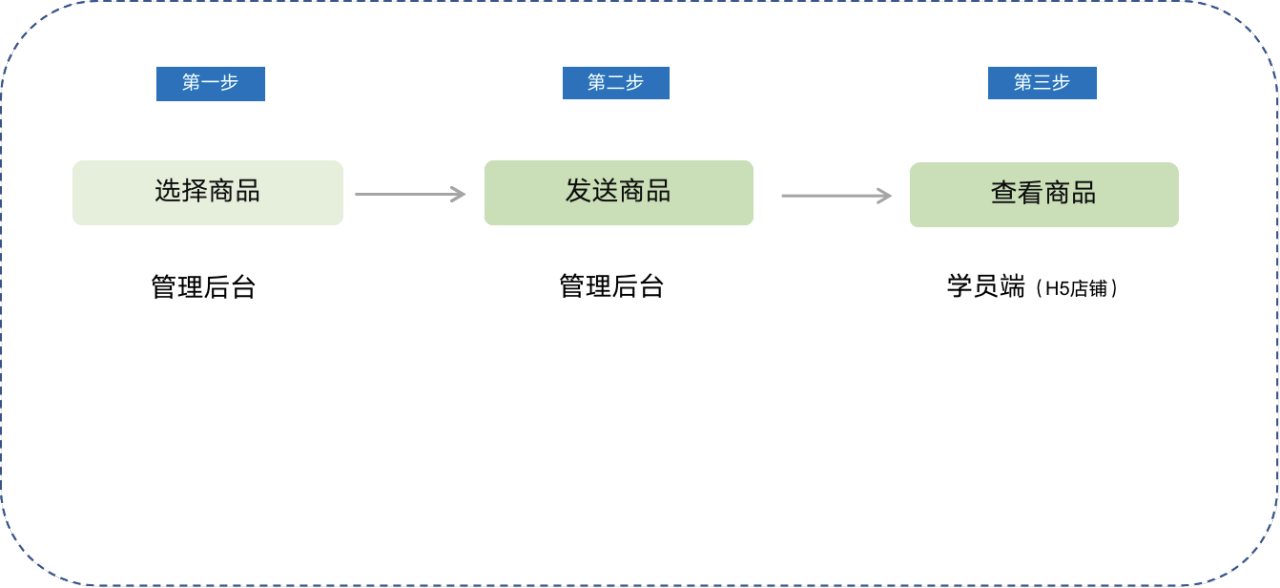
Step 1:Select products (Store management console)
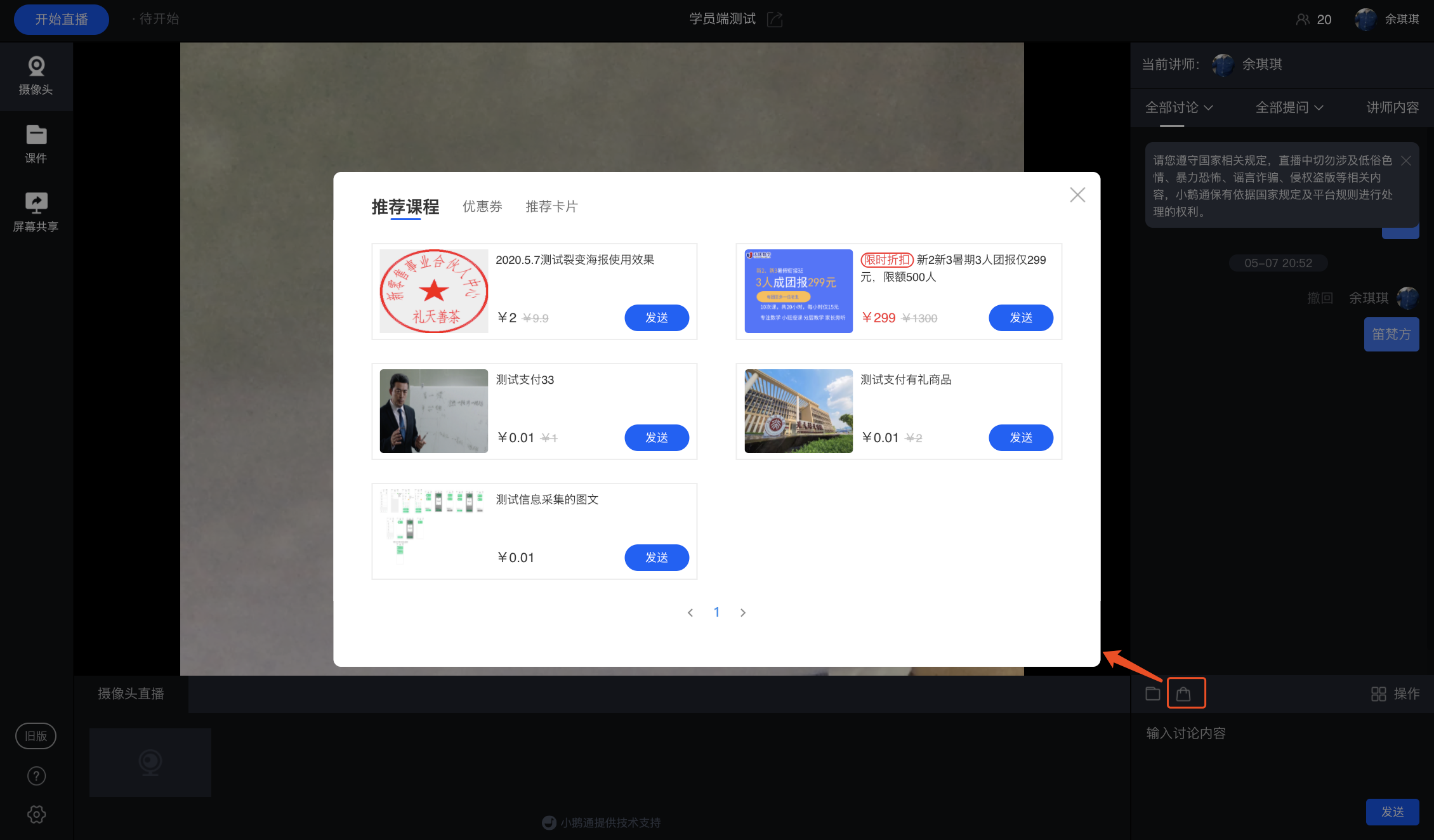
1. Instructors canclick [Marketing Tools] in the PC live streaming room to select products.
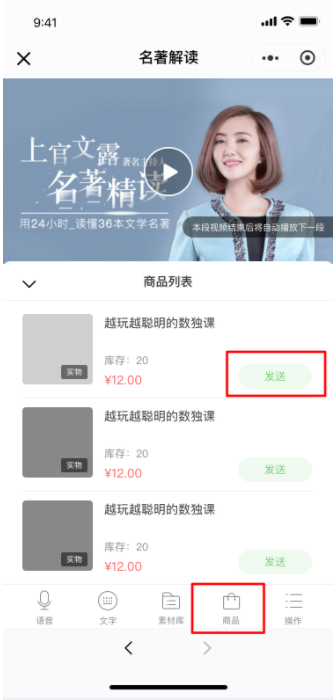
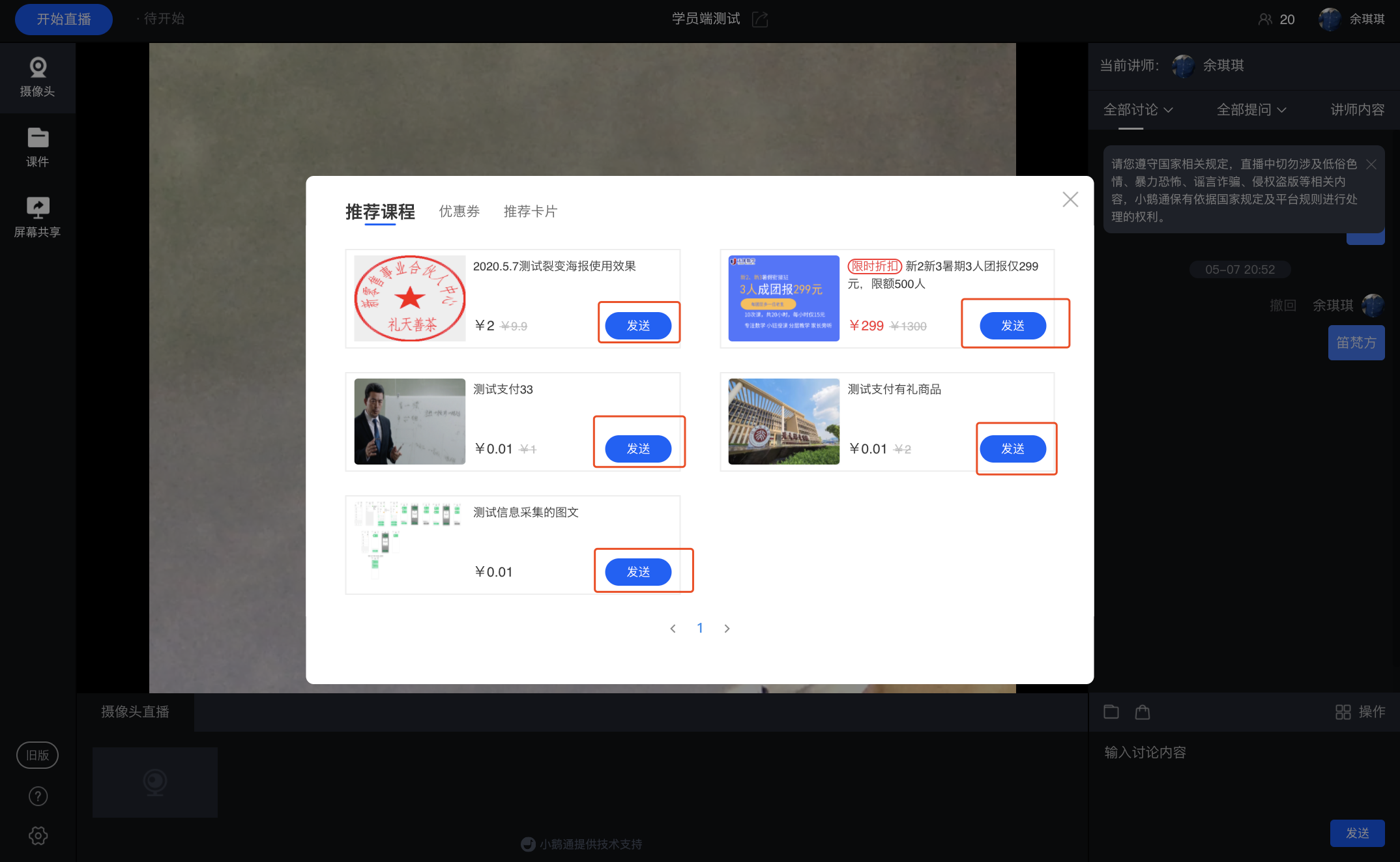
2. Instructors can alsoWeChat browser H5In the live streaming room, [click the product list entry -> select products and continue to send] to send the corresponding products to the explanation area.
Step 2: Send products (Store management console)
You can select the corresponding products and send them to the explanation area.
Step 3:View products (Learner side)
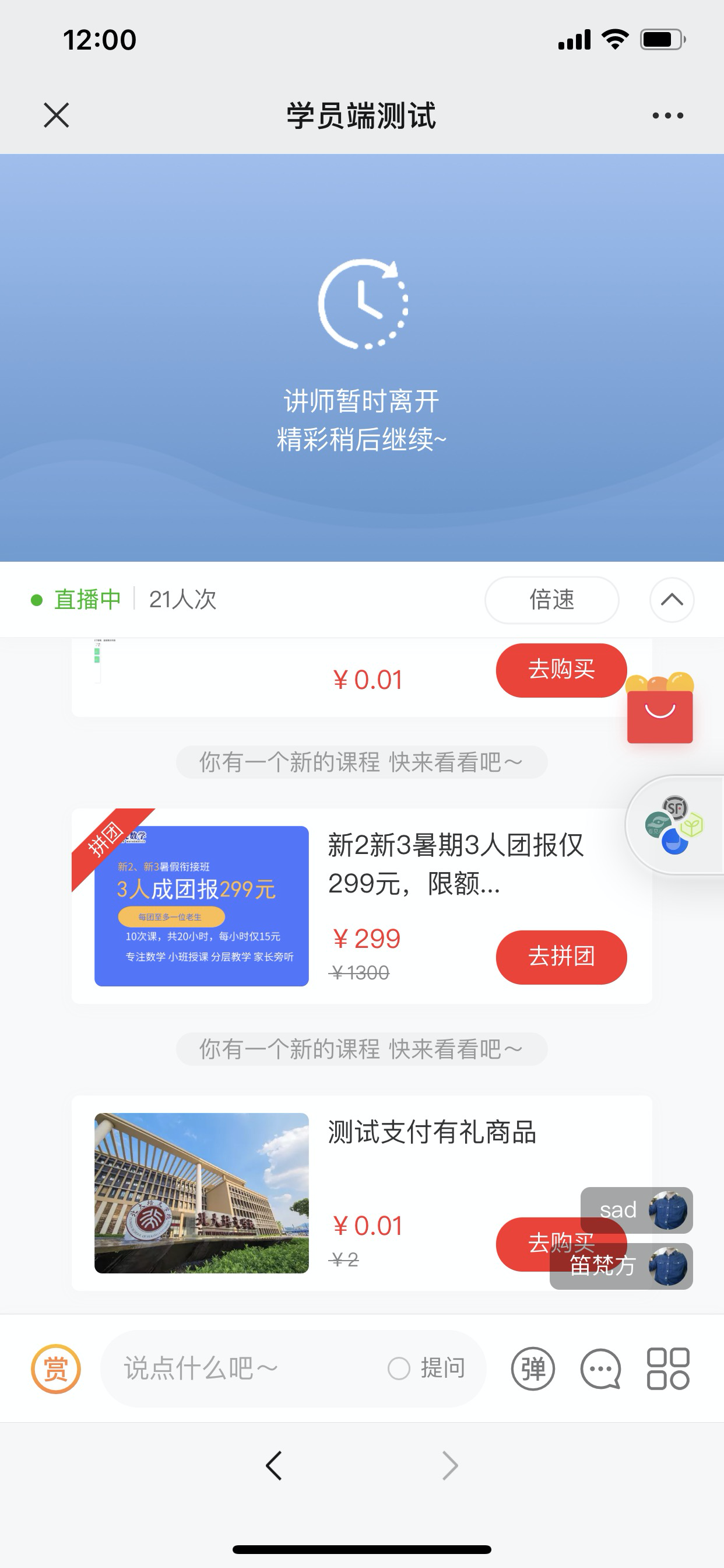
After the instructor successfully sends the products, learners can view them in the explanation area.