# Supplementary interactive prompts for vertical screen live rooms and optimization of the product list refresh function
**I. Feature Introduction**
Added relevant interactive prompts in the vertical-screen live streaming room and supported automatic refresh after opening the product list each time.
**II. Purpose of Use**
Help enliven the atmosphere of the live streaming room and enhance users' experience of watching live streams and making purchases.
**III. Use Scenarios**
Add interactive prompts (such as entry prompts, purchasing prompts, sharing prompts, etc.) on the page during vertical-screen live streaming to enliven the atmosphere of the live streaming room and encourage users to engage in more interactive operations (such as clicking on products and sharing the live streaming room).
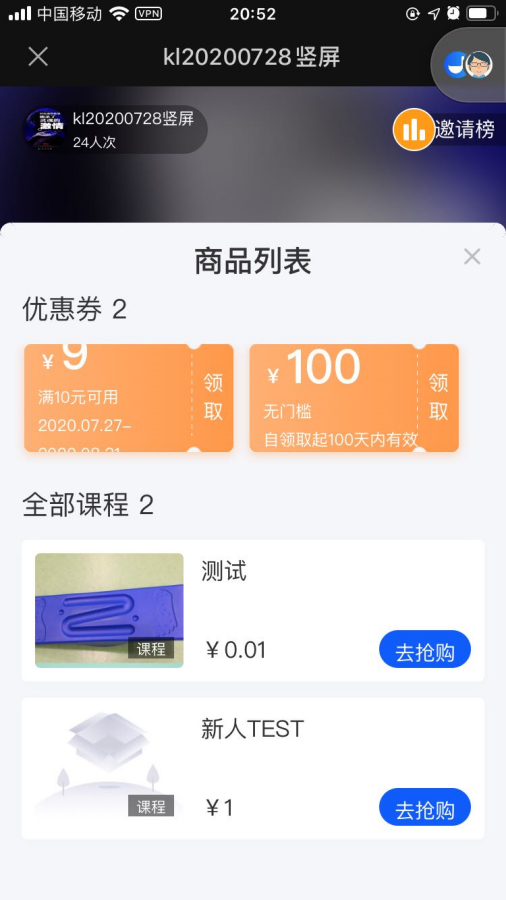
Meanwhile, when merchants use live commerce and add products in the background, the product list will automatically refresh when users open it, enhancing users' experience of watching live streams and making purchases.
**IV. Operation Path**
Learner's end: WeChat H5 --- Live streaming page
**V. Usage Tutorial**
**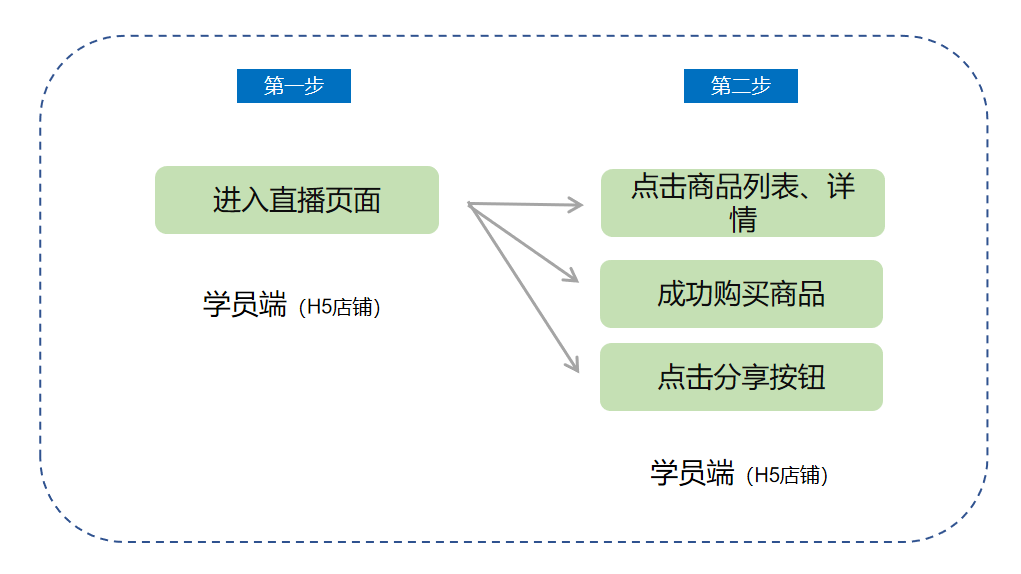**
**Step 1: Enter the \[Vertical-screen Live Streaming\] page**
1. When users perform the following actions during live streaming (currently only vertical-screen live streaming is supported), corresponding prompts will be displayed:
· Enter the live streaming room ----> Entry prompt
· Click on a product ----> Purchasing prompt
· Successfully purchase a product ----> Purchase success prompt
· Click the sharing button ----> Sharing prompt
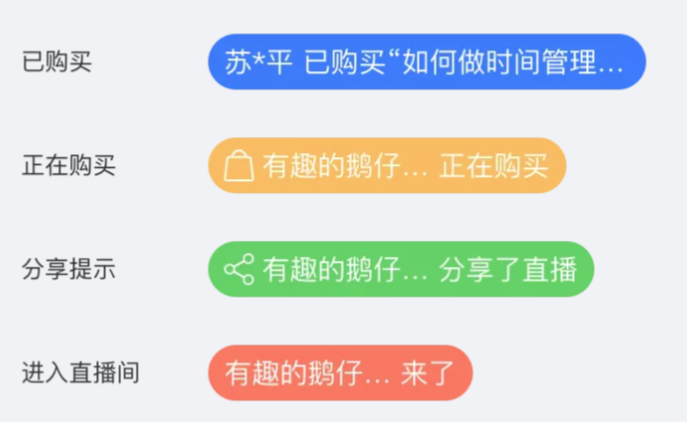
The styles of each prompt are as shown in the figure below. The interaction actions are as follows: The prompt slides in from left to right to the specified position → stays and displays → fades out in place, and then the next prompt is displayed.
**Step 2: Click on the product list**
On the live streaming page (including both horizontal-screen and vertical-screen live streaming), each time users click to open the product list pop-up window in the live streaming room, the content of this pop-up window will be refreshed.