# How to check if the current microphone is working properly?

<div data-elink-language-switch="1" id="bkmrk-%E4%B8%AD%E6%96%87" style="border:1px solid #d6d9de;border-radius:6px;padding:10px 12px;margin:0 0 18px 0;background:#f8fafc;font-size:14px;">[中文](/books/091d5/page/060ad)</div>**<span style="font-size:20px;">How to check if the current microphone is working properly?</span>**  
  
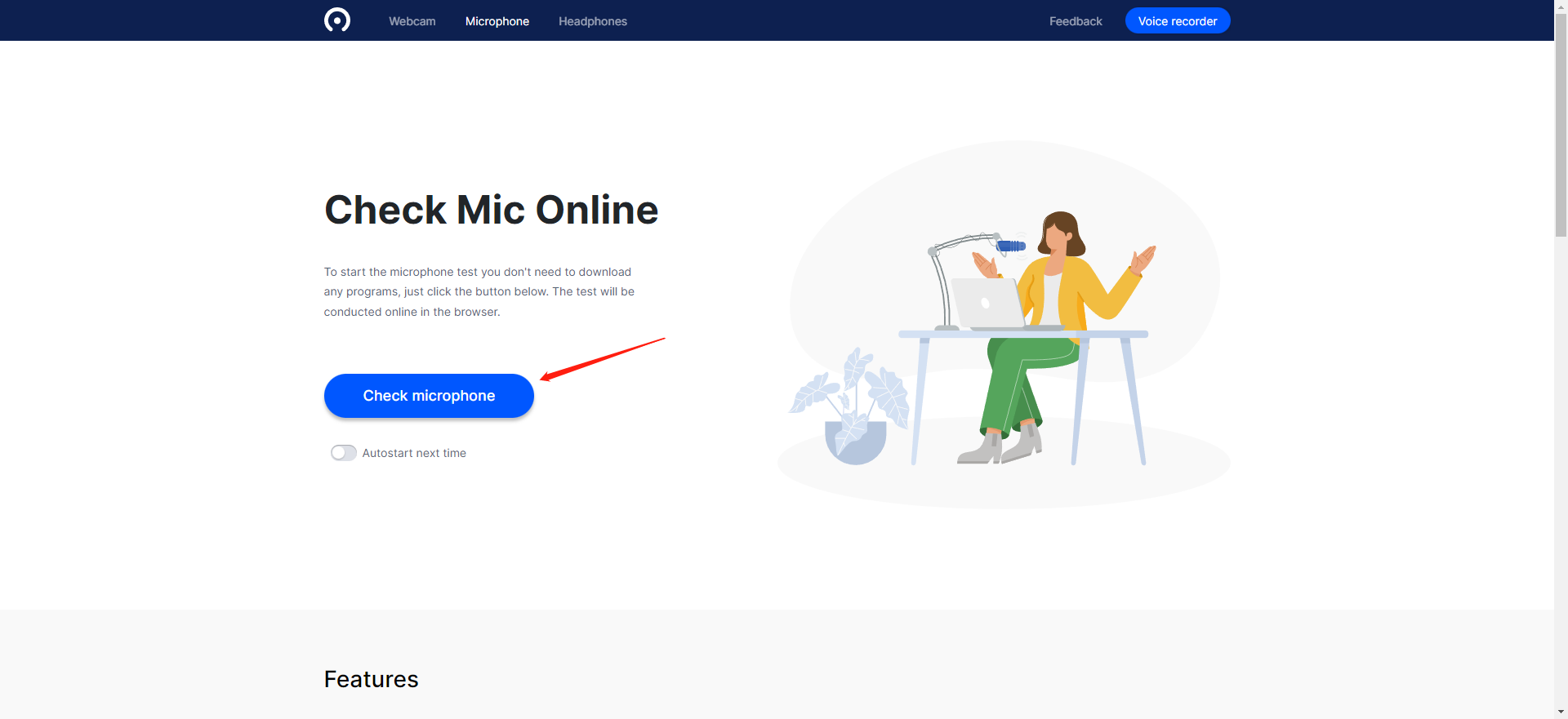
1\. Click the following URL to test:[https://webcammictest.com/check-mic.html](https://webcammictest.com/check-mic.html)
![image.png](https://wechatapppro-1252524126.file.myqcloud.com/help_document/image/ueditor/96010700_1677492619.png ".png")

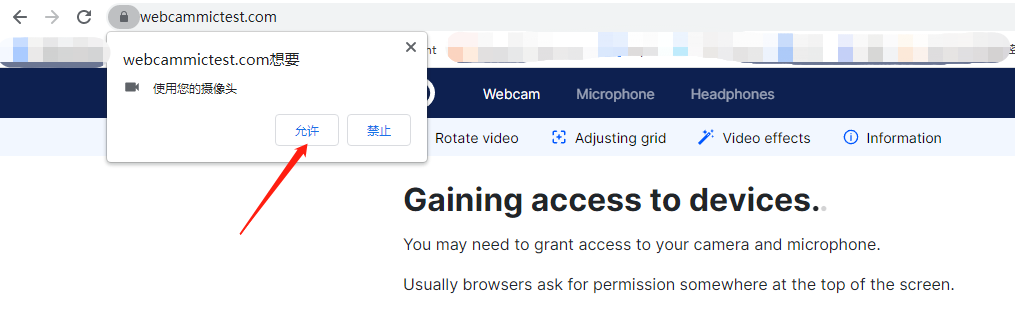
2\. Grant authorization.

![image.png](https://wechatapppro-1252524126.file.myqcloud.com/help_document/image/ueditor/57970700_1677492660.png ".png")

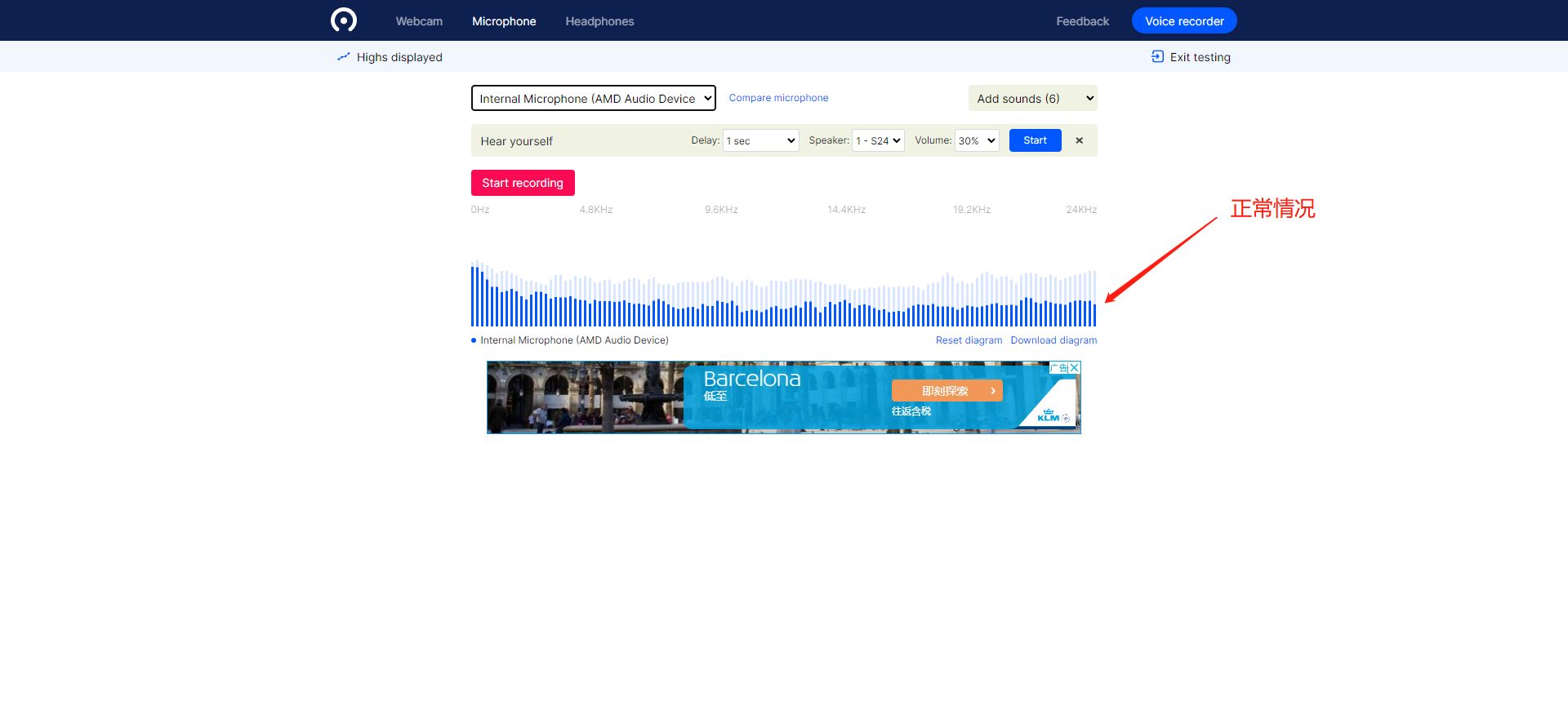
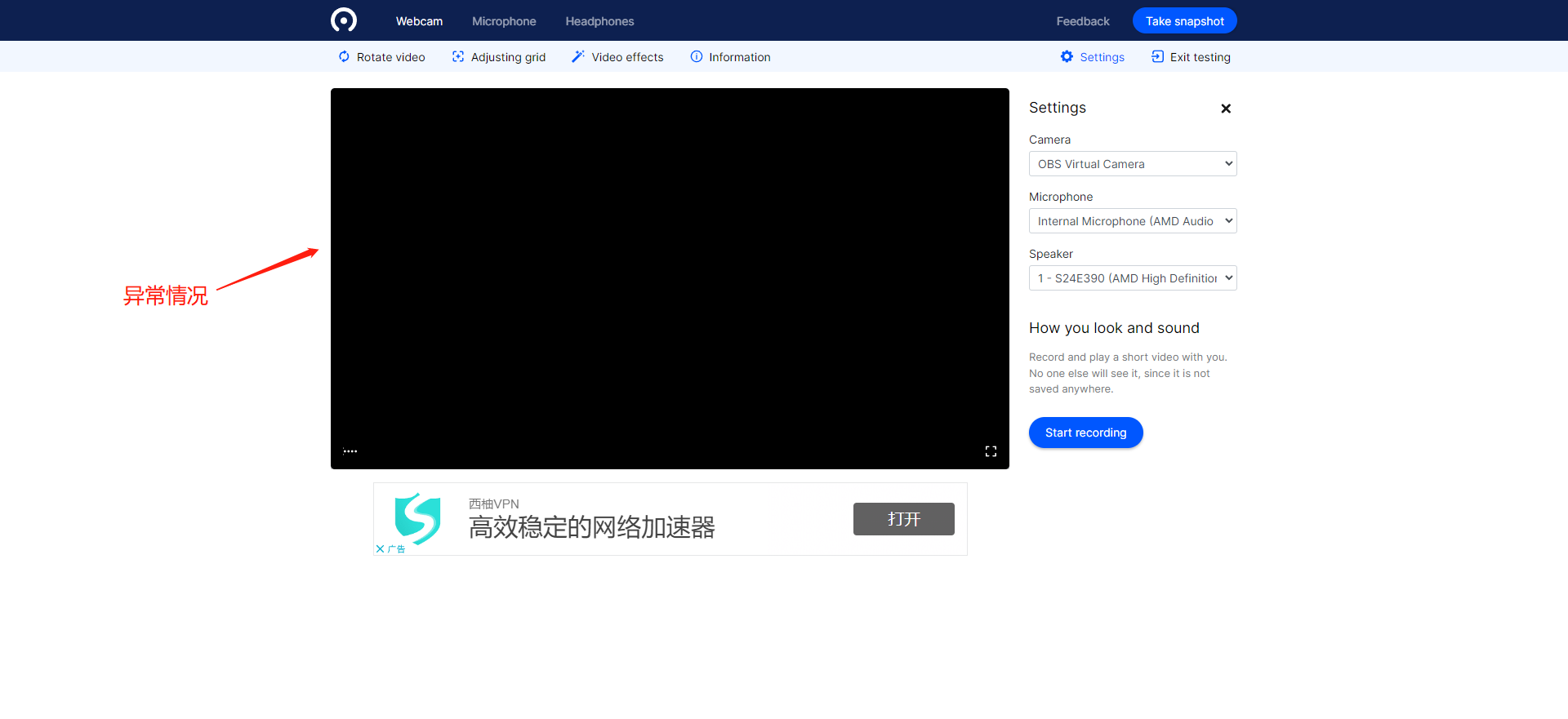
3\. If the detected microphone volume is abnormal or there are no available devices in the device list, you need to check if the microphone device is malfunctioning or replace the microphone.
![image.png](https://wechatapppro-1252524126.file.myqcloud.com/help_document/image/ueditor/49539000_1677492677.png ".png")

![image.png](https://wechatapppro-1252524126.file.myqcloud.com/help_document/image/ueditor/32225400_1677492677.png ".png")