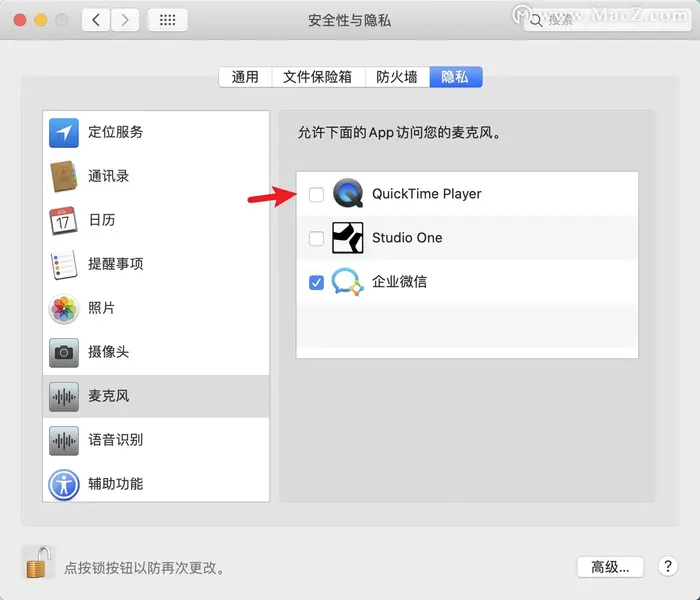
How to authorize the microphone on a Mac computer?
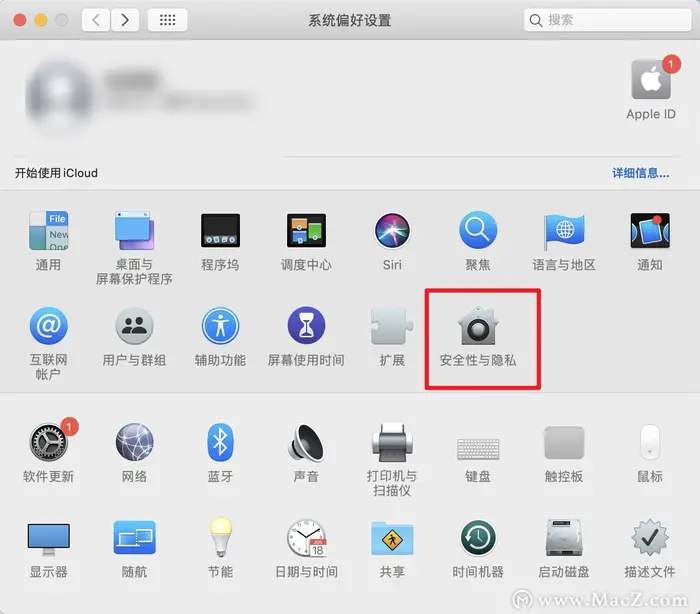
1. On your computer, click the Apple icon and then click System Preferences.
2. Click Security & Privacy.
3. Click Privacy, find Microphone on the left side, and click the small lock icon in the lower - left corner.
4. Enter your password to allow changes, and then select the program you want to use the microphone with (here, select the eLink Live app or eLink Assistant).